











Что это?
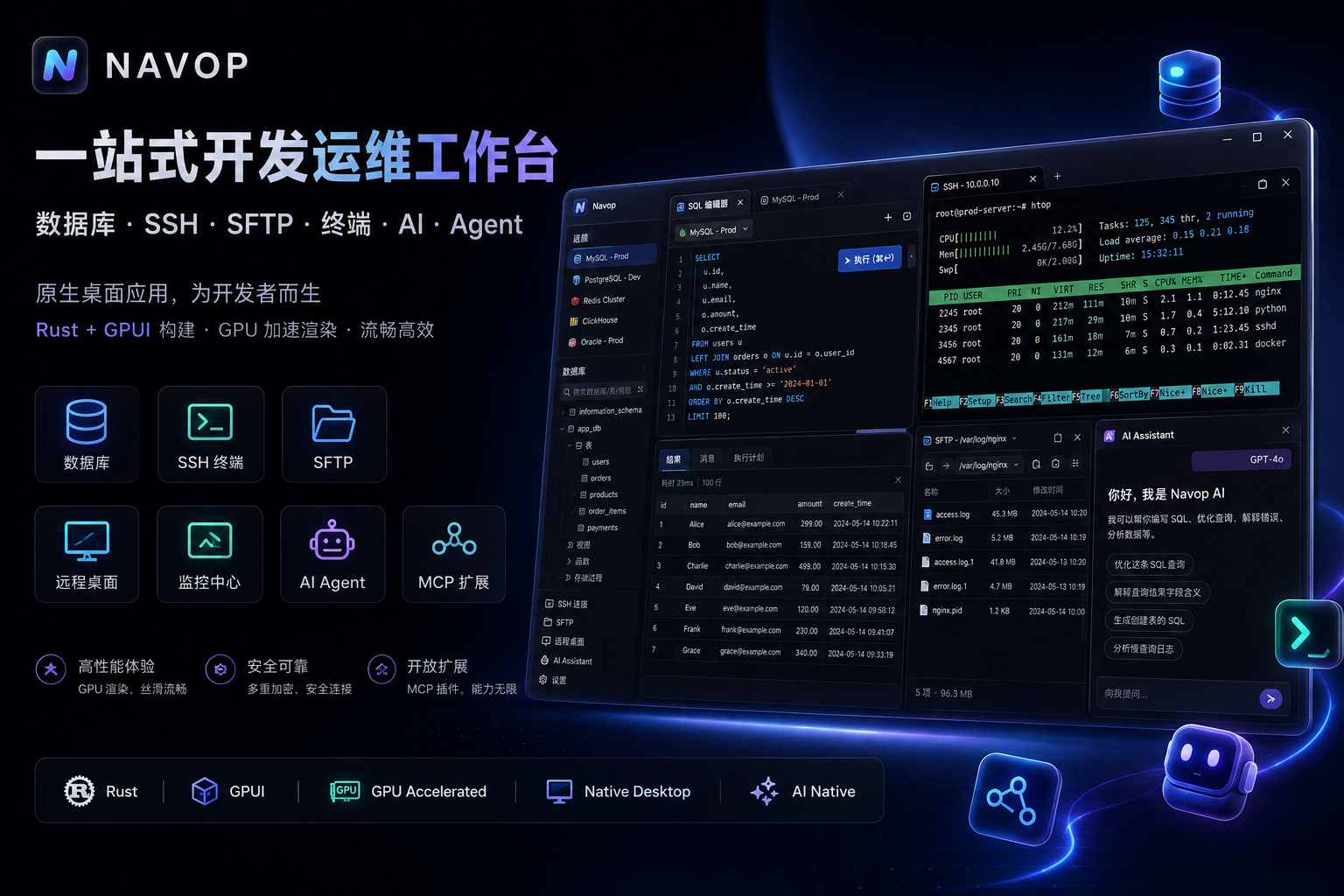
 Navop — это нативное универсальное десктопное рабочее пространство, объединяющее в одном приложении инструменты для баз данных, SSH/терминал, удалённый рабочий стол, передачу файлов, мониторинг, заметки и интеграцию с AI-агентами.
Navop — это нативное универсальное десктопное рабочее пространство, объединяющее в одном приложении инструменты для баз данных, SSH/терминал, удалённый рабочий стол, передачу файлов, мониторинг, заметки и интеграцию с AI-агентами.Это один инструмент или целое рабочее пространство из множества инструментов?Это единое нативное десктопное рабочее пространство на GPUI (Rust), которое объединяет клиент баз данных, SSH/терминал, просмотр удалённого рабочего стола, передачу файлов, мониторинг и хаб AI-агентов в одном приложении вместо отдельных инструментов.
Это единое нативное десктопное рабочее пространство на GPUI (Rust), которое объединяет клиент баз данных, SSH/терминал, просмотр удалённого рабочего стола, передачу файлов, мониторинг и хаб AI-агентов в одном приложении вместо отдельных инструментов.Как установить Navop?Скачайте последнюю сборку с GitHub Releases: DMG/tar.gz для macOS, MSI/EXE или портативный ZIP для Windows и tar.gz/deb/rpm/AppImage для Linux. Пользователи Windows могут также установить его через Scoop, а пользователи Linux — через пакет Flatpak.
Скачайте последнюю сборку с GitHub Releases: DMG/tar.gz для macOS, MSI/EXE или портативный ZIP для Windows и tar.gz/deb/rpm/AppImage для Linux. Пользователи Windows могут также установить его через Scoop, а пользователи Linux — через пакет Flatpak.Что нужно для подключения AI-агентов вроде Claude Code или Codex?Navop подключает внешних агентов через ACP для Codex, Claude Code и OpenCode, а также может открывать свои инструменты этим клиентам через встроенный MCP-сервер (Settings > General > MCP) или отдельный stdio-мост @navop/mcp.
Navop подключает внешних агентов через ACP для Codex, Claude Code и OpenCode, а также может открывать свои инструменты этим клиентам через встроенный MCP-сервер (Settings > General > MCP) или отдельный stdio-мост @navop/mcp.Можно ли перепродавать Navop или брать за него плату?Нет. Дополнительная лицензия Navop разрешает свободное распространение через каналы вроде GitHub Releases, Flatpak и бесплатных магазинов приложений, но прямо запрещает коммерческую перепродажу, взимание платы, конкурирующие продукты или услуги и платные платформы распространения.
Нет. Дополнительная лицензия Navop разрешает свободное распространение через каналы вроде GitHub Releases, Flatpak и бесплатных магазинов приложений, но прямо запрещает коммерческую перепродажу, взимание платы, конкурирующие продукты или услуги и платные платформы распространения.Мои данные подключений и учётные данные остаются приватными?Личные подключения, учётные данные и настройки синхронизируются между вашими собственными устройствами со сквозным шифрованием, а не отправляются на сторонний сервер.
Личные подключения, учётные данные и настройки синхронизируются между вашими собственными устройствами со сквозным шифрованием, а не отправляются на сторонний сервер.Какие базы данных Navop поддерживает из коробки?MySQL, PostgreSQL, SQLite, DuckDB, SQL Server, Oracle, ClickHouse, Redis и MongoDB встроены, а дополнительные вроде TDengine, Dameng, KingbaseES, openGauss и Apache IoTDB доступны в виде устанавливаемых драйверов-расширений.
MySQL, PostgreSQL, SQLite, DuckDB, SQL Server, Oracle, ClickHouse, Redis и MongoDB встроены, а дополнительные вроде TDengine, Dameng, KingbaseES, openGauss и Apache IoTDB доступны в виде устанавливаемых драйверов-расширений.Что такое Agent Hub?Это представление рабочего пространства, где терминальный агент, файлы проекта, ветки Git, изменения и диффы «бок о бок» собраны вместе, чтобы вы могли наблюдать за AI-агентами для кодинга в контексте.
Это представление рабочего пространства, где терминальный агент, файлы проекта, ветки Git, изменения и диффы «бок о бок» собраны вместе, чтобы вы могли наблюдать за AI-агентами для кодинга в контексте.Можно ли использовать нативный RDP на Windows?Да — на Windows Navop встраивает элемент ActiveX Microsoft RDP через нативный C++-хост (работает во вкладке, на весь экран или через запуск mstsc.exe), а кроссплатформенный бэкенд IronRDP на чистом Rust отрисовывает RDP-сессии на других платформах.
Да — на Windows Navop встраивает элемент ActiveX Microsoft RDP через нативный C++-хост (работает во вкладке, на весь экран или через запуск mstsc.exe), а кроссплатформенный бэкенд IronRDP на чистом Rust отрисовывает RDP-сессии на других платформах.Какие языки интерфейса поддерживаются?Английский, упрощённый китайский и традиционный китайский.
Английский, упрощённый китайский и традиционный китайский.What are similar projects?tusk, dbx, electerm, TablePro, Termix, anythingmcp, beekeeper-studio, Chat2DB
tusk, dbx, electerm, TablePro, Termix, anythingmcp, beekeeper-studio, Chat2DB