


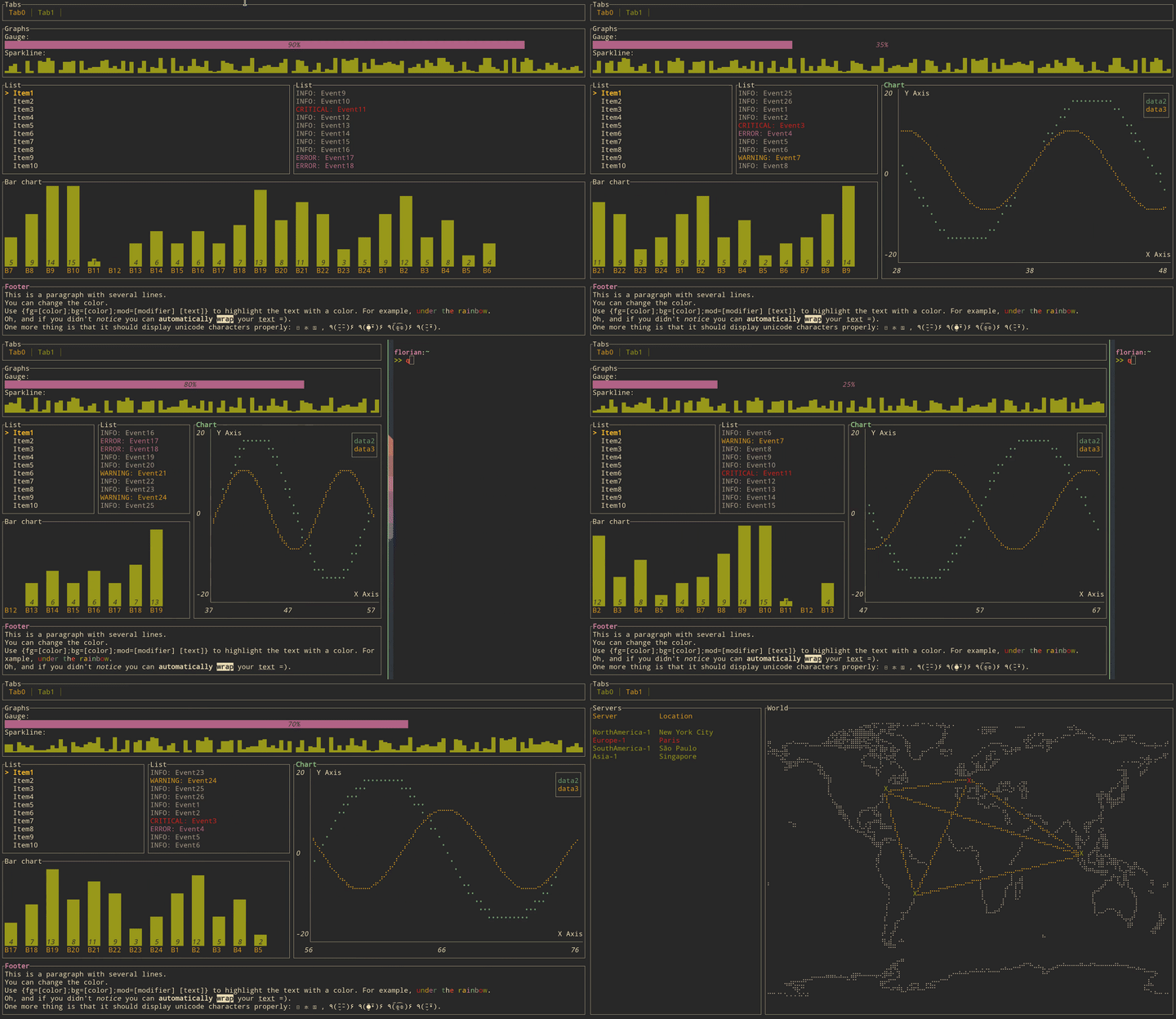
Что это такое?
 tui-rs — это библиотека на Rust для создания насыщенных терминальных интерфейсов и дашбордов, вдохновлённая JavaScript-библиотекой blessed-contrib и библиотекой termui на Go.
tui-rs — это библиотека на Rust для создания насыщенных терминальных интерфейсов и дашбордов, вдохновлённая JavaScript-библиотекой blessed-contrib и библиотекой termui на Go.Это приложение, которое я запускаю, или библиотека, с которой я пишу код?Это библиотека, а не приложение: вы подключаете её к проекту на Rust и пишете интерфейс сами — каждый кадр вы заново собираете все виджеты, которые должны быть на экране, а tui-rs отрисовывает их в терминале.
Это библиотека, а не приложение: вы подключаете её к проекту на Rust и пишете интерфейс сами — каждый кадр вы заново собираете все виджеты, которые должны быть на экране, а tui-rs отрисовывает их в терминале.Как мне это попробовать?Запустите примеры из комплекта через cargo, например 'cargo run --example gauge' (чтобы выйти, нажмите q). Чтобы запустить все сразу, используйте 'cargo make run-examples', предварительно установив cargo-make командой 'cargo install cargo-make'.
Запустите примеры из комплекта через cargo, например 'cargo run --example gauge' (чтобы выйти, нажмите q). Чтобы запустить все сразу, используйте 'cargo make run-examples', предварительно установив cargo-make командой 'cargo install cargo-make'.Мне нужна какая-то конкретная версия Rust?Достаточно актуального тулчейна Rust: начиная с версии 0.17.0 крейт требует rustc 1.56.1 или новее.
Достаточно актуального тулчейна Rust: начиная с версии 0.17.0 крейт требует rustc 1.56.1 или новее.Проект ещё поддерживается?Нет — крейт не поддерживается с августа 2023 года. В README указана активно развиваемая ветка (форк), а в качестве альтернативы для создания TUI на Rust называется Cursive.
Нет — крейт не поддерживается с августа 2023 года. В README указана активно развиваемая ветка (форк), а в качестве альтернативы для создания TUI на Rust называется Cursive.Заработает ли это в моём терминале на любой ОС?Отрисовка идёт через подключаемый бэкенд — по умолчанию crossterm, альтернативно termion, — поэтому библиотека ориентирована на сам терминал, а не на конкретные операционные системы.
Отрисовка идёт через подключаемый бэкенд — по умолчанию crossterm, альтернативно termion, — поэтому библиотека ориентирована на сам терминал, а не на конкретные операционные системы.Какие виджеты есть из коробки?Block, Gauge, Sparkline, Chart, BarChart, List, Table, Paragraph, Tabs, а также Canvas, который умеет рисовать линии, облака точек и карту — для каждого в репозитории есть свой запускаемый пример.
Block, Gauge, Sparkline, Chart, BarChart, List, Table, Paragraph, Tabs, а также Canvas, который умеет рисовать линии, облака точек и карту — для каждого в репозитории есть свой запускаемый пример.Как он обрабатывает ввод с клавиатуры?Никак: в tui-rs нет ни обработки ввода, ни системы событий. Вы подключаете свою — через тот же бэкенд, через который рисуете, обычно это crossterm или termion.
Никак: в tui-rs нет ни обработки ввода, ни системы событий. Вы подключаете свою — через тот же бэкенд, через который рисуете, обычно это crossterm или termion.Как устроена отрисовка внутри?Немедленная отрисовка с промежуточными буферами: каждый кадр вы заново собираете все виджеты, из которых состоит интерфейс. Крейт сводит к минимуму ANSI- escape-последовательности, чтобы перерисовка была дешёвой, и на практике остаточные накладные расходы чаще связаны с эмулятором терминала, чем с самой библиотекой.
Немедленная отрисовка с промежуточными буферами: каждый кадр вы заново собираете все виджеты, из которых состоит интерфейс. Крейт сводит к минимуму ANSI- escape-последовательности, чтобы перерисовка была дешёвой, и на практике остаточные накладные расходы чаще связаны с эмулятором терминала, чем с самой библиотекой.Кто использует его в реальных приложениях?Длинный список терминальных утилит, среди них spotify-tui, bandwhich, bottom, zenith, gping, gitui, diskonaut, tickrs, termchat, xplr и tokio-console.
Длинный список терминальных утилит, среди них spotify-tui, bandwhich, bottom, zenith, gping, gitui, diskonaut, tickrs, termchat, xplr и tokio-console.