


What is this?
 tui-rs is a Rust library for building rich terminal user interfaces and dashboards, inspired by the JavaScript library blessed-contrib and the Go library termui.
tui-rs is a Rust library for building rich terminal user interfaces and dashboards, inspired by the JavaScript library blessed-contrib and the Go library termui.Is this an app I run, or a library I build with?A library, not an app: you add it to a Rust project and write the UI yourself - every frame you rebuild all widgets that should be on screen, and tui-rs draws them in the terminal.
A library, not an app: you add it to a Rust project and write the UI yourself - every frame you rebuild all widgets that should be on screen, and tui-rs draws them in the terminal.How do I try it out?Run the bundled examples with cargo, e.g. 'cargo run --example gauge' (press q to quit). To run all of them, use 'cargo make run-examples' after installing cargo-make with 'cargo install cargo-make'.
Run the bundled examples with cargo, e.g. 'cargo run --example gauge' (press q to quit). To run all of them, use 'cargo make run-examples' after installing cargo-make with 'cargo install cargo-make'.Do I need a specific Rust version?Just a current Rust toolchain: since version 0.17.0 the crate requires rustc 1.56.1 or greater.
Just a current Rust toolchain: since version 0.17.0 the crate requires rustc 1.56.1 or greater.Is this still maintained?No - the crate is unmaintained as of August 2023. The README points to an actively maintained fork and names Cursive as an alternative for building TUIs in Rust.
No - the crate is unmaintained as of August 2023. The README points to an actively maintained fork and names Cursive as an alternative for building TUIs in Rust.Will it work in my terminal, whatever OS I am on?It renders through a pluggable backend - crossterm by default, termion as an alternative - so it targets the terminal itself rather than specific operating systems.
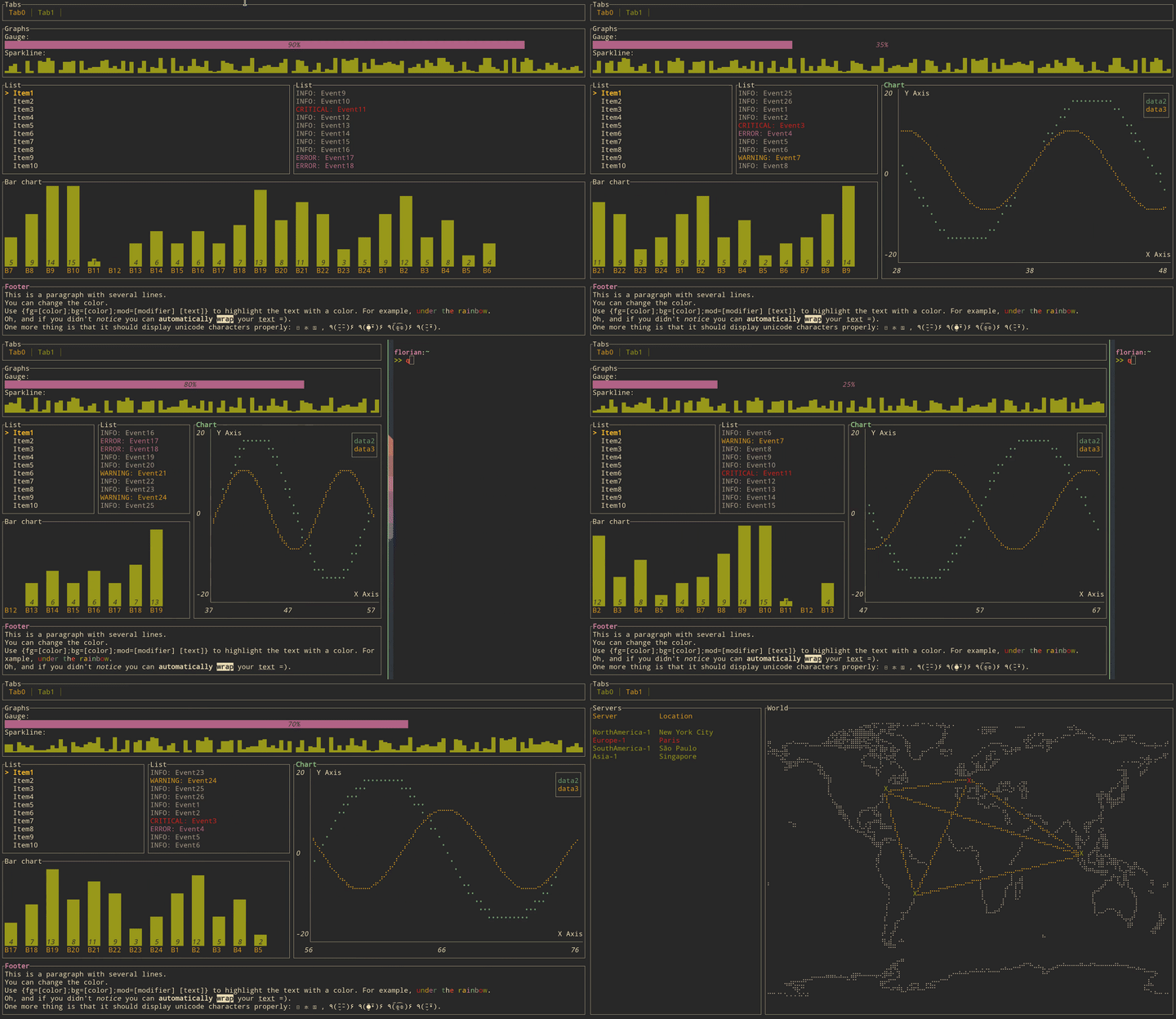
It renders through a pluggable backend - crossterm by default, termion as an alternative - so it targets the terminal itself rather than specific operating systems.Which widgets come built in?Block, Gauge, Sparkline, Chart, BarChart, List, Table, Paragraph, Tabs, plus a Canvas that can draw lines, point clouds and a map - each with its own runnable example in the repo.
Block, Gauge, Sparkline, Chart, BarChart, List, Table, Paragraph, Tabs, plus a Canvas that can draw lines, point clouds and a map - each with its own runnable example in the repo.How does it handle keyboard input?It doesn't: tui-rs ships no input handling and no event system. You bring your own through the same backend you render with, typically crossterm or termion.
It doesn't: tui-rs ships no input handling and no event system. You bring your own through the same backend you render with, typically crossterm or termion.How does rendering work under the hood?Immediate rendering with intermediate buffers: every frame you rebuild all widgets that make up the UI. The crate minimizes ANSI escape sequences to keep redraws cheap, and in practice leftover overhead comes more from the terminal emulator than from the library.
Immediate rendering with intermediate buffers: every frame you rebuild all widgets that make up the UI. The crate minimizes ANSI escape sequences to keep redraws cheap, and in practice leftover overhead comes more from the terminal emulator than from the library.Who uses it in real apps?A long list of terminal tools, including spotify-tui, bandwhich, bottom, zenith, gping, gitui, diskonaut, tickrs, termchat, xplr and tokio-console.
A long list of terminal tools, including spotify-tui, bandwhich, bottom, zenith, gping, gitui, diskonaut, tickrs, termchat, xplr and tokio-console.