



What is this?
 SQLModel is a Python library for interacting with SQL databases using Python objects instead of raw SQL. It is built on Pydantic and SQLAlchemy and designed for simplicity, compatibility, and robustness.
SQLModel is a Python library for interacting with SQL databases using Python objects instead of raw SQL. It is built on Pydantic and SQLAlchemy and designed for simplicity, compatibility, and robustness.So it is a library, not a framework? And how does it relate to SQLAlchemy and Pydantic?It is a library: a thin layer on top of Pydantic and SQLAlchemy. The classes you define are at the same time SQLModel, SQLAlchemy, and Pydantic models, so the full power of both stays available underneath.
It is a library: a thin layer on top of Pydantic and SQLAlchemy. The classes you define are at the same time SQLModel, SQLAlchemy, and Pydantic models, so the full power of both stays available underneath.How do I add it to a project?Install uv and add SQLModel to your project, or simply run pip install sqlmodel inside a virtual environment. Pydantic and SQLAlchemy are installed automatically along with it.
Install uv and add SQLModel to your project, or simply run pip install sqlmodel inside a virtual environment. Pydantic and SQLAlchemy are installed automatically along with it.What do I need to have installed first?Only a recent, currently supported version of Python. SQLModel requires Pydantic and SQLAlchemy, but both come automatically when you install SQLModel.
Only a recent, currently supported version of Python. SQLModel requires Pydantic and SQLAlchemy, but both come automatically when you install SQLModel.Is there a catch — do I still need to learn SQLAlchemy itself?It keeps your code short with sensible defaults, so deep SQLAlchemy knowledge is not needed for everyday use. Because it is a thin layer, the full power of SQLAlchemy and Pydantic is still there for advanced cases.
It keeps your code short with sensible defaults, so deep SQLAlchemy knowledge is not needed for everyday use. Because it is a thin layer, the full power of SQLAlchemy and Pydantic is still there for advanced cases.Do I have to be building a FastAPI app for this to make sense?No. It was created by the FastAPI author to simplify SQL in FastAPI apps, but it is a general Python library you can use in any project that works with a SQL database.
No. It was created by the FastAPI author to simplify SQL in FastAPI apps, but it is a general Python library you can use in any project that works with a SQL database.Can I use it in my own projects for free?Yes. SQLModel is open source under the MIT license, so it is free to use, including commercially.
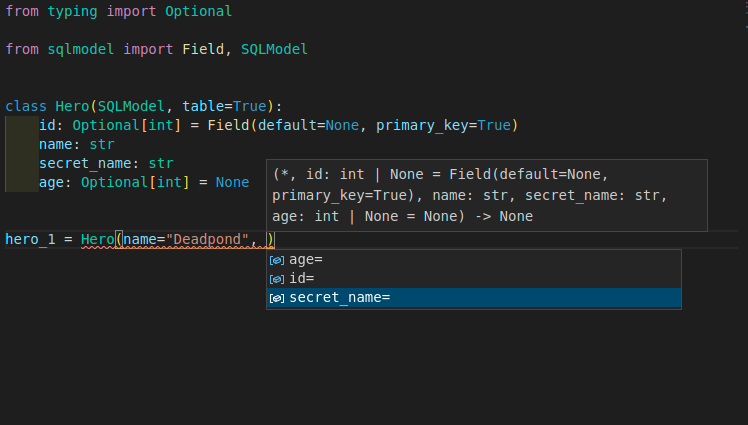
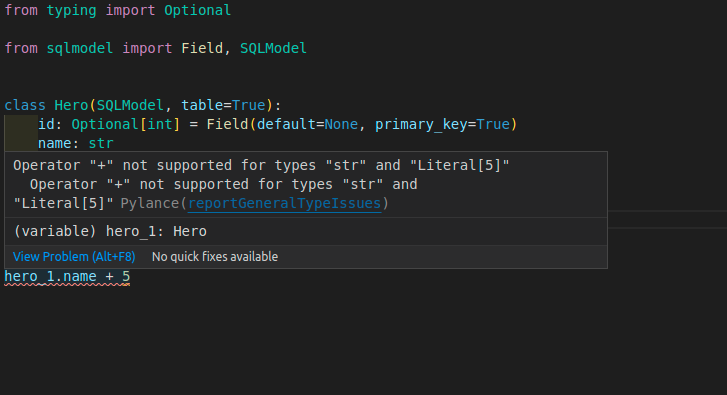
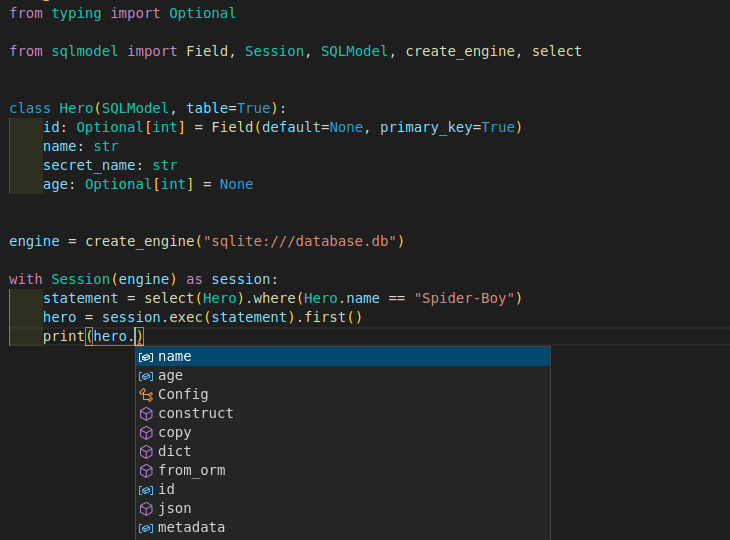
Yes. SQLModel is open source under the MIT license, so it is free to use, including commercially.What does defining a table look like in code?You write a regular Python class: the class is the equivalent of a SQL table, and each class attribute is a column. Rows are just instances of that class, so you create and query data with conventional Python code.
You write a regular Python class: the class is the equivalent of a SQL table, and each class attribute is a column. Rows are just instances of that class, so you create and query data with conventional Python code.Why choose it over plain SQLAlchemy plus Pydantic?You normally define your data twice, once for SQLAlchemy and once for Pydantic. SQLModel needs a single type annotation to do both jobs, minimizing code duplication while staying fully compatible with each.
You normally define your data twice, once for SQLAlchemy and once for Pydantic. SQLModel needs a single type annotation to do both jobs, minimizing code duplication while staying fully compatible with each.Can I migrate an existing SQLAlchemy app to it?Yes. A SQLModel model is also a SQLAlchemy model, so you can combine it with your existing SQLAlchemy models, which makes moving an application over straightforward.
Yes. A SQLModel model is also a SQLAlchemy model, so you can combine it with your existing SQLAlchemy models, which makes moving an application over straightforward.Which database does it store data in?SQL databases in general. The README quick example saves to a SQLite file, and since SQLAlchemy sits underneath, other SQL databases it supports are reachable too.
SQL databases in general. The README quick example saves to a SQLite file, and since SQLAlchemy sits underneath, other SQL databases it supports are reachable too.What are similar projects?sqlalchemy, pydantic, fastapi, peewee, mongoose, ajv, auth, react-jsonschema-form
sqlalchemy, pydantic, fastapi, peewee, mongoose, ajv, auth, react-jsonschema-formWhich topics is it in?validations, pydantic, annotations, json-schema, autocomplete, schema, validation, orm, fastapi, sql, json, beginner-friendly
validations, pydantic, annotations, json-schema, autocomplete, schema, validation, orm, fastapi, sql, json, beginner-friendly