






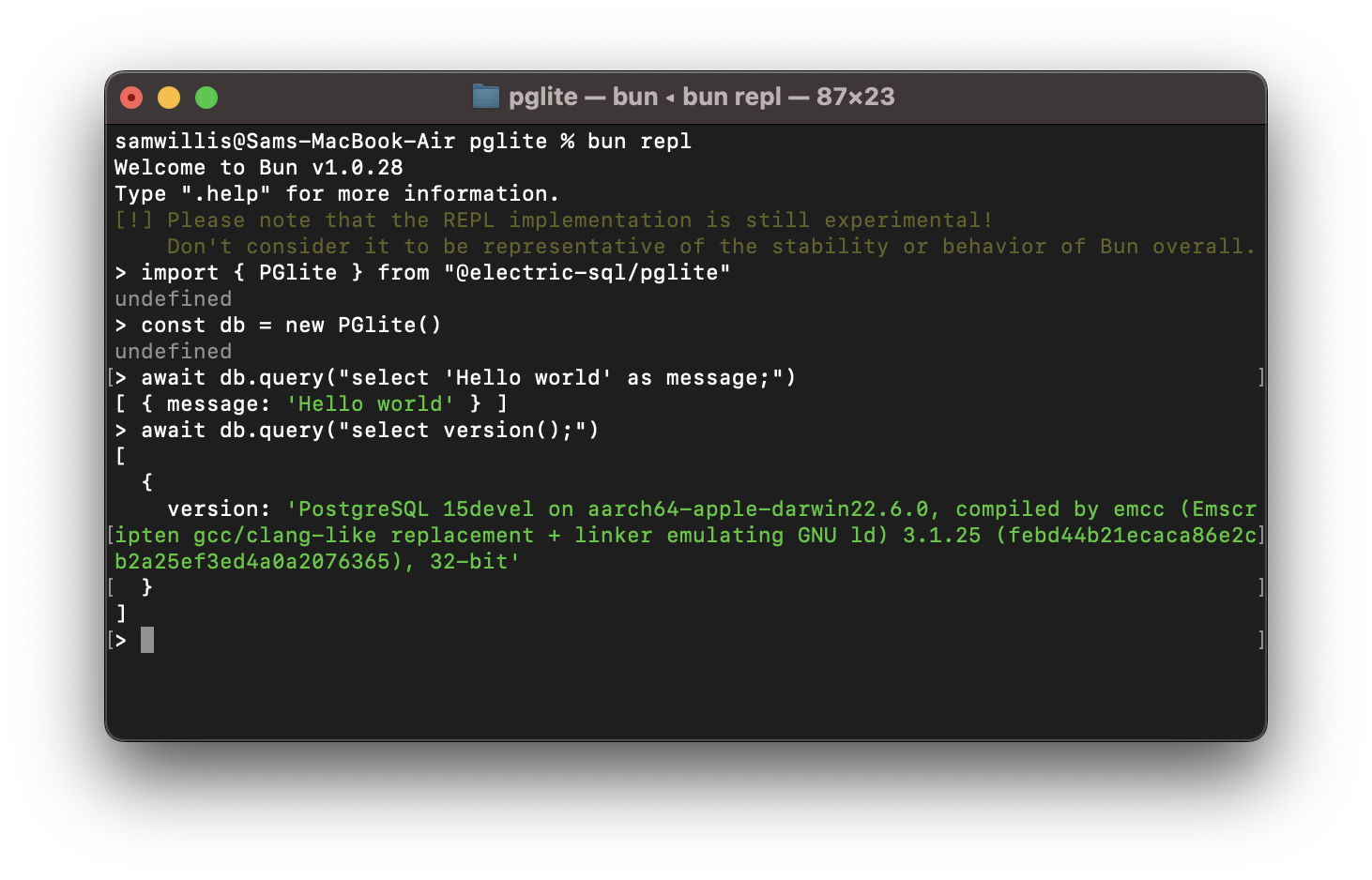

Что это такое?
 PGlite — это Postgres, скомпилированный в WebAssembly и упакованный как клиентская библиотека для TypeScript, поэтому настоящая база данных Postgres работает прямо в браузере, Node.js, Bun или Deno — без каких-либо других зависимостей.
PGlite — это Postgres, скомпилированный в WebAssembly и упакованный как клиентская библиотека для TypeScript, поэтому настоящая база данных Postgres работает прямо в браузере, Node.js, Bun или Deno — без каких-либо других зависимостей.Это отдельный сервер Postgres, который я устанавливаю, или библиотека, которую я подключаю в свой код?Это клиентская библиотека, которую вы подключаете в своё приложение на JavaScript или TypeScript, при этом Postgres работает внутри вашего собственного процесса как WASM — никакого отдельного сервера или Linux-виртуалки здесь нет.
Это клиентская библиотека, которую вы подключаете в своё приложение на JavaScript или TypeScript, при этом Postgres работает внутри вашего собственного процесса как WASM — никакого отдельного сервера или Linux-виртуалки здесь нет.Как добавить его в свой проект?Установите его через привычный менеджер пакетов или подключите с CDN, например JSDelivr, а затем создайте в коде экземпляр базы данных в памяти.
Установите его через привычный менеджер пакетов или подключите с CDN, например JSDelivr, а затем создайте в коде экземпляр базы данных в памяти.Нужно ли сначала установить Postgres или какие-то другие зависимости?Больше ничего не требуется — WASM-версия Postgres уже встроена в саму библиотеку, которая весит всего 3 мб в gzip.
Больше ничего не требуется — WASM-версия Postgres уже встроена в саму библиотеку, которая весит всего 3 мб в gzip.Могут ли несколько клиентов подключаться к нему одновременно?Нет — PGlite однопользовательский и поддерживает только одно подключение, поэтому работать с ним в каждый момент времени может лишь один клиент.
Нет — PGlite однопользовательский и поддерживает только одно подключение, поэтому работать с ним в каждый момент времени может лишь один клиент.Можно ли бесплатно использовать его в коммерческих проектах?Да — он распространяется по двойной лицензии Apache 2.0 и PostgreSQL License, так что вы можете выбрать любую из них.
Да — он распространяется по двойной лицензии Apache 2.0 и PostgreSQL License, так что вы можете выбрать любую из них.Как Postgres работает внутри браузера без виртуальной машины?Postgres был скомпилирован в WebAssembly с помощью Emscripten. Поскольку WASM-программы не могут порождать процессы, PGlite построен на однопользовательском режиме Postgres, а путь ввода-вывода позволяет JavaScript общаться с ним.
Postgres был скомпилирован в WebAssembly с помощью Emscripten. Поскольку WASM-программы не могут порождать процессы, PGlite построен на однопользовательском режиме Postgres, а путь ввода-вывода позволяет JavaScript общаться с ним.Подходит ли он для local-first или приложений реального времени?Да — именно на это он и ориентирован: Electric продвигает PGlite для создания реактивных приложений реального времени в подходе local-first прямо на Postgres, причём данные из браузера сохраняются локально в indexedDB.
Да — именно на это он и ориентирован: Electric продвигает PGlite для создания реактивных приложений реального времени в подходе local-first прямо на Postgres, причём данные из браузера сохраняются локально в indexedDB.Какие расширения, кроме pgvector и PostGIS, в него входят?Сборочные скрипты репозитория также упаковывают как WASM-расширения pgmq (очереди сообщений), pgTAP (тестирование) и pg_uuidv7.
Сборочные скрипты репозитория также упаковывают как WASM-расширения pgmq (очереди сообщений), pgTAP (тестирование) и pg_uuidv7.Which topics is it in?pgvector, embedded-database, deno, reactive, postgres, webassembly, bun, vector-database, embedded, wasm, sql, real-time
pgvector, embedded-database, deno, reactive, postgres, webassembly, bun, vector-database, embedded, wasm, sql, real-time