

electric-pglite README

README проекта с github.com/electric-sql/electric-pglite. Одним файлом markdown: README.md.

PGlite logo

PGlite - the WASM build of Postgres from Electric.
Build reactive, realtime, local-first apps directly on Postgres.

License - Apache 2.0 Status - Alpha Chat - Discord

PGlite - Postgres in WASM

PGlite

PGlite is a WASM Postgres build packaged into a TypeScript client library that enables you to run Postgres in the browser, Node.js, Bun and Deno, with no need to install any other dependencies. It is only 3mb gzipped and has support for many Postgres extensions, including pgvector and PostGIS.

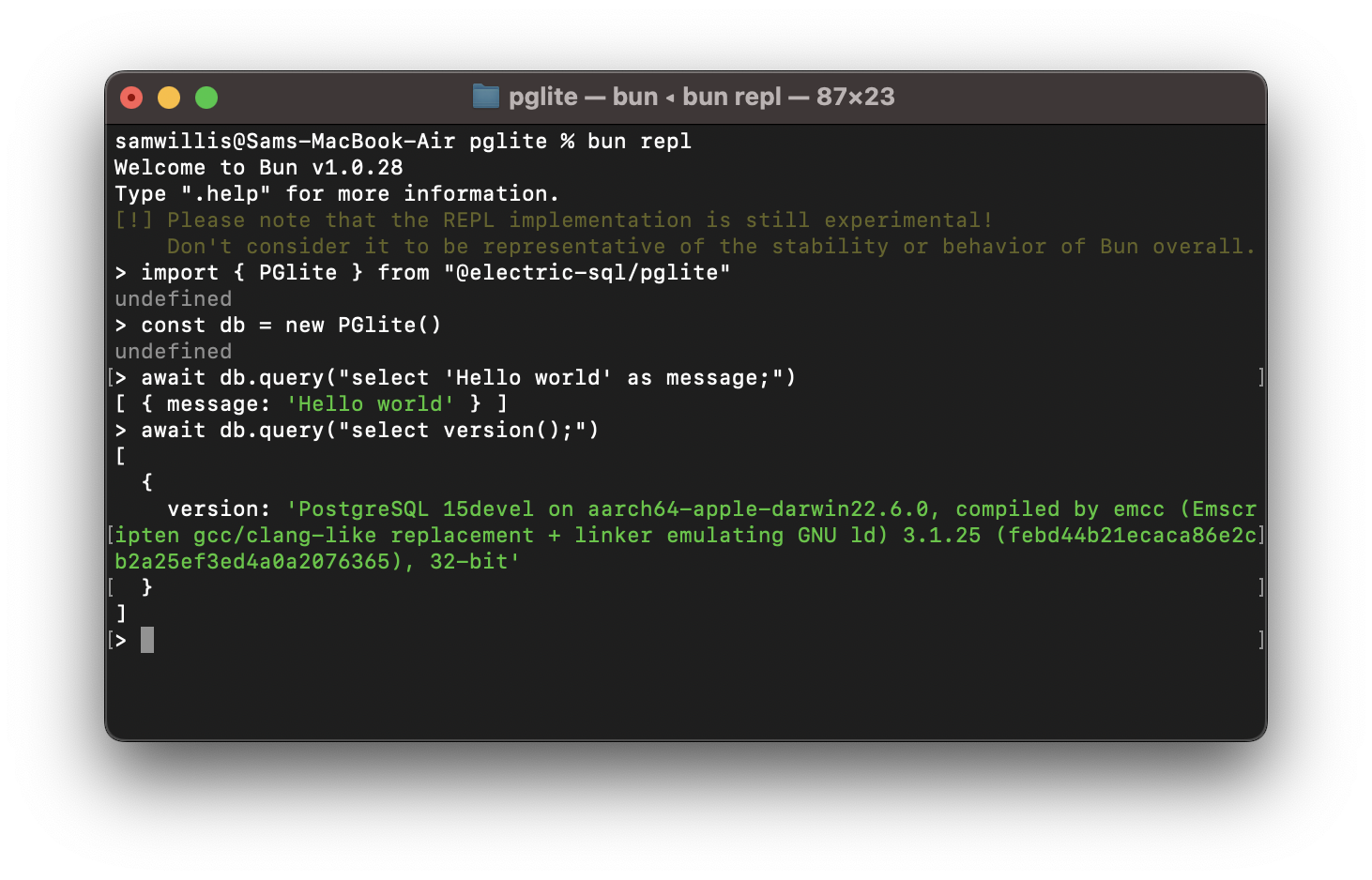
import { PGlite } from "@electric-sql/pglite";

const db = new PGlite();
await db.query("select 'Hello world' as message;");
// -> { rows: [ { message: "Hello world" } ] }

It can be used as an ephemeral in-memory database, or with persistence either to the file system (Node/Bun/Deno) or indexedDB (Browser).

Unlike previous "Postgres in the browser" projects, PGlite does not use a Linux virtual machine - it is simply Postgres in WASM.

For full documentation and user guides see pglite.dev.

Browser

It can be installed and imported using your usual package manager:

import { PGlite } from "@electric-sql/pglite";

or using a CDN such as JSDeliver:

import { PGlite } from "https://cdn.jsdelivr.net/npm/@electric-sql/pglite/dist/index.js";

Then for an in-memory Postgres:

const db = new PGlite()
await db.query("select 'Hello world' as message;")
// -> { rows: [ { message: "Hello world" } ] }

or to persist the database to indexedDB:

const db = new PGlite("idb://my-pgdata");

Node/Bun/Deno

Install into your project:

NodeJS

npm install @electric-sql/pglite

Bun

bun install @electric-sql/pglite

Deno

deno add npm:@electric-sql/pglite

To use the in-memory Postgres:

import { PGlite } from "@electric-sql/pglite";

const db = new PGlite();
await db.query("select 'Hello world' as message;");
// -> { rows: [ { message: "Hello world" } ] }

or to persist to the filesystem:

const db = new PGlite("./path/to/pgdata");

pg (node-postgres)

Since v0.5.13, PGlite exposes a connection object that you can directly pass to pg (node-postgres) modules (clients):

import { createPgConfig } from '@electric-sql/pglite/node-postgres'
import { Client, Pool } from 'pg'
import Cursor from 'pg-cursor'

// use with pg Client
const pgConfig1 = createPgConfig()
const client = new Client(pgConfig1)
await client.connect()
await client.query(`
  CREATE TABLE IF NOT EXISTS test (
    id SERIAL PRIMARY KEY,
    name TEXT
  );
`)

// or with Pool
const pgConfig2 = createPgConfig()
const pool = new Pool(pgConfig2)
const conn = await pool.connect()

await conn.query(`
  CREATE TABLE IF NOT EXISTS test (
    id SERIAL PRIMARY KEY,
    name TEXT
  );
`)

// or even with Cursor from pg-cursor
const cursor = client.query(new Cursor('SELECT * FROM items;'))

How it works

PostgreSQL typically operates using a process forking model; whenever a client initiates a connection, a new process is forked to manage that connection. However, programs compiled with Emscripten - a C to WebAssembly (WASM) compiler - cannot fork new processes, and operates strictly in a single-process mode. As a result, PostgreSQL cannot be directly compiled to WASM for conventional operation.

Fortunately, PostgreSQL includes a "single user mode" primarily intended for command-line usage during bootstrapping and recovery procedures. Building upon this capability, PGlite introduces an input/output pathway that facilitates interaction with PostgreSQL when it is compiled to WASM within a JavaScript environment.

Limitations

How to build PGlite and contribute

The build process of PGlite is split into two parts:

  1. Building the Postgres WASM module.
  2. Building the PGlite client library and other TypeScript packages.

Docker is required to build the WASM module, along with Node (v20 or above) and pnpm for package management and building the TypeScript packages.

To start checkout the repository and install dependencies:

git clone --recurse-submodules https://github.com/electric-sql/pglite
cd pglite
pnpm install

To build everything, we have the convenient pnpm build:all command in the root of the repository. This command will:

  1. Use Docker to build the Postgres WASM module. The artifacts produced by this step are then copied to /packages/pglite/release.
  2. Build the PGlite client library and other TypeScript packages.

To only build the Postgres WASM module (i.e. point 1 above), run

pnpm wasm:build

If you don't want to build the WASM module and assorted WASM binaries from scratch, they are generated automatically on Github after each successful PR merge. You can download the latest binaries by going to the last successfully merged PR and clicking the link after the comment Interim build files:. Extract the files and place them under packages/pglite/release in your local repo copy.

To build all TypeScript packages (i.e. point 2 of the above), run:

pnpm ts:build

This will build all packages in the correct order based on their dependency relationships. You can now develop any individual package using the build and test scripts, as well as the stylecheck and typecheck scripts to ensure style and type validity.

Or alternatively to build a single package, move into the package directory and run:

cd packages/pglite
pnpm build

When ready to open a PR, run the following command at the root of the repository:

pnpm changeset

And follow the instructions to create an appropriate changeset. Please ensure any contributions that touch code are accompanied by a changeset.

Acknowledgments

PGlite builds on the work of Stas Kelvich of Neon in this Postgres fork.

Sponsors

Big shoutout to everybody supporting us!

Blacksmith

License

PGlite is dual-licensed under the terms of the Apache License 2.0 and the PostgreSQL License, you can choose which you prefer.

Changes to the Postgres source are licensed under the PostgreSQL License.

electric-pglite (electric-sql/electric-pglite)

Ищем в базе…

Что это такое?PGlite — это Postgres, скомпилированный в WebAssembly и упакованный как клиентская библиотека для TypeScript, поэтому настоящая база данных Postgres работает прямо в браузере, Node.js, Bun или Deno — без каких-либо других зависимостей.
Это отдельный сервер Postgres, который я устанавливаю, или библиотека, которую я подключаю в свой код?Это клиентская библиотека, которую вы подключаете в своё приложение на JavaScript или TypeScript, при этом Postgres работает внутри вашего собственного процесса как WASM — никакого отдельного сервера или Linux-виртуалки здесь нет.
Как добавить его в свой проект?Установите его через привычный менеджер пакетов или подключите с CDN, например JSDelivr, а затем создайте в коде экземпляр базы данных в памяти.
Нужно ли сначала установить Postgres или какие-то другие зависимости?Больше ничего не требуется — WASM-версия Postgres уже встроена в саму библиотеку, которая весит всего 3 мб в gzip.
Могут ли несколько клиентов подключаться к нему одновременно?Нет — PGlite однопользовательский и поддерживает только одно подключение, поэтому работать с ним в каждый момент времени может лишь один клиент.
Можно ли бесплатно использовать его в коммерческих проектах?Да — он распространяется по двойной лицензии Apache 2.0 и PostgreSQL License, так что вы можете выбрать любую из них.
Как Postgres работает внутри браузера без виртуальной машины?Postgres был скомпилирован в WebAssembly с помощью Emscripten. Поскольку WASM-программы не могут порождать процессы, PGlite построен на однопользовательском режиме Postgres, а путь ввода-вывода позволяет JavaScript общаться с ним.
Подходит ли он для local-first или приложений реального времени?Да — именно на это он и ориентирован: Electric продвигает PGlite для создания реактивных приложений реального времени в подходе local-first прямо на Postgres, причём данные из браузера сохраняются локально в indexedDB.
Какие расширения, кроме pgvector и PostGIS, в него входят?Сборочные скрипты репозитория также упаковывают как WASM-расширения pgmq (очереди сообщений), pgTAP (тестирование) и pg_uuidv7.
Какие есть похожие проекты?kysely, supabase, zvec, turso, rxdb, electric, lancedb, auto-ontology
Автор
electric-sql
Размер
32.7 MB
Звёзды
16.3K
Возраст
2 г
Коммиты · 90 дней
