Microsoft eShopOnWeb ASP.NET Core Reference Application
eShop sample applications have been updated and moved to https://github.com/dotnet/eShop. Active development will continue there. We also recommend the Reliable Web App patterns guidance for building web apps with enterprise app patterns.
A new community supported version of eShopOnWeb can be found at https://github.com/NimblePros/eShopOnWeb
Sample ASP.NET Core reference application, powered by Microsoft, demonstrating a single-process (monolithic) application architecture and deployment model. If you're new to .NET development, read the Getting Started for Beginners guide.
A list of Frequently Asked Questions about this repository can be found here.
Overview Video
Steve "ardalis" Smith recorded a live stream providing an overview of the eShopOnWeb reference app in October 2020.
eBook
This reference application is meant to support the free .PDF download ebook: Architecting Modern Web Applications with ASP.NET Core and Azure, updated to ASP.NET Core 8.0. Also available in ePub/mobi formats.
You can also read the book in online pages at the .NET docs here:
https://docs.microsoft.com/dotnet/architecture/modern-web-apps-azure/

The eShopOnWeb sample is related to the eShopOnContainers sample application which, in that case, focuses on a microservices/containers-based application architecture. However, eShopOnWeb is much simpler in regards to its current functionality and focuses on traditional Web Application Development with a single deployment.
The goal for this sample is to demonstrate some of the principles and patterns described in the eBook. It is not meant to be an eCommerce reference application, and as such it does not implement many features that would be obvious and/or essential to a real eCommerce application.
VERSIONS
The main branch is currently running ASP.NET Core 8.0.
Older versions are tagged.
Topics (eBook TOC)
- Introduction
- Characteristics of Modern Web Applications
- Choosing Between Traditional Web Apps and SPAs
- Architectural Principles
- Common Web Application Architectures
- Common Client Side Technologies
- Developing ASP.NET Core MVC Apps
- Working with Data in ASP.NET Core Apps
- Testing ASP.NET Core MVC Apps
- Development Process for Azure-Hosted ASP.NET Core Apps
- Azure Hosting Recommendations for ASP.NET Core Web Apps
Running the sample using Azd template
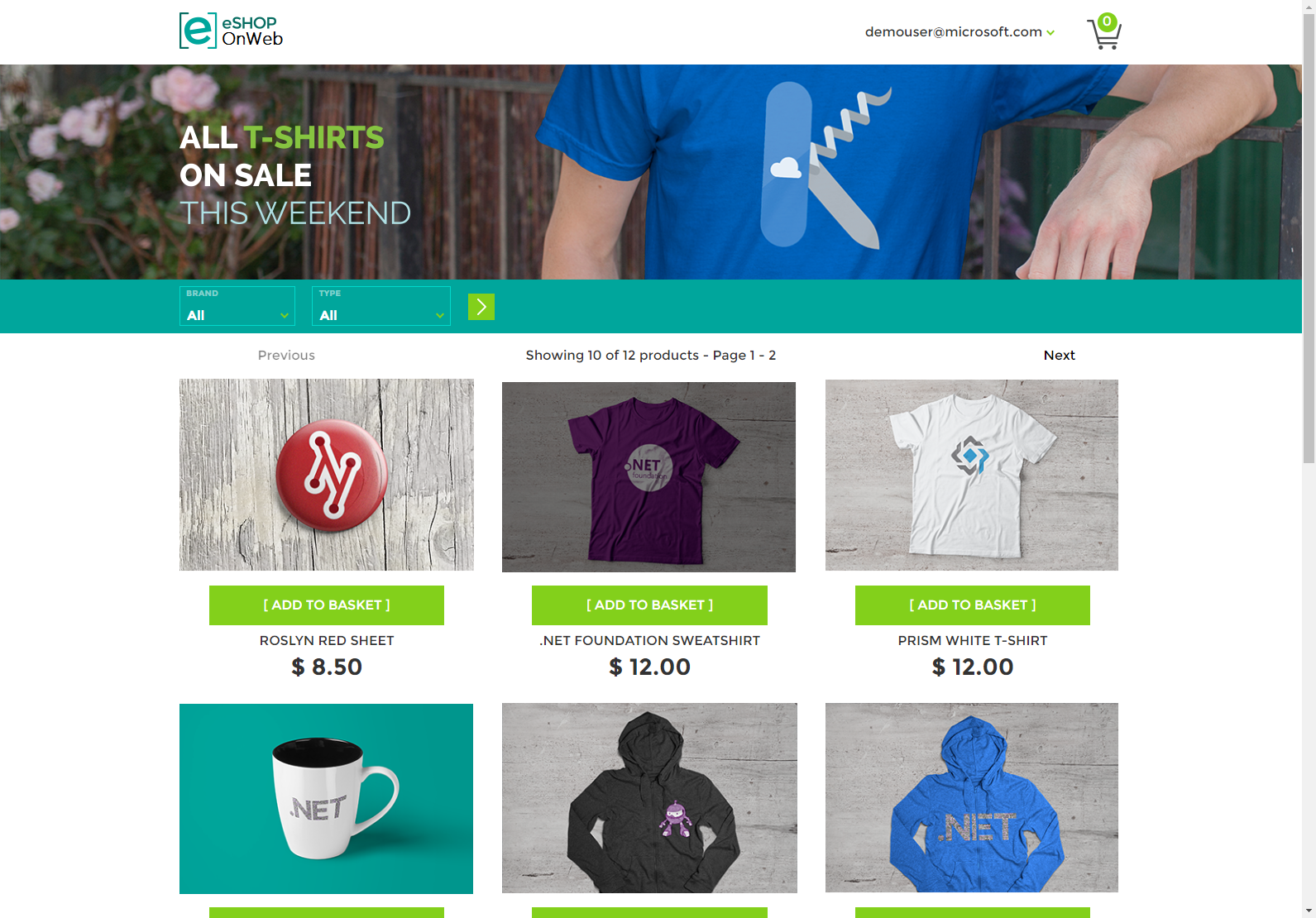
The store's home page should look like this:
The Azure Developer CLI (azd) is a developer-centric command-line interface (CLI) tool for creating Azure applications.
You need to install it before running and deploying with Azure Developer CLI.
Windows
powershell -ex AllSigned -c "Invoke-RestMethod 'https://aka.ms/install-azd.ps1' | Invoke-Expression"
Linux/MacOS
curl -fsSL https://aka.ms/install-azd.sh | bash
And you can also install with package managers, like winget, choco, and brew. For more details, you can follow the documentation: https://aka.ms/azure-dev/install.
After logging in with the following command, you will be able to use the azd cli to quickly provision and deploy the application.
azd auth login
Then, execute the azd init command to initialize the environment.
azd init -t dotnet-architecture/eShopOnWeb
Run azd up to provision all the resources to Azure and deploy the code to those resources.
azd up
According to the prompt, enter an env name, and select subscription and location, these are the necessary parameters when you create resources. Wait a moment for the resource deployment to complete, click the web endpoint and you will see the home page.
Notes:
- Considering security, we store its related data (id, password) in the Azure Key Vault when we create the database, and obtain it from the Key Vault when we use it. This is different from directly deploying applications locally.
- The resource group name created in azure portal will be rg-{env name}.
You can also run the sample directly locally (See below).
Running the sample locally
Most of the site's functionality works with just the web application running. However, the site's Admin page relies on Blazor WebAssembly running in the browser, and it must communicate with the server using the site's PublicApi web application. You'll need to also run this project. You can configure Visual Studio to start multiple projects, or just go to the PublicApi folder in a terminal window and run dotnet run from there. After that from the Web folder you should run dotnet run --launch-profile Web. Now you should be able to browse to https://localhost:5001/. The admin part in Blazor is accessible to https://localhost:5001/admin
Note that if you use this approach, you'll need to stop the application manually in order to build the solution (otherwise you'll get file locking errors).
After cloning or downloading the sample you must setup your database.
To use the sample with a persistent database, you will need to run its Entity Framework Core migrations before you will be able to run the app.
You can also run the samples in Docker (see below).
Configuring the sample to use SQL Server
By default, the project uses a real database. If you want an in memory database, you can add in the appsettings.json file in the Web folder
{
   "UseOnlyInMemoryDatabase": true
}
Ensure your connection strings in appsettings.json point to a local SQL Server instance.
Ensure the tool EF was already installed. You can find some help here
dotnet tool update --global dotnet-ef
Open a command prompt in the Web folder and execute the following commands:
dotnet restore
dotnet tool restore
dotnet ef database update -c catalogcontext -p ../Infrastructure/Infrastructure.csproj -s Web.csproj
dotnet ef database update -c appidentitydbcontext -p ../Infrastructure/Infrastructure.csproj -s Web.csproj
These commands will create two separate databases, one for the store's catalog data and shopping cart information, and one for the app's user credentials and identity data.
Run the application.
The first time you run the application, it will seed both databases with data such that you should see products in the store, and you should be able to log in using the [email protected] account.
Note: If you need to create migrations, you can use these commands:
-- create migration (from Web folder CLI)
dotnet ef migrations add InitialModel --context catalogcontext -p ../Infrastructure/Infrastructure.csproj -s Web.csproj -o Data/Migrations

dotnet ef migrations add InitialIdentityModel --context appidentitydbcontext -p ../Infrastructure/Infrastructure.csproj -s Web.csproj -o Identity/Migrations
Running the sample in the dev container
This project includes a .devcontainer folder with a dev container configuration, which lets you use a container as a full-featured dev environment.
You can use the dev container to build and run the app without needing to install any of its tools locally! You can work in GitHub Codespaces or the VS Code Dev Containers extension.
Learn more about using the dev container in its readme.
Running the sample using Docker
You can run the Web sample by running these commands from the root folder (where the .sln file is located):
docker-compose build
docker-compose up
You should be able to make requests to localhost:5106 for the Web project, and localhost:5200 for the Public API project once these commands complete. If you have any problems, especially with login, try from a new guest or incognito browser instance.
You can also run the applications by using the instructions located in their Dockerfile file in the root of each project. Again, run these commands from the root of the solution (where the .sln file is located).
We have some great contributions from the community, and while these aren't maintained by Microsoft we still want to highlight them.
eShopOnWeb VB.NET by Mohammad Hamdy Ghanem
FShopOnWeb An F# take on eShopOnWeb by Sean G. Wright and Kyle McMaster

 微软的 ASP.NET Core 8.0 参考示例应用:一个网上商店 Web 应用,用来演示单进程(单体)架构和部署模式,是配合一本免费架构电子书而做的。