Discobox runs coding agents in disposable environments, each with its own copy
of your source. Agents have passwordless sudo, nested Docker, a desktop, and a
browser, and you can connect through a terminal, SSH, or your editor.
Run as many agent sessions against one repository as you like, each in its own
box, while your own checkout stays yours. Source moves the way it already does
with git: a box clones your repository, the agent commits, and you merge those
commits back to your machine or push them as a pull request.
Claude Code, Codex, OpenCode, GitHub Copilot, omp, and pi are included; other terminal
agents can be packaged in an image. Discobox supports macOS, Linux, and Windows
and is under active development.
Public documentation: the manual.
Getting started
Install with Homebrew, on macOS or Linux:
brew install discobox-ai/tap/discobox
Or with the install script:
curl -sSfL https://discobox.ai | sh
On Windows, from PowerShell:
irm https://discobox.ai/install.ps1 | iex
Each of those installs the stable channel. Release channels
covers the newer ones and how to pin a version.
For a guided first experience, run:
discobox run discobox-ai/tour
The tour opens full screen inside the box before your selected harness and
needs no agent account. See the tour guide
for continuing, exiting, replay and cleanup.
Open the console from your repository to create a box:
cd ~/src/my-project
discobox console
Work with the agent, have it commit the changes inside the box, and push them
to a Git remote. Review and merge them through your usual Git workflow.
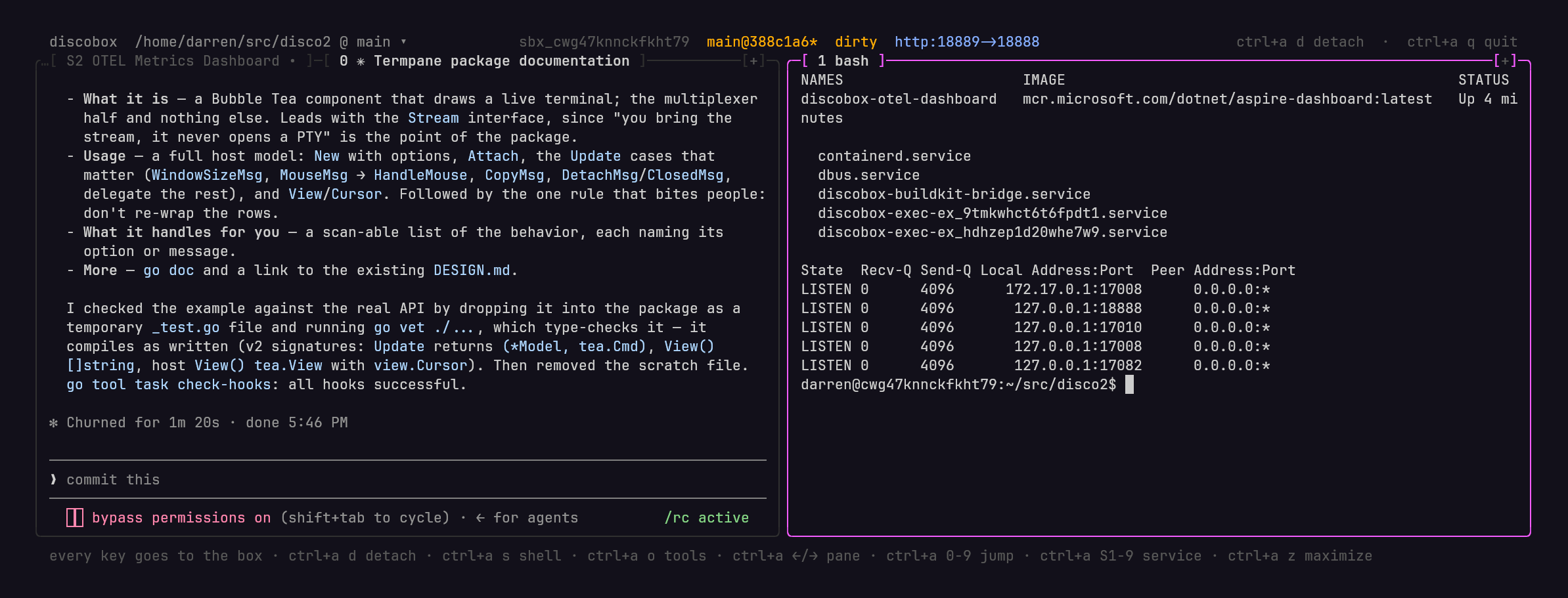
libkrun on Linux
Linux uses Docker by default. The optional libkrun provider needs a
Linux amd64 server host with usable /dev/kvm, libkrun.so.1 on the
dynamic loader's path, and passt on the server's PATH. The Discobox
installer does not install these host dependencies. The server user needs
read/write access to /dev/kvm (usually through the kvm group).
Install libkrun and passt using your distribution's packages where available.
The library must export the APIs this server uses; an older package is rejected
with the missing symbol's name. Alternatively, with Nix and flakes enabled,
build the runtime from the published repository without a source checkout:
nix build github:discobox-ai/discobox#libkrun-runtime --out-link discobox-libkrun-runtime
Keep that output link so Nix retains the runtime. Configure the provider with
absolute paths to discobox-libkrun-runtime/lib/libkrun.so.1 (libkrunPath)
and discobox-libkrun-runtime/bin/passt (passtPath), on the server host:
discobox admin provider create --type libkrun \
  --libkrun-path "$(realpath discobox-libkrun-runtime/lib/libkrun.so.1)" \
  --passt-path "$(realpath discobox-libkrun-runtime/bin/passt)"
See discobox admin provider create --help=libkrun for all settings.
Provider creation checks these software dependencies before accepting the
provider; KVM is checked when a VM starts. After changing the server's PATH
or dynamic loader environment, restart the server so its launchers inherit it.
Guest images and the patched kernel are downloaded automatically on first use.
Many sessions, many boxes
An agent working in your checkout ties it up. You wait for it to finish, and a
second agent in the same directory edits the same files, switches the same
branch, and competes for the same ports and databases. Each box instead has its
own copy of the source, its own git repository, and its own services and Docker.
You can start a bug fix, a feature, and an experiment you may throw away, each in
its own box, and keep working in your own checkout while they run.
discobox run -d . 'fix the flaky retry test'
discobox run -d . 'add pagination to the users endpoint'
discobox run -d . 'try replacing the ORM with sqlc'
discobox ls
It is just git
There is no special sync layer. Give an agent a computer of its own and it needs
the source the way you would on a new machine: clone the repository, make
changes, then merge them back or open a pull request. A box does exactly that,
so the only questions are where it clones from and where the work goes.
flowchart LR
  repo["Your repository"] -- "clone" --> a["Box A"]
  repo -- "clone" --> b["Box B"]
  repo -- "clone" --> c["Box C"]
  a -- "git push" --> host["Your Git host: a branch or pull request"]
  b -- "git push" --> host
  c -- "git push" --> host
Where a box clones from. The source you name first, . for the
repository you are in, at the commit you have checked out. Only committed work
goes in: uncommitted changes stay behind unless you pass --include-dirty, and
then they arrive as uncommitted changes on that same commit. In
the box, origin is your repository, read-only: the agent can fetch from it but
cannot push to it, and nothing it does touches your files. -i brings more
sources into the same box, either another local checkout or a remote URL, whose
origin is then that remote.
Where the work goes. The agent commits in the box and pushes to a Git
remote. Open a pull request or fetch and merge that branch on your machine.
Working with a box
- Terminal and SSH: Use the console or
discobox exec. SSH configuration syncs
automatically when a box is created, so ssh $DISCOBOX_ID works without manual
setup. You can also connect by box name.
- Editor and tools: Use
discobox tools vscode or discobox tools zed to
open VS Code or Zed in the box's working directory; discobox tools ls lists
every tool a box offers. Declare your own as a .yaml or a front-matter script
in the box's .discobox/tools or in your own config directory's
discobox/tools (ADR 0125). A script of yours with runs: host runs on
your machine and is handed the CLI, server and project, so it can set the box
up first: have the box download a program into its ~/.cache, pinned by
sha256 and checked before it runs (every box in the pool running as your user
ID can write to that cache), copy your own
~/.config/<tool> in (config only: a token or key goes in discobox secret,
not in a copied file the box's agent can read), then open it there
(ADR 26-11-03-982).
discobox tools --help shows how to write one. Other editors with SSH remote
support can also connect directly.
- Desktop: Access the box's graphical desktop and browser through VNC or
noVNC, using port forwarding.
- Toolchain: direnv loads the project's declared environment, including
Nix or mise configuration.
- Automation: The CLI and OpenAPI API support scripting box creation,
credential bindings, and collecting results.
Isolation and credentials
On Linux, a fresh installation uses the existing libkrun microVM provider when
KVM is usable, passt is on PATH, and libkrun.so.1 is available to the dynamic
loader with block and network support (currently linux/amd64). Otherwise it
uses Docker and the launching CLI warns why: sandboxes share the host kernel
without a VM isolation boundary. The choice is saved with the default pool;
existing installations keep their provider. macOS uses Virtualization.framework
and Windows uses WSL.
Agents can install packages and run
commands inside the box without approval prompts. Outbound traffic passes
through a proxy with a separate mTLS identity for each box, destination policy,
and request auditing.
Managed credentials remain outside the box. Agents receive placeholders called
sentinels; the proxy substitutes the real credential only on the routes its
secret and its binding allow, and refuses a request on any other. A secret is
bound to a box, a harness or a whole project (discobox secret bind). An agent
can request additional access, which a human approves with routes and an
expiry.
See discobox.ai for the full overview and
architecture.
Release channels
Every release is published as a prerelease and marked stable by hand later, once
it has been in use for a while. The newest green commit on main is built
too, about a dozen times a day. That gives four channels, each newer and less
proven than the one before:
- stable — the newest release marked stable. This is what you get when you
ask for nothing in particular.
- beta — the newest
vX.Y.Z release, stable or not. A release joins it
the moment it is cut.
- edge — the newest release of any kind, including the
-alpha, -beta,
and -rc builds cut to try a change before it becomes a release.
- main — the newest build of the
main branch, versioned like
v0.19.7-main.4210.g0123abc (the next patch, the commit count, and the
commit). Main builds are kept for fourteen days; reinstall to move on.
latest was the beta channel's name and still installs it, saying so.
Homebrew
The tap carries stable and beta as two formulae. discobox-beta installs
beside discobox and runs under its own name, so you can keep both:
brew install discobox-ai/tap/discobox       # stable, runs as discobox
brew install discobox-ai/tap/discobox-beta  # beta, runs as discobox-beta
The two share one state directory, one configuration, and one downloaded server,
so their servers cannot run at the same time; stop one before starting the
other. There is no edge or main formula — use the install script for those.
The beta formula used to be discobox-dev; it still links a discobox-dev
command, which says to run discobox-beta instead.
Install script
curl -sSfL https://discobox.ai | sh                       # stable
curl -sSfL https://discobox.ai | sh -s -- --channel beta  # beta
curl -sSfL https://edge.discobox.ai | sh                  # edge
curl -sSfL https://main.discobox.ai | sh                  # main
irm https://discobox.ai/install.ps1 | iex                 # stable
irm https://edge.discobox.ai/install.ps1 | iex            # edge
irm https://main.discobox.ai/install.ps1 | iex            # main
$env:DISCOBOX_CHANNEL = 'beta'; irm https://discobox.ai/install.ps1 | iex
Unlike the tap, the script installs whichever channel you ask for as discobox,
over whatever is already there. Pass --dir or -InstallDir to keep two of
them side by side.
Pin one release instead of a channel:
curl -sSfL https://discobox.ai | sh -s -- --version v0.10.1
& ([scriptblock]::Create((irm https://discobox.ai/install.ps1))) -Version v0.10.1
Both scripts take --channel, --version, --dir, and --stage — -Channel,
-Version, -InstallDir, -Stage, and -NoModifyPath in PowerShell — and
read DISCOBOX_CHANNEL, DISCOBOX_VERSION, DISCOBOX_INSTALL_DIR, and
DISCOBOX_INSTALL_STAGE from the environment, which is the only way to pass an
option through iex. A flag beats the environment, and a version beats a
channel. install.sh --help lists the rest; install.ps1 documents them in
its header comment.
Either way you install the client only. The Discobox server is a separate
program, downloaded the first time something needs one locally and checked
against the digests the client carries; --stage fetches it during the install
instead of on first use.
Uninstalling
To remove Discobox's data, downloaded servers and images, and configuration,
run discobox admin uninstall. It lists what it will delete and asks first, and
leaves the discobox command for your package manager to remove.
Ask questions, share what you are building, and follow development on
Discord.
License
See LICENSE.


 Discobox 在一次性的沙箱环境中运行编码智能体(Claude Code、Codex、OpenCode、GitHub Copilot 等),每个沙箱环境都有一份你源代码的完整副本,因此智能体之间不会相互冲突,也不会干扰你正在使用的工作副本。