
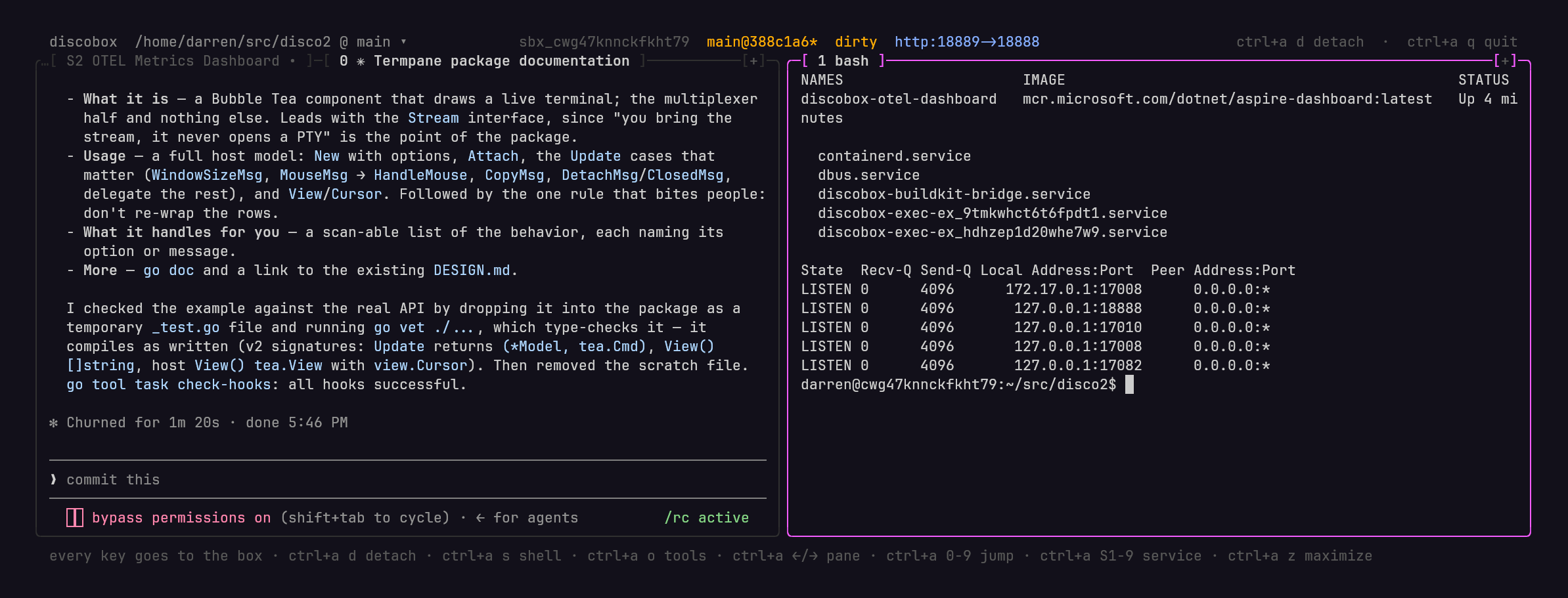
Что это такое?
 Discobox запускает агентов для программирования (Claude Code, Codex, OpenCode, GitHub Copilot и других) в одноразовых песочницах. У каждого агента есть собственная полная копия вашего исходного кода, поэтому агенты не могут мешать ни друг другу, ни вашей рабочей копии.
Это какой-то особый инструмент синхронизации или тут просто git?Внутри это обычный git: бокс клонирует ваш репозиторий, агент делает коммиты внутри него, а вы переносите эти коммиты обратно командой 'discobox apply' или отправляете их как pull request. Собственного слоя синхронизации нет.
Внутри это обычный git: бокс клонирует ваш репозиторий, агент делает коммиты внутри него, а вы переносите эти коммиты обратно командой 'discobox apply' или отправляете их как pull request. Собственного слоя синхронизации нет.Как установить и начать пользоваться?Установите через Homebrew на macOS/Linux, с помощью скрипта установки или из PowerShell на Windows, затем откройте консоль из своего репозитория, чтобы создать бокс и начать работать внутри него с агентом.
Установите через Homebrew на macOS/Linux, с помощью скрипта установки или из PowerShell на Windows, затем откройте консоль из своего репозитория, чтобы создать бокс и начать работать внутри него с агентом.На каких технологиях изоляции оно держится?Discobox изолирует каждый бокс с помощью виртуальных машин и контейнеров, внутри доступен вложенный Docker, а трафик идёт через прокси с идентификацией по mTLS, отдельной для каждого бокса.
Discobox изолирует каждый бокс с помощью виртуальных машин и контейнеров, внутри доступен вложенный Docker, а трафик идёт через прокси с идентификацией по mTLS, отдельной для каждого бокса.Что будет, если два бокса внесут конфликтующие изменения?Перенос обратно командой 'discobox apply' проходит только в том случае, если каждый коммит применяется без конфликтов через cherry-pick. При конфликте ничего не меняется, и команда выводит git-команду для воспроизведения конфликта, чтобы разрешить его вручную. Также переносится только зафиксированная работа: бокс с незафиксированными изменениями пропускается.
Перенос обратно командой 'discobox apply' проходит только в том случае, если каждый коммит применяется без конфликтов через cherry-pick. При конфликте ничего не меняется, и команда выводит git-команду для воспроизведения конфликта, чтобы разрешить его вручную. Также переносится только зафиксированная работа: бокс с незафиксированными изменениями пропускается.На каких операционных системах это работает?Discobox поддерживает macOS, Linux и Windows.
Discobox поддерживает macOS, Linux и Windows.Как защищены мои учётные данные и токены Git-хостингов?Агенты никогда не видят настоящие секреты напрямую: они получают заглушки-маркеры («сентинелы»). Прокси подставляет настоящие учётные данные только на те маршруты, которые разрешает привязка секрета, и отклоняет запросы на любые другие маршруты.
Агенты никогда не видят настоящие секреты напрямую: они получают заглушки-маркеры («сентинелы»). Прокси подставляет настоящие учётные данные только на те маршруты, которые разрешает привязка секрета, и отклоняет запросы на любые другие маршруты.Как подключиться к запущенному боксу?Через терминал или SSH (конфигурация SSH синхронизируется автоматически, так что 'ssh $DISCOBOXID' просто работает), через интеграцию с редактором, например 'discobox tools vscode' или 'discobox tools zed', либо через VNC/noVNC для графического рабочего стола бокса и браузера.
Через терминал или SSH (конфигурация SSH синхронизируется автоматически, так что 'ssh $DISCOBOXID' просто работает), через интеграцию с редактором, например 'discobox tools vscode' или 'discobox tools zed', либо через VNC/noVNC для графического рабочего стола бокса и браузера.Можно ли одновременно запускать несколько боксов для одного репозитория?Да, можно создать сколько угодно боксов для одного репозитория. У каждого будет своя копия исходного кода, собственный git-репозиторий, сервисы и Docker, а ваша рабочая копия останется нетронутой.
Да, можно создать сколько угодно боксов для одного репозитория. У каждого будет своя копия исходного кода, собственный git-репозиторий, сервисы и Docker, а ваша рабочая копия останется нетронутой.Какие каналы релизов доступны?stable — самая новая версия, помеченная как stable после проверки в реальных условиях; latest — самый новый релиз с тегом, стабильный или нет; edge — самая новая сборка, включая альфа-, бета- и релиз-кандидаты.
stable — самая новая версия, помеченная как stable после проверки в реальных условиях; latest — самый новый релиз с тегом, стабильный или нет; edge — самая новая сборка, включая альфа-, бета- и релиз-кандидаты.Могут ли боксы синхронизировать работу друг с другом?Боксы друг друга напрямую не видят. Однако после того как работа одного бокса применена к вашему репозиторию, другие боксы могут подтянуть её, выполнив внутри себя 'git fetch origin && git rebase origin/ '.
Боксы друг друга напрямую не видят. Однако после того как работа одного бокса применена к вашему репозиторию, другие боксы могут подтянуть её, выполнив внутри себя 'git fetch origin && git rebase origin/ '.Какие есть похожие проекты?agentbox, billion-context, OpenAgentCore, gastown, headroom, shipyard, codex, agentreach
agentbox, billion-context, OpenAgentCore, gastown, headroom, shipyard, codex, agentreachВ каких он темах?ai-coding-agent, vscode, containers, ssh, sandbox, git, coding-agent, openai, go, command-line-tool, codex, agent
ai-coding-agent, vscode, containers, ssh, sandbox, git, coding-agent, openai, go, command-line-tool, codex, agent- Автор
- discobox-ai
- Размер
- 51.2 MB
- Звёзды
- 123
- Обновлён
- КоммитNov 18Релизv0.19.5Nov 15
- Возраст
- 4 мес
- Коммиты · 90 дней