Discobox runs coding agents in disposable environments, each with its own copy
of your source. Agents have passwordless sudo, nested Docker, a desktop, and a
browser, and you can connect through a terminal, SSH, or your editor.
Run as many agent sessions against one repository as you like, each in its own
box, while your own checkout stays yours. Source moves the way it already does
with git: a box clones your repository, the agent commits, and you merge those
commits back to your machine or push them as a pull request.
Claude Code, Codex, OpenCode, GitHub Copilot, omp, and pi are included; other terminal
agents can be packaged in an image. Discobox supports macOS, Linux, and Windows
and is under active development.
Getting started
Install with Homebrew, on macOS or Linux:
brew install discobox-ai/tap/discobox
Or with the install script:
curl -sSfL https://discobox.ai | sh
On Windows, from PowerShell:
irm https://discobox.ai/install.ps1 | iex
Each of those installs the stable channel. Release channels
covers the newer ones and how to pin a version.
Open the console from your repository to create a box:
cd ~/src/my-project
discobox
Work with the agent and have it commit the changes inside the box. From your
original repository, apply those commits to your working tree:
discobox apply
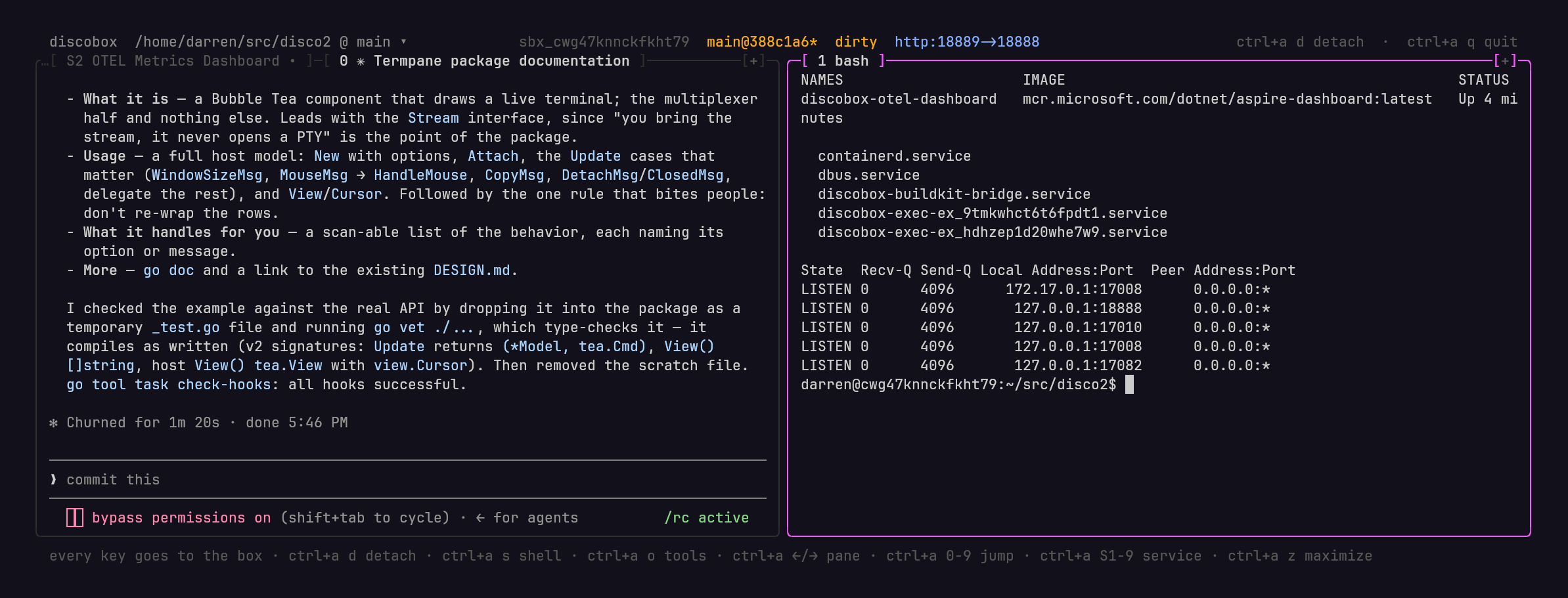
Many sessions, many boxes
An agent working in your checkout ties it up. You wait for it to finish, and a
second agent in the same directory edits the same files, switches the same
branch, and competes for the same ports and databases. Each box instead has its
own copy of the source, its own git repository, and its own services and Docker.
You can start a bug fix, a feature, and an experiment you may throw away, each in
its own box, and keep working in your own checkout while they run.
discobox run -d . 'fix the flaky retry test'
discobox run -d . 'add pagination to the users endpoint'
discobox run -d . 'try replacing the ORM with sqlc'
discobox ls
It is just git
There is no special sync layer. Give an agent a computer of its own and it needs
the source the way you would on a new machine: clone the repository, make
changes, then merge them back or open a pull request. A box does exactly that,
so the only questions are where it clones from and where the work goes.
flowchart LR
  repo["Your repository"] -- "clone" --> a["Box A"]
  repo -- "clone" --> b["Box B"]
  repo -- "clone" --> c["Box C"]
  a -- "discobox apply" --> repo
  b -- "discobox apply" --> repo
  c -- "git push" --> host["Your Git host: a branch or pull request"]
Where a box clones from. The source you name first, . for the
repository you are in, at the commit you have checked out. Only committed work
goes in: uncommitted changes stay behind unless you pass --include-dirty, and
then they arrive as uncommitted changes on that same commit. In
the box, origin is your repository, read-only: the agent can fetch from it but
cannot push to it, and nothing it does touches your files. -i brings more
sources into the same box, either another local checkout or a remote URL, whose
origin is then that remote.
Where the work goes. The agent commits in the box. From there, the work goes
back the same two ways it does today:
- Merge it back to your machine with
discobox apply, run from your
repository. It fetches the box's commits and cherry-picks them onto your
current branch, keeping each commit's message, author, and boundaries. The
result is ordinary history: review it with git log, amend or reorder it, and
push it like any other commit.
- The cherry-pick runs in a scratch worktree, and your branch moves only if
every commit applies cleanly. On a conflict nothing changes, and apply prints
the
git cherry-pick command that reproduces it.
- Only committed work is applied. A box with uncommitted changes is skipped, so
nothing lands from a half-finished state.
- Discobox records what it applied, so applying the same box again brings over
only the commits made since.
- Push to a remote and open a pull request from inside the box, with
git push and gh, the way you would from your laptop. The box never holds your
Git host token: you bind it to the box as a secret, or the agent requests access
and you approve it, and the box sees only a placeholder (see
Isolation and credentials).
Keeping parallel boxes in step
Boxes never see each other; their work meets in your repository. Once one box is
applied, the others can build on it. Inside a box,
git fetch origin && git rebase origin/<branch> picks up everything on your
branch, including your own commits and the work of other boxes you applied. When two changes overlap, the
agent resolves the conflict in its box and you apply the rebased result, so the
merge work stays out of your checkout.
Where a box cannot read your repository directly, such as one running on another
machine, the client pushes your new commits into it while you are attached, and
discobox push sends them on demand.
Working with a box
- Terminal and SSH: Use the console or
discobox shell. SSH configuration syncs
automatically when a box is created, so ssh $DISCOBOX_ID works without manual
setup. You can also connect by box name.
- Editor and tools: Use
discobox tools vscode or discobox tools zed to
open VS Code or Zed in the box's working directory; discobox tools ls lists
every tool a box offers. Declare your own as a .yaml or a front-matter script
in the box's .discobox/tools or in your own config directory's
discobox/tools (ADR 0125). Other editors with SSH remote support can also
connect directly.
- Desktop: Access the box's graphical desktop and browser through VNC or
noVNC, using port forwarding.
- Toolchain: direnv loads the project's declared environment, including
Nix or mise configuration.
- Automation: The CLI and OpenAPI API support scripting box creation,
credential bindings, and collecting results.
Isolation and credentials
Discobox uses VM and container isolation. Agents can install packages and run
commands inside the box without approval prompts. Outbound traffic passes
through a proxy with a separate mTLS identity for each box, destination policy,
and request auditing.
Managed credentials remain outside the box. Agents receive placeholders called
sentinels; the proxy substitutes the real credential only on the routes its
secret and its binding allow, and refuses a request on any other. A secret is
bound to a box, a harness or a whole project (discobox secret bind). An agent
can request additional access, which a human approves with routes and an
expiry.
See discobox.ai for the full overview and
architecture.
Release channels
Every release is published as a prerelease and marked stable by hand later, once
it has been in use for a while. That gives three channels, each newer and less
proven than the one before:
- stable — the newest release marked stable. This is what you get when you
ask for nothing in particular.
- latest — the newest
vX.Y.Z release, stable or not. A release joins it
the moment it is cut.
- edge — the newest release of any kind, including the
-alpha, -beta,
and -rc builds cut to try a change before it becomes a release.
Homebrew
The tap carries stable and latest as two formulae. discobox-dev installs
beside discobox and runs under its own name, so you can keep both:
brew install discobox-ai/tap/discobox      # stable, runs as discobox
brew install discobox-ai/tap/discobox-dev  # latest, runs as discobox-dev
The two share one state directory, one configuration, and one downloaded server,
so their servers cannot run at the same time; stop one before starting the
other. There is no edge formula — use the install script for that.
Install script
curl -sSfL https://discobox.ai | sh                         # stable
curl -sSfL https://discobox.ai | sh -s -- --channel latest  # latest
curl -sSfL https://edge.discobox.ai | sh                    # edge
irm https://discobox.ai/install.ps1 | iex                   # stable
irm https://edge.discobox.ai/install.ps1 | iex              # edge
$env:DISCOBOX_CHANNEL = 'latest'; irm https://discobox.ai/install.ps1 | iex
Unlike the tap, the script installs whichever channel you ask for as discobox,
over whatever is already there. Pass --dir or -InstallDir to keep two of
them side by side.
Pin one release instead of a channel:
curl -sSfL https://discobox.ai | sh -s -- --version v0.10.1
& ([scriptblock]::Create((irm https://discobox.ai/install.ps1))) -Version v0.10.1
Both scripts take --channel, --version, --dir, and --stage — -Channel,
-Version, -InstallDir, -Stage, and -NoModifyPath in PowerShell — and
read DISCOBOX_CHANNEL, DISCOBOX_VERSION, DISCOBOX_INSTALL_DIR, and
DISCOBOX_INSTALL_STAGE from the environment, which is the only way to pass an
option through iex. A flag beats the environment, and a version beats a
channel. install.sh --help lists the rest; install.ps1 documents them in
its header comment.
Either way you install the client only. The Discobox server is a separate
program, downloaded the first time something needs one locally and checked
against the digests the client carries; --stage fetches it during the install
instead of on first use.
Uninstalling
To remove Discobox's data, downloaded servers and images, and configuration,
run discobox admin uninstall. It lists what it will delete and asks first, and
leaves the discobox command for your package manager to remove.
Ask questions, share what you are building, and follow development on
Discord.
License
See LICENSE.
