Early alpha, not recommended for production. Expect breaking changes, incomplete features, and limited real-world validation.
honk follows the design of dae's eBPF datapath and configuration syntax, and of sing-box's outbound groups and Clash API. It is an independent implementation, not a port of either project.
Capabilities
- Transparent TCP/UDP for LAN-forwarded and host-originated traffic through TC eBPF,
dae0/daens, and compiled routing.
- Outbounds: SOCKS5, Shadowsocks/2022, Trojan, AnyTLS, Hysteria2, TUIC, Juicity, VMess, VLESS,
direct, and block. Trojan/VMess/VLESS support H2 XHTTP (packet-up, stream-up, stream-one); VMess is TCP-only. See protocol limits.
- Groups: Selector (the default), URLTest, LoadBalance, Fallback, and Score. Score uses business observations and bounded validation; see group policies.
- DNS: UDP, TCP, DoT, DoH, DoQ, and DoH3 upstreams, optionally through a node or group, with routing and caching.
- Configuration and control: dae syntax, subscriptions, reload, a Clash-compatible REST/WebSocket API, and the
honk-tool CLI toolbox.
There is no FakeIP engine, full mihomo parity, or Windows/macOS datapath.
Install
Download an archive for your platform from Releases. Releases cover x86_64 and aarch64 Linux; full suits most deployments.
| Build |
Native API |
Clash API |
Embedded doona and doona lite |
full |
Yes |
Yes |
Yes |
native-api |
Yes |
No |
No |
clash-api |
No |
Yes |
No |
Every build comes as a static musl binary; full also comes linked against glibc (gnu). Archives with stock in the name use the system allocator instead of jemalloc. Each release's Downloads section lists checksums and provenance.
Packages for Debian, Ubuntu, Fedora, openSUSE and Arch Linux are covered in the installation guide. For OpenWrt, use the daeuniverse package feed.
For source builds, follow Build from source. Release binaries embed eBPF; plain cargo build --release does not enable the real datapath.
Follow the startup guide for kernel checks, installation, and connectivity verification. Initial deployment changes network hooks, namespaces, and sysctls; keep an out-of-band management path available.
Web interface
honk works with two kinds of web UI:
- doona uses the native API, which adds observations, diagnostics and configuration editing. doona lite is a lighter preview edition. Try the demo or the lite demo.
- Clash dashboards such as zashboard use the Clash-compatible API.
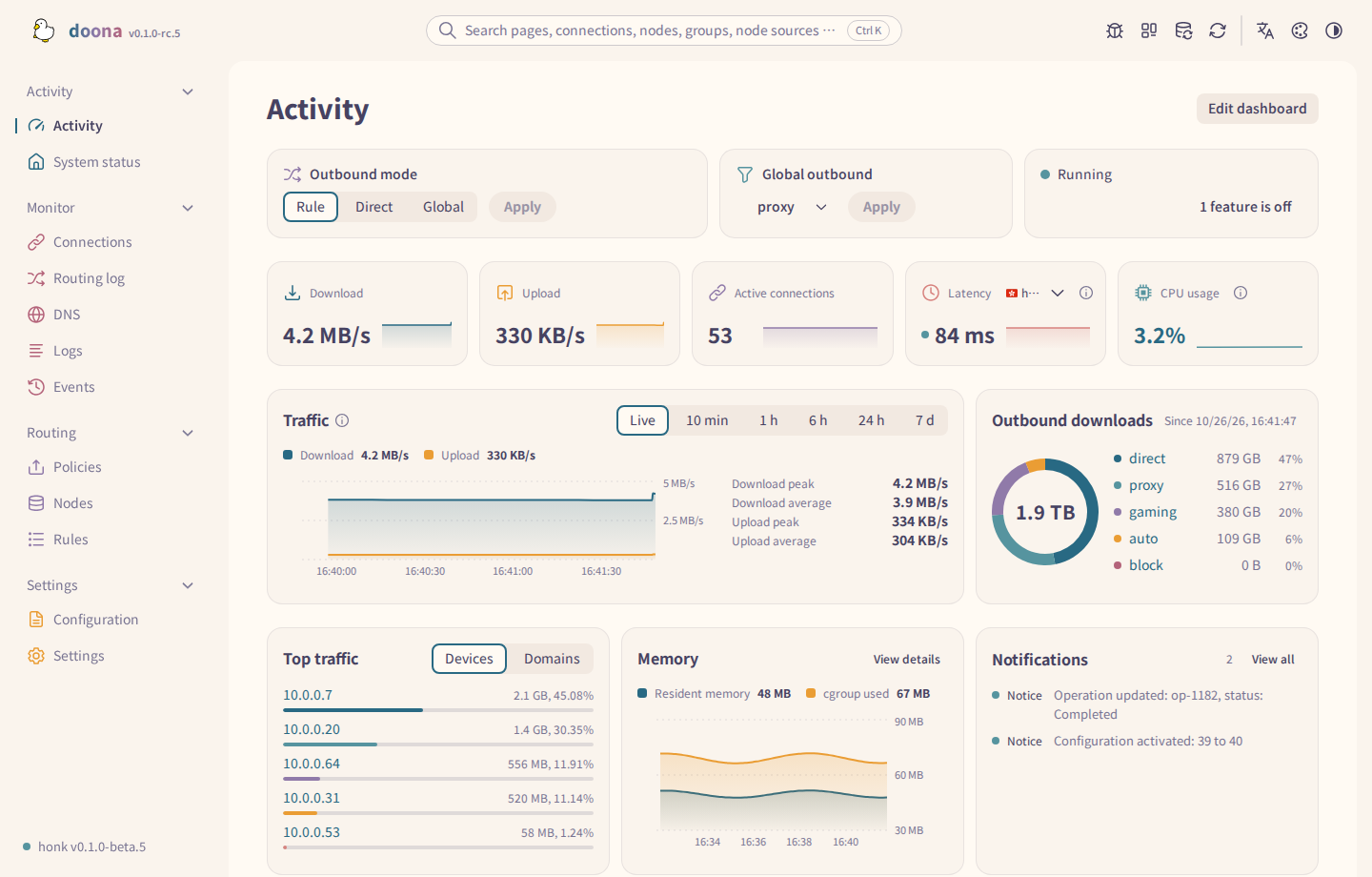
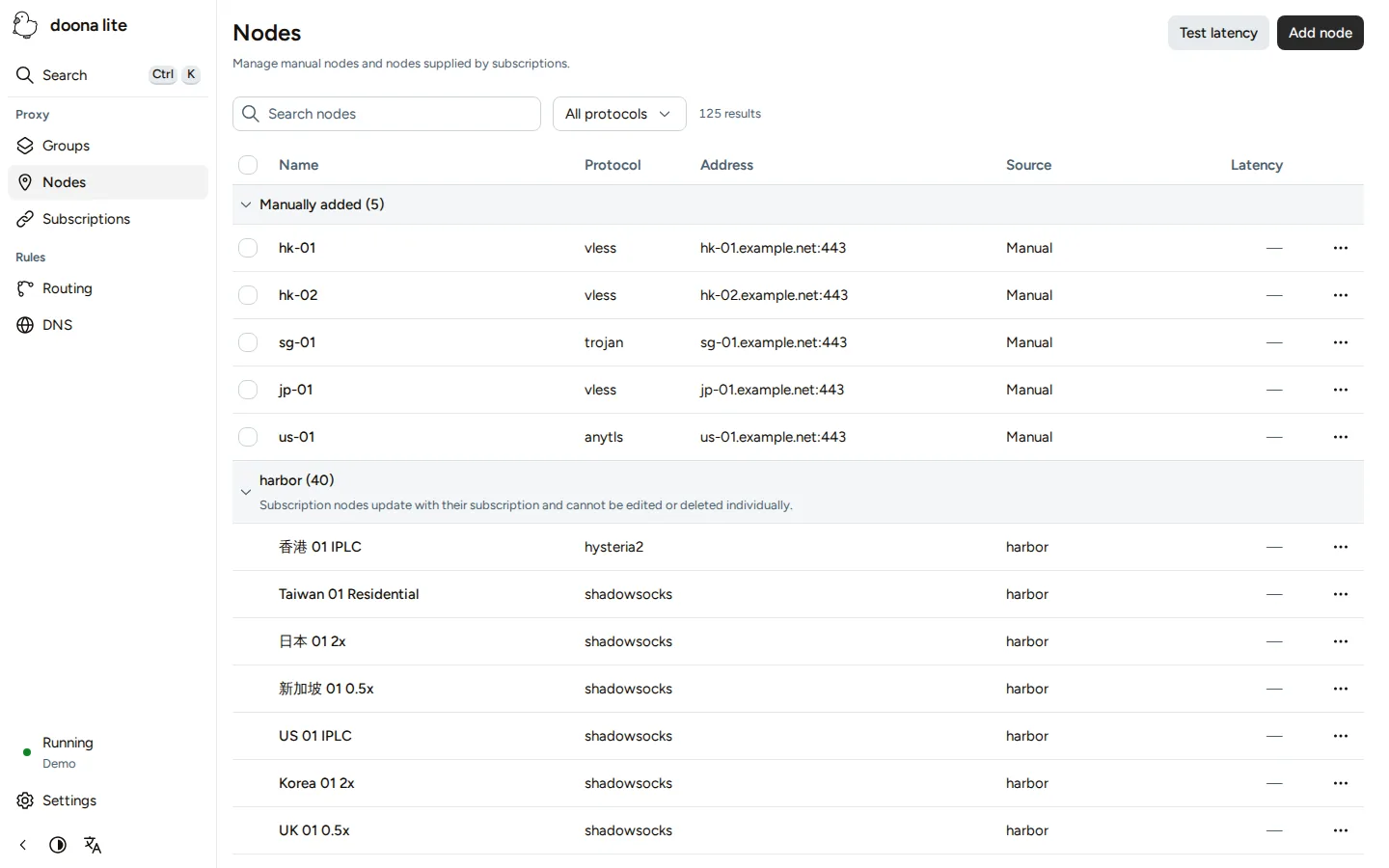
For doona, enable experimental.native_api and set ui: 'embedded' in a full build, or ui: 'embedded-lite' for doona lite; the doona quick start walks through it. A native-api build can serve a separately installed doona from its directory instead. For a Clash dashboard, set experimental.clash_api; honk downloads zashboard on first start. The experimental settings list every field of both.
Documentation
The documentation index links configuration guides, native and Clash API references, subsystem designs, and operations guides in both languages.
Versions and compatibility
- Releases follow SemVer from
v0.1.0; -alpha.N, -beta.N, and -rc.N tags are prereleases. Before 1.0, minor releases may change configuration or behaviour; read the release notes before upgrading.
- Transparent proxying requires root, Linux 6.12+, the required kernel options, and bpffs. See the startup guide linked above.
- Configuration uses dae syntax. See NFQUEUE operation and VLESS migration before changing an existing deployment.
- The native API uses
/api/v1; before 1.0 its contract may change in a minor release. GET /api/v1/version reports the contract identity.
Development
The workspace contains configuration, shared eBPF types, NFQUEUE, outbound, core, and tooling crates; crates/honk-ebpf builds separately. See the Justfile and contribution policy.
Use mock mode for unprivileged userspace development. --mock-ebpf does not intercept traffic or test the datapath.
The rolling Debug prerelease provides the latest debug.* build from main for testing. These use the release profile, not Cargo's debug profile; retention and publication follow the release rules.
Report problems
Report proxy, routing, and DNS problems in honk issues; report web interface problems in doona issues.
For vulnerabilities, follow SECURITY.md.
Acknowledgments
- dae / daed-rs: eBPF transparent proxy lineage
- sing-box: outbound group and Clash API patterns
- daeuniverse/outbound: protocol reference
- juicity-rs by Markson Pigeonzilla Plus: Juicity protocol reference, wire-format alignment, and live interop testing
- aya-rs: Rust eBPF
License
GPL-3.0-only.
SPDX-License-Identifier: GPL-3.0-only
Copyright (c) 2025, glassyiris <[email protected]> and honk contributors
The development-only dae parser oracle links dae (AGPL-3.0-only). It is never shipped or linked into honk-core.
TODO
- Evaluate AF_XDP and XDP paths for further performance gains
- Add a honk-specific REST API beyond Clash compatibility
- Add inbound support
- Explore macOS and Windows support; the datapath is Linux eBPF, so these platforms need another way to capture traffic

 honk 是一个实验性的透明代理引擎,面向 Linux,使用 Rust 编写。它借助 eBPF,将局域网转发以及主机自身发出的 TCP/UDP 流量,经由可配置的出站协议重新路由。