













What is this?
 CVAT is an open-source, self-hosted data annotation platform for building labeled datasets from images, video, and 3D point clouds, used for computer vision and visual AI projects.
CVAT is an open-source, self-hosted data annotation platform for building labeled datasets from images, video, and 3D point clouds, used for computer vision and visual AI projects.Is this a web app I host myself, or a library I import into code?It is a full web application (server plus browser UI) that you deploy yourself via Docker Compose, not a code library — though it also ships a Python SDK and a CLI for scripting your workflows.
It is a full web application (server plus browser UI) that you deploy yourself via Docker Compose, not a code library — though it also ships a Python SDK and a CLI for scripting your workflows.How do I get it running?Clone the repository, launch the default Docker Compose stack to start the server and UI, create a superuser account, then open the app in a browser to create a project and upload data for labeling.
Clone the repository, launch the default Docker Compose stack to start the server and UI, create a superuser account, then open the app in a browser to create a project and upload data for labeling.What do I need installed before I start it?Just Docker Engine, Docker Compose, and Git — the server, database, and UI all run inside the containers.
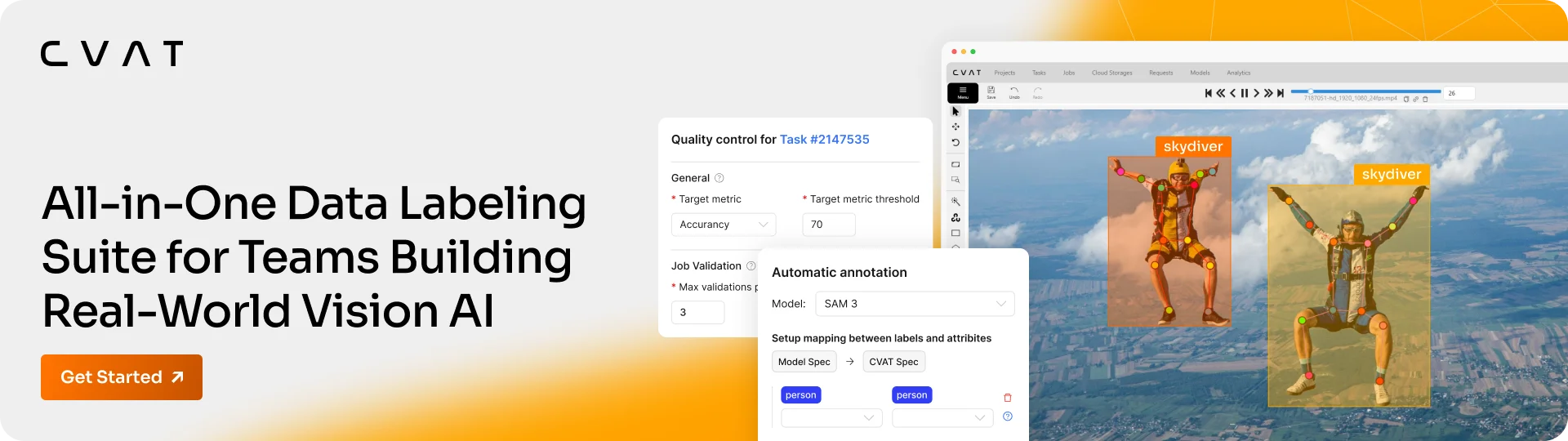
Just Docker Engine, Docker Compose, and Git — the server, database, and UI all run inside the containers.Any catches with browser support or features?CVAT is mainly tested on Chromium-based browsers; Firefox may have caveats and Safari/WebKit isn't supported. Built-in SAM 2/3 auto-labeling, the quality-control UI, and SSO are reserved for the paid Online/Enterprise tiers, not the free Community edition.
CVAT is mainly tested on Chromium-based browsers; Firefox may have caveats and Safari/WebKit isn't supported. Built-in SAM 2/3 auto-labeling, the quality-control UI, and SSO are reserved for the paid Online/Enterprise tiers, not the free Community edition.Does any of my data leave my servers?No — running CVAT Community yourself keeps all your data and uploads inside your own infrastructure.
No — running CVAT Community yourself keeps all your data and uploads inside your own infrastructure.What are the license terms?The Community edition's core is MIT-licensed, but code under /serverless and some bundled ML model assets may carry separate, sometimes non-commercial, licenses.
The Community edition's core is MIT-licensed, but code under /serverless and some bundled ML model assets may carry separate, sometimes non-commercial, licenses.What annotation types does CVAT support?Bounding boxes, polygons, masks, keypoints, cuboids, and tags, applied across images, video, and 3D point cloud data.
Bounding boxes, polygons, masks, keypoints, cuboids, and tags, applied across images, video, and 3D point cloud data.Can CVAT auto-label my data using ML models?Yes, it ships pre-built serverless models (Segment Anything, YOLOv7, RetinaNet, Mask RCNN, face and pose detectors) via Nuclio, and you can deploy more detectors or trackers yourself.
Yes, it ships pre-built serverless models (Segment Anything, YOLOv7, RetinaNet, Mask RCNN, face and pose detectors) via Nuclio, and you can deploy more detectors or trackers yourself.What import/export formats does CVAT work with?Over 20 formats, including CVAT XML, COCO, YOLO, Ultralytics YOLO, Pascal VOC, KITTI, and MOT.
Over 20 formats, including CVAT XML, COCO, YOLO, Ultralytics YOLO, Pascal VOC, KITTI, and MOT.What's the difference between CVAT Community, Online, and Enterprise?Community is the free, self-hosted MIT-licensed core covered by this repo; Online is a managed hosted version with paid plans for extra capacity; Enterprise adds SSO, enterprise support, and SLAs for running CVAT in your own cloud.
Community is the free, self-hosted MIT-licensed core covered by this repo; Online is a managed hosted version with paid plans for extra capacity; Enterprise adds SSO, enterprise support, and SLAs for running CVAT in your own cloud.What are similar projects?label-studio, labelme, ultralytics, X-AnyLabeling, yolov5, labelImg, jevbox, supervision
label-studio, labelme, ultralytics, X-AnyLabeling, yolov5, labelImg, jevbox, supervisionWhich topics is it in?image-annotation, annotation-tool, point-cloud, google-cloud, annotations, annotation, semantic-segmentation, yolo, pose-estimation, image-classification, azure, sso
image-annotation, annotation-tool, point-cloud, google-cloud, annotations, annotation, semantic-segmentation, yolo, pose-estimation, image-classification, azure, sso