
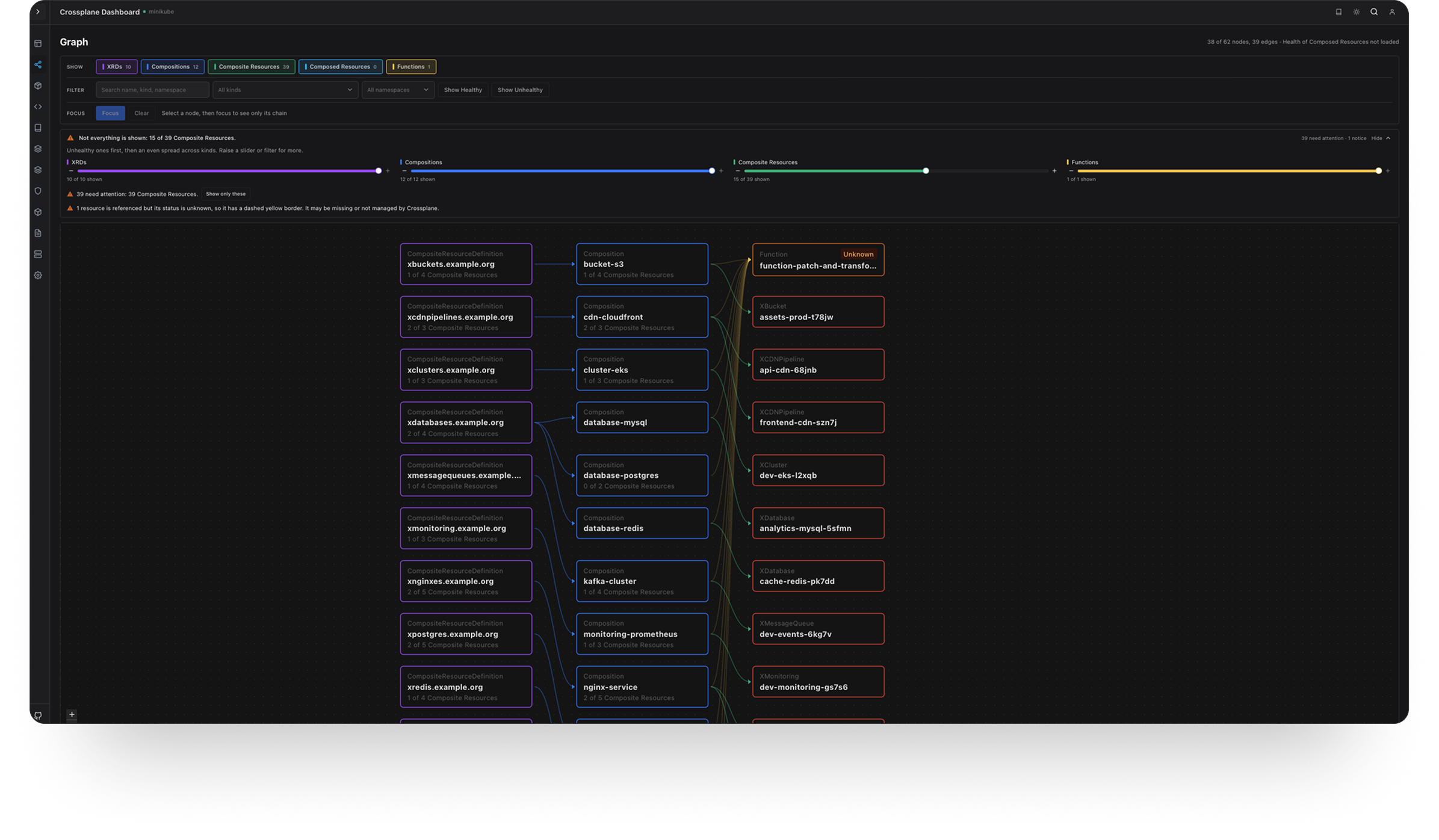
A modern React-based dashboard for managing and monitoring Crossplane resources in Kubernetes. Visualize, search, and manage your infrastructure-as-code with ease.
crossview (crossplane-contrib/crossview)
Searching Database…
The project's README from github.com/crossplane-contrib/crossview. As one markdown file: README.md.

A modern React-based dashboard for managing and monitoring Crossplane resources in Kubernetes. Visualize, search, and manage your infrastructure-as-code with ease.





Bootstrapped with the KikPlate fullstack composed template.
Support this project: Buy Me a Coffee
database.enabled: false (see SSO Setup). For local development without authentication, set server.auth.mode: none in config/config.yaml (see config/examples/config-none.yaml.example).~/.kube/config (or set KUBECONFIG env var)npm install
Copy the example config file and update with your settings:
cp config/config.yaml.example config/config.yaml
Edit config/config.yaml with your database credentials:
8920 (or your port)password (or your password)Alternatively, use environment variables (they take precedence):
export DB_HOST=localhost
export DB_PORT=8920
export DB_NAME=crossview
export DB_USER=postgres
export DB_PASSWORD=password
Run Frontend and Backend separately:
Terminal 1 - Frontend:
npm install
npm run dev
Terminal 2 - Backend (Go server):
cd crossview-go-server
go run main.go app:serve
The app will be available at http://localhost:5173 (frontend proxies /api requests to backend at http://localhost:3001)
Build for production:
npm run build
This creates a dist/ folder with the compiled frontend.
To run in production mode:
npm run build
dist/ folder):cd crossview-go-server
go run main.go app:serve
The app will be available at http://localhost:3001 (both frontend and API)
The backend API is built with Go using the Gin framework and runs on port 3001. It provides the following endpoints:
GET /api/health - Health check and connection statusGET /api/contexts - List available Kubernetes contextsGET /api/contexts/current - Get current Kubernetes contextPOST /api/contexts/current - Set Kubernetes contextGET /api/resources?apiVersion=&kind=&namespace=&context= - List resourcesGET /api/resource?apiVersion=&kind=&name=&namespace=&context= - Get single resourceGET /api/events?kind=&name=&namespace=&context= - Get resource eventsGET /api/managed?context= - List managed resourcesGET /api/watch - WebSocket endpoint for real-time resource watchingPOST /api/auth/login - User loginPOST /api/auth/logout - User logoutGET /api/auth/check - Check authentication statusThe backend uses the Go Kubernetes client with Informers for efficient, event-driven resource monitoring:
When running in a Kubernetes pod:
/var/run/secrets/kubernetes.io/serviceaccount/When running locally:
~/.kube/config (default)KUBECONFIG environment variableSee Kubernetes Deployment Guide for deployment examples.
Crossview can be deployed using Helm, which simplifies Kubernetes deployment and management.
helm repo add crossview https://crossplane-contrib.github.io/crossview
helm repo update
helm install crossview crossview/crossview \
  --namespace crossview \
  --create-namespace \
  --set secrets.dbPassword=your-db-password \
  --set secrets.sessionSecret=$(openssl rand -base64 32)
For more details, see:
docker build -t ghcr.io/crossplane-contrib/crossview:latest .
Images are published to GHCR (ghcr.io/crossplane-contrib/crossview) on each release.
Environment variables take precedence over config files:
docker run -p 3001:3001 \
  -e DB_HOST=host.docker.internal \
  -e DB_PORT=8920 \
  -e DB_NAME=crossview \
  -e DB_USER=postgres \
  -e DB_PASSWORD=password \
  -e KUBECONFIG=/app/.kube/config \
  -e SESSION_SECRET=your-secret-key-here \
  -v ~/.kube/config:/app/.kube/config:ro \
  ghcr.io/crossplane-contrib/crossview:latest
Mount your config file as a volume:
docker run -p 3001:3001 \
  -v $(pwd)/config/config.yaml:/app/config/config.yaml:ro \
  -e KUBECONFIG=/app/.kube/config \
  -v ~/.kube/config:/app/.kube/config:ro \
  ghcr.io/crossplane-contrib/crossview:latest
Create a docker-compose.yml:
services:
  crossview:
    build: .
    ports:
      - "3001:3001"
    environment:
      - DB_HOST=postgres
      - DB_PORT=5432
      - DB_NAME=crossview
      - DB_USER=postgres
      - DB_PASSWORD=password
      - KUBECONFIG=/app/.kube/config
      - SESSION_SECRET=your-secret-key-here
    volumes:
      - ./config/config.yaml:/app/config/config.yaml:ro
      - ~/.kube/config:/app/.kube/config:ro
    depends_on:
      - postgres

  postgres:
    image: postgres:latest
    environment:
      - POSTGRES_DB=crossview
      - POSTGRES_USER=postgres
      - POSTGRES_PASSWORD=password
    ports:
      - "8920:5432"
    volumes:
      - postgres_data:/var/lib/postgresql

volumes:
  postgres_data:
Then run:
docker-compose up
The application loads configuration in this order (highest to lowest priority):
DB_HOST, DB_PORT, DB_PASSWORD)config/config.yaml - mounted or included in image)DB_HOST - Database host (use host.docker.internal for local DB, or service name in Docker Compose)DB_PORT - Database port (default: 5432)DB_NAME - Database nameDB_USER - Database userDB_PASSWORD - Database passwordKUBECONFIG or KUBE_CONFIG_PATH - Path to Kubernetes config file inside containerSESSION_SECRET - Secret for session encryption (optional, has default)Contributions are welcome. Please read the Contributing Guide for development setup, PR guidelines, and how to report issues. By participating, you agree to our Code of Conduct. To see where the project is headed, check the Roadmap.
Join the Crossview topic on Coidea to follow the latest Crossview posts and updates, explore new ideas, and connect with the community.
Anyone can publicly browse ideas shared in the topic. Request to join if you would like to publish your own Crossview ideas, find collaborators, or start discussions around those ideas.
For code contributions, bug reports, and pull requests, continue to use the Contributing Guide and GitHub.
This project is open source and available under the Apache License 2.0.
A modern React-based dashboard for managing and monitoring Crossplane resources in Kubernetes. Visualize, search, and manage your infrastructure-as-code with ease.