







What is this?
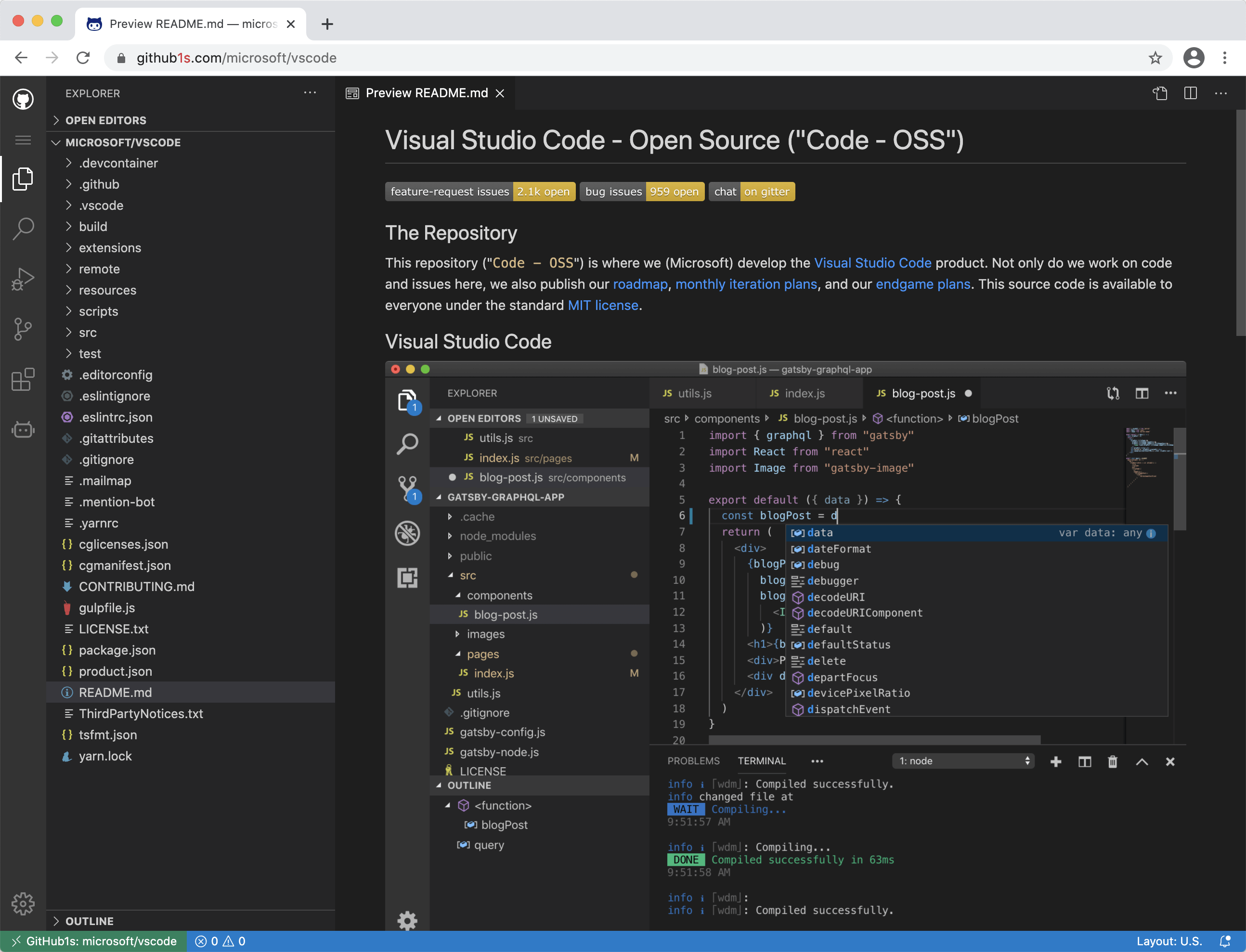
 github1s is a free web app that opens any GitHub repository in a full VS Code-style editor right in your browser, so you read code with a file tree and editor instead of clicking through github.com page by page.
github1s is a free web app that opens any GitHub repository in a full VS Code-style editor right in your browser, so you read code with a file tree and editor instead of clicking through github.com page by page.Is it a website I visit, or something I have to install?It is just a website — github1s.com — nothing to install. There are also optional browser extensions and a bookmarklet, listed in the README as third-party projects, if you want one-click jumps from github.com.
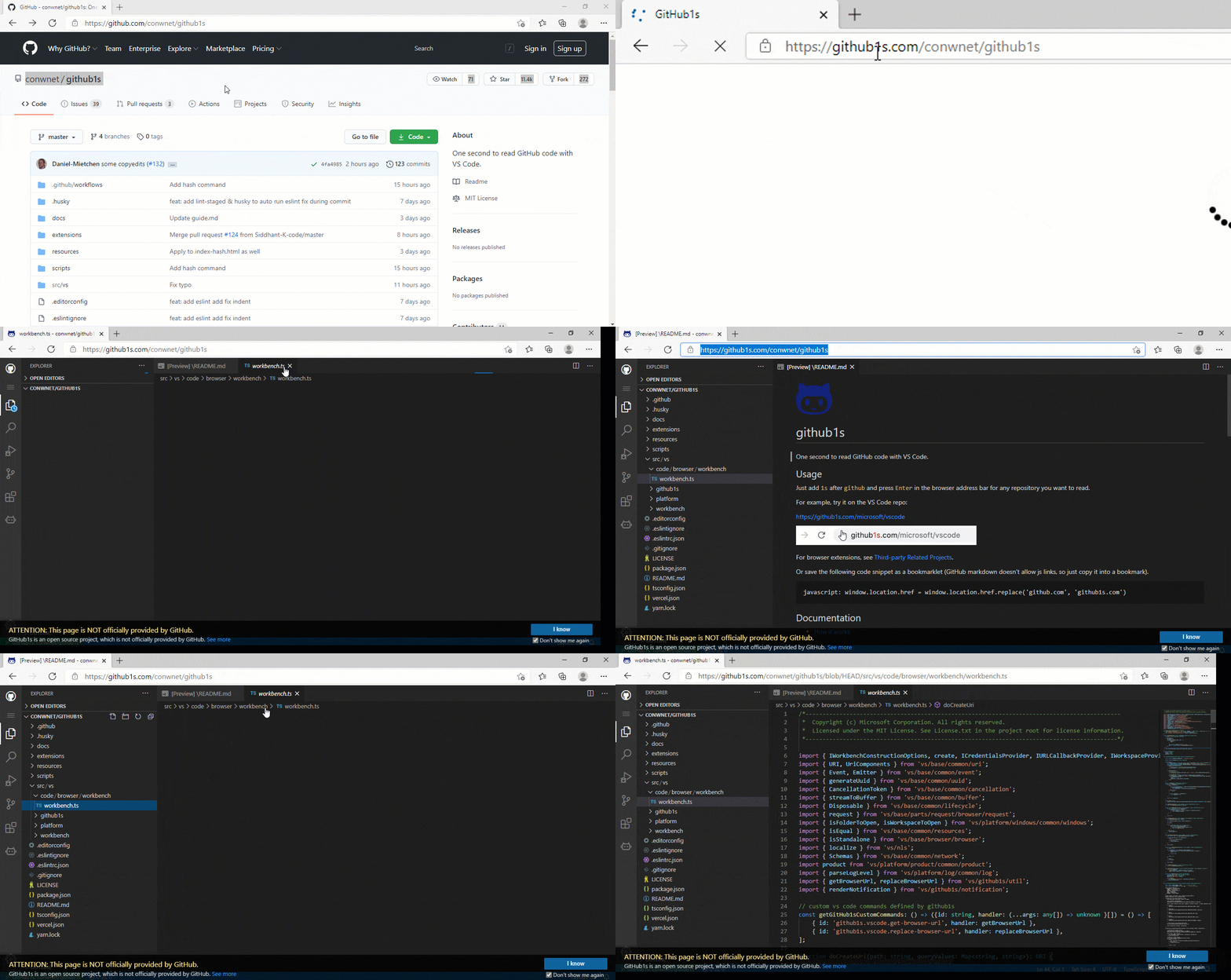
It is just a website — github1s.com — nothing to install. There are also optional browser extensions and a bookmarklet, listed in the README as third-party projects, if you want one-click jumps from github.com.How do I open a repository with it?Add 1s right after github in the browser address bar — github.com/user/repo becomes github1s.com/user/repo — and press Enter. It works for any repository URL you can open.
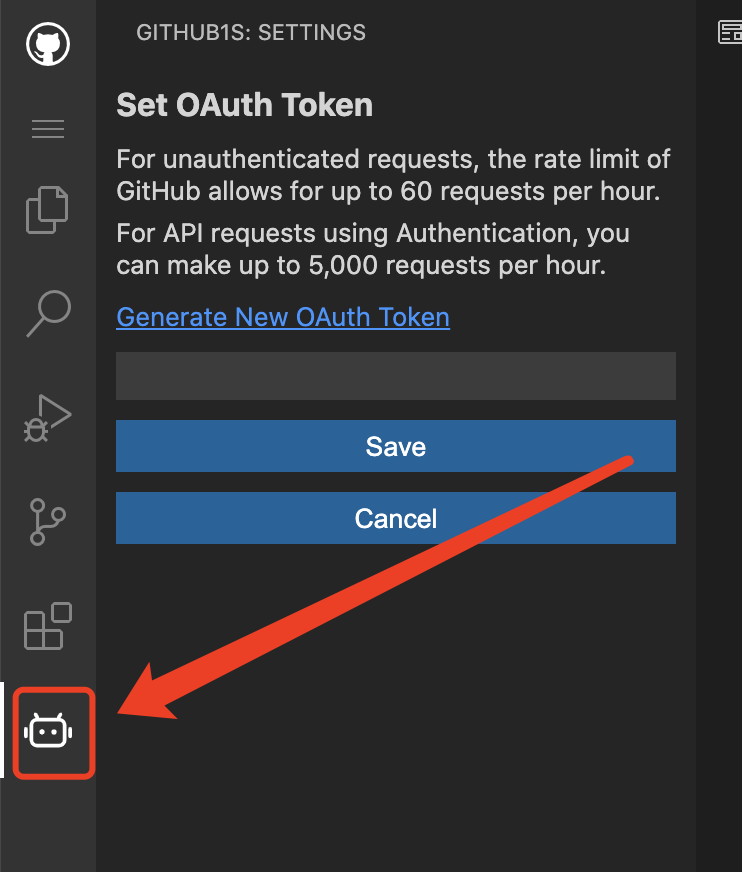
Add 1s right after github in the browser address bar — github.com/user/repo becomes github1s.com/user/repo — and press Enter. It works for any repository URL you can open.Does it work with private repositories?Yes, but you need to add a GitHub OAuth token via the icon at the bottom of the left icon row — the dialog even takes you to GitHub's token settings page to generate one. The token never leaves your browser except to fetch your files from GitHub.
Yes, but you need to add a GitHub OAuth token via the icon at the bottom of the left icon row — the dialog even takes you to GitHub's token settings page to generate one. The token never leaves your browser except to fetch your files from GitHub.Why is it called github1s?The name is the URL trick itself: insert 1s into the domain and github.com becomes github1s.com — the repo opens in a VS Code view in about one second.
The name is the URL trick itself: insert 1s into the domain and github.com becomes github1s.com — the repo opens in a VS Code view in about one second.Is it free to use?Yes. The website costs nothing, and the whole project is open source under the MIT license.
Yes. The website costs nothing, and the whole project is open source under the MIT license.Which browsers have ready-made extensions for it?Community builds exist for Chrome, Firefox, Microsoft Edge and Safari, plus Tampermonkey scripts — all listed under Third-party Related Projects in the README.
Community builds exist for Chrome, Firefox, Microsoft Edge and Safari, plus Tampermonkey scripts — all listed under Third-party Related Projects in the README.What are similar projects?git-history, core, monaco-editor, refined-github, awesome-vscode, BrowserKitten, agentbox, LunarVim
git-history, core, monaco-editor, refined-github, awesome-vscode, BrowserKitten, agentbox, LunarVimWhich topics is it in?code-editor, ide, vscode, browser-extension, github, browser, developers, web-app, productivity, agent, frontend, tool
code-editor, ide, vscode, browser-extension, github, browser, developers, web-app, productivity, agent, frontend, tool