










70.1K ·GitHub
What is this?
 OmO (oh-my-openagent) is a command-line AI agent: you type one 'omo' command with a task, and it researches, plans, writes code, and verifies the result until the job is actually finished, mixing multiple AI models as needed.
OmO (oh-my-openagent) is a command-line AI agent: you type one 'omo' command with a task, and it researches, plans, writes code, and verifies the result until the job is actually finished, mixing multiple AI models as needed.Is this a CLI tool or does it plug into an editor like Cursor?It is a terminal CLI agent, not an editor plugin: you open your project, run 'omo', and describe the job. It runs on 'senpi', the project's own fork of 'pi'.
It is a terminal CLI agent, not an editor plugin: you open your project, run 'omo', and describe the job. It runs on 'senpi', the project's own fork of 'pi'.Which AI models or subscriptions do I need?You sign in with the '/login' command, which covers Claude, ChatGPT, Kimi, and GLM subscriptions directly, letting you mix frontier and cheap models without wiring up separate API keys.
You sign in with the '/login' command, which covers Claude, ChatGPT, Kimi, and GLM subscriptions directly, letting you mix frontier and cheap models without wiring up separate API keys.Is the install script safe to run blindly?The installer checks the downloaded binary against release checksums and falls back to GitHub Releases if its mirror is unreachable, but you are still piping a remote script straight into bash or PowerShell.
The installer checks the downloaded binary against release checksums and falls back to GitHub Releases if its mirror is unreachable, but you are still piping a remote script straight into bash or PowerShell.Where does OmO keep the memory of my past work?Memory is stored locally as a git repository of markdown files; a small, cheap model reads that history and nudges the main agent so it does not repeat past mistakes.
Memory is stored locally as a git repository of markdown files; a small, cheap model reads that history and nudges the main agent so it does not repeat past mistakes.What does adding 'ultrawork' (ulw) to a prompt do?It switches the agent into a thorough mode: it reads the codebase first, plans, proves each step before moving on, checks the result on the real system, and stops only when the task is genuinely done.
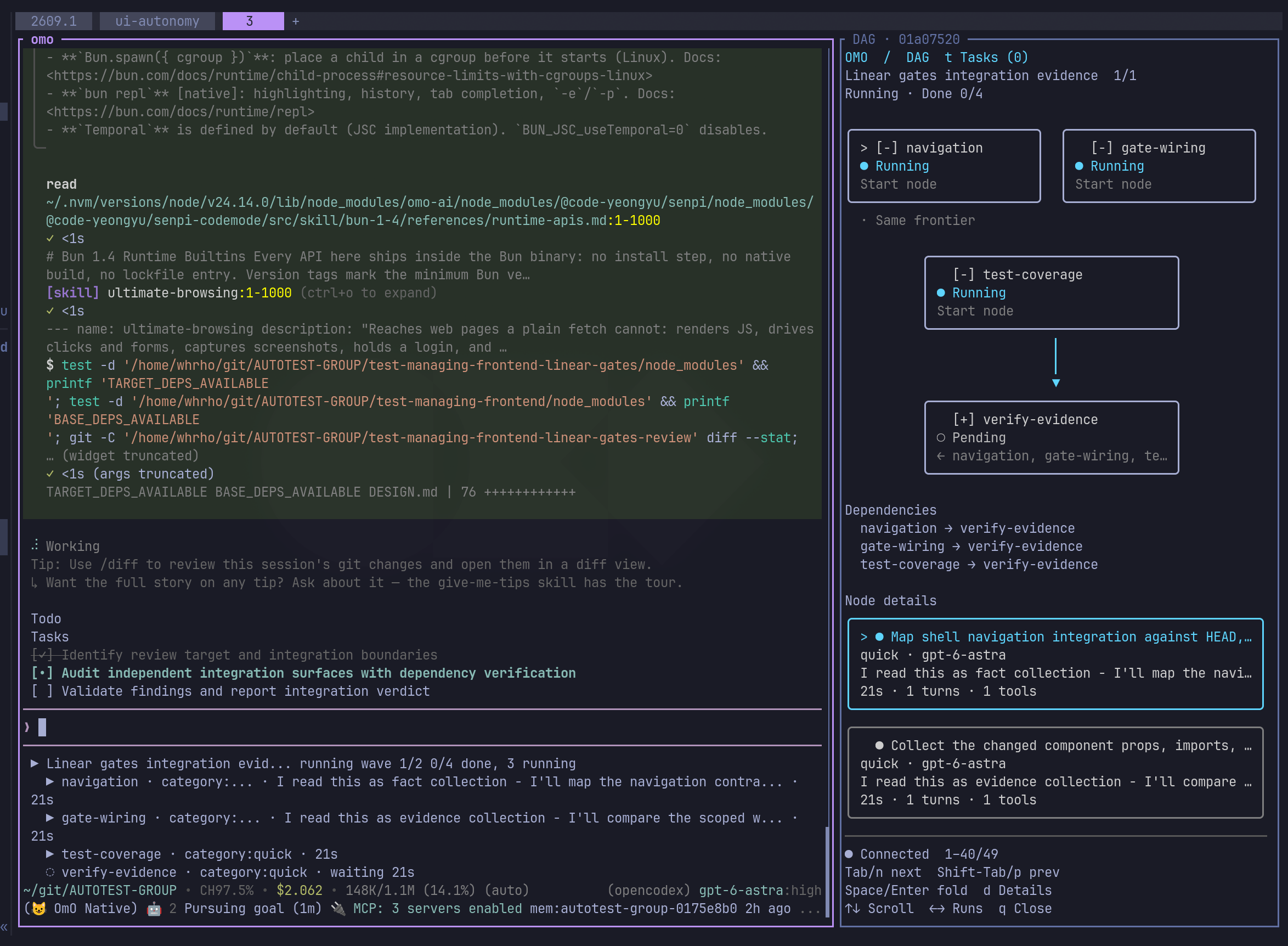
It switches the agent into a thorough mode: it reads the codebase first, plans, proves each step before moving on, checks the result on the real system, and stops only when the task is genuinely done.What happens when I type 'mass ulw'?The task is split into a graph of many agents running in parallel, each handled by the model that fits it best, used for things like deep multi-thousand-source research or a big migration, with every part checked before being marked done.
The task is split into a graph of many agents running in parallel, each handled by the model that fits it best, used for things like deep multi-thousand-source research or a big migration, with every part checked before being marked done.What is Kibitzer?Kibitzer is OmO's secondary watchdog: a small, cheap model that reads your markdown memory log beside the main agent and warns it before it repeats a past mistake.
Kibitzer is OmO's secondary watchdog: a small, cheap model that reads your markdown memory log beside the main agent and warns it before it repeats a past mistake.Can I migrate my setup from OpenCode or LazyCodex?Yes - run 'omo setup' once and it carries over your provider keys, custom providers, MCP servers, skills, and model picks; 'omo doctor' then shows what transferred and what each provider can run.
Yes - run 'omo setup' once and it carries over your provider keys, custom providers, MCP servers, skills, and model picks; 'omo doctor' then shows what transferred and what each provider can run.What are similar projects?ruflo, claude-code, ordewell, Raven, brigade, golutra, open-multi-agent, operator-memory
ruflo, claude-code, ordewell, Raven, brigade, golutra, open-multi-agent, operator-memoryWhich topics is it in?graph-engineering, multi-model, vibe-coding, multi-agent-systems, ide, bun, opencode, claude-skills, agent-memory, memory, chatgpt, tui
graph-engineering, multi-model, vibe-coding, multi-agent-systems, ide, bun, opencode, claude-skills, agent-memory, memory, chatgpt, tui