
A native Excalidraw client for macOS, iPadOS, and iOS. Powered by SwiftUI.


Excalidraw is an excellent drawing tool. ExcalidrawZ keeps the familiar Excalidraw canvas, then adds native file management, iCloud sync, history, export, AI assistance, MCP integration, and Apple-platform interaction details around it.
Download

Non-App Store version
- Download the latest
.dmg from Releases.
- Open the
.dmg and drag ExcalidrawZ into Applications.
Preview
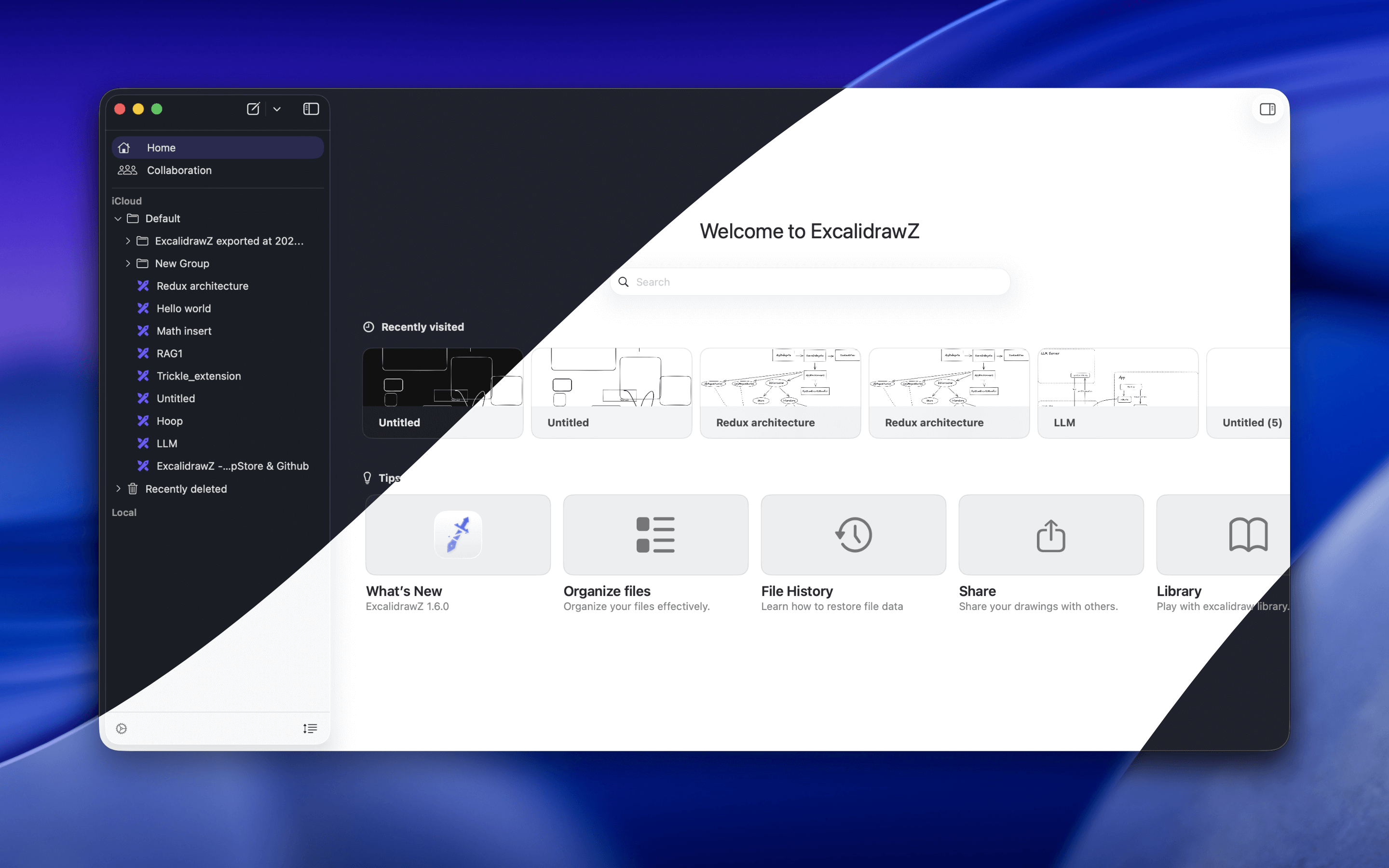
Features
Native File Management
ExcalidrawZ manages drawings as real app documents instead of loose browser downloads.
- Organize drawings with groups and custom file sorting.
- Work with ExcalidrawZ library files, local folders, and temporary external files.
- Open and edit
.excalidraw, .excalidraw.png, and .excalidraw.svg files directly.
- Sync app-managed files across macOS, iPadOS, and iOS with iCloud.
- Keep file history checkpoints so important changes can be reviewed and restored.
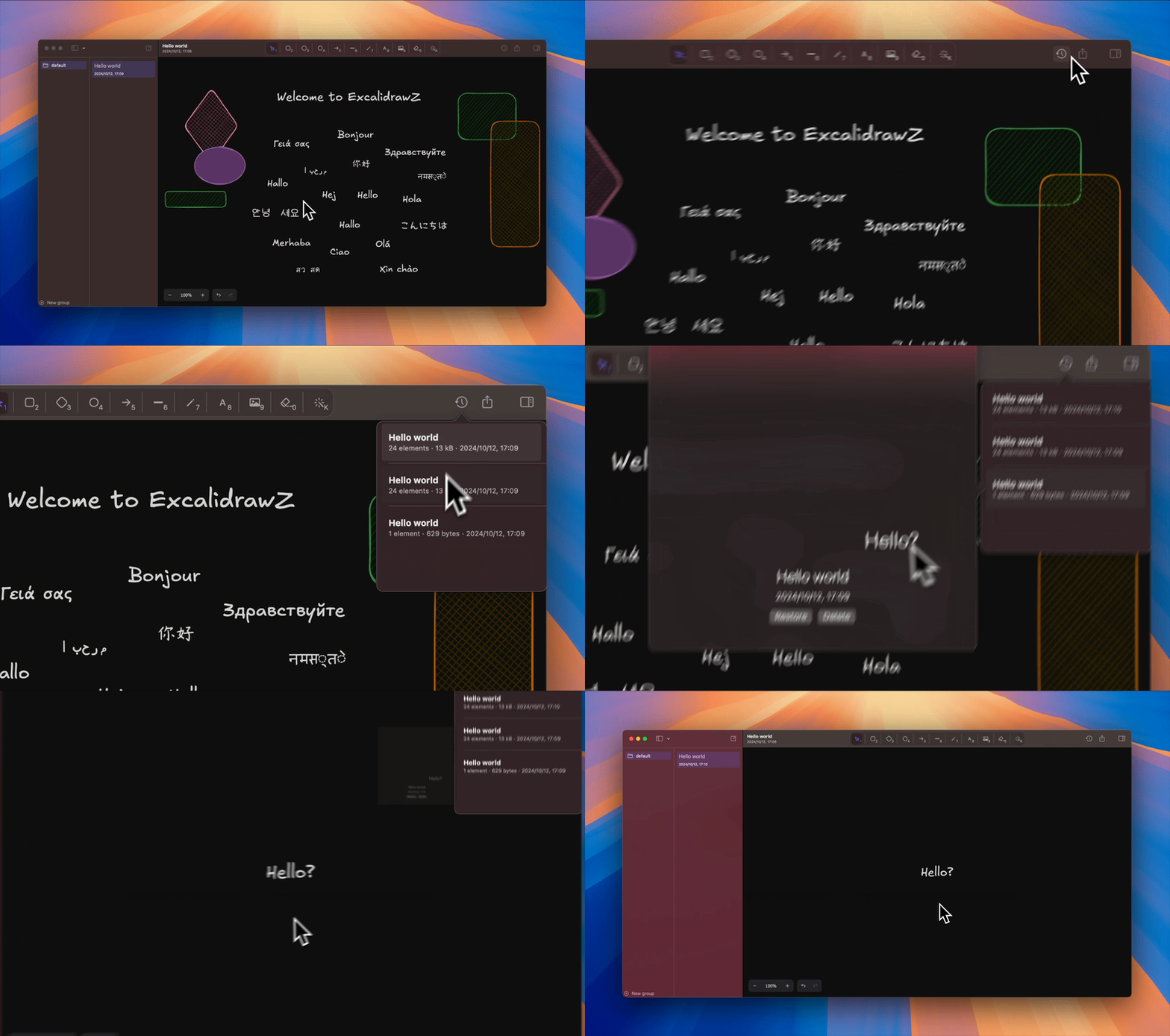
File History
ExcalidrawZ records checkpoints for app-managed drawings, so you can review earlier versions and restore important work when needed.
Excalidraw Editing, Native Controls
The canvas remains compatible with Excalidraw while the surrounding app is built for Apple platforms.
- Customize toolbar tool order; number shortcuts follow your configured order.
- Use Apple Pencil on iPad, including familiar undo and redo gestures.
- Use mouse and trackpad scroll and zoom gestures on iPad and iPhone.
- Import PDFs and convert Mermaid diagrams into editable Excalidraw content.
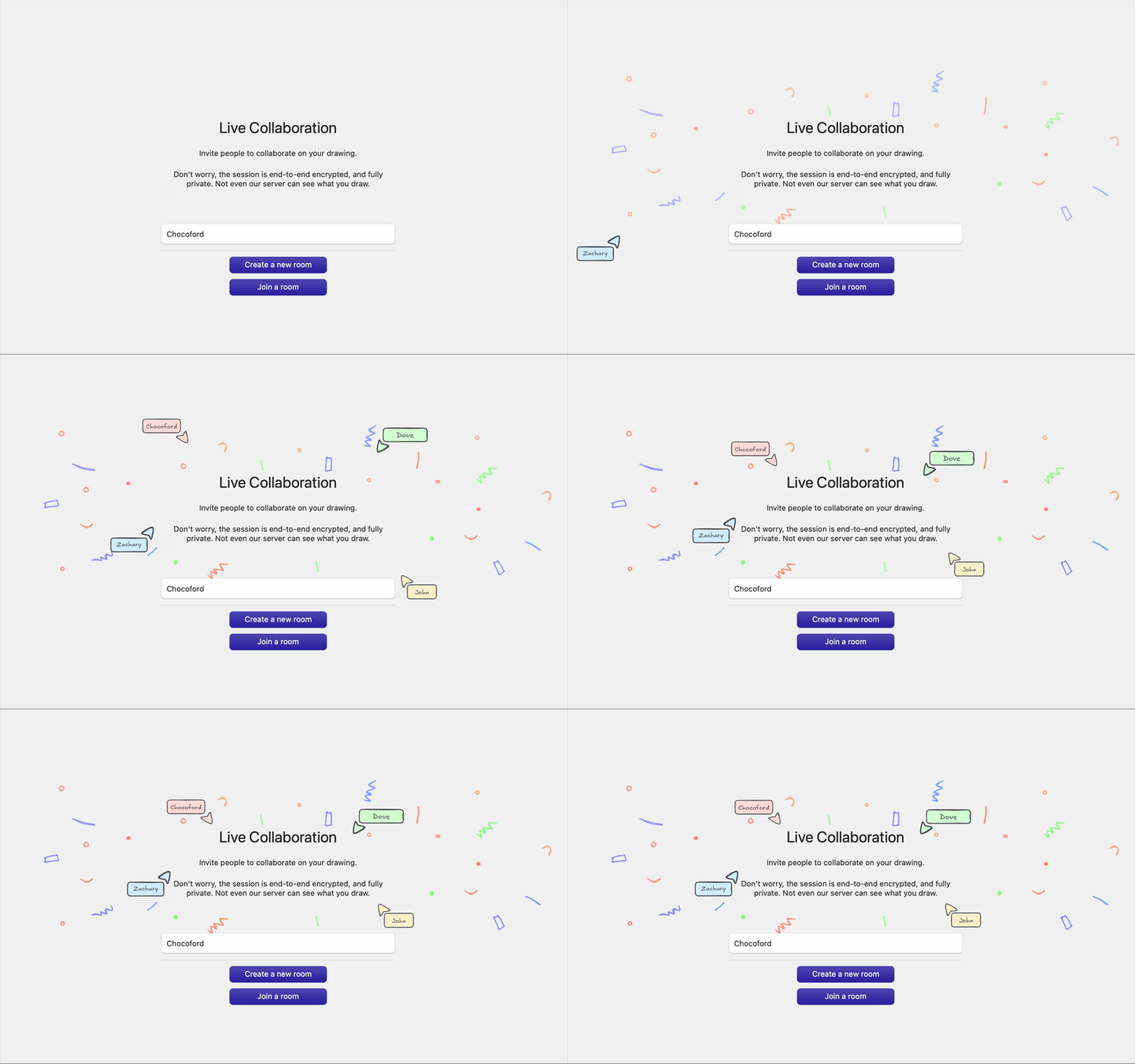
Collaboration
Use Excalidraw collaboration when you want to draw with others.
AI Drawing Assistant
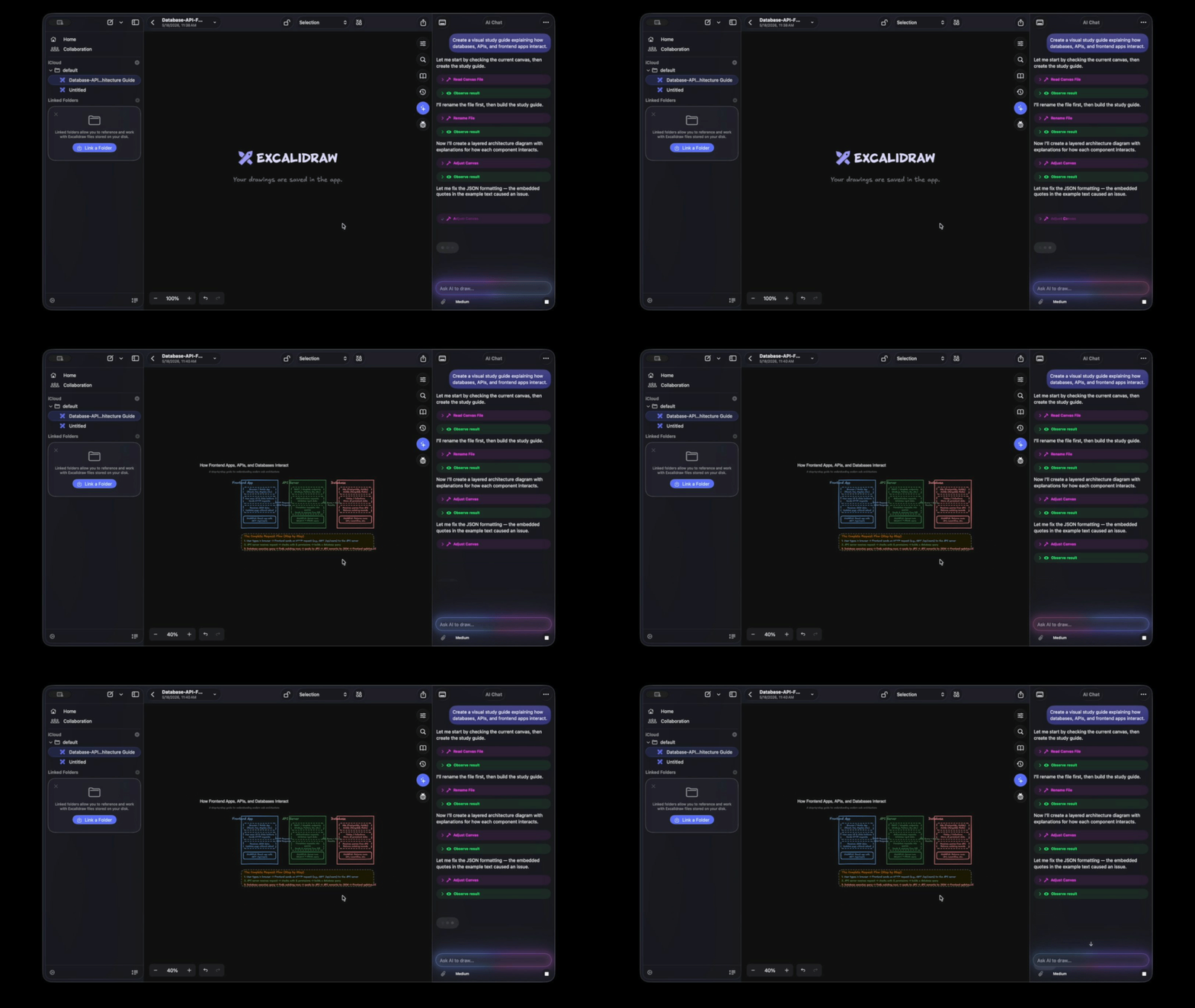
ExcalidrawZ includes an AI assistant designed for canvas work.
- Ask AI to read, create, and revise drawings.
- Attach images and let AI use visual context when needed.
- Use proposal previews before applying AI-generated content to the real canvas.
- Control whether each file is visible to AI.
- Use AI from compact iPhone toolbars, iPad floating panels, or the macOS inspector.
MCP Services
ExcalidrawZ can expose the current app as an MCP server for compatible AI clients.
- Basic mode provides the familiar
excalidraw-mcp drawing workflow.
- Optimized mode adds deeper ExcalidrawZ integration for current-file editing, file navigation, history, canvas inspection, export, library workflows, and math tools.
- Connect local MCP clients through the app-hosted HTTP endpoint.
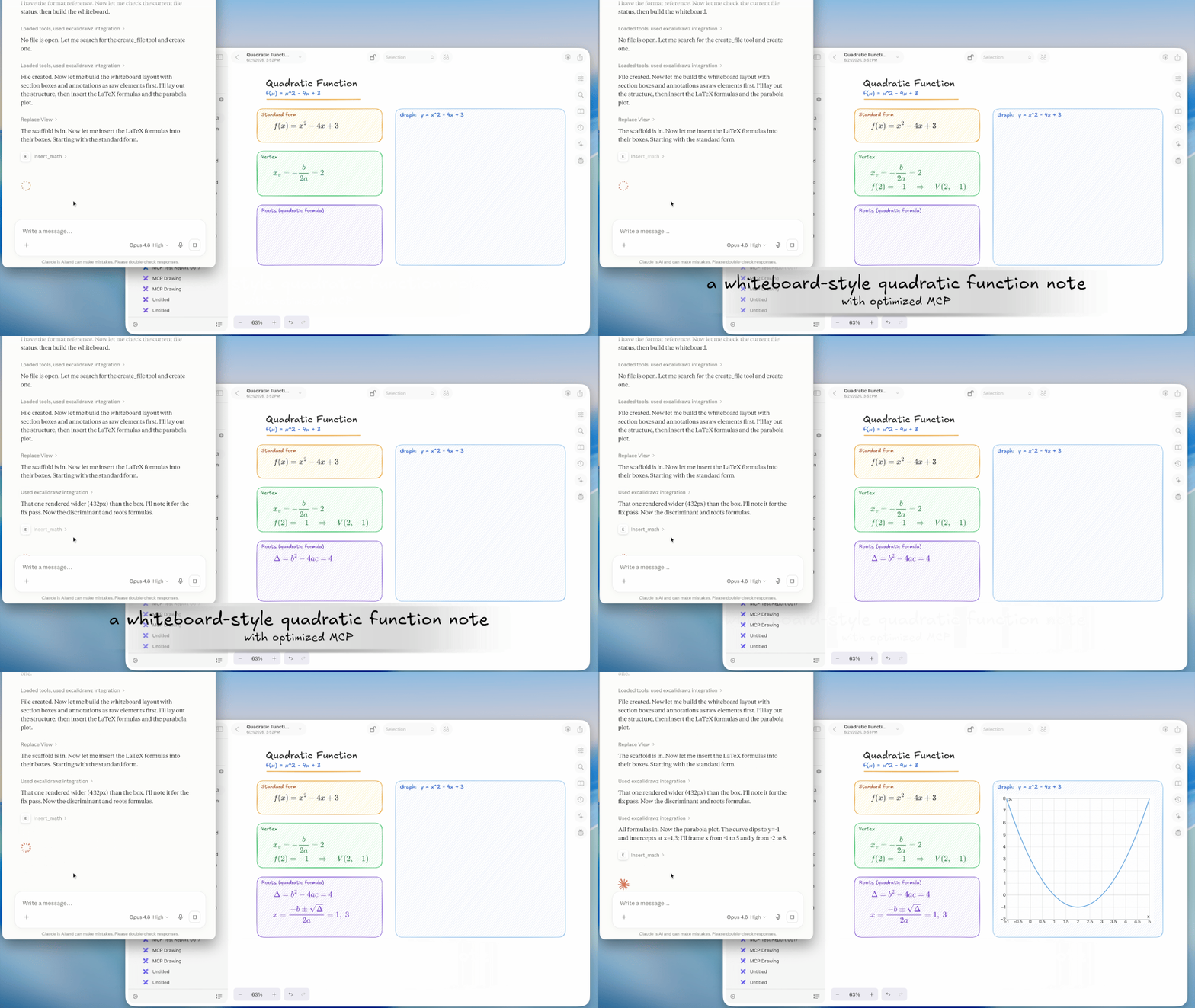
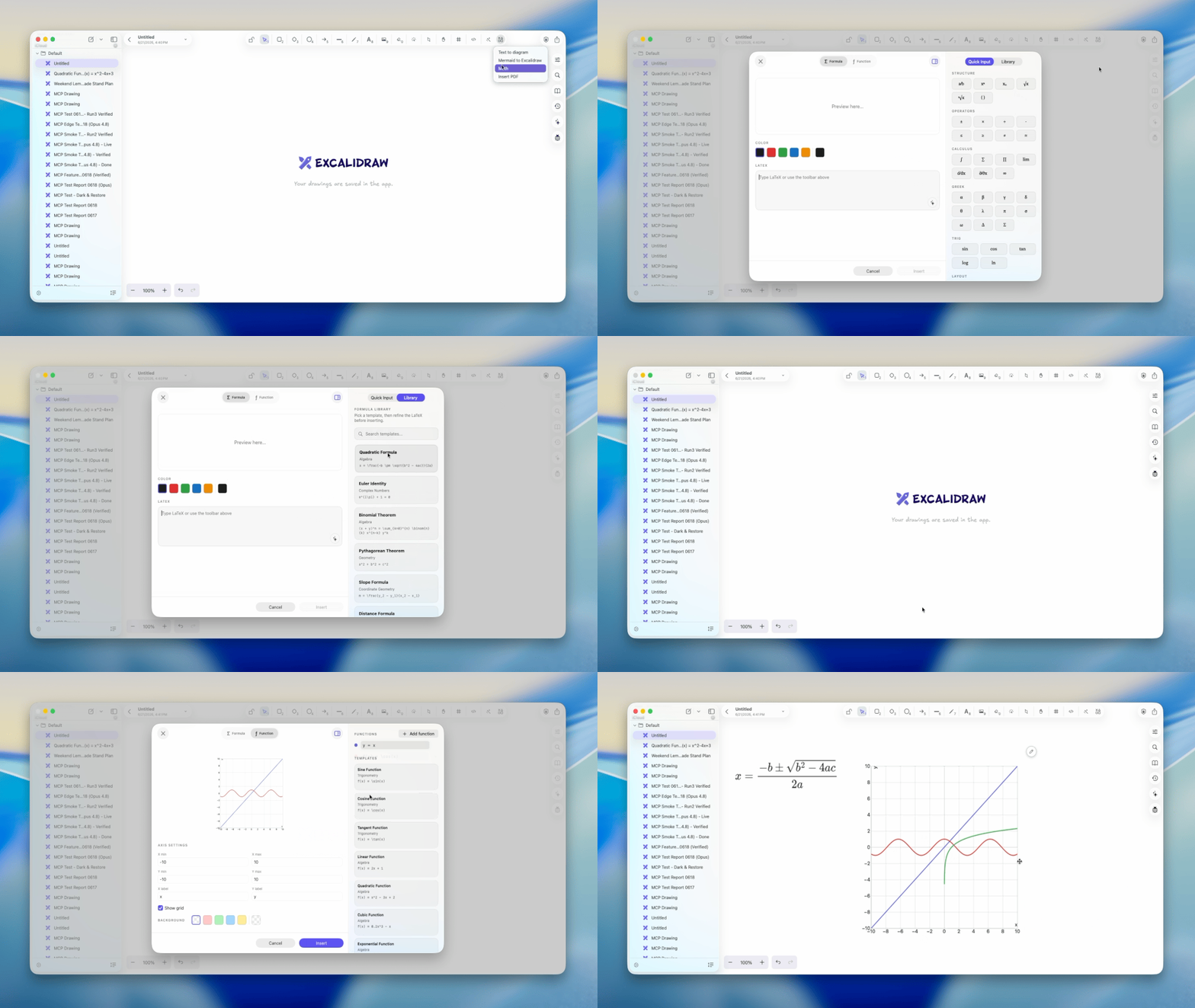
ExcalidrawZ includes richer tools for technical drawings and study notes.
- Insert LaTeX-rendered formulas.
- Render function graphs with configurable axes and styles.
- Use reusable math templates and AI-assisted formula generation.
- Edit inserted math images later from the canvas.
Locked Files and AI Visibility
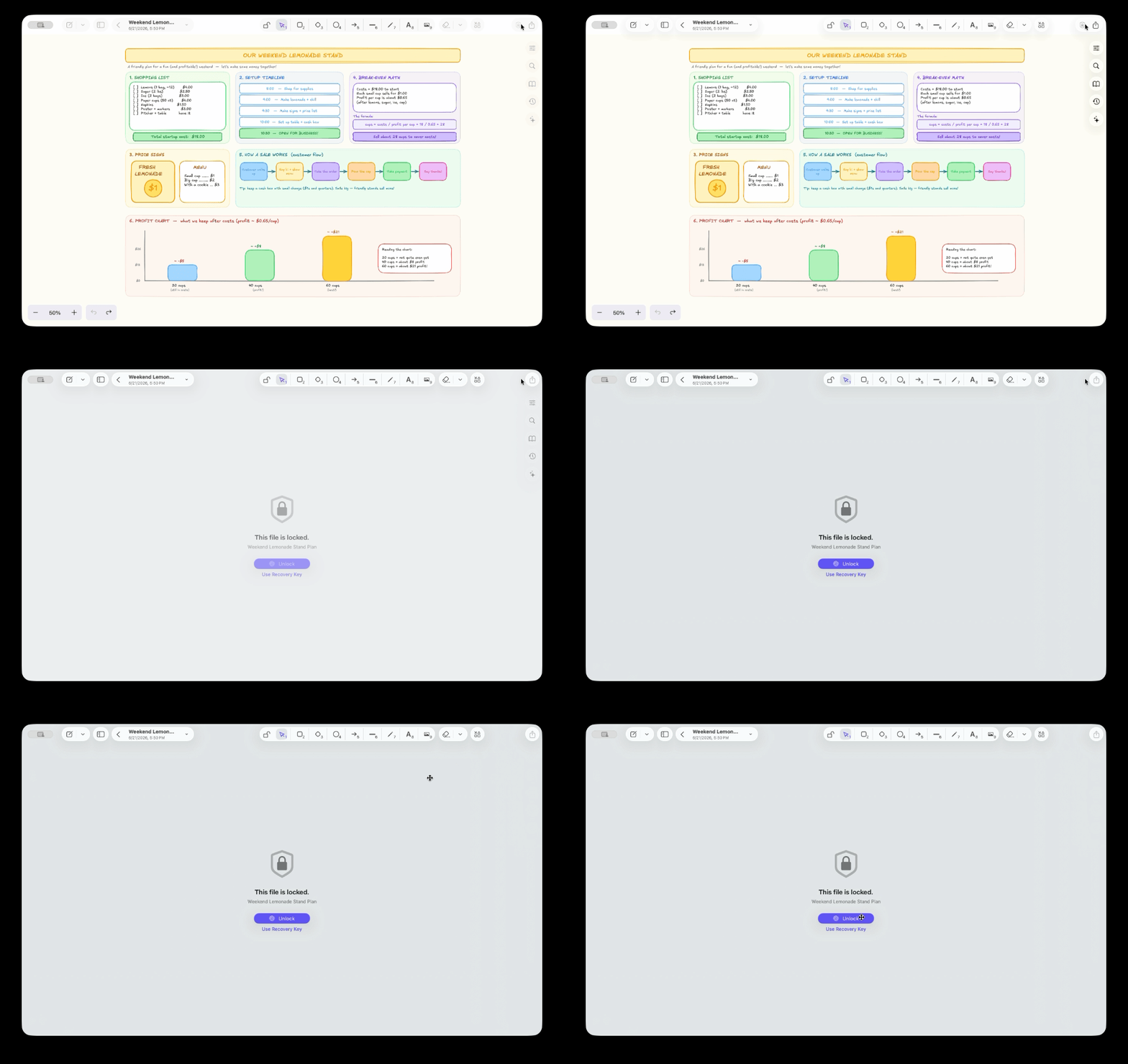
For sensitive drawings, ExcalidrawZ adds protection around both storage and AI access.
- Lock files with local authentication.
- Encrypt locked files and their checkpoints.
- Use a Recovery Key for fallback access.
- Keep locked content hidden from AI; AI can work through proposal canvases instead.
- Use encrypted backups as an additional recovery path.
Share, Export, and Backup
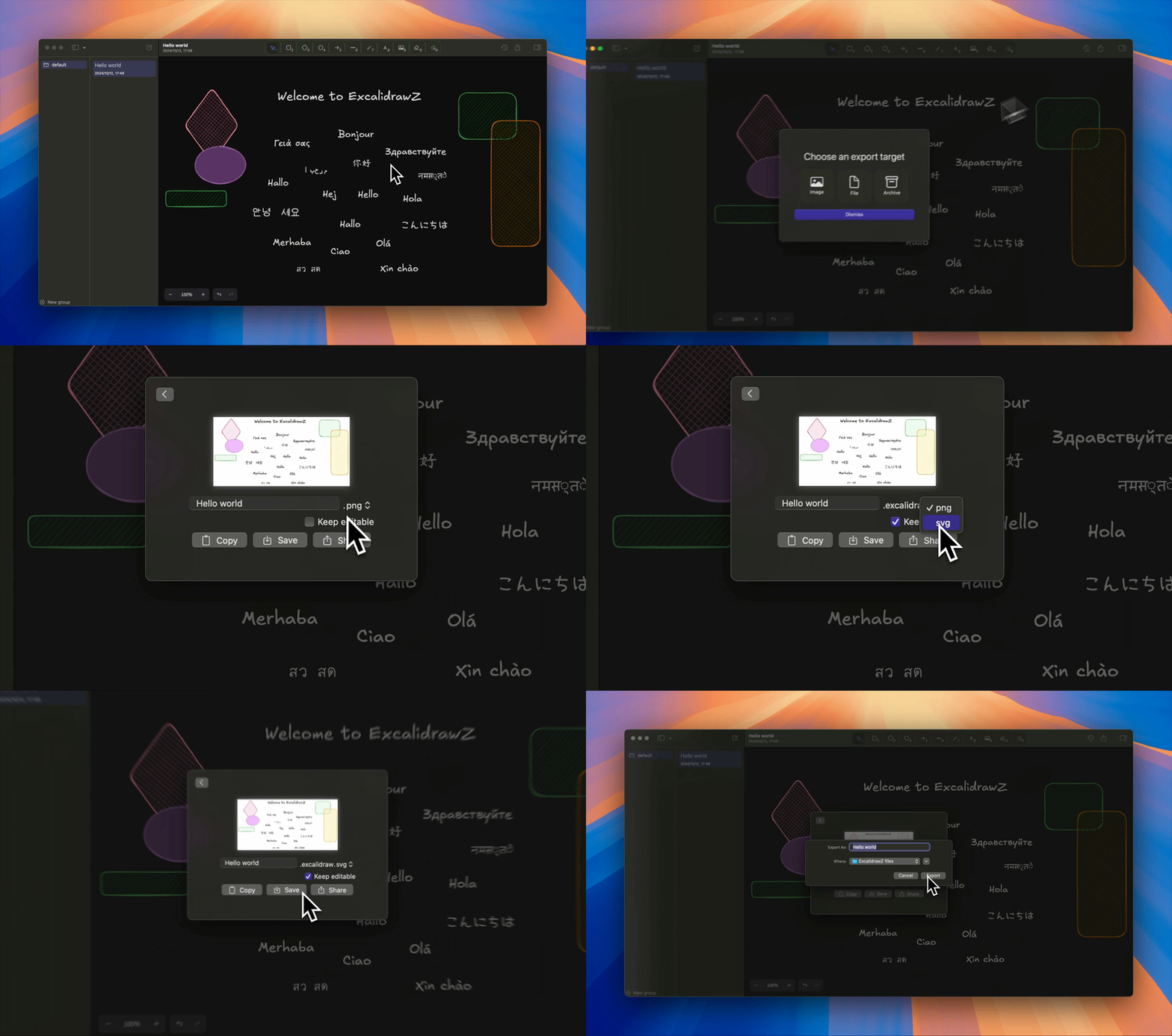
ExcalidrawZ supports common export and sharing workflows.
- Export images, editable Excalidraw files, and PDF.
- Preserve editability when exporting
.excalidraw.png and .excalidraw.svg.
- Share through clipboard, files, and the system share sheet.
- Archive app-managed files for backup.
ExcalidrawZ can open, import, edit, or export common Excalidraw-related formats:
.excalidraw.excalidraw.png.excalidraw.svg- PDF import and export
- image export
Welcome to my Discord server to share suggestions or report issues for ExcalidrawZ.
Development Guide
- The Excalidraw core used by ExcalidrawZ is also open-source. You can find it here.
Signing configuration
Create Config/Overrides.xcconfig relative to the repository root, alongside Config/Project.xcconfig:
DEVELOPMENT_TEAM = YOUR_TEAM_ID
ICLOUD_CONTAINER = iCloud.com.yourname.ExcalidrawZ
APP_GROUP_IDENTIFIER = group.com.yourname.ExcalidrawZ
Replace these example values with identifiers registered to your Apple Developer team. The shared configuration leaves DEVELOPMENT_TEAM empty; set your team in the local overrides. The app and QuickLook extension must use the same App Group. All targets, including the extension and tests, inherit the team from Config/Project.xcconfig, which includes your local overrides. These overrides apply to all build configurations.
Runtime configuration
Create Config/Secrets.plist relative to the repository root. The project already references this file and includes it in both app targets' resources. The app's configuration loader stops with Unable to load Secrets.plist if the file is missing or invalid.
For local drawing development, this minimal configuration is sufficient:
<?xml version="1.0" encoding="UTF-8"?>
<!DOCTYPE plist PUBLIC "-//Apple//DTD PLIST 1.0//EN" "http://www.apple.com/DTDs/PropertyList-1.0.dtd">
<plist version="1.0">
<dict>
    <key>COLLAB_URL</key>
    <string>https://example.com</string>
</dict>
</plist>
COLLAB_URL must be a valid absolute URL. The example URL is a placeholder for local drawing work; to test collaboration, replace it with the URL of your deployed collaboration-enabled Excalidraw web client.
Optional string keys are ONEDRIVE_CLIENT_ID, GOOGLE_DRIVE_MACOS_CLIENT_ID, and GOOGLE_DRIVE_IOS_CLIENT_ID. Configure your own OAuth client IDs when developing the corresponding integrations.
Config/Overrides.xcconfig and Config/Secrets.plist are ignored by Git and should stay local.

 这是一款面向 macOS、iPadOS 和 iOS 的原生 Excalidraw 客户端,使用 SwiftUI 构建。它保留了熟悉的 Excalidraw 画布,并增加了原生文件管理、iCloud 同步、文件历史、导出和 AI 辅助功能。