

browsh README

The project's README from github.com/browsh-org/browsh. As one markdown file: README.md.

Follow @brow_sh

Browsh Logo

A fully interactive, real-time, and modern text-based browser rendered to TTYs and browsers

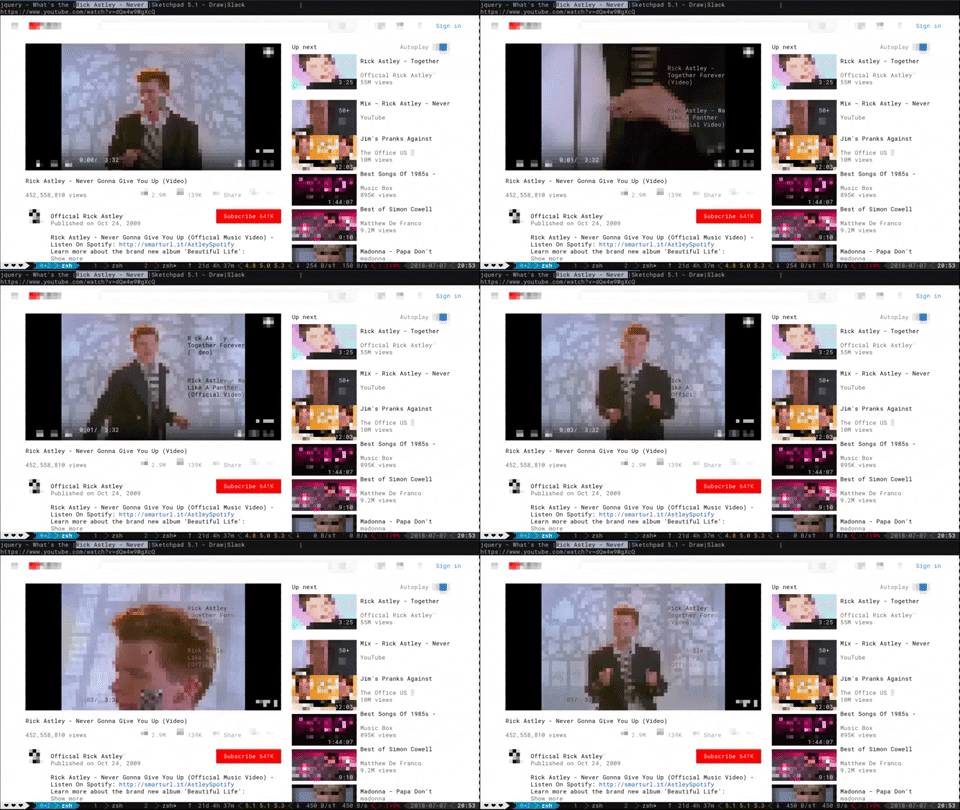
Browsh GIF

Why use Browsh?

Not all the world has good Internet.

If you only have a 3kbps internet connection tethered from a phone, then it's good to SSH into a server and browse the web through, say, elinks. That way the server downloads the web pages and uses the limited bandwidth of an SSH connection to display the result. However, traditional text-based browsers lack JS and all other modern HTML5 support. Browsh is different in that it's backed by a real browser, namely headless Firefox, to create a purely text-based version of web pages and web apps. These can be easily rendered in a terminal or indeed, ironically, in another browser. Do note that currently the browser client doesn't have feature parity with the terminal client.

Why not VNC? Well VNC is certainly one solution but it doesn't quite have the same ability to deal with extremely bad Internet. Terminal Browsh can also use MoSH to further reduce bandwidth and increase stability of the connection. Mosh offers features like automatic reconnection of dropped or roamed connections and diff-only screen updates. Furthermore, other than SSH or MoSH, terminal Browsh doesn't require a client like VNC.

One final reason to use terminal Browsh could be to offload the battery-drain of a modern browser from your laptop or low-powered device like a Raspberry Pi. If you're a CLI-native, then you could potentially get a few more hours of life if your CPU-hungry browser is running somewhere else on mains electricity.

Installation

Download a binary from the releases (~11MB). You will need to have Firefox already installed.

Or download and run the Docker image (~230MB) with: docker run --rm -it browsh/browsh

Usage

Most keys and mouse gestures should work as you'd expect on a desktop browser.

For full documentation click here.

Development

The Firefox Web Extension

This is needed to run essential JS inside web pages so that they render in a way that Browsh can consume.

You will need to install nodejs, usually available from your OS package manager. Though for development purposes the recommended method is with https://mise.jdx.dev.

Then in the webext directory

The browsh Golang code

You will need to install go, usually available from your OS package manager. Though for development purposes the recommended method is with https://mise.jdx.dev.

Then in the interfacer directory

Logs will be available in interfacer/debug.log

Tests

For the webextension: in webext/ folder, npm test
For CLI unit tests: in /interfacer run go test src/browsh/*.go
For CLI E2E tests: in /interfacer run go test test/tty/*.go
For HTTP Service tests: in /interfacer run go test test/http-server/*.go

Special Thanks

Donating

Please consider donating: https://www.brow.sh/donate

License

GNU Lesser General Public License v2.1

browsh (browsh-org/browsh)

Searching Database…

19.1K ·GitHub
这是什么东西?Browsh 是一个完全现代化的纯文本浏览器:它在终端里把真实的网页和 Web 应用渲染成纯文本,幕后由一个无头 Firefox 负责实际的浏览工作。
那它和 elinks 或 w3m 是一类东西吗,还是别的什么?思路类似,但传统的文本浏览器不支持 JS 和现代 HTML5。Browsh 背后是一个真正的浏览器(无头 Firefox),所以完整的现代网页和 Web 应用都能正常用——只是最终以文本形式呈现出来。
怎么把它跑起来?从 releases 页面下载一个约 11MB 的二进制文件(机器上需要已装好 Firefox),或者完全跳过安装,直接用约 230MB 的 Docker 镜像:docker run --rm -it browsh/browsh
它也能渲染到普通浏览器里——那个体验和终端一样好吗?还不行:README 里提醒说浏览器客户端的功能和终端客户端并不对等,想要完整体验还是得用终端。
为什么会有人通过终端来上网?主要是网速很慢的人:你 SSH 到服务器上,由 Browsh 在那边下载完整网页,经过你网络连接的只有文本。它还能把耗电的浏览器运算从笔记本或性能较弱的树莓派上卸载出去。
我可以用 Mosh 而不是普通 SSH 来运行它吗?可以。终端版 Browsh 可以用 Mosh 进一步节省带宽并保持会话稳定:连接掉线或切换网络后会自动重连,而且只传输屏幕的变化部分。
网络很差的时候,为什么不干脆用 VNC?README 自己的说法是:VNC 应付不了极差的网络,而终端版 Browsh 在客户端这边只需要 SSH 或 Mosh 就够了。另外还有个好处:你那个吃 CPU 的浏览器是在别的地方接着市电运行的。
Browsh 底层是用什么做的?两个部分:一个 Firefox 网页扩展(用 JavaScript 写,通过 npm 和 webpack 构建),在页面里运行必要的 JS 供 Browsh 使用;还有一个用 Go 写的“interfacer”,可以用 go run ./cmd/browsh --debug 来运行。
Creator
browsh-org
Size
7.8 MB
Stars
19.1K
Age
10y
Commits · 90 Days