

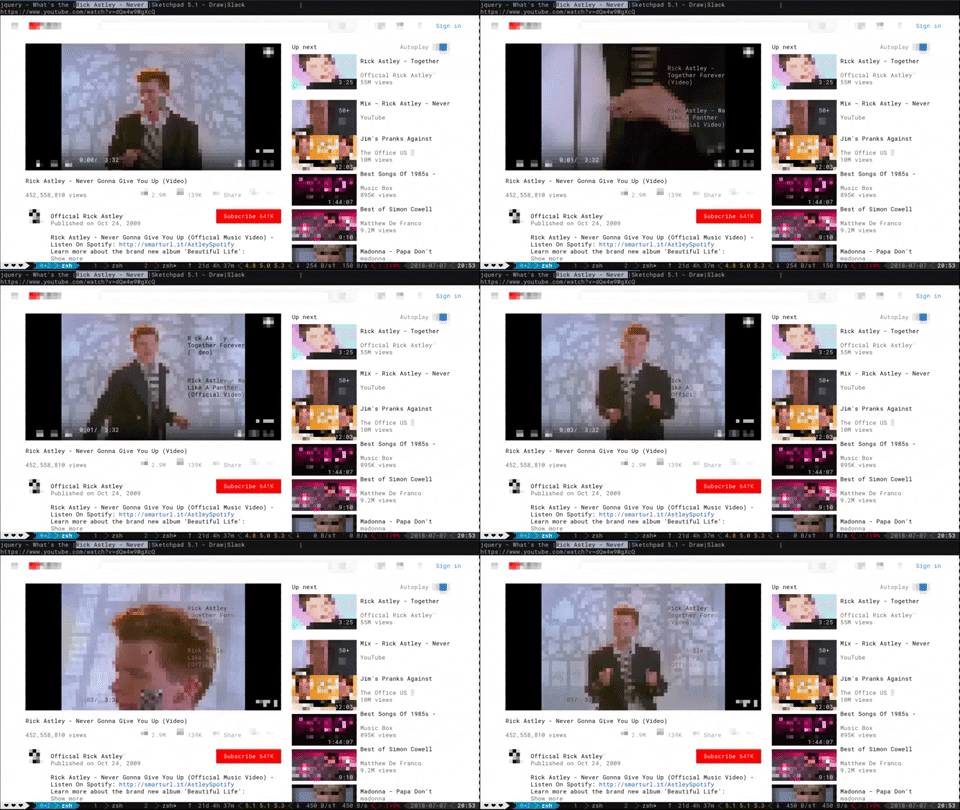
What is this?
 Browsh is a fully modern text-based browser: it renders real web pages and web apps as pure text in your terminal, with a headless Firefox doing the actual browsing behind the scenes.
Browsh is a fully modern text-based browser: it renders real web pages and web apps as pure text in your terminal, with a headless Firefox doing the actual browsing behind the scenes.So is this like elinks or w3m, or something else?The idea is similar, but classic text browsers lack JS and modern HTML5. Browsh is backed by a real browser (headless Firefox), so full modern pages and web apps work — they just come out as text.
The idea is similar, but classic text browsers lack JS and modern HTML5. Browsh is backed by a real browser (headless Firefox), so full modern pages and web apps work — they just come out as text.How do I get it running?Download a ~11MB binary from the releases page (Firefox must already be installed on the machine), or skip the install entirely with the ~230MB Docker image: docker run --rm -it browsh/browsh
Download a ~11MB binary from the releases page (Firefox must already be installed on the machine), or skip the install entirely with the ~230MB Docker image: docker run --rm -it browsh/browshIt can render into a normal browser too — is that experience on par with the terminal?Not yet: the README warns that the browser client doesn't have feature parity with the terminal client, so the terminal is where you get the full experience.
Not yet: the README warns that the browser client doesn't have feature parity with the terminal client, so the terminal is where you get the full experience.Why would anyone browse the web through a terminal?Mainly people on very slow links: you SSH into a server, Browsh downloads full pages there, and only text crosses your connection. It also offloads battery-draining browser work from a laptop or a low-powered Raspberry Pi.
Mainly people on very slow links: you SSH into a server, Browsh downloads full pages there, and only text crosses your connection. It also offloads battery-draining browser work from a laptop or a low-powered Raspberry Pi.Can I run it over Mosh instead of plain SSH?Yes. Terminal Browsh can use Mosh to cut bandwidth further and keep the session stable: dropped or roamed connections reconnect automatically, and only screen diffs get sent.
Yes. Terminal Browsh can use Mosh to cut bandwidth further and keep the session stable: dropped or roamed connections reconnect automatically, and only screen diffs get sent.Why not just use VNC on a bad connection?The README's own argument: VNC can't cope with extremely bad Internet, while terminal Browsh needs nothing but SSH or Mosh on the client side. As a bonus, your CPU-hungry browser runs on mains power somewhere else.
The README's own argument: VNC can't cope with extremely bad Internet, while terminal Browsh needs nothing but SSH or Mosh on the client side. As a bonus, your CPU-hungry browser runs on mains power somewhere else.What is Browsh built with under the hood?Two parts: a Firefox web extension (JavaScript, built with npm and webpack) that runs essential JS inside pages so Browsh can consume them, and a Go 'interfacer' you can run with go run ./cmd/browsh --debug.
Two parts: a Firefox web extension (JavaScript, built with npm and webpack) that runs essential JS inside pages so Browsh can consume them, and a Go 'interfacer' you can run with go run ./cmd/browsh --debug.What are similar projects?carbonyl, camofox-browser, xterm.js, hqtui, ArchiveBox, Surge, gotty, labtether
carbonyl, camofox-browser, xterm.js, hqtui, ArchiveBox, Surge, gotty, labtether