
18.5K ·GitHub
这是什么?
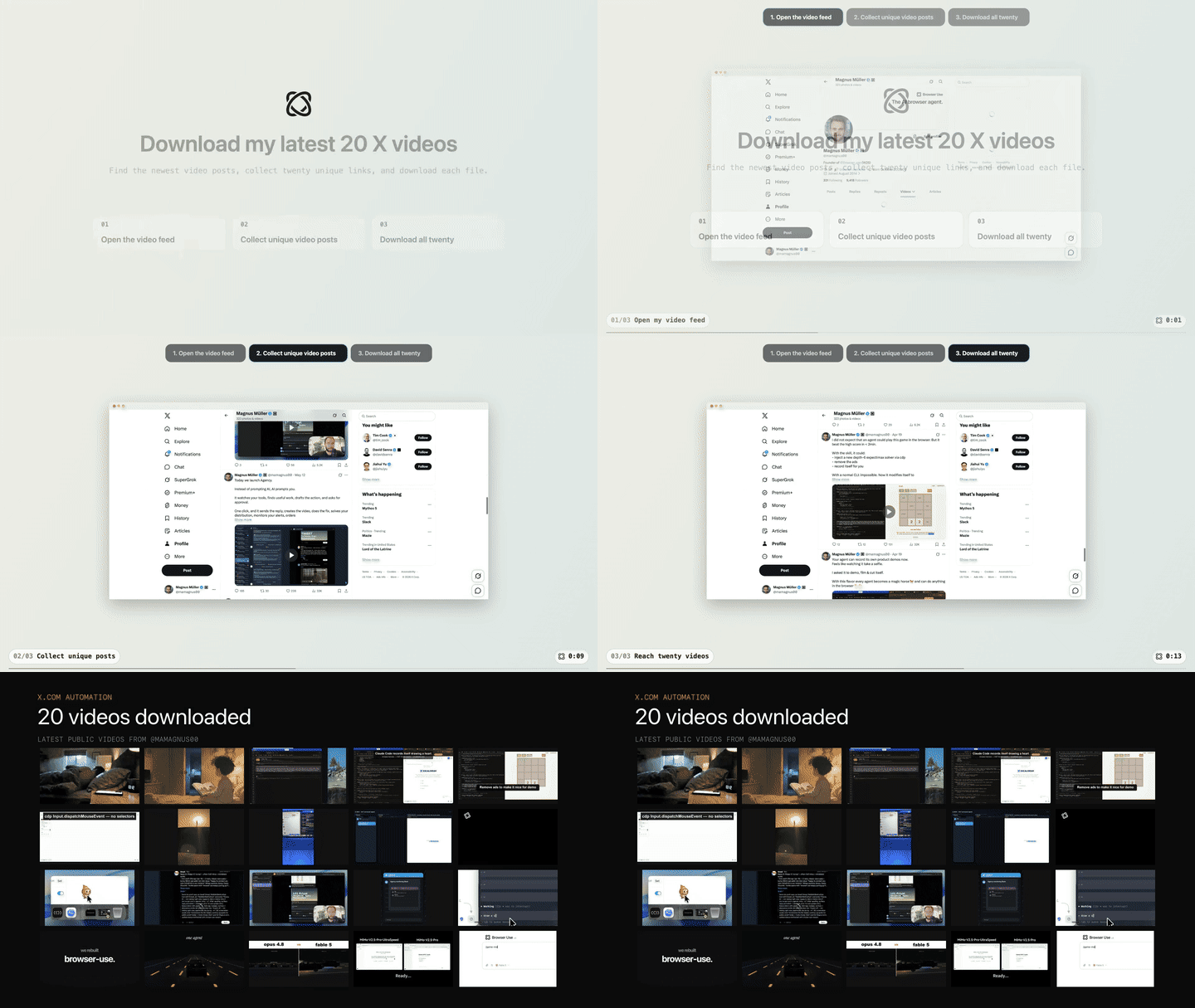
 Browser Harness 通过可编辑的 CDP WebSocket,将基于大语言模型的编程智能体直接连接到你的真实浏览器,让它能完成真实的浏览器任务(例如查找并下载你最新的帖子)。同时,它会编写可复用的辅助函数,使智能体在每次任务中不断改进。
Browser Harness 通过可编辑的 CDP WebSocket,将基于大语言模型的编程智能体直接连接到你的真实浏览器,让它能完成真实的浏览器任务(例如查找并下载你最新的帖子)。同时,它会编写可复用的辅助函数,使智能体在每次任务中不断改进。它是独立应用,还是需要接入我的编程智能体?它不是独立的应用,而是一套由指令文件(install.md 和 SKILL.md)组成的工具框架。你只需把它粘贴到 Claude Code 或 Codex 这类现有的编程智能体中,教会它如何操控你的浏览器。
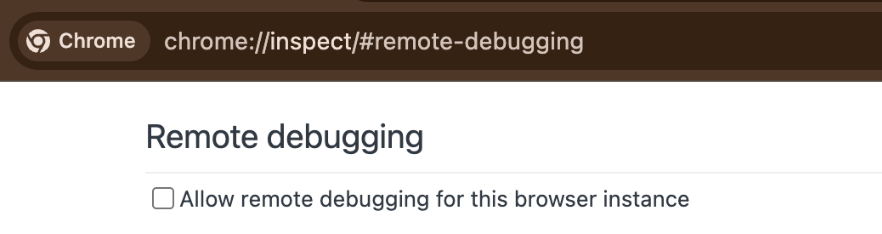
它不是独立的应用,而是一套由指令文件(install.md 和 SKILL.md)组成的工具框架。你只需把它粘贴到 Claude Code 或 Codex 这类现有的编程智能体中,教会它如何操控你的浏览器。我该如何让它运行起来?将安装提示词粘贴到 Claude Code 或 Codex 中,智能体随后会打开 chrome://inspect/#remote-debugging。首次运行时,你需要勾选复选框,让它能连接到你的真实浏览器。
将安装提示词粘贴到 Claude Code 或 Codex 中,智能体随后会打开 chrome://inspect/#remote-debugging。首次运行时,你需要勾选复选框,让它能连接到你的真实浏览器。哪些编程智能体或客户端可以用它来操控浏览器?它的设计初衷是直接粘贴到 Claude Code 或 Codex 中使用。任何兼容 MCP 的客户端(如 Claude Code、Devin、Cursor 等)也可以通过内置的 browser-harness-mcp 服务器(基于 stdio)来使用它。
它的设计初衷是直接粘贴到 Claude Code 或 Codex 中使用。任何兼容 MCP 的客户端(如 Claude Code、Devin、Cursor 等)也可以通过内置的 browser-harness-mcp 服务器(基于 stdio)来使用它。智能体在学习的过程中,会不会改动框架本身的核心代码?不会。智能体学习任务时,会把新的可复用辅助函数写入它自己的本地工作区,但核心目录 src/browserharness/ 受到保护,不会被覆盖。
不会。智能体学习任务时,会把新的可复用辅助函数写入它自己的本地工作区,但核心目录 src/browserharness/ 受到保护,不会被覆盖。智能体是在我自己已登录的浏览器会话中工作吗?是的。本地设置旨在操控你已登录的真实浏览器,用于个人工作。使用多个独立浏览器而不是你自己的浏览器,则是需要主动开启的云端功能,并非默认设置。
是的。本地设置旨在操控你已登录的真实浏览器,用于个人工作。使用多个独立浏览器而不是你自己的浏览器,则是需要主动开启的云端功能,并非默认设置。Browser Use Cloud 在本地设置之上增加了什么?它是托管的扩展方案,适用于需要并行运行大量浏览器的场景,提供实时预览、代理、隐身模式和验证码识别等功能,而不只是操控你本地的单个 Chrome 浏览器。
它是托管的扩展方案,适用于需要并行运行大量浏览器的场景,提供实时预览、代理、隐身模式和验证码识别等功能,而不只是操控你本地的单个 Chrome 浏览器。browser-harness-mcp 有什么用?它是一个 MCP 服务器,通过 stdio 将浏览器控制辅助函数以 MCP 工具的形式提供出来。因此 Claude Code、Devin 或 Cursor 等 MCP 客户端无需自行开发 CDP 集成,就能操控浏览器。
它是一个 MCP 服务器,通过 stdio 将浏览器控制辅助函数以 MCP 工具的形式提供出来。因此 Claude Code、Devin 或 Cursor 等 MCP 客户端无需自行开发 CDP 集成,就能操控浏览器。What are similar projects?browser-use, stagehand, scout, nanobrowser, web-ui, invisible_playwright_mcp, Endoplexity, SystemOneHarness
browser-use, stagehand, scout, nanobrowser, web-ui, invisible_playwright_mcp, Endoplexity, SystemOneHarnessWhich topics is it in?cloud-browser, browser-agent, web-automation, browser-use, cdp, vps, chrome, agent-harness, playwright, harness, browser-automation, cursor
cloud-browser, browser-agent, web-automation, browser-use, cdp, vps, chrome, agent-harness, playwright, harness, browser-automation, cursor