

6.7K ·GitHub
What is this?
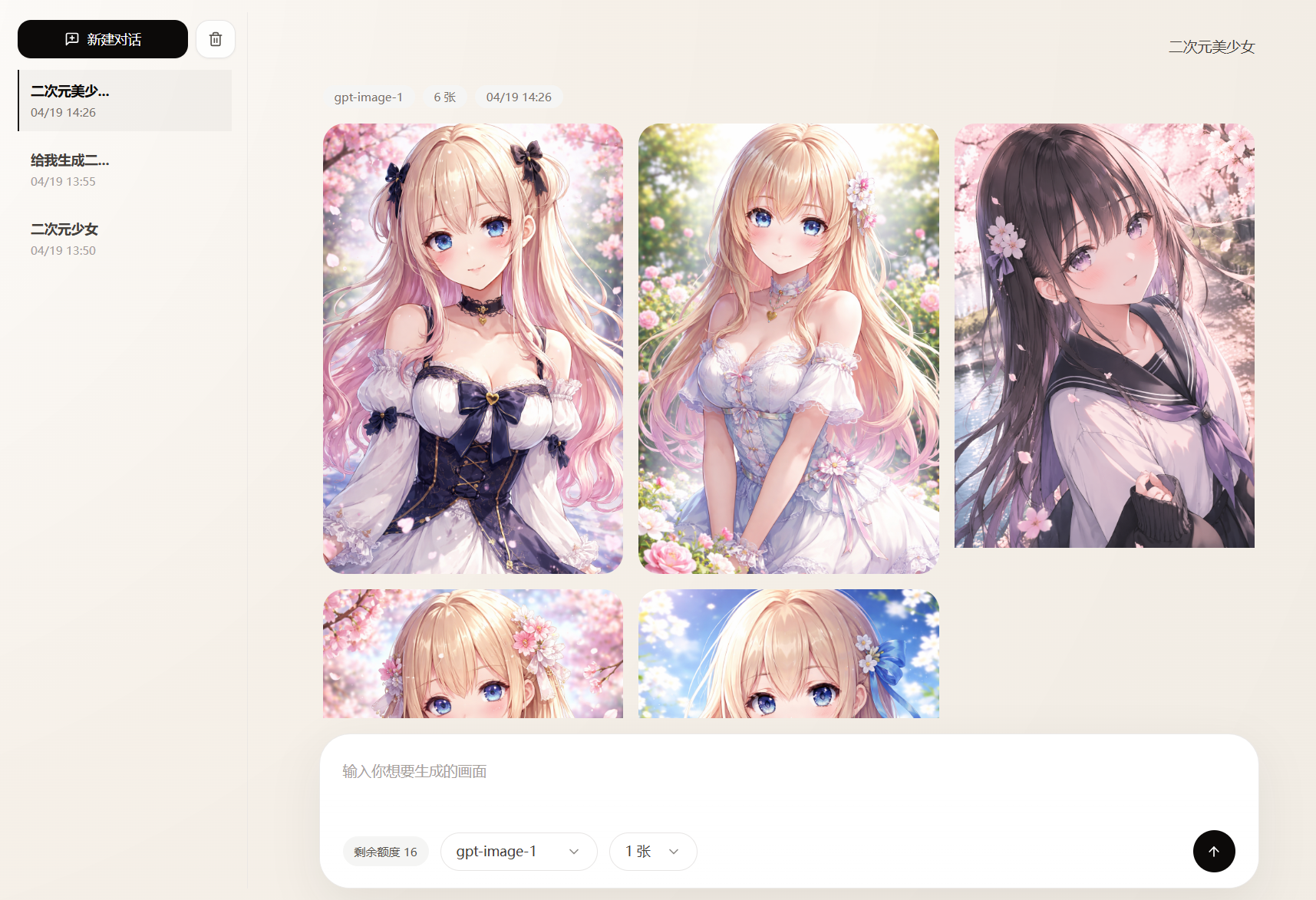
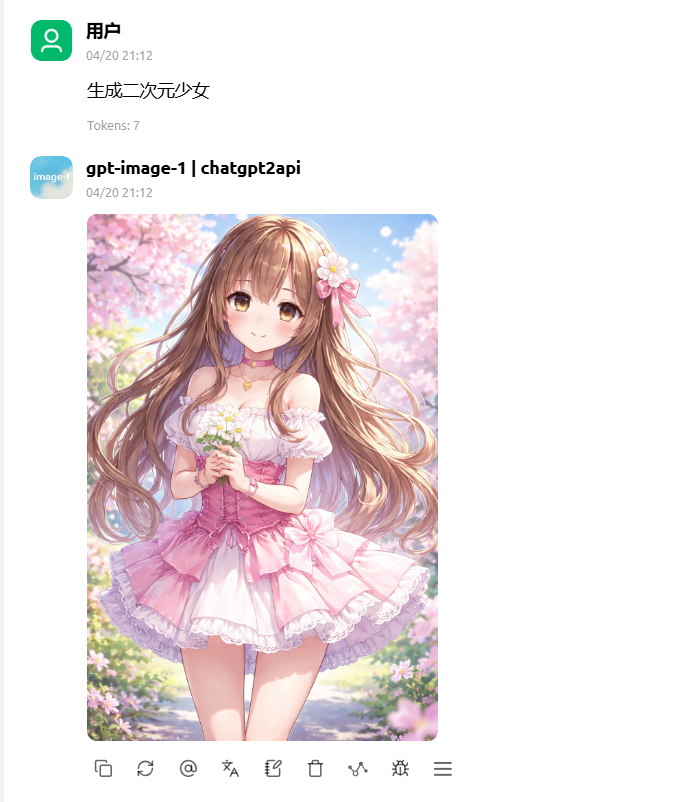
 ChatGPT2API reverse-engineers ChatGPT's web endpoints to give you a self-hosted, OpenAI-compatible API for image generation, image editing and text completions, plus a dashboard for managing a pool of ChatGPT accounts.
ChatGPT2API reverse-engineers ChatGPT's web endpoints to give you a self-hosted, OpenAI-compatible API for image generation, image editing and text completions, plus a dashboard for managing a pool of ChatGPT accounts.Is this a library or a standalone server I run myself?It is a standalone self-hosted server with a web admin panel and OpenAI-style HTTP endpoints, not a library you import into code — you deploy it (typically with Docker) and point OpenAI-compatible clients at it.
It is a standalone self-hosted server with a web admin panel and OpenAI-style HTTP endpoints, not a library you import into code — you deploy it (typically with Docker) and point OpenAI-compatible clients at it.How do I get it running?Set your auth-key in config.json (or override it with CHATGPT2APIAUTHKEY in docker-compose.yml), then start it; this brings up a web panel, the API endpoint and a ./data storage directory.
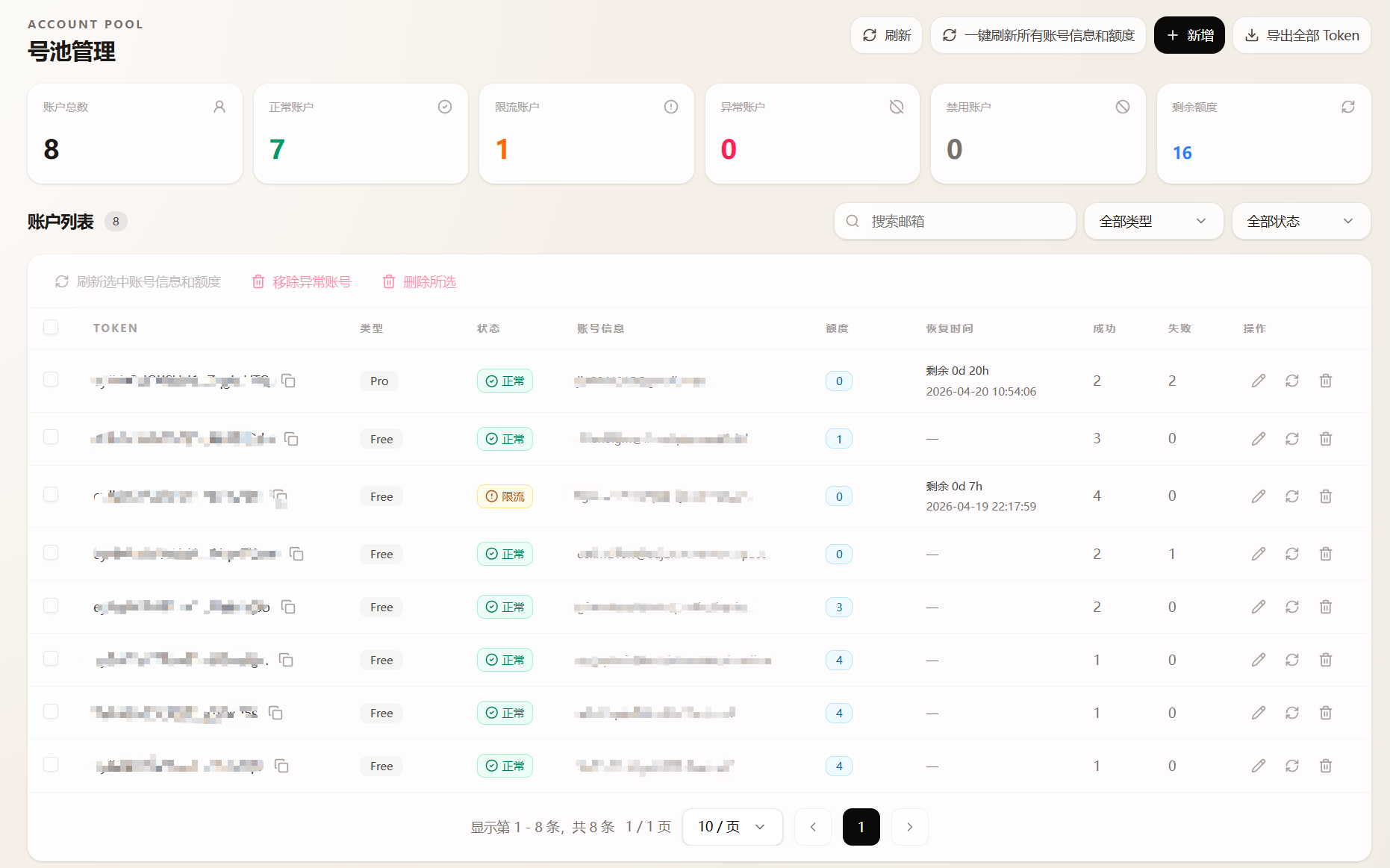
Set your auth-key in config.json (or override it with CHATGPT2APIAUTHKEY in docker-compose.yml), then start it; this brings up a web panel, the API endpoint and a ./data storage directory.Do I need actual ChatGPT accounts to use it?Yes — it does not work on its own, you feed it ChatGPT accounts via a local CPA JSON file, a remote CPA server, a sub2api server, or raw access tokens, and it pools and rotates them to serve requests.
Yes — it does not work on its own, you feed it ChatGPT accounts via a local CPA JSON file, a remote CPA server, a sub2api server, or raw access tokens, and it pools and rotates them to serve requests.Is it safe to use my main ChatGPT account with this?No — the project is explicitly an unofficial reverse-engineering effort, so accounts plugged into it risk being rate-limited, temporarily restricted, or permanently banned; the README also bans commercial or large-scale automated use.
No — the project is explicitly an unofficial reverse-engineering effort, so accounts plugged into it risk being rate-limited, temporarily restricted, or permanently banned; the README also bans commercial or large-scale automated use.Where do I deploy this?It's built to run in Docker (a docker-publish CI workflow builds images), with an optional extra Compose stack bundling WARP, Privoxy and FlareSolverr to keep Cloudflare from blocking the image generation pipeline.
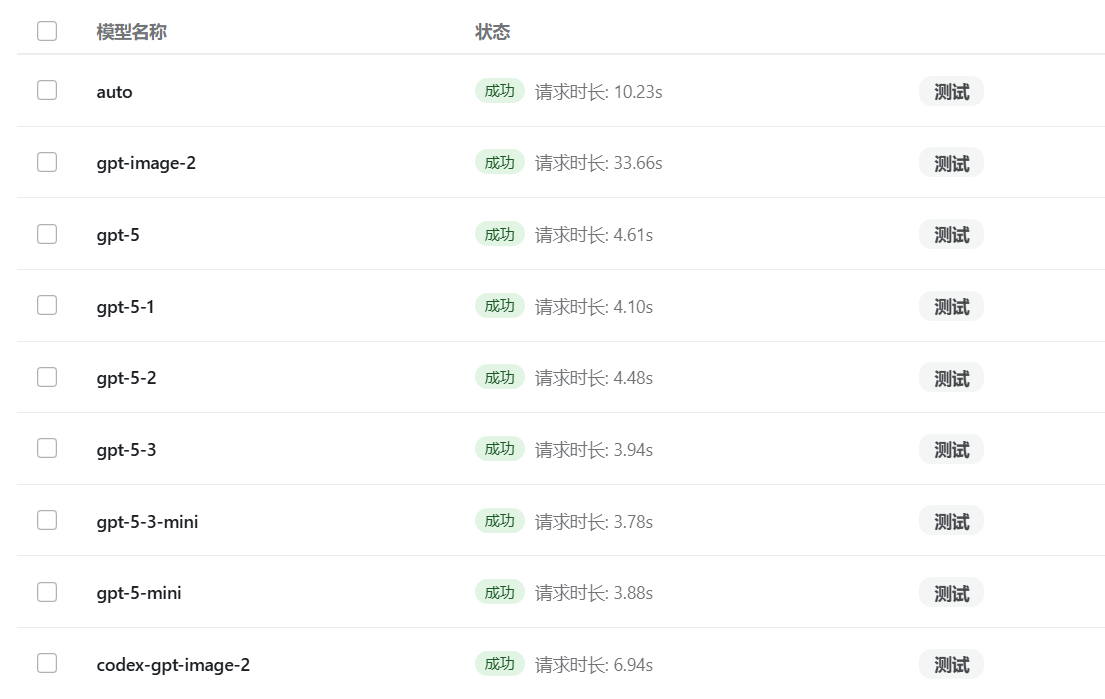
It's built to run in Docker (a docker-publish CI workflow builds images), with an optional extra Compose stack bundling WARP, Privoxy and FlareSolverr to keep Cloudflare from blocking the image generation pipeline.What image models are exposed through the API?The /v1/models endpoint lists gpt-image-2, codex-gpt-image-2, auto, and several gpt-5 variants (gpt-5, gpt-5-1, gpt-5-2, gpt-5-3, gpt-5-3-mini, gpt-5-mini) usable for text-to-image generation, editing and chat.
The /v1/models endpoint lists gpt-image-2, codex-gpt-image-2, auto, and several gpt-5 variants (gpt-5, gpt-5-1, gpt-5-2, gpt-5-3, gpt-5-3-mini, gpt-5-mini) usable for text-to-image generation, editing and chat.Can it produce editable design files, not just images?Yes — besides raw image output it can generate editable PowerPoint (PPT) and Photoshop (PSD) files from the image generation pipeline.
Yes — besides raw image output it can generate editable PowerPoint (PPT) and Photoshop (PSD) files from the image generation pipeline.How does the account pool stay healthy over time?It auto-refreshes account quotas and recovery windows, drops tokens that fail, re-checks rate-limited accounts on a schedule, and can re-login with saved passwords to revive broken accounts.
It auto-refreshes account quotas and recovery windows, drops tokens that fail, re-checks rate-limited accounts on a schedule, and can re-login with saved passwords to revive broken accounts.What storage backends can I use for accounts and config?You switch via the STORAGE_BACKEND env var between local JSON files (default), SQLite, an external PostgreSQL database, or a private Git repository.
You switch via the STORAGE_BACKEND env var between local JSON files (default), SQLite, an external PostgreSQL database, or a private Git repository.What are similar projects?gpt4free, one-api, grok2api, LibreChat, workbuddy2api-panel, banana-slides, gpt-load, freebucks-proxy
gpt4free, one-api, grok2api, LibreChat, workbuddy2api-panel, banana-slides, gpt-load, freebucks-proxyWhich topics is it in?gpt-image-2, self-hosted-ai, gpt, chatgpt, openai-compatible, reverse-engineering, image-generation, sqlite, postgresql, proxy, docker-compose, dashboard
gpt-image-2, self-hosted-ai, gpt, chatgpt, openai-compatible, reverse-engineering, image-generation, sqlite, postgresql, proxy, docker-compose, dashboard