







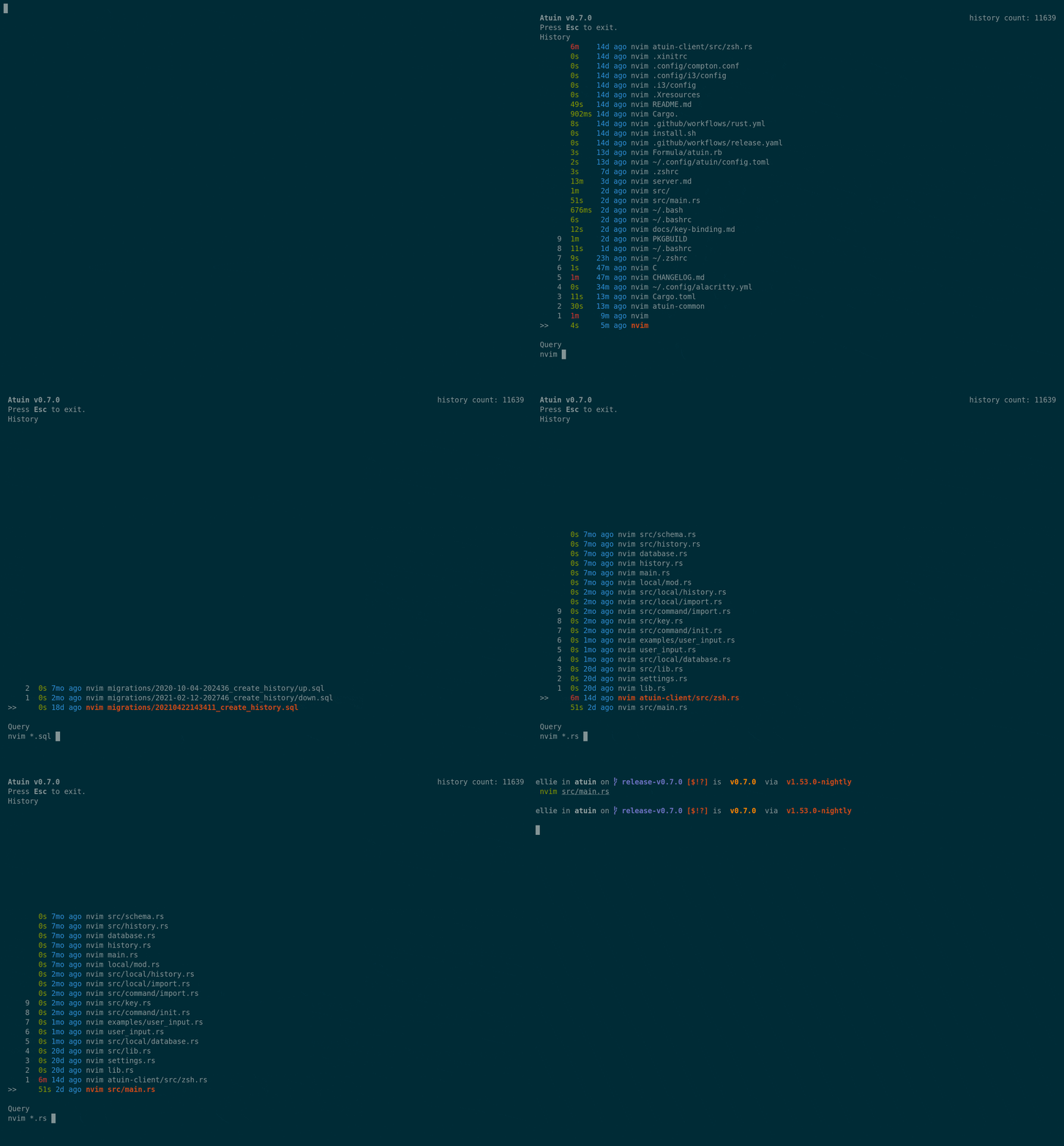
这是什么?
 Atuin 用一个 SQLite 数据库取代你的 shell 历史记录,为每条命令记录额外的上下文信息,并提供一个全屏交互式搜索界面,还支持在多台机器之间进行可选的端到端加密历史同步。
Atuin 用一个 SQLite 数据库取代你的 shell 历史记录,为每条命令记录额外的上下文信息,并提供一个全屏交互式搜索界面,还支持在多台机器之间进行可选的端到端加密历史同步。它是 shell 里的插件,还是一个独立的程序?它是一个独立的 Rust 命令行工具,通过挂钩集成到你的 shell 中:它把 ctrl-r 和上方向键(可配置)重新绑定为全屏历史搜索界面,而你原有的历史文件不会被改动。
它是一个独立的 Rust 命令行工具,通过挂钩集成到你的 shell 中:它把 ctrl-r 和上方向键(可配置)重新绑定为全屏历史搜索界面,而你原有的历史文件不会被改动。我怎么把它跑起来?先安装 atuin 二进制文件(官方安装文档覆盖了各个平台),然后针对你的 shell 运行对应的设置,让 ctrl-r 和上方向键触发 Atuin 搜索。文档会带你走完 Quickstart、导入历史记录和基本用法。
先安装 atuin 二进制文件(官方安装文档覆盖了各个平台),然后针对你的 shell 运行对应的设置,让 ctrl-r 和上方向键触发 Atuin 搜索。文档会带你走完 Quickstart、导入历史记录和基本用法。它支持哪些 shell?支持 zsh、bash、fish、nushell、xonsh 和 PowerShell,每种 shell 都有各自的设置挂钩——文档里有完整的支持列表。
支持 zsh、bash、fish、nushell、xonsh 和 PowerShell,每种 shell 都有各自的设置挂钩——文档里有完整的支持列表。在 bash 下功能都一样吗?不完全一样:bash 的支持需要借助 bash-preexec 来提供必要的挂钩,而 bash-preexec 存在一些已知的局限——其他 shell 的集成方式更直接。
不完全一样:bash 的支持需要借助 bash-preexec 来提供必要的挂钩,而 bash-preexec 存在一些已知的局限——其他 shell 的集成方式更直接。我必须使用同步功能吗?不必——你可以用作者提供的托管服务器,也可以自己搭一个,或者完全不用同步;无论哪种方式,你的历史记录都保存在本地的 SQLite 里。
不必——你可以用作者提供的托管服务器,也可以自己搭一个,或者完全不用同步;无论哪种方式,你的历史记录都保存在本地的 SQLite 里。同步服务器能看到我的历史记录吗?不能。所有历史同步都是加密的,服务器上只会存着密文——作者表示就算他们想看你的数据也做不到。
不能。所有历史同步都是加密的,服务器上只会存着密文——作者表示就算他们想看你的数据也做不到。除了命令本身,每条命令还会记录哪些信息?退出码、工作目录、主机名、会话、耗时和时间都会被记录下来,这些数据还能用来生成诸如'最常用命令'之类的统计。
退出码、工作目录、主机名、会话、耗时和时间都会被记录下来,这些数据还能用来生成诸如'最常用命令'之类的统计。在搜索界面里我能对一条结果做什么?按 Enter 直接执行,或按 Tab 先编辑再执行。Alt-反斜杠可以快速跳到上一条结果,ctrl-r 用于切换筛选模式。
按 Enter 直接执行,或按 Tab 先编辑再执行。Alt-反斜杠可以快速跳到上一条结果,ctrl-r 用于切换筛选模式。我可以只搜索当前会话或当前目录,而不是全部历史吗?可以——按 ctrl-r 切换筛选模式,就能把搜索范围限定在当前会话、当前目录,或者你的全部历史。
可以——按 ctrl-r 切换筛选模式,就能把搜索范围限定在当前会话、当前目录,或者你的全部历史。换用 Atuin 会丢掉我已有的历史记录吗?不会——原有的历史文件不会被替换,文档里还提供了导入指南,帮你把以前的历史记录导入 SQLite 数据库。
不会——原有的历史文件不会被替换,文档里还提供了导入指南,帮你把以前的历史记录导入 SQLite 数据库。What are similar projects?zoxide, oh-my-posh, inshellisense, asdf, starship, cheat, awesome-shell, direnv
zoxide, oh-my-posh, inshellisense, asdf, starship, cheat, awesome-shell, direnv