这是什么?
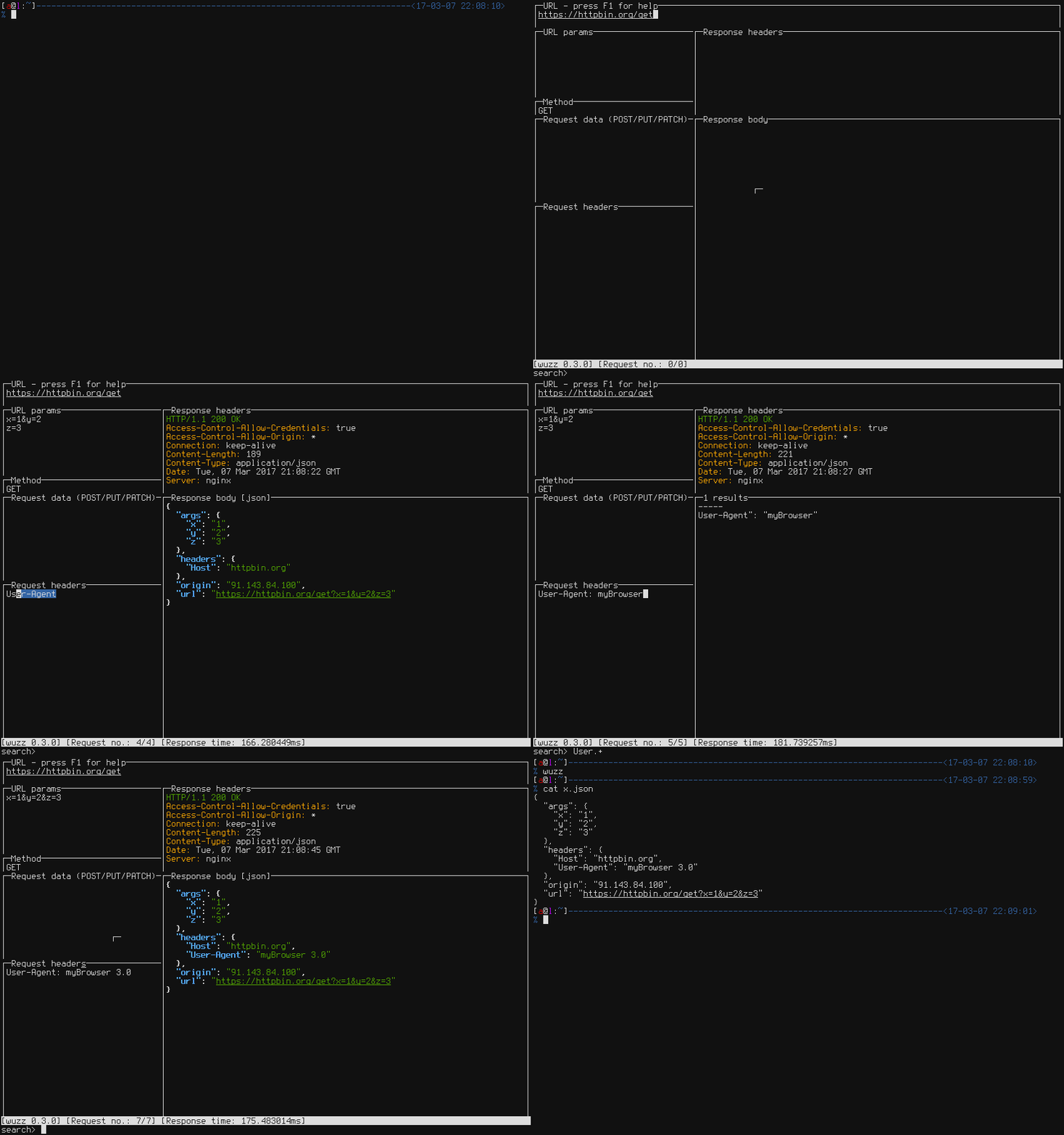
 Wuzz 是一个交互式命令行工具,用于在终端界面中查看和修改 HTTP 请求与响应。
Wuzz 是一个交互式命令行工具,用于在终端界面中查看和修改 HTTP 请求与响应。它是像 curl 那样执行一次就结束的命令,还是需要我在界面里交互操作的工具?它是一个终端界面(TUI)应用:启动后,用快捷键在 URL、请求头、请求体和响应面板之间切换,直接编辑并实时重新发送请求,不必重新输入 shell 命令。
它是一个终端界面(TUI)应用:启动后,用快捷键在 URL、请求头、请求体和响应面板之间切换,直接编辑并实时重新发送请求,不必重新输入 shell 命令。我该如何安装 wuzz?可以用 Go 构建(使用 go install,需要 Go 1.10+),下载预编译的二进制发行版,或通过 Apt、Apk、Scoop、Nix 或 X-CMD 安装。
可以用 Go 构建(使用 go install,需要 Go 1.10+),下载预编译的二进制发行版,或通过 Apt、Apk、Scoop、Nix 或 X-CMD 安装。使用它需要先安装 Go 吗?只有用 go install 从源码构建时才需要 Go;否则可以直接使用预编译的二进制文件,或通过系统包管理器(Apt、Apk、Scoop、Nix)安装,完全不需要 Go。
只有用 go install 从源码构建时才需要 Go;否则可以直接使用预编译的二进制文件,或通过系统包管理器(Apt、Apk、Scoop、Nix)安装,完全不需要 Go。使用时有哪些需要注意的粗糙之处?项目自己的 TODO 列表承认导航还有改进空间,目前还没有自动补全功能,测试也仍然缺失。
项目自己的 TODO 列表承认导航还有改进空间,目前还没有自动补全功能,测试也仍然缺失。它也能在 Windows 和 macOS 上运行吗,还是只支持 Linux?它是一个 Go 编译的二进制程序,因此是跨平台的;文档中甚至区分了 Linux 与“其他平台”的配置文件路径。
它是一个 Go 编译的二进制程序,因此是跨平台的;文档中甚至区分了 Linux 与“其他平台”的配置文件路径。wuzz 和直接使用 curl 有什么不同?它支持 curl 风格的参数,因此可以直接粘贴浏览器中“Copy as cURL”复制的请求;然后它把请求放进交互式终端界面,你可以实时修改 URL、方法、请求头和请求体并重新发送,无需重新输入命令。
它支持 curl 风格的参数,因此可以直接粘贴浏览器中“Copy as cURL”复制的请求;然后它把请求放进交互式终端界面,你可以实时修改 URL、方法、请求头和请求体并重新发送,无需重新输入命令。我该如何在界面中导航?功能键可以直接跳转到对应区域:F2 为 URL,F3 为查询参数,F4 为方法,F5 为请求体,F6 为请求头,F7 为搜索,F8/F9 为响应头/响应体;Tab 和 Shift+Tab 可在各个视图之间切换,Ctrl+R 发送请求。
功能键可以直接跳转到对应区域:F2 为 URL,F3 为查询参数,F4 为方法,F5 为请求体,F6 为请求头,F7 为搜索,F8/F9 为响应头/响应体;Tab 和 Shift+Tab 可在各个视图之间切换,Ctrl+R 发送请求。我能搜索或过滤响应体吗?可以,默认支持正则表达式;按 Ctrl+T 可切换到针对 HTML 和 JSON 响应的格式感知查询语法。
可以,默认支持正则表达式;按 Ctrl+T 可切换到针对 HTML 和 JSON 响应的格式感知查询语法。我能修改 wuzz 的默认行为吗?可以。在 Linux 上可以在 $XDG_CONFIG_HOME/wuzz/config.toml 中覆盖默认设置(其他平台则为 ~/.wuzz/config.toml),也可以用 -c/--config 指定自定义配置文件。
可以。在 Linux 上可以在 $XDG_CONFIG_HOME/wuzz/config.toml 中覆盖默认设置(其他平台则为 ~/.wuzz/config.toml),也可以用 -c/--config 指定自定义配置文件。Which topics is it in?curl, terminal-ui, http-client, configuration, agplv3, debugging, tui, http, golang, command-line, rest-api, networking
curl, terminal-ui, http-client, configuration, agplv3, debugging, tui, http, golang, command-line, rest-api, networking