



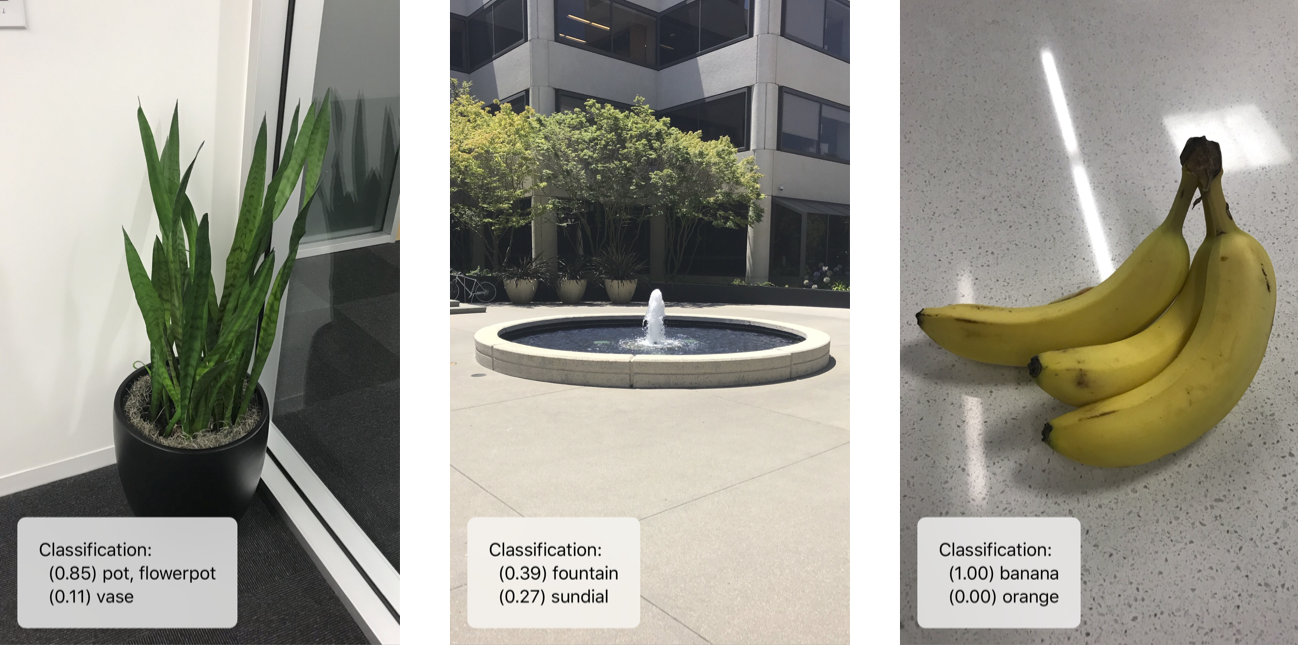
Что это такое?
 Turi Create — это библиотека Python от Apple, которая позволяет создавать собственные модели машинного обучения для задач вроде рекомендаций, обнаружения объектов, классификации изображений, поиска похожих изображений и классификации активности, и при этом не требует быть экспертом в машинном обучении.
Turi Create — это библиотека Python от Apple, которая позволяет создавать собственные модели машинного обучения для задач вроде рекомендаций, обнаружения объектов, классификации изображений, поиска похожих изображений и классификации активности, и при этом не требует быть экспертом в машинном обучении.Это библиотека Python или отдельное приложение?Это пакет Python (с ядром на C++), который вы импортируете в свои скрипты: модель обучается в несколько строк кода, после чего её можно экспортировать.
Это пакет Python (с ядром на C++), который вы импортируете в свои скрипты: модель обучается в несколько строк кода, после чего её можно экспортировать.Как его установить и начать пользоваться?Создайте виртуальное окружение Python (venv или Anaconda), активируйте его, а затем установите Turi Create внутри как обычный пакет pip.
Создайте виртуальное окружение Python (venv или Anaconda), активируйте его, а затем установите Turi Create внутри как обычный пакет pip.Какая версия Python и какое железо мне нужны?Нужен Python 2.7 или 3.5–3.8 на архитектуре x86_64 и не менее 4 ГБ ОЗУ; GPU необязателен, но ускоряет некоторые модели в 9–13 раз.
Нужен Python 2.7 или 3.5–3.8 на архитектуре x86_64 и не менее 4 ГБ ОЗУ; GPU необязателен, но ускоряет некоторые модели в 9–13 раз.Проект всё ещё поддерживается?Нет — репозиторий архивирован, поэтому он больше не получает обновлений и активной поддержки, несмотря на когда-то широкий набор функций.
Нет — репозиторий архивирован, поэтому он больше не получает обновлений и активной поддержки, несмотря на когда-то широкий набор функций.На каких операционных системах его можно запустить?Он работает на macOS 10.12+, Linux (glibc 2.10+) и Windows 10 через WSL.
Он работает на macOS 10.12+, Linux (glibc 2.10+) и Windows 10 через WSL.Можно ли использовать обученную модель в моём приложении для iOS?Да — модели экспортируются напрямую в формат Core ML для использования в приложениях iOS, macOS, watchOS и tvOS.
Да — модели экспортируются напрямую в формат Core ML для использования в приложениях iOS, macOS, watchOS и tvOS.С какими типами данных он может работать?Turi Create гибкий и поддерживает для обучения текст, изображения, аудио, видео и данные с датчиков.
Turi Create гибкий и поддерживает для обучения текст, изображения, аудио, видео и данные с датчиков.Подходит ли он для больших наборов данных?Он создан для эффективной работы с большими наборами данных на одной машине; цель — быть быстрым и масштабируемым без необходимости в кластере.
Он создан для эффективной работы с большими наборами данных на одной машине; цель — быть быстрым и масштабируемым без необходимости в кластере.Какие задачи машинного обучения он покрывает из коробки?Он включает рекомендательные системы, классификацию изображений, рисунков, звуков и активности, обнаружение объектов (в том числе one-shot), перенос стиля, поиск похожих изображений, общие классификаторы, регрессию, кластеризацию и классификацию текста.
Он включает рекомендательные системы, классификацию изображений, рисунков, звуков и активности, обнаружение объектов (в том числе one-shot), перенос стиля, поиск похожих изображений, общие классификаторы, регрессию, кластеризацию и классификацию текста.What are similar projects?albumentations, AFNetworking, opencv_contrib, firebase-ios-sdk, Detectron, X-AnyLabeling, opencv, fiftyone
albumentations, AFNetworking, opencv_contrib, firebase-ios-sdk, Detectron, X-AnyLabeling, opencv, fiftyoneWhich topics is it in?recommendation-system, watchos, tvos, image-classification, object-detection, apple, image-processing, bsd, deprecated, computer-vision, sdk, c++
recommendation-system, watchos, tvos, image-classification, object-detection, apple, image-processing, bsd, deprecated, computer-vision, sdk, c++