
Vantage
A theme and live dashboard for LuCI, OpenWrt's web interface. Log in and see who's connected, how busy your connection is, and what needs fixing. For OpenWrt 25.12 and 24.10.



Website · Install · Screenshots · Changelog

The video and screenshots use recorded data with addresses and names
replaced. The larger access point further down is generated.
What you get
Two packages that work together or alone: the theme doesn't need the
dashboard, and the dashboard on its own works under any LuCI theme.
The dashboard (luci-app-vantage) is the page you land on after login.
- Health at a glance. Six checks: uplink, CPU, memory, Wi-Fi, client
signal and storage. Each gives a one-line reason, and clicking it opens
the details.
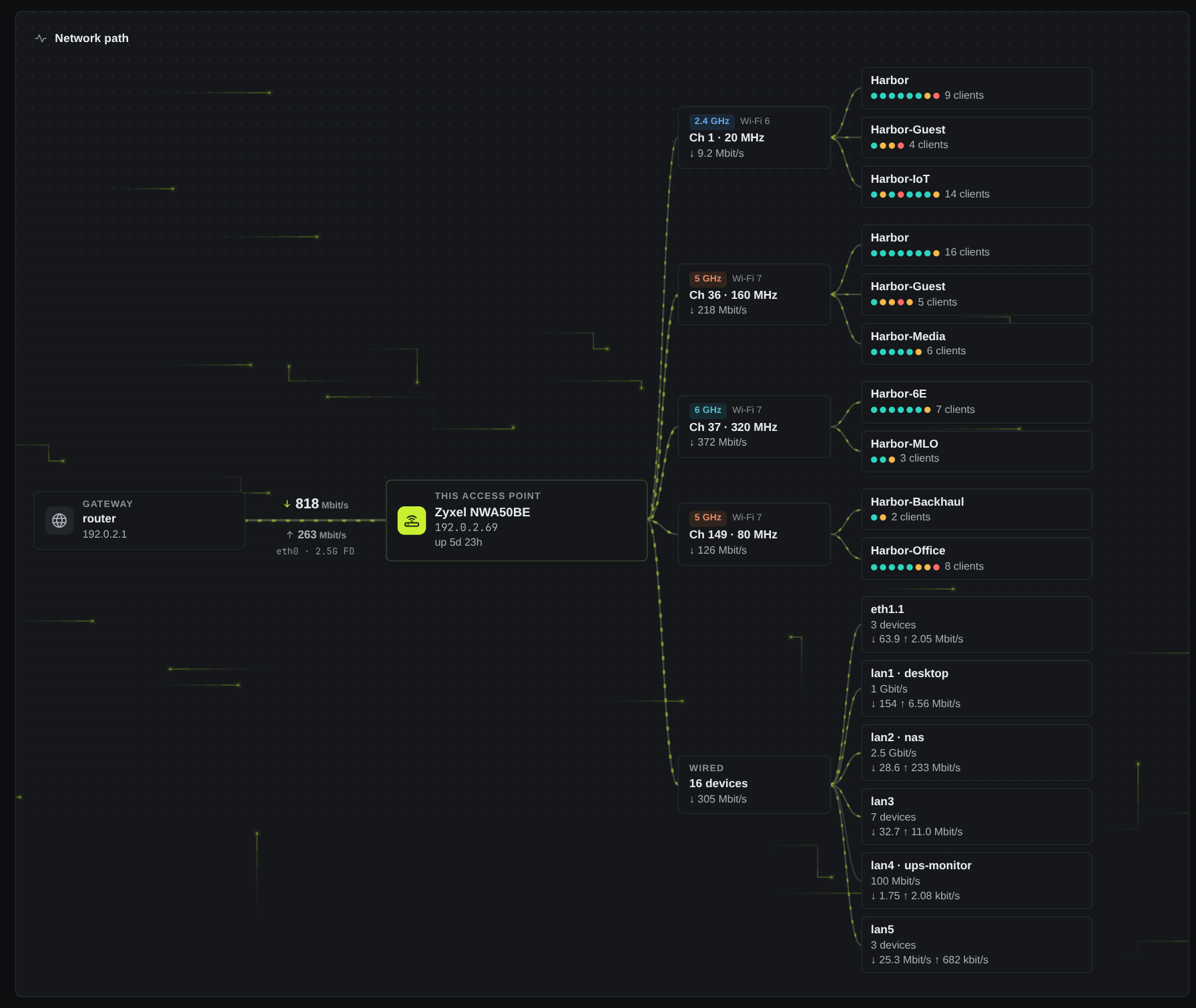
- A live network path. Your internet lines, this device, its radios
and SSIDs, and its wired ports, with packets that move at the real
uplink rate. Click anything for details.
- Every client, by name. Your alias, a name from DHCP, mDNS, WPS or
reverse DNS, or else the vendor. You get signal, link rate, Wi-Fi
generation, live traffic and an experience score that explains itself.
Wired devices are listed too, with their port and link speed.
- Live charts. Five minutes of throughput for the uplink and every
radio, in the chart style you choose, plus radio cards, top talkers and
a system tile.
- Firewall overview. What's open from the internet, which zones reach
which, and warnings for risky setups. Every item links to the LuCI page
that changes it.
- Your own layout. Drag, resize or hide tiles, with one layout per
screen size. With the Vantage theme, your layout and chart style are
saved on the router, so every browser matches.
The theme (luci-theme-vantage) restyles every LuCI page.
- Quick to get around. An icon rail, breadcrumbs, and
Ctrl+K or / to search every page you
can open.
- Good on phones. A bottom bar replaces the rail, and tables become
cards.
- Light, dark or auto, with no flash on load. Your choice and your
background picks are saved on the router, so every browser matches.
- Tidier stock pages. One control size, one tab style, field help
folded to its first line, spare row actions tucked into a ⋯ menu, and
coloured firewall verdicts.
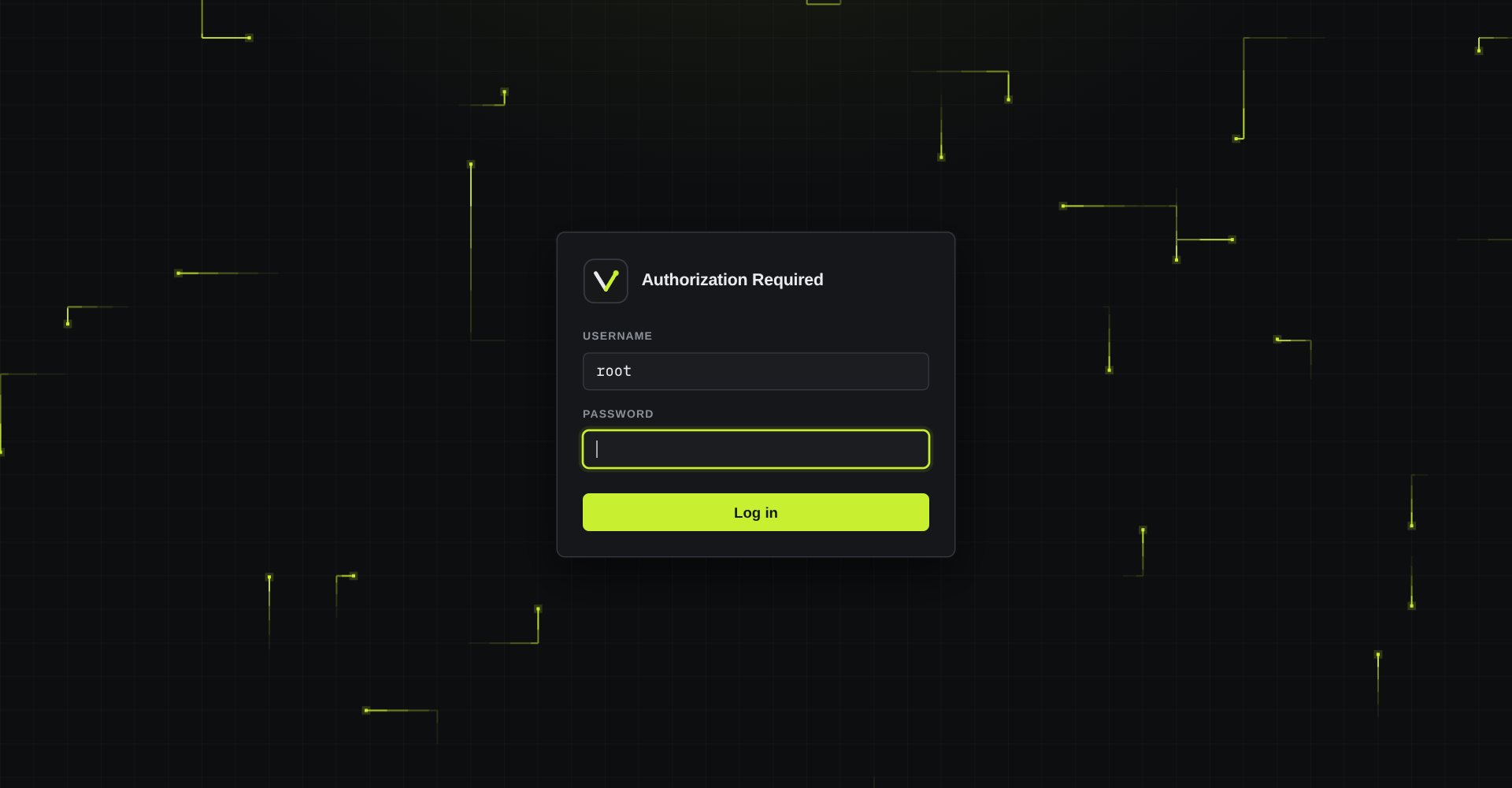
- Its own login page, with moving packets, a starfield or nothing.
Nothing loads from the internet: Vantage uses system fonts and its own
icons, with no CDNs or frameworks. The one exception is Check for
updates under Appearance, and only when you click it. The dashboard's only write is device
names, and it never reads Wi-Fi keys. See Security.
Install
These steps are for OpenWrt 25.12 (apk). On 24.10, follow the
24.10 steps. Both packages are
architecture-independent, so the same files install on any router.
From the signed repository. Run this on the router. It stops before
installing anything if the key's hash doesn't match. You only need to do it
once; later versions come with apk upgrade.
key=$(mktemp) &&
wget -O "$key" https://anothadev.github.io/luci-theme-vantage/vantage-signing.pem &&
echo "c8a6c83eeb49ca2407932fb5e95785776128cef87db75ebaea0fe4171eee2157  $key" | sha256sum -c - &&
cp "$key" /etc/apk/keys/vantage-signing.pem &&
echo 'https://anothadev.github.io/luci-theme-vantage/25.12/packages.adb' >> /etc/apk/repositories.d/customfeeds.list &&
apk update &&
apk add luci-theme-vantage luci-app-vantage
From release files. Download them from a
release or
build your own, then run this in the same folder. 192.0.2.1
stands for your router's address.
f=$(awk '/ luci-(theme|app)-vantage-.*\.apk$/ {print $2}' SHA256SUMS) &&
grep -E ' luci-(theme|app)-vantage-.*\.apk$' SHA256SUMS | sha256sum -c - &&
ssh [email protected] 'mkdir -m 700 /tmp/vantage' &&
scp -O $f [email protected]:/tmp/vantage/ &&
ssh [email protected] 'apk add --no-network --allow-untrusted /tmp/vantage/*.apk; s=$?; rm -r /tmp/vantage; exit $s'
Log out of LuCI and back in, and the dashboard is your landing page. A
fresh install switches to the theme for you. An upgrade keeps the theme
you chose, and removing the theme switches LuCI back to Bootstrap.
The install guide covers the rest: requirements,
verifying packages, installing just one of them, upgrades, uninstalling,
building Vantage into your own firmware, troubleshooting, and a
ready-made prompt for installing with a coding agent.
Screenshots
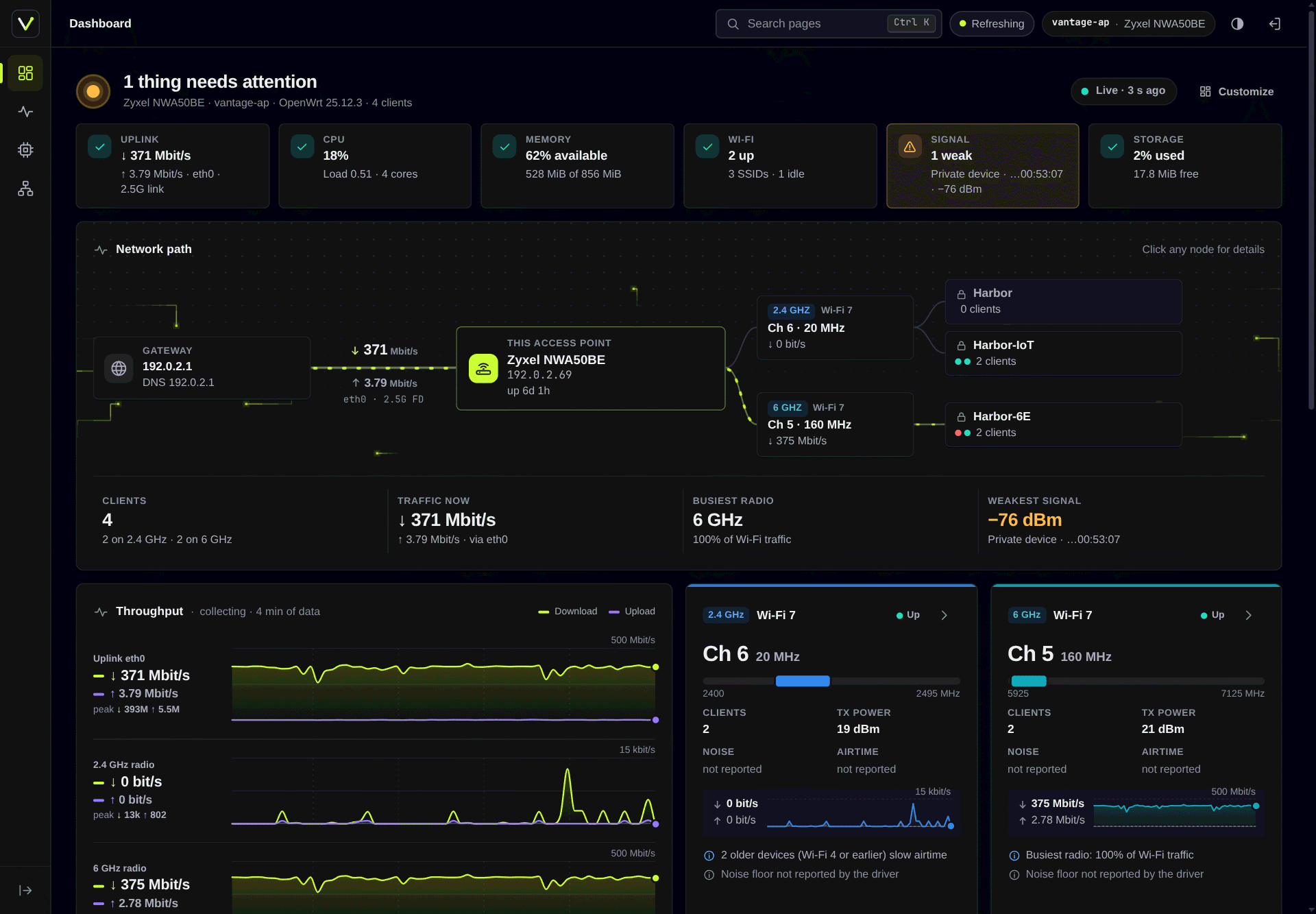
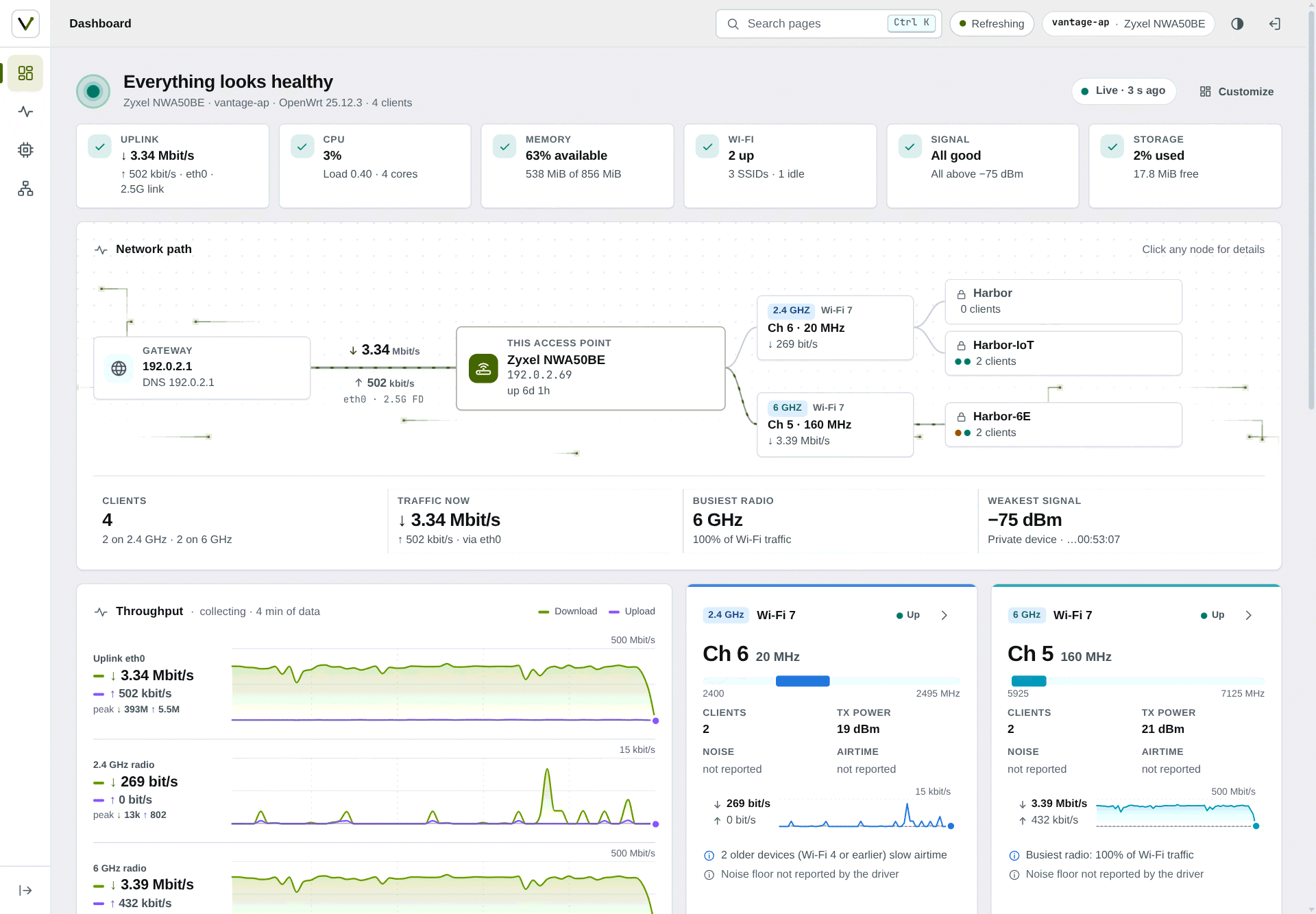 |
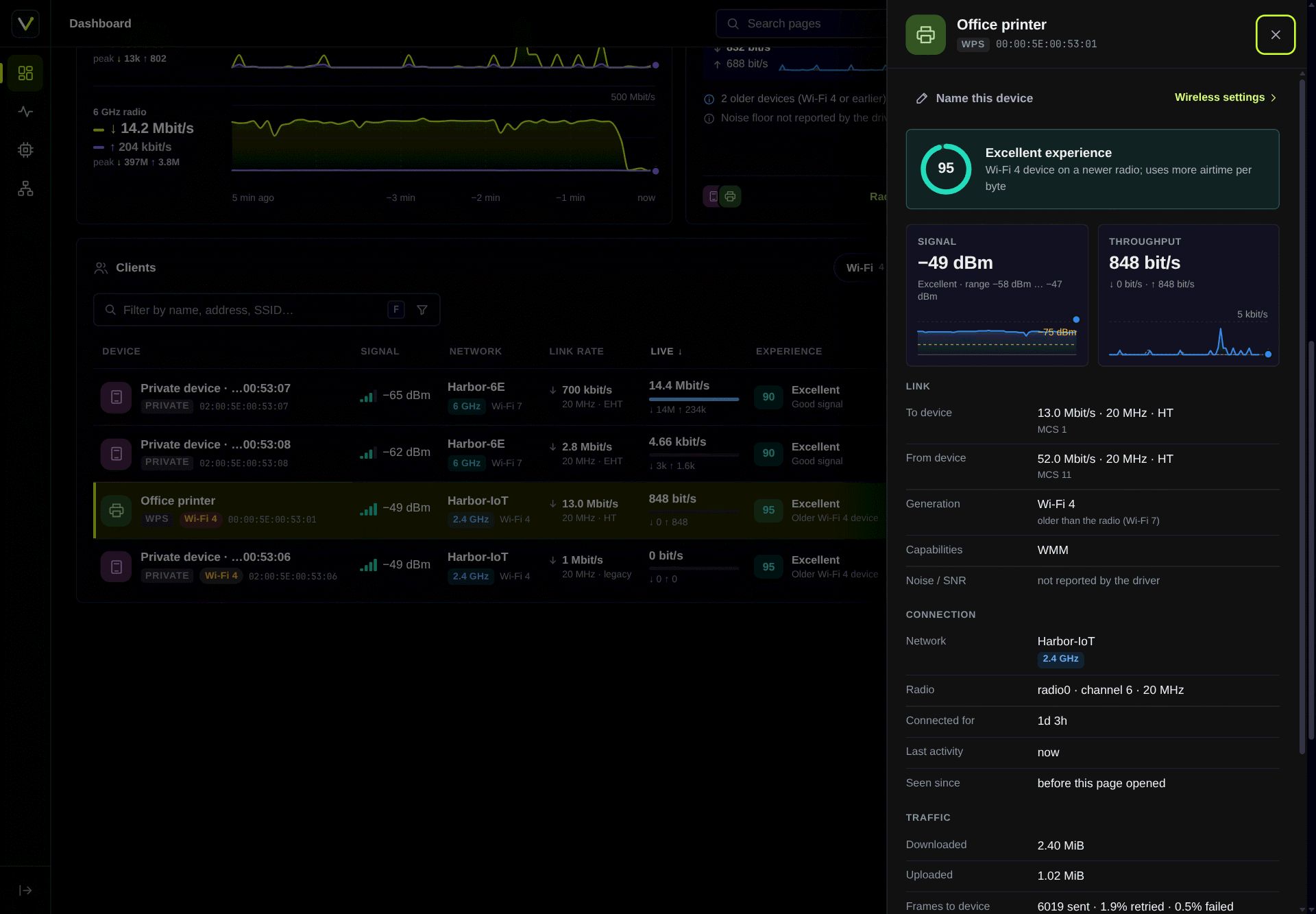 |
| Light mode: health checks, network path and live throughput |
Client details: experience score, signal and link info |
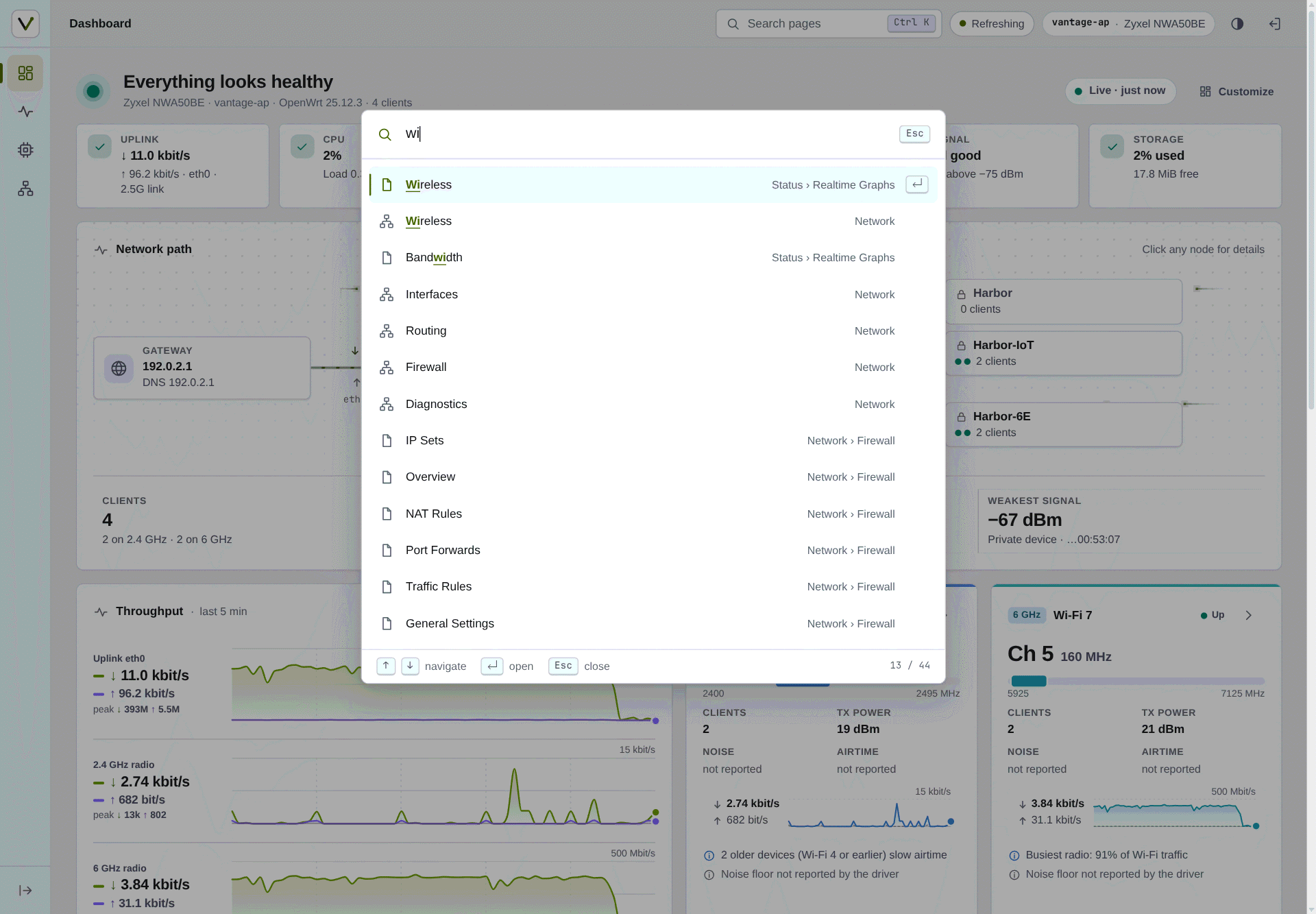 |
 |
| Ctrl+K search over pages and Appearance options |
A larger access point (generated): four radios, ten networks, six wired ports |
 |
 |
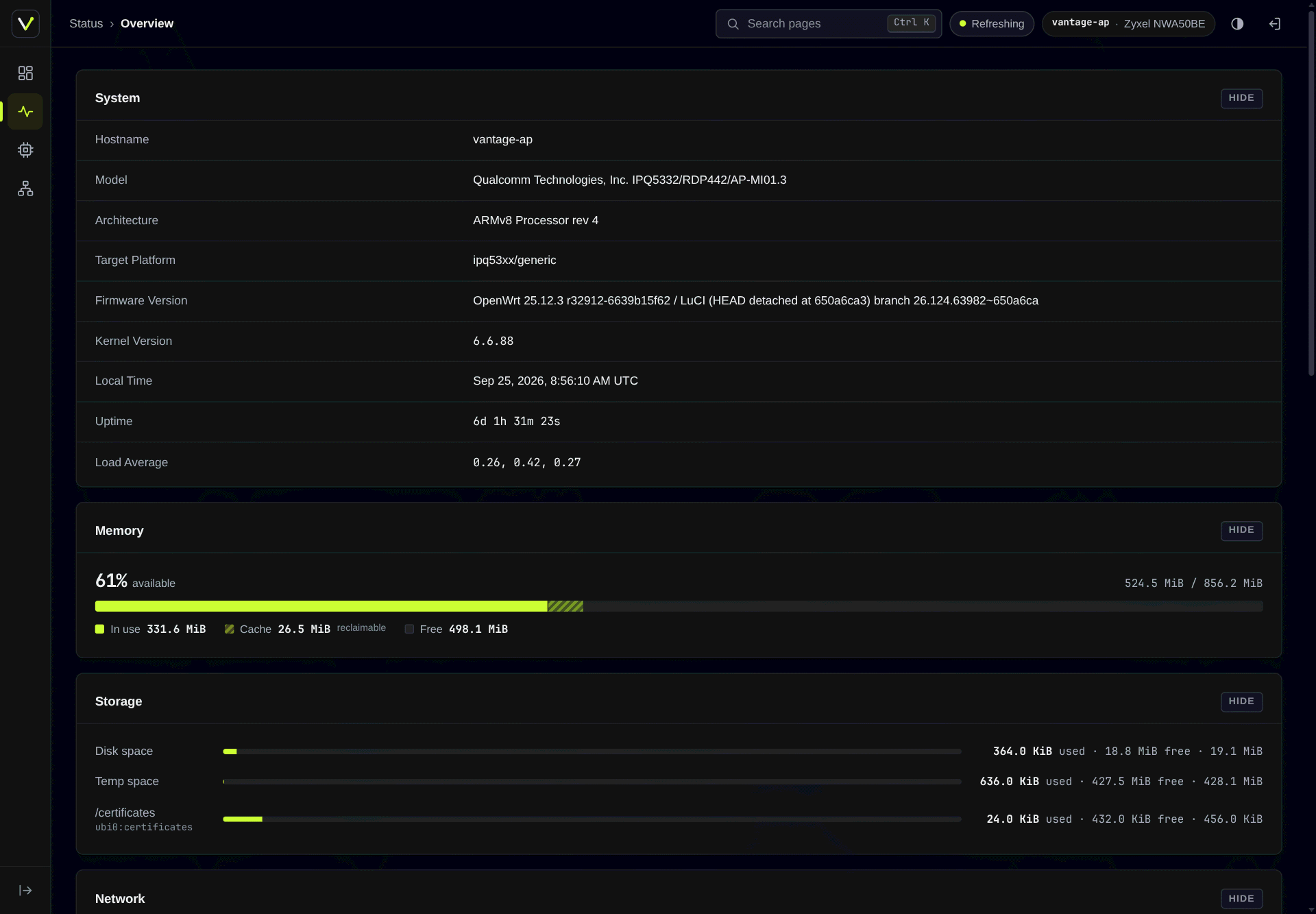
| LuCI's Status page under the theme, with a combined memory bar |
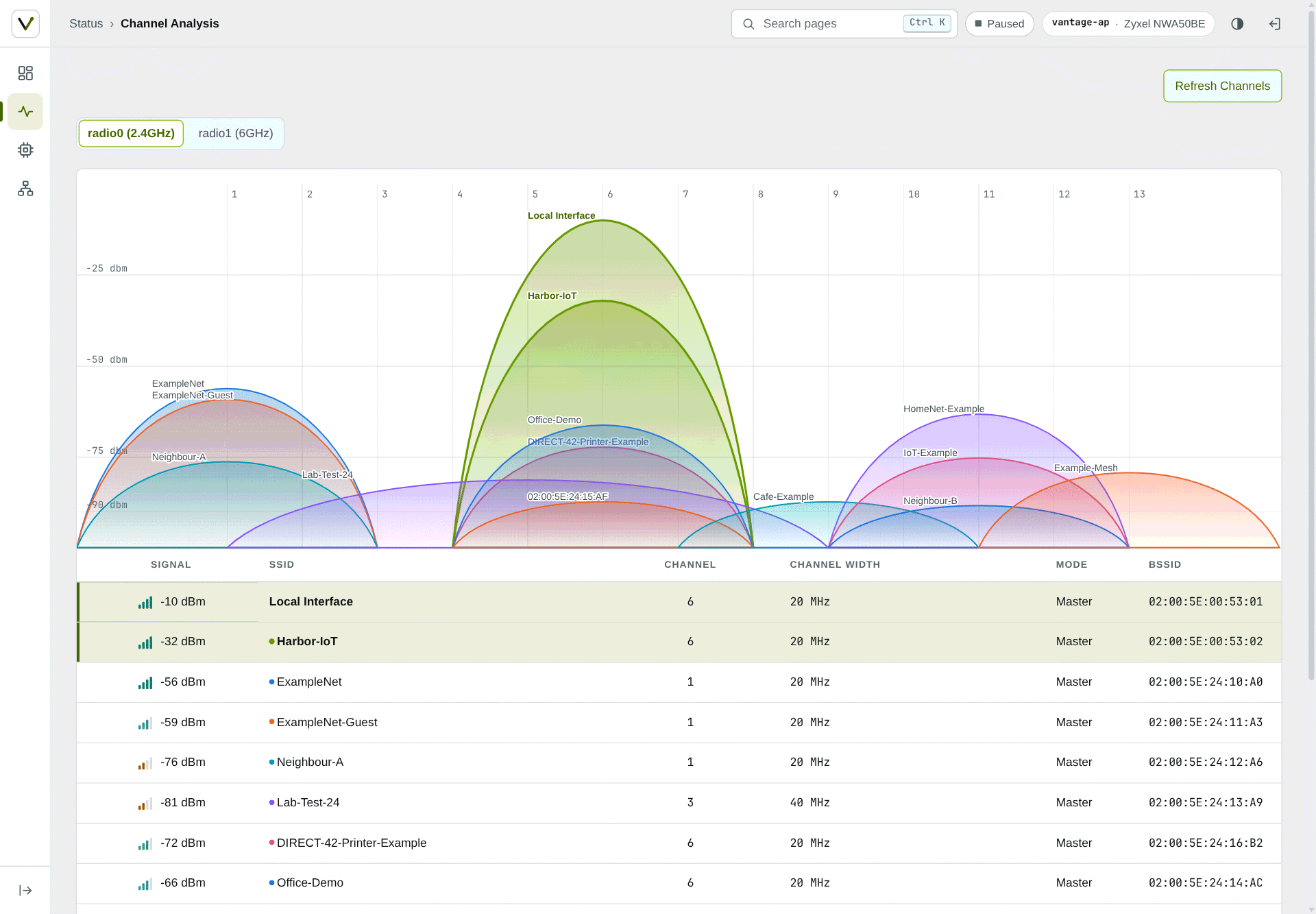
LuCI's Channel Analysis page (neighbouring networks are generated) |
 |
 |
| Login page with grid packets, a starfield or nothing |
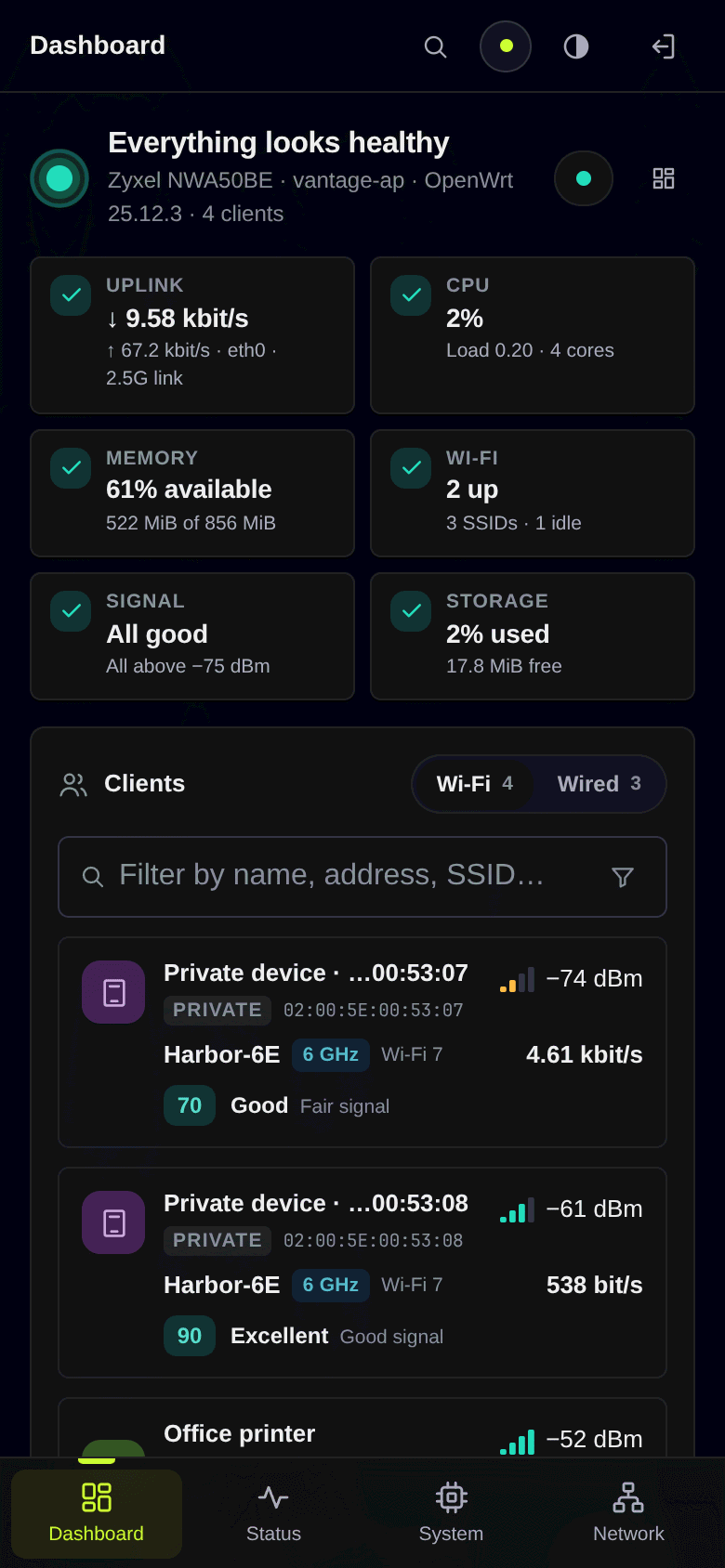
Phone layout with the bottom bar and Wi-Fi/Wired switch |
Security
Vantage is built to read your router, not change it. The full rules are in
the spec.
- The dashboard only reads. Its permissions cover read methods and
can't run commands. Its one write is device names, stored in
/etc/config/vantage.
- Wi-Fi keys stay out. Wireless settings come through Vantage's own
plugin, which leaves out Wi-Fi keys, SAE passwords and RADIUS secrets.
- The theme writes one file. Appearance, and the dashboard's layout
and chart style, go to
/etc/config/vantage_theme and nowhere else. A
user without that permission keeps their picks in their own browser.
- Extras are separate permissions. Renaming devices
(
luci-app-vantage-names) and reverse DNS (luci-app-vantage-rdns) are
their own groups, so you can leave them out. The firewall overview only
appears for users who already hold LuCI's firewall permission.
- Checked by tests. They reject HTML built from data, render the
theme's templates with hostile input, confirm the permissions match what
the code calls, and keep real addresses, MACs and SSIDs out of the
repository.
One known exception: LuCI's own header adds its L.env script to every
page, including the menu tree on logged-out 404 pages. That's upstream
behaviour, tracked in docs/luci-contract.md.
Compatibility
| OpenWrt |
Status |
| 25.12 |
Built with the 25.12 SDK and tested |
| 24.10 |
Signed .ipk packages, built with the 24.10 SDK and tested on a 24.10.8 router without Wi-Fi (install) |
Languages
Vantage is available in English and Simplified Chinese (dashboard
translation by @ntbowen). Each language
installs as its own packages, for example
apk add luci-i18n-vantage-zh-cn luci-i18n-vantage-theme-zh-cn; see
Languages in the install guide.
Translations are very welcome. In a fork, run
dev/i18n/update.sh --add <lang>, translate the two new .po files and
open a pull request that touches only po/ files.
Translations has the details.
Build
With podman and the official OpenWrt SDK image:
dev/build/sdk-build.sh 25.12.4 # builds HEAD into dist/25.12.4/
The same commit and SDK always produce byte-identical packages, and each
package is checked against the source before it reaches dist/. Signing
and the other details are in the
install guide.
Develop
You don't need a router to work on Vantage. The replay in dev/replay/
serves the full LuCI interface from a recording or hand-written fixtures,
with the theme and app loaded from this repository, so you can reload to
see an edit. --demo swaps real addresses and names for documentation
values, which is how the screenshots were made.
node dev/replay/server.js --mirror ../vantage-mirror --port 8106 --demo \
    --theme-dir luci-theme-vantage/htdocs/luci-static/vantage --theme vantage \
    --app-dir luci-app-vantage
CONTRIBUTING.md has the setup and the checks to run,
docs/SPEC.md describes the product, and
docs/luci-contract.md lists what LuCI expects
from a theme. Coding agents should read AGENTS.md.
Contributing
Issues and pull requests are welcome; see
CONTRIBUTING.md. For a bug report, include your
OpenWrt version (cat /etc/openwrt_release), your browser, and screenshots
with personal data removed: no real IP addresses, MACs or SSIDs. Report
security problems privately as described in SECURITY.md,
not in a public issue.
Past releases are in CHANGELOG.md, and planned work is in
docs/ROADMAP.md.
License
GPL-3.0-or-later. See LICENSE and
luci-theme-vantage/NOTICE.

 一个为 OpenWrt 路由器从零开始打造的 LuCI 主题和实时网络仪表盘。LuCI 是 OpenWrt 的网页管理界面,Vantage 替换了它的外观,并新增了一个仪表盘。