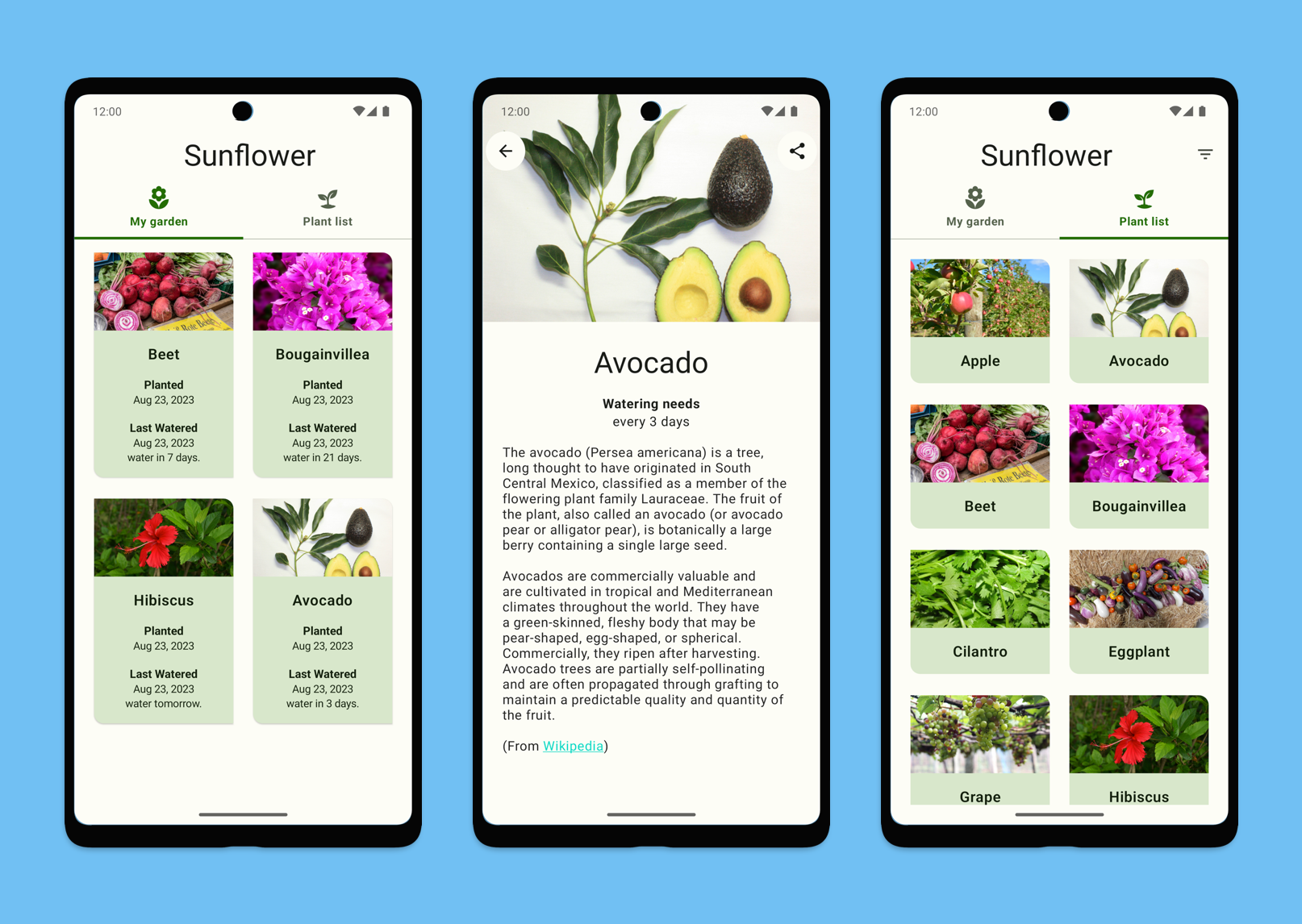
Что это такое?
 Sunflower — официальное демонстрационное приложение Google для Android: приложение для садоводства, которое показывает, как перенести Android-приложение на основе View (Material 2) на Jetpack Compose (Material 3).
Sunflower — официальное демонстрационное приложение Google для Android: приложение для садоводства, которое показывает, как перенести Android-приложение на основе View (Material 2) на Jetpack Compose (Material 3).Это библиотека или пример приложения, который я запускаю сам?Это полноценное готовое к запуску демонстрационное Android-приложение, а не библиотека для подключения в свой проект. Его нужно открыть в Android Studio, изучить или сделать на его основе свой форк.
Это полноценное готовое к запуску демонстрационное Android-приложение, а не библиотека для подключения в свой проект. Его нужно открыть в Android Studio, изучить или сделать на его основе свой форк.Как его запустить?Склонируйте репозиторий, откройте его в Android Studio, затем соберите и запустите на устройстве или эмуляторе, как любой Android-проект.
Склонируйте репозиторий, откройте его в Android Studio, затем соберите и запустите на устройстве или эмуляторе, как любой Android-проект.Нужен ли API-ключ, чтобы пользоваться всеми функциями?Чтобы загружать фотографии в галерею, нужен бесплатный API-ключ Unsplash; без него приложение работает, но экран галереи не будет работать.
Чтобы загружать фотографии в галерею, нужен бесплатный API-ключ Unsplash; без него приложение работает, но экран галереи не будет работать.Проект всё ещё поддерживается?Нет, репозиторий архивирован и больше не поддерживается. Google советует смотреть актуальные рекомендации по Compose в репозитории Compose samples, а если хочется продолжать пользоваться Sunflower, предлагает сделать его форк.
Нет, репозиторий архивирован и больше не поддерживается. Google советует смотреть актуальные рекомендации по Compose в репозитории Compose samples, а если хочется продолжать пользоваться Sunflower, предлагает сделать его форк.Где это работает?Это нативное Android-приложение: его собирают и запускают на устройствах Android или эмуляторах через Android Studio.
Это нативное Android-приложение: его собирают и запускают на устройствах Android или эмуляторах через Android Studio.Можно ли всё ещё посмотреть оригинальную версию на View?Да, исходная версия до перехода на Compose сохранена в отдельной ветке 'views' репозитория.
Да, исходная версия до перехода на Compose сохранена в отдельной ветке 'views' репозитория.Почему описания растений нельзя вывести обычным Text из Compose?Text из Compose пока не умеет отображать HTML-содержимое, поэтому для описаний растений приложение встраивает классический TextView в интерфейс Compose с помощью AndroidViewBinding.
Text из Compose пока не умеет отображать HTML-содержимое, поэтому для описаний растений приложение встраивает классический TextView в интерфейс Compose с помощью AndroidViewBinding.Какой стиль кода принят в проекте?В проекте используется ktlint, чтобы поддерживать единый стиль кода на Kotlin; есть инструкция по его подключению к Android Studio.
В проекте используется ktlint, чтобы поддерживать единый стиль кода на Kotlin; есть инструкция по его подключению к Android Studio.Этот пример всё ещё про демонстрацию нескольких библиотек Jetpack?Нет, это была его первоначальная цель; сейчас его единственная задача — показать, как перейти на Jetpack Compose в существующем приложении на основе View, и новых функций вне этой задачи не планируется.
Нет, это была его первоначальная цель; сейчас его единственная задача — показать, как перейти на Jetpack Compose в существующем приложении на основе View, и новых функций вне этой задачи не планируется.What are similar projects?compose-samples, iosched, ndk-samples, plaid, Material-Animations, uamp, LastWave-Native, f8app
compose-samples, iosched, ndk-samples, plaid, Material-Animations, uamp, LastWave-Native, f8appWhich topics is it in?sample-app, jetpack-compose, android-development, material-design, kotlin, mobile-app, beginner-friendly, deprecated, java, learning, tutorial, android
sample-app, jetpack-compose, android-development, material-design, kotlin, mobile-app, beginner-friendly, deprecated, java, learning, tutorial, android