

What is this?
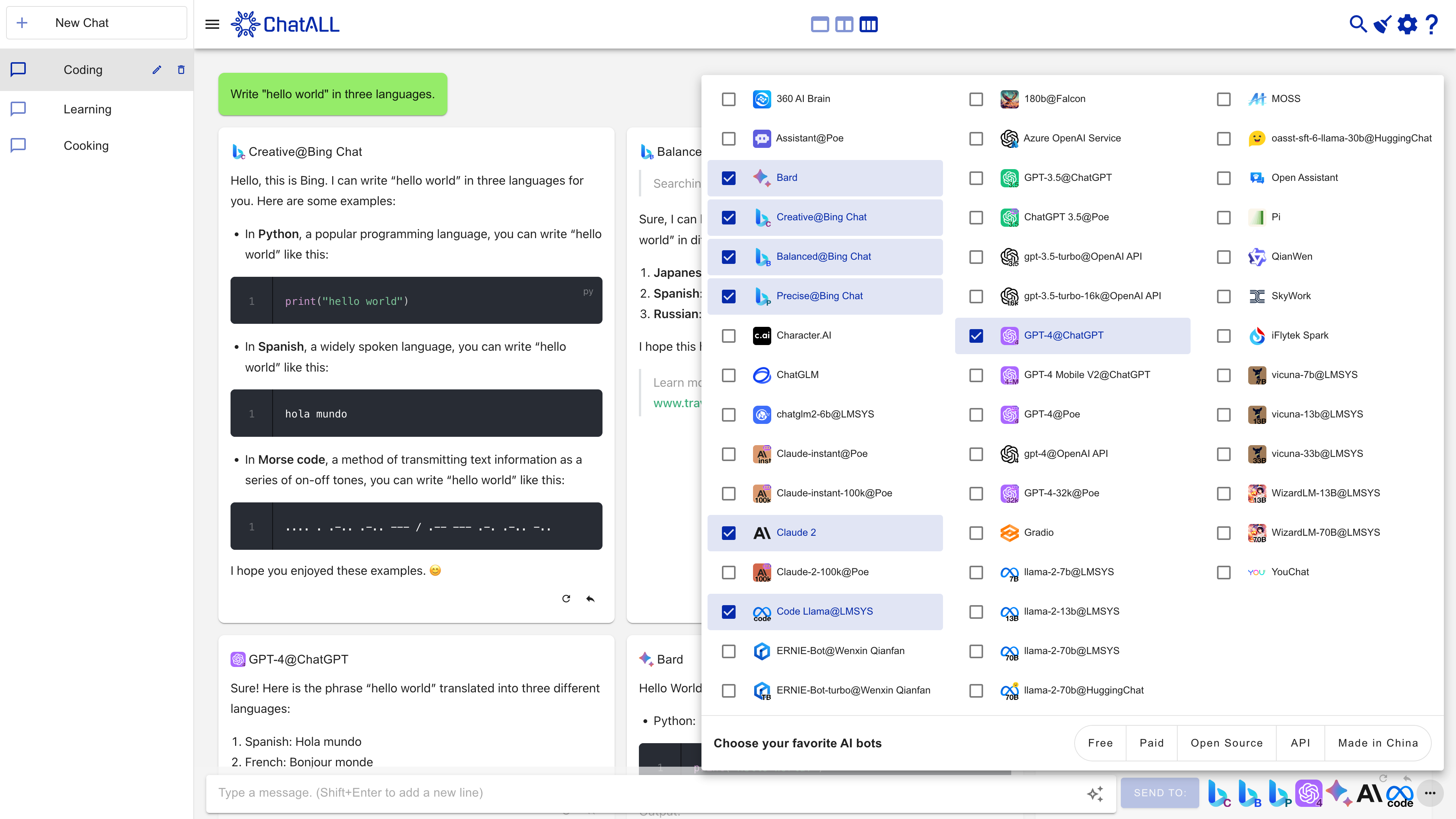
 ChatALL (齐叨) is a free, open-source desktop app that sends one prompt to many AI bots at once — ChatGPT, Claude, Gemini, Kimi and more — so you can compare the answers side by side and keep the best.
ChatALL (齐叨) is a free, open-source desktop app that sends one prompt to many AI bots at once — ChatGPT, Claude, Gemini, Kimi and more — so you can compare the answers side by side and keep the best.Is it a website or a program I install on my computer?A desktop program built on Electron and Vue 3 — not a website. There are native builds for Windows, macOS (Apple Silicon and Intel) and Linux.
A desktop program built on Electron and Vue 3 — not a website. There are native builds for Windows, macOS (Apple Silicon and Intel) and Linux.Do I need my own accounts or API keys for the bots?Yes — ChatALL is a client, not a proxy, so you need working accounts and/or API tokens for every bot you enable, plus a reliable network connection to it.
Yes — ChatALL is a client, not a proxy, so you need working accounts and/or API tokens for every bot you enable, plus a reliable network connection to it.Do all of these bot connections work reliably?No — web-connected bots (the ones without an official API) rely on reverse engineering and often break when providers update their sites, so the authors recommend API-backed bots for dependable use.
No — web-connected bots (the ones without an official API) rely on reverse engineering and often break when providers update their sites, so the authors recommend API-backed bots for dependable use.Where does my chat data end up?Everything — history, settings and logins — stays on your computer. The app sends home only anonymous usage stats like which bots you prompted and answer lengths, never the prompt or response content.
Everything — history, settings and logins — stays on your computer. The app sends home only anonymous usage stats like which bots you prompted and answer lengths, never the prompt or response content.Why send one prompt to many bots instead of just using one?LLM behavior is random and different bots excel at different tasks. ChatALL shows every answer side by side so you pick the best instead of trying bots one by one — useful for LLM power users, researchers comparing models, and developers debugging prompts.
LLM behavior is random and different bots excel at different tasks. ChatALL shows every answer side by side so you pick the best instead of trying bots one by one — useful for LLM power users, researchers comparing models, and developers debugging prompts.Can it chat with models I host myself?Yes. Any Gradio endpoint works, so Hugging Face Spaces and self-deployed models can be connected, and the supported list includes open models like Llama 2, Alpaca, Vicuna, Gemma and ChatGLM2.
Yes. Any Gradio endpoint works, so Hugging Face Spaces and self-deployed models can be connected, and the supported list includes open models like Llama 2, Alpaca, Vicuna, Gemma and ChatGLM2.What if one of the bots stops responding?Work through the built-in fixes: refresh with Ctrl + R or ⌘ + R, restart the app, re-login to that bot from settings, or start a new chat. As a last resort, reset ChatALL by deleting its config folder — that wipes settings and history.
Work through the built-in fixes: refresh with Ctrl + R or ⌘ + R, restart the app, re-login to that bot from settings, or start a new chat. As a last resort, reset ChatALL by deleting its config folder — that wipes settings and history.What are similar projects?gpt4free, NextChat, get-it, chatbox, repomix, chainlit, quasar, element-web
gpt4free, NextChat, get-it, chatbox, repomix, chainlit, quasar, element-webWhich topics is it in?gpt-4o, vue3, electron-app, chat, chatgpt, electron, chatbot, generative-ai, local-first, hacktoberfest, claude, free
gpt-4o, vue3, electron-app, chat, chatgpt, electron, chatbot, generative-ai, local-first, hacktoberfest, claude, free