What is this?
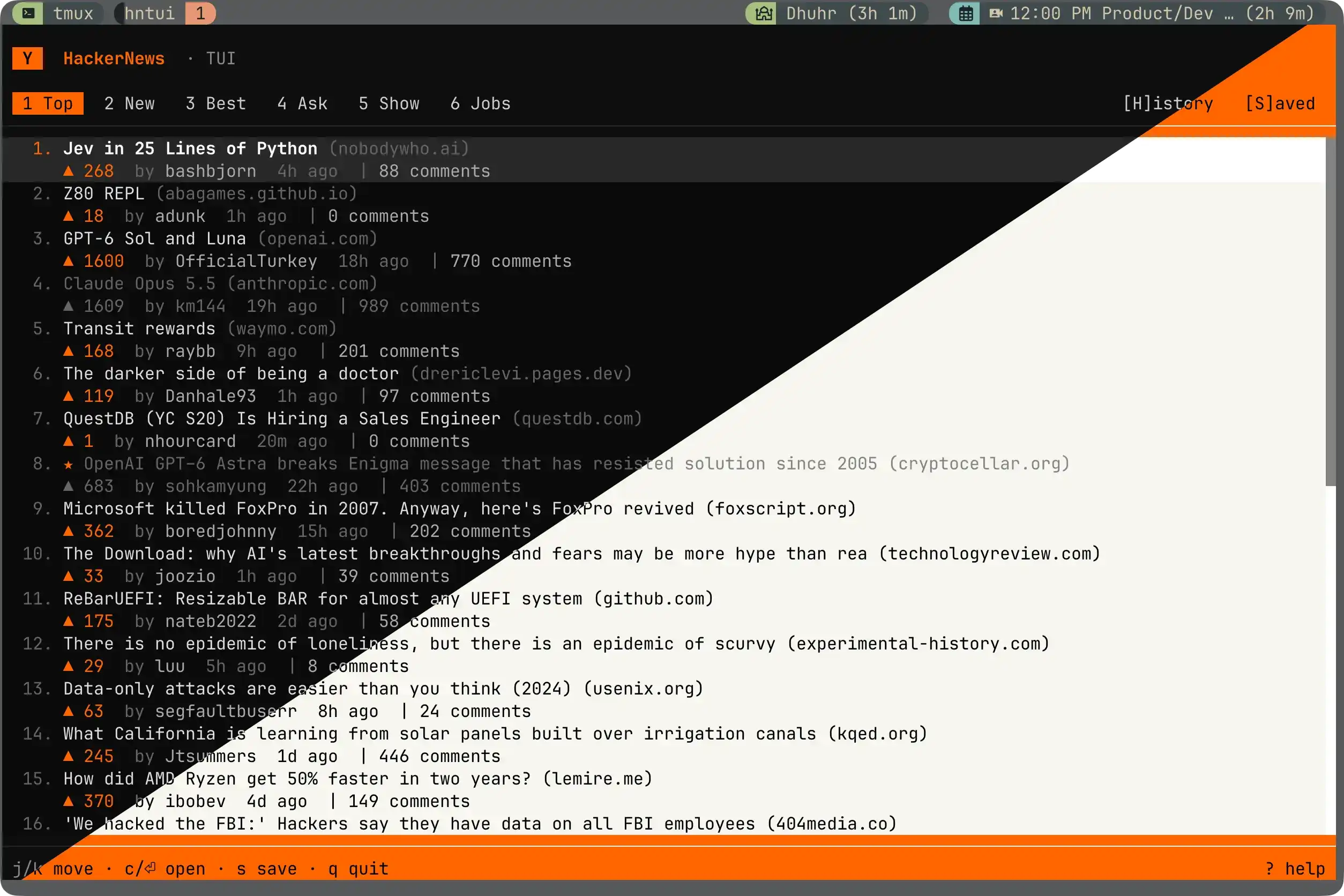
 hntui is a terminal UI for browsing Hacker News: all six feeds (Top, New, Best, Ask, Show, Jobs), with comment navigation, saved posts, vim and mouse support, themes, and a Knight Rider-style loading animation.
hntui is a terminal UI for browsing Hacker News: all six feeds (Top, New, Best, Ask, Show, Jobs), with comment navigation, saved posts, vim and mouse support, themes, and a Knight Rider-style loading animation.Is this a standalone app or a library I'd import?It's a standalone terminal application you run directly, built on the OpenTUI native TUI framework rather than being a library for other projects.
It's a standalone terminal application you run directly, built on the OpenTUI native TUI framework rather than being a library for other projects.How do I install and run it?Easiest is the standalone binary installer, which puts a self-contained binary at ~/.local/bin, or you can grab a binary for your platform from the releases page. Alternatively, with Bun installed you can run it once without installing, or install it as a package.
Easiest is the standalone binary installer, which puts a self-contained binary at ~/.local/bin, or you can grab a binary for your platform from the releases page. Alternatively, with Bun installed you can run it once without installing, or install it as a package.Do I need Bun installed to use this?Prebuilt binaries have no dependencies at all. You only need Bun 1.2 or newer if you install via npm/Bun or want to hack on the code.
Prebuilt binaries have no dependencies at all. You only need Bun 1.2 or newer if you install via npm/Bun or want to hack on the code.Does it work on Intel Macs or Windows?Prebuilt binaries only cover macOS Apple Silicon and Linux (x64, arm64); on an Intel Mac you need the Bun install path instead. Windows support comes from OpenTUI but the author hasn't tested it yet.
Prebuilt binaries only cover macOS Apple Silicon and Linux (x64, arm64); on an Intel Mac you need the Bun install path instead. Windows support comes from OpenTUI but the author hasn't tested it yet.Which terminals and platforms does it support?Any modern terminal with truecolor, mouse support, and UTF-8 works; the author tested it in Ghostty on macOS, and Linux/Windows support comes from the OpenTUI framework.
Any modern terminal with truecolor, mouse support, and UTF-8 works; the author tested it in Ghostty on macOS, and Linux/Windows support comes from the OpenTUI framework.Where is my saved data stored?Saved posts persist locally in a small JSON file at ~/.config/hntui/saved.json; nothing is sent anywhere beyond fetching HN data from its public API.
Saved posts persist locally in a small JSON file at ~/.config/hntui/saved.json; nothing is sent anywhere beyond fetching HN data from its public API.How do I save a post for later?Press s on any story to save it (press again to unsave). Saved posts get a small star and appear in the Saved tab, reachable instantly with S.
Press s on any story to save it (press again to unsave). Saved posts get a small star and appear in the Saved tab, reachable instantly with S.Can I use the mouse instead of vim keys?Yes, almost everything works with the mouse: click tabs to switch feeds, click rows to select or open stories, right-click for a context menu, and scroll with the wheel.
Yes, almost everything works with the mouse: click tabs to switch feeds, click rows to select or open stories, right-click for a context menu, and scroll with the wheel.How do I select and copy text from the terminal?Because hntui captures mouse events, normal drag-selection is intercepted. On macOS hold Option while dragging then Cmd-C; on Linux hold Shift while dragging then Ctrl-Shift-C.
Because hntui captures mouse events, normal drag-selection is intercepted. On macOS hold Option while dragging then Cmd-C; on Linux hold Shift while dragging then Ctrl-Shift-C.Where does the Hacker News data come from?Data comes from the public Hacker News Firebase API.
Data comes from the public Hacker News Firebase API.What are similar projects?Horizon, opentui, Inquirer.js, tokscale, tincan-cli, gh-dash, wuzz, dsh-TUI
Horizon, opentui, Inquirer.js, tokscale, tincan-cli, gh-dash, wuzz, dsh-TUIWhich topics is it in?news-aggregator, reader, terminal-ui, news, vim, bun, github-actions, tui, cli-tool, command-line, command-line-tool, npm
news-aggregator, reader, terminal-ui, news, vim, bun, github-actions, tui, cli-tool, command-line, command-line-tool, npm