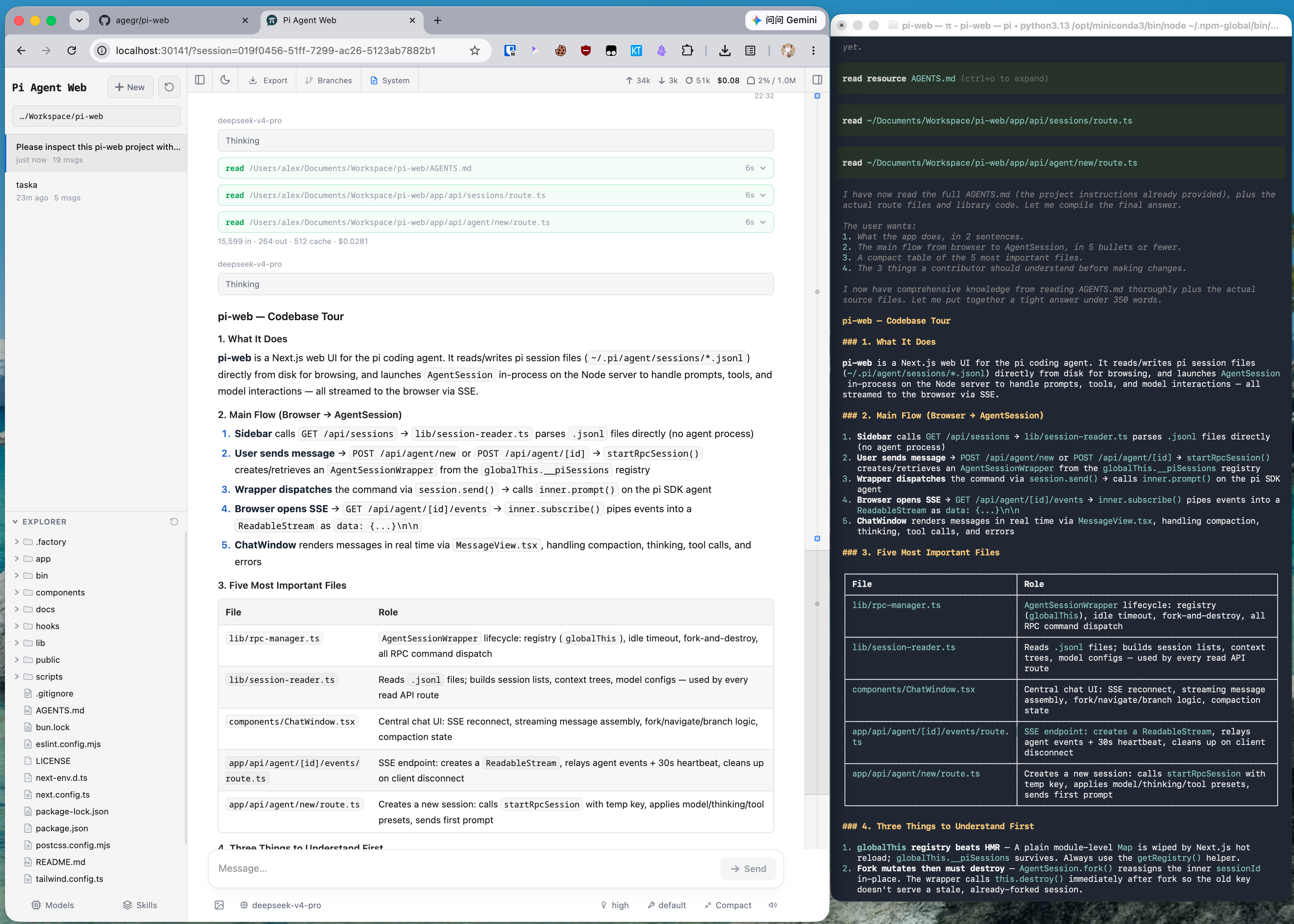
What is this?
 A local browser UI for the pi coding agent: browse and resume conversations, run agent turns, configure models, and inspect project files — using the same data as the pi CLI.
A local browser UI for the pi coding agent: browse and resume conversations, run agent turns, configure models, and inspect project files — using the same data as the pi CLI.So is this a desktop app, or does it run in my browser?It runs as a small local web server started with the pi-web command, and you use it in your browser. It shares pi's config and session files, so the CLI and this UI stay in sync.
It runs as a small local web server started with the pi-web command, and you use it in your browser. It shares pi's config and session files, so the CLI and this UI stay in sync.How do I get it running?Install it globally with npm install -g @agegr/pi-web and run pi-web — the server starts on port 30141 and opens your browser automatically. Re-run the same install command to update.
Install it globally with npm install -g @agegr/pi-web and run pi-web — the server starts on port 30141 and opens your browser automatically. Re-run the same install command to update.Do I need anything installed before it works?Node.js 22.19.0 or newer. If no model provider is configured yet, you sign in or add an API key from the Models panel inside Pi Web.
Node.js 22.19.0 or newer. If no model provider is configured yet, you sign in or add an API key from the Models panel inside Pi Web.Can I open it from another computer, or is it strictly local?By default it listens only on 127.0.0.1. Remote use is possible, but password login does not encrypt traffic, so the README says to use HTTPS via a reverse proxy or VPN and never expose it over plain HTTP.
By default it listens only on 127.0.0.1. Remote use is possible, but password login does not encrypt traffic, so the README says to use HTTPS via a reverse proxy or VPN and never expose it over plain HTTP.Where does it keep my sessions and project files?Everything stays on your machine: it reads pi data from ~/.pi/agent, and the file browser only sees working directories you select in Pi Web — it is not a general filesystem browser.
Everything stays on your machine: it reads pi data from ~/.pi/agent, and the file browser only sees working directories you select in Pi Web — it is not a general filesystem browser.What can I do with my past conversations?The session workspace lets you browse, resume, rename, export, and delete conversations grouped by project, showing running state, context usage, cost, and compaction details. You can branch two ways: start an independent session from an earlier message, or create an in-session branch with Edit from here.
The session workspace lets you browse, resume, rename, export, and delete conversations grouped by project, showing running state, context usage, cost, and compaction details. You can branch two ways: start an independent session from an earlier message, or create an in-session branch with Edit from here.Can it handle my Git worktrees?Yes — you can switch checkouts from the sidebar while sessions from the same repository stay grouped together, and inspect Git diffs of project files.
Yes — you can switch checkouts from the sidebar while sessions from the same repository stay grouped together, and inspect Git diffs of project files.Which file types can it preview?Source code, Markdown, images, audio, PDFs, and DOCX, with automatic refresh. You can also browse and upload project files from the UI.
Source code, Markdown, images, audio, PDFs, and DOCX, with automatic refresh. You can also browse and upload project files from the UI.Which languages is the interface available in?English, Simplified Chinese, and Traditional Chinese. It follows your browser language at first, and a switcher sits in the top bar.
English, Simplified Chinese, and Traditional Chinese. It follows your browser language at first, and a switcher sits in the top bar.What are similar projects?wicked-studio, control-center, multi-agent-discuss, wechat-miniapp-radar, codeburn, Resume-Matcher, html-anything, neko-master
wicked-studio, control-center, multi-agent-discuss, wechat-miniapp-radar, codeburn, Resume-Matcher, html-anything, neko-master