







12.2K ·GitHub
What is this?
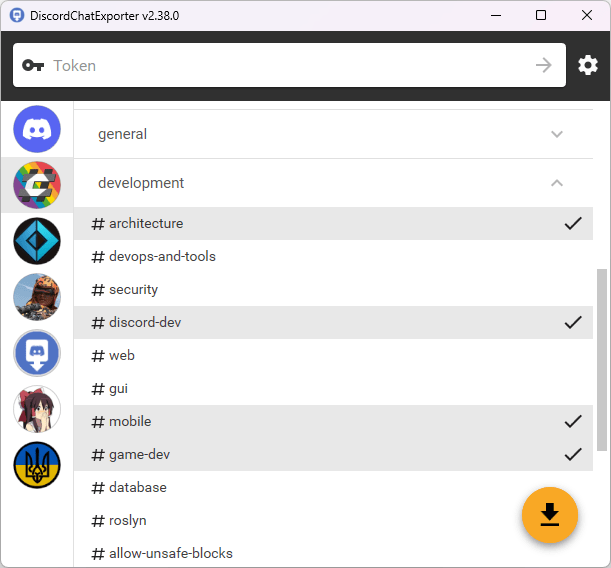
 DiscordChatExporter is an application that exports message history from a Discord channel, group message, or direct message into a file.
DiscordChatExporter is an application that exports message history from a Discord channel, group message, or direct message into a file.Is this a GUI app or a command-line tool?Both: there's a desktop GUI app and a separate CLI version, plus a Docker image for the CLI.
Both: there's a desktop GUI app and a separate CLI version, plus a Docker image for the CLI.How do I install and run it?Download the GUI zip or CLI zip from releases, install via Scoop/WinGet/AUR/Nix, or pull the Docker image with 'docker pull tyrrrz/discordchatexporter'.
Download the GUI zip or CLI zip from releases, install via Scoop/WinGet/AUR/Nix, or pull the Docker image with 'docker pull tyrrrz/discordchatexporter'.Do I need a Discord account or bot token to export chats?Yes, you authenticate with either a user token or a bot token to access the channels you want to export.
Yes, you authenticate with either a user token or a bot token to access the channels you want to export.Is it safe to use my personal Discord account token with this?Technically it works, but automating a user account violates Discord's Terms of Service and can get the account banned; using a bot account is recommended instead.
Technically it works, but automating a user account violates Discord's Terms of Service and can get the account banned; using a bot account is recommended instead.Does the macOS build need any extra setup before it runs?Yes, on macOS you need to remove the downloaded app from quarantine with 'xattr -rd com.apple.quarantine DiscordChatExporter.app' before it will launch.
Yes, on macOS you need to remove the downloaded app from quarantine with 'xattr -rd com.apple.quarantine DiscordChatExporter.app' before it will launch.Can I view the exported chats without an internet connection?Yes, exports are self-contained and can be viewed offline.
Yes, exports are self-contained and can be viewed offline.What output formats are supported?HTML (dark or light theme), TXT, CSV, and JSON.
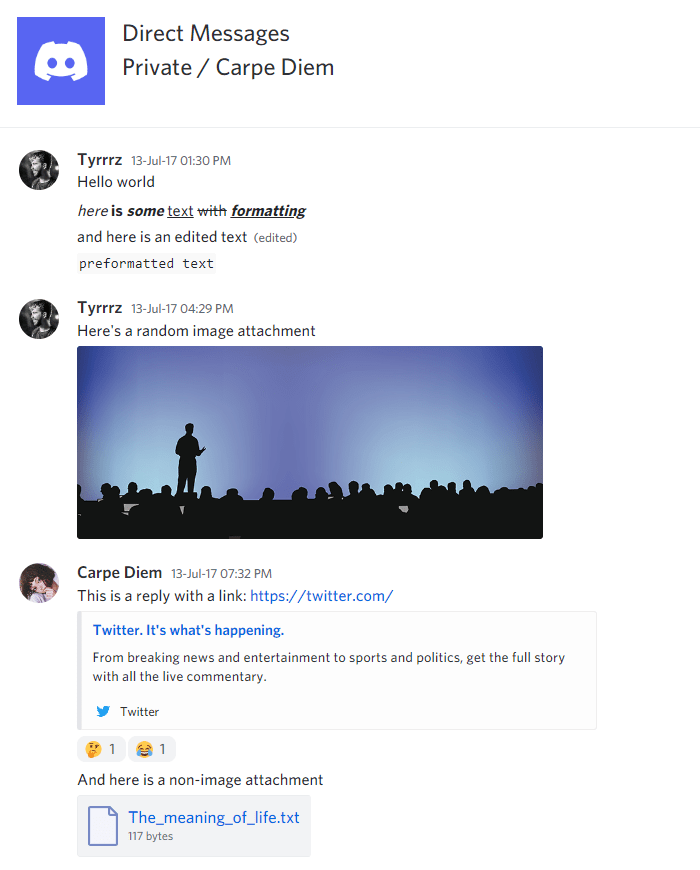
HTML (dark or light theme), TXT, CSV, and JSON.What rich media does it preserve in exports?It supports Discord's markdown dialect along with attachments, embeds, emoji, and other rich media features.
It supports Discord's markdown dialect along with attachments, embeds, emoji, and other rich media features.Can I export only part of a channel's history?Yes, it supports date ranges, message filtering, and file partitioning as export options.
Yes, it supports date ranges, message filtering, and file partitioning as export options.Are there companion tools for analyzing or viewing exports?Chat Analytics can analyze chat patterns from the exports, and DiscordChatExporter-frontend provides a convenient export viewer.
Chat Analytics can analyze chat patterns from the exports, and DiscordChatExporter-frontend provides a convenient export viewer.What are similar projects?imewlconverter, quiver-launcher, QuestPDF, sockseek, Filee, circuitRF, raft-source, openclaw
imewlconverter, quiver-launcher, QuestPDF, sockseek, Filee, circuitRF, raft-source, openclawWhich topics is it in?export, log, discord, chat, c#, csharp, desktop, command-line-tool, desktop-app, docker, self-hosted, cli
export, log, discord, chat, c#, csharp, desktop, command-line-tool, desktop-app, docker, self-hosted, cli