
























Что это такое?
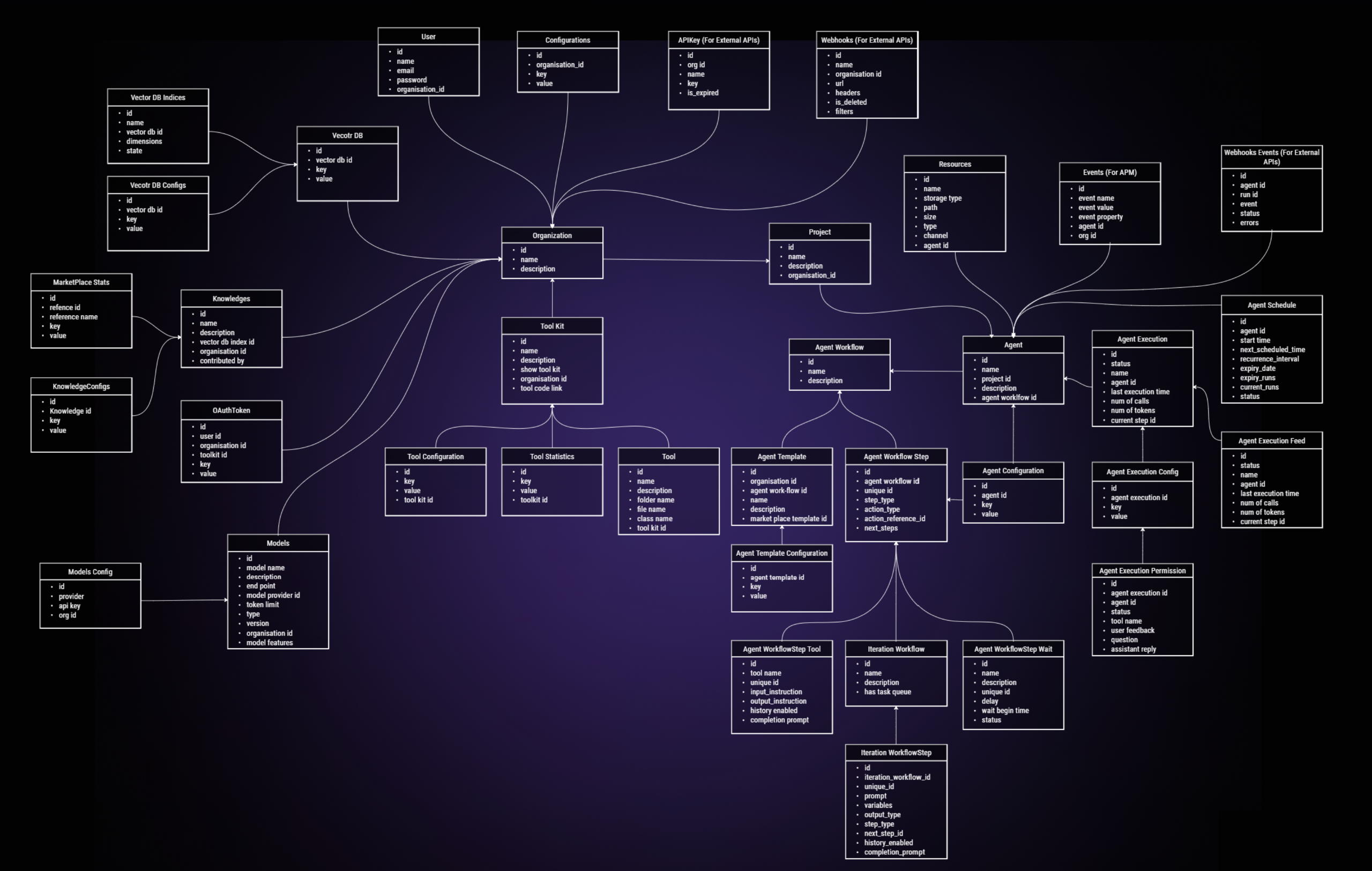
 SuperAGI — это опенсорс-фреймворк, созданный разработчиками для разработчиков: он нужен, чтобы создавать автономные ИИ-агенты, управлять ими и запускать их. Такие агенты выполняют задачи и становятся лучше с каждым запуском.
SuperAGI — это опенсорс-фреймворк, созданный разработчиками для разработчиков: он нужен, чтобы создавать автономные ИИ-агенты, управлять ими и запускать их. Такие агенты выполняют задачи и становятся лучше с каждым запуском.Это фреймворк, под который я пишу код, или готовый продукт, который я просто запускаю?Это Python-фреймворк, но в комплекте идёт собственный графический интерфейс: после настройки вы управляете своими агентами и общаетесь с ними прямо в браузере, а расширяете их возможности через тулкиты (toolkits).
Это Python-фреймворк, но в комплекте идёт собственный графический интерфейс: после настройки вы управляете своими агентами и общаетесь с ними прямо в браузере, а расширяете их возможности через тулкиты (toolkits).Как его запустить?Проще всего: войти в SuperAGI Cloud через аккаунт GitHub и добавить API-ключ в разделе Model Providers. Локальный вариант: клонировать репозиторий, скопировать configtemplate.yaml в config.yaml, запустить Docker и выполнить команду compose, после чего открыть веб-интерфейс.
Проще всего: войти в SuperAGI Cloud через аккаунт GitHub и добавить API-ключ в разделе Model Providers. Локальный вариант: клонировать репозиторий, скопировать configtemplate.yaml в config.yaml, запустить Docker и выполнить команду compose, после чего открыть веб-интерфейс.Что нужно установить заранее?Для локальной установки должен быть установлен Docker, а также понадобится API-ключ от LLM, который нужно добавить в настройках Model Providers. Хостинговый вариант SuperAGI Cloud вообще обходится без Docker — достаточно входа через GitHub и вашего ключа.
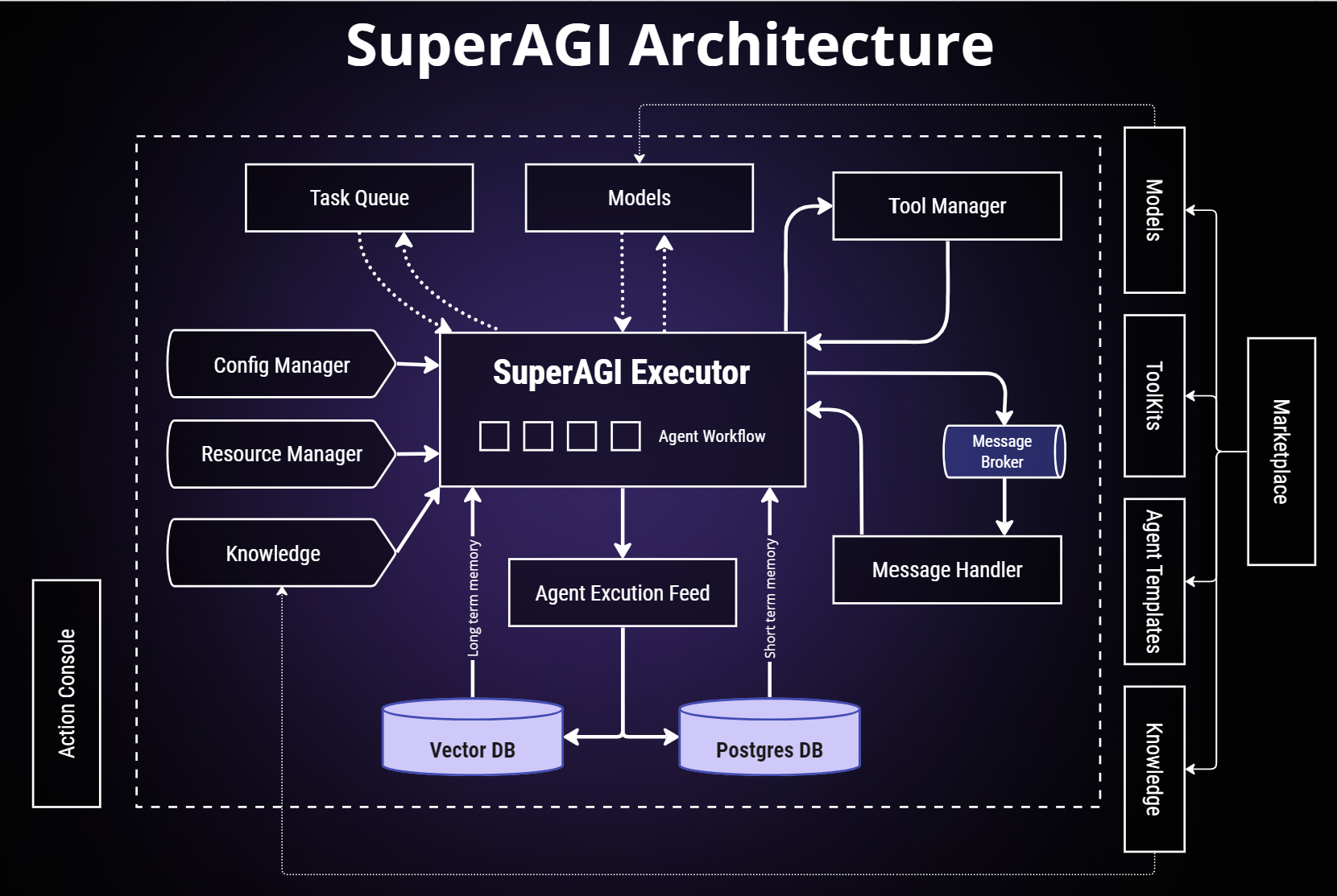
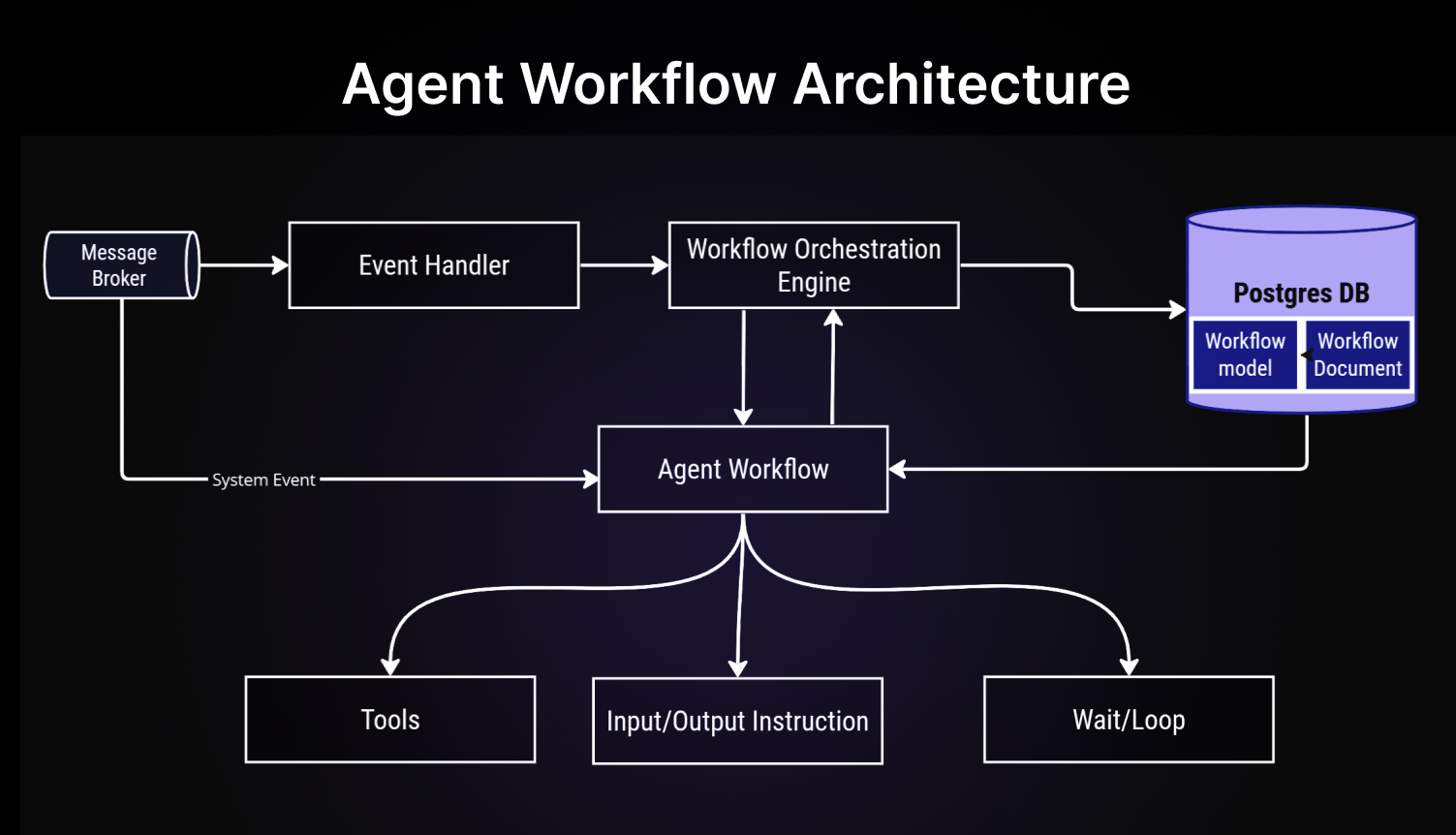
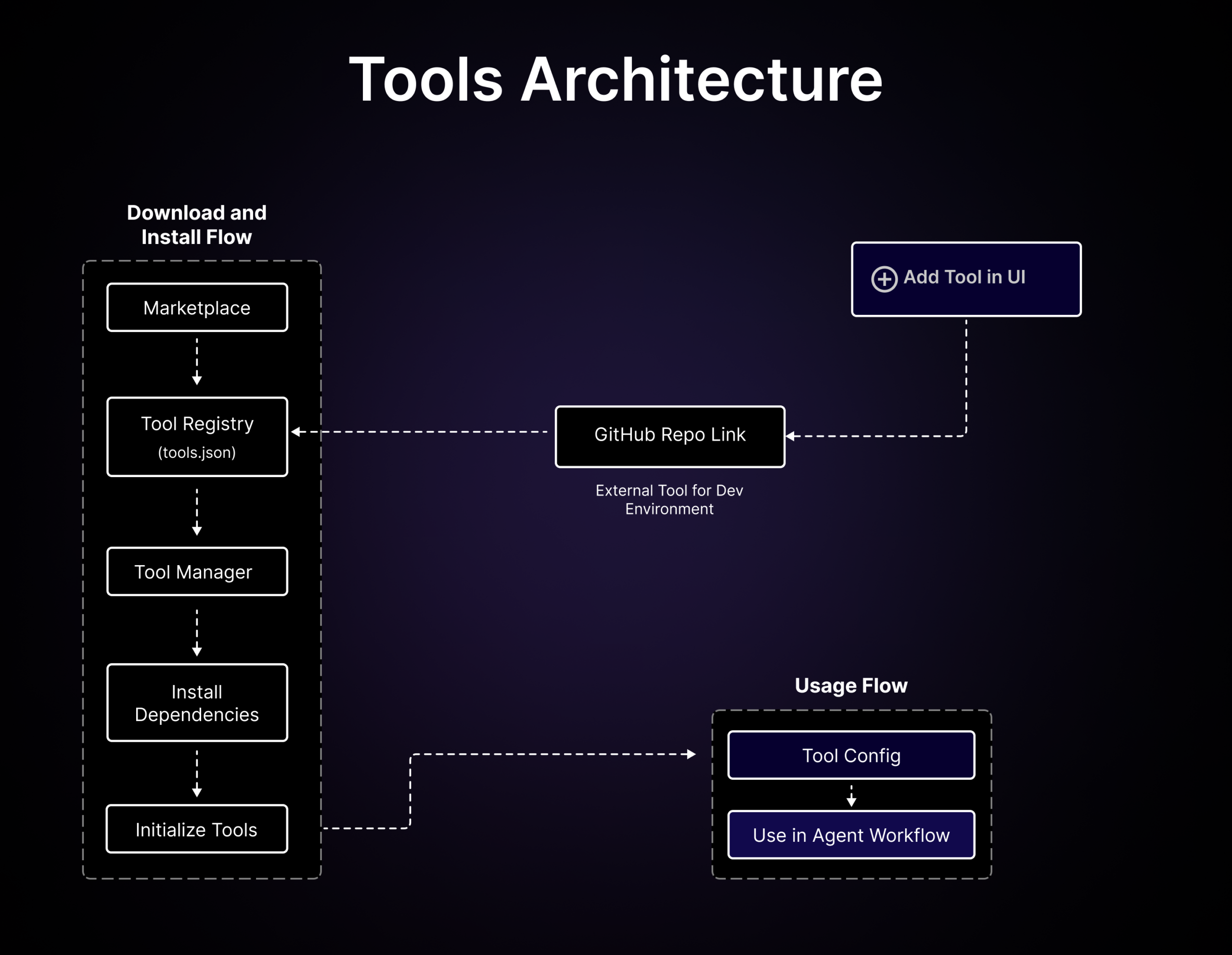
Для локальной установки должен быть установлен Docker, а также понадобится API-ключ от LLM, который нужно добавить в настройках Model Providers. Хостинговый вариант SuperAGI Cloud вообще обходится без Docker — достаточно входа через GitHub и вашего ключа.Что такое тулкиты?Тулкиты позволяют агентам SuperAGI взаимодействовать с внешними системами и сторонними плагинами; их добавляют из маркетплейса в рабочие процессы агента.
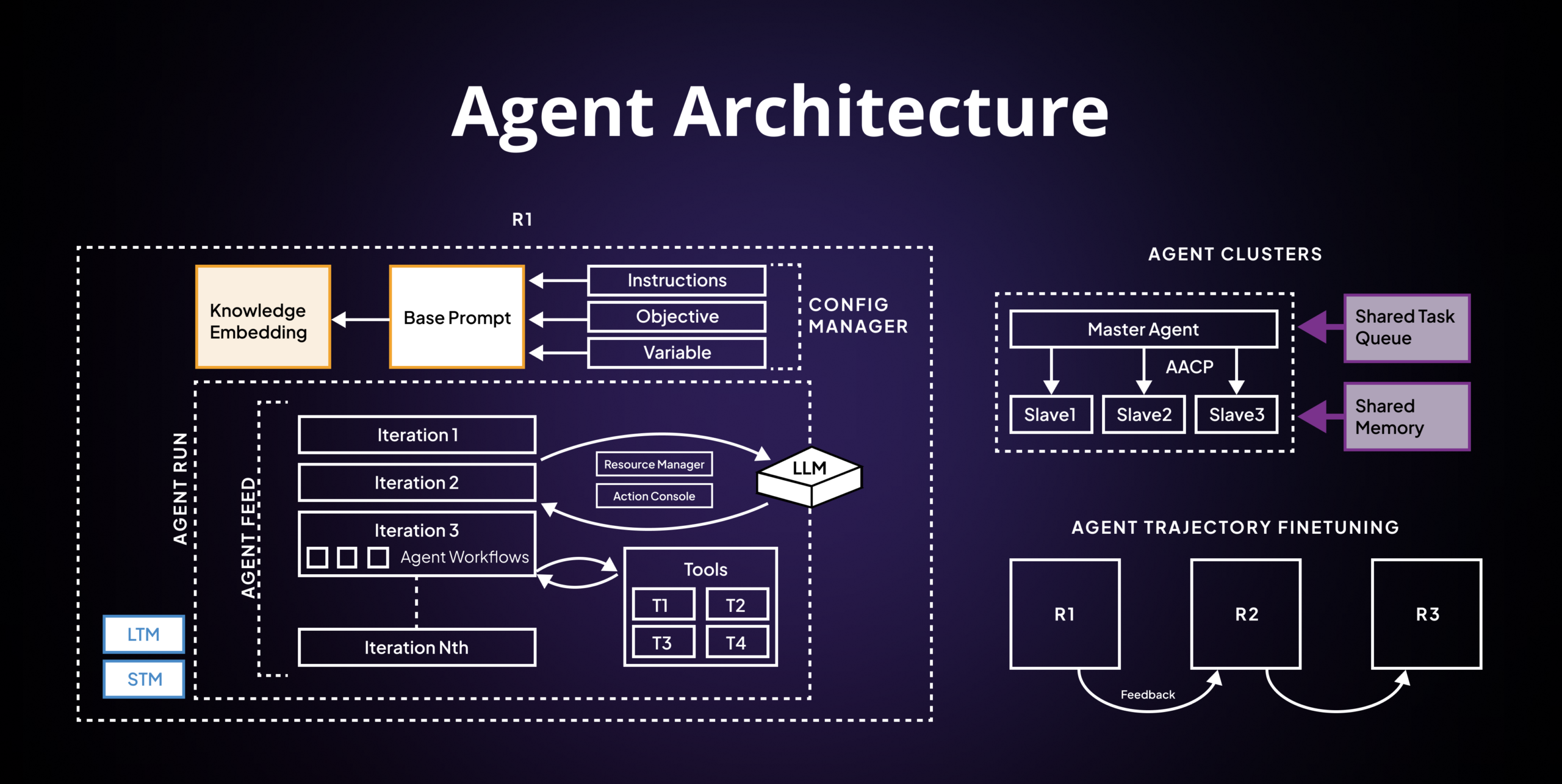
Тулкиты позволяют агентам SuperAGI взаимодействовать с внешними системами и сторонними плагинами; их добавляют из маркетплейса в рабочие процессы агента.Агенты помнят предыдущие запуски?Да — хранилище памяти агентов позволяет им обучаться и подстраиваться, сохраняя свою память, а по словам авторов проекта, агенты постоянно улучшают результаты с каждым следующим запуском.
Да — хранилище памяти агентов позволяет им обучаться и подстраиваться, сохраняя свою память, а по словам авторов проекта, агенты постоянно улучшают результаты с каждым следующим запуском.Как контролировать расходы на API?Есть оптимизированное расходование токенов — вы сами управляете их использованием, чтобы держать затраты под контролем. Плюс есть телеметрия производительности, которая показывает, как справляются ваши агенты, чтобы вы могли всё донастроить.
Есть оптимизированное расходование токенов — вы сами управляете их использованием, чтобы держать затраты под контролем. Плюс есть телеметрия производительности, которая показывает, как справляются ваши агенты, чтобы вы могли всё донастроить.Можно запустить несколько агентов одновременно?Да — можно выделять, создавать и разворачивать автономных агентов и без проблем запускать их параллельно; заявленная цель — агенты, готовые к продакшену и масштабируемые.
Да — можно выделять, создавать и разворачивать автономных агентов и без проблем запускать их параллельно; заявленная цель — агенты, готовые к продакшену и масштабируемые.What are similar projects?ruflo, Raven, hive, brigade, DB-GPT, AgentGPT, bareloop, awesome-ai-agents
ruflo, Raven, hive, brigade, DB-GPT, AgentGPT, bareloop, awesome-ai-agentsWhich topics is it in?pinecone, agi, gpt-4, llmops, vector-database, autonomous-agents, agent-memory, memory, nextjs, artificial-intelligence, multi-agent, agents
pinecone, agi, gpt-4, llmops, vector-database, autonomous-agents, agent-memory, memory, nextjs, artificial-intelligence, multi-agent, agents