






















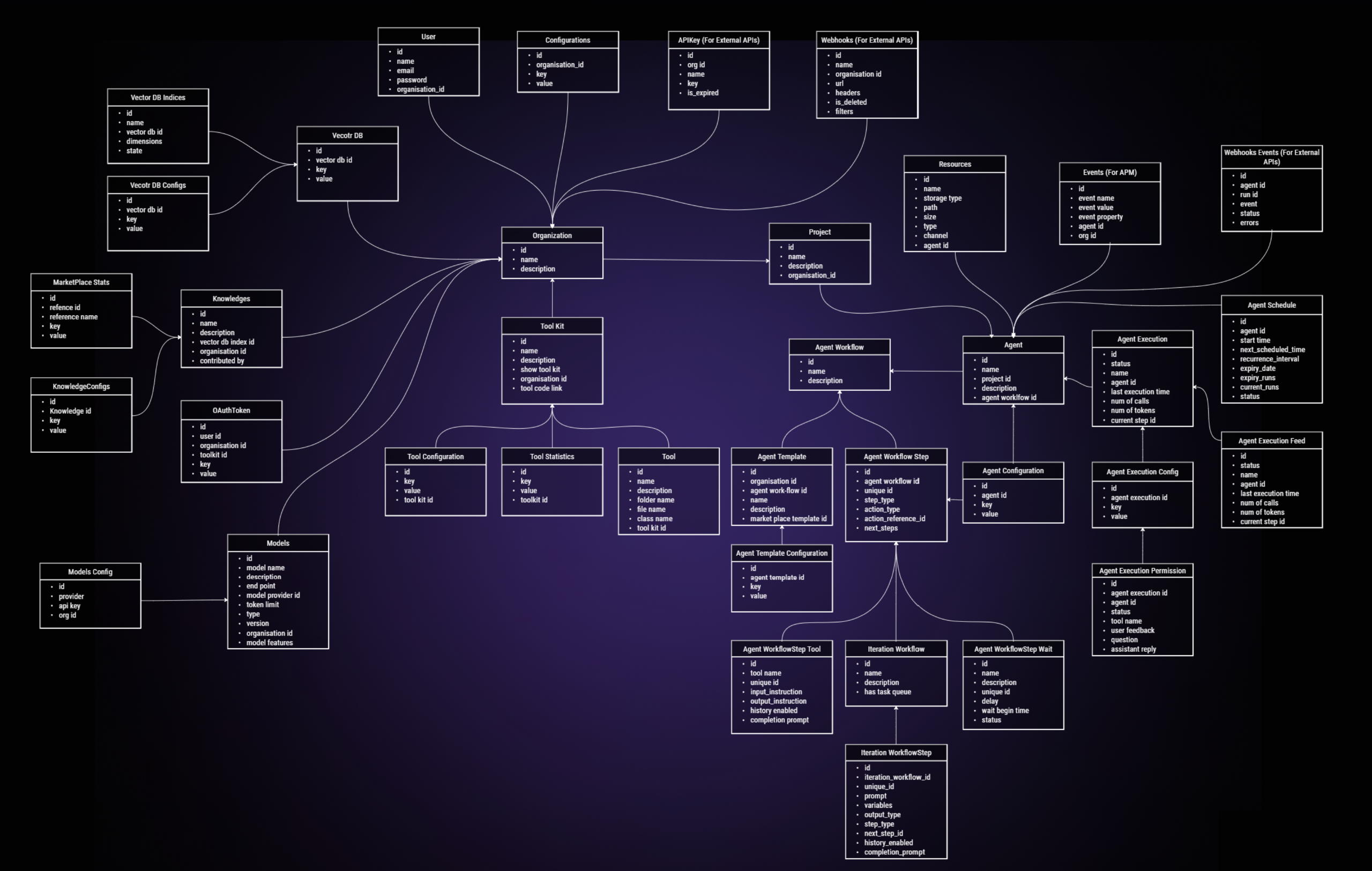


What is this?
 SuperAGI is a dev-first open source framework for building, managing and running autonomous AI agents — agents that perform tasks and improve with each run.
SuperAGI is a dev-first open source framework for building, managing and running autonomous AI agents — agents that perform tasks and improve with each run.Is it a framework I code against, or a product I just run?It is a Python framework, but it ships with its own graphical interface: after setup you manage and interact with your agents in the browser and extend them via toolkits.
It is a Python framework, but it ships with its own graphical interface: after setup you manage and interact with your agents in the browser and extend them via toolkits.How do I get it running?Easiest: log into SuperAGI Cloud with your GitHub account and add an API key under Model Providers. Locally: clone the repo, copy configtemplate.yaml to config.yaml, start Docker and run the compose command, then open the web UI.
Easiest: log into SuperAGI Cloud with your GitHub account and add an API key under Model Providers. Locally: clone the repo, copy configtemplate.yaml to config.yaml, start Docker and run the compose command, then open the web UI.What do I need to have installed before starting?Docker must be installed for the local setup, and you need an LLM API key added in the Model Providers settings. The hosted SuperAGI Cloud option skips Docker entirely — just a GitHub login and your key.
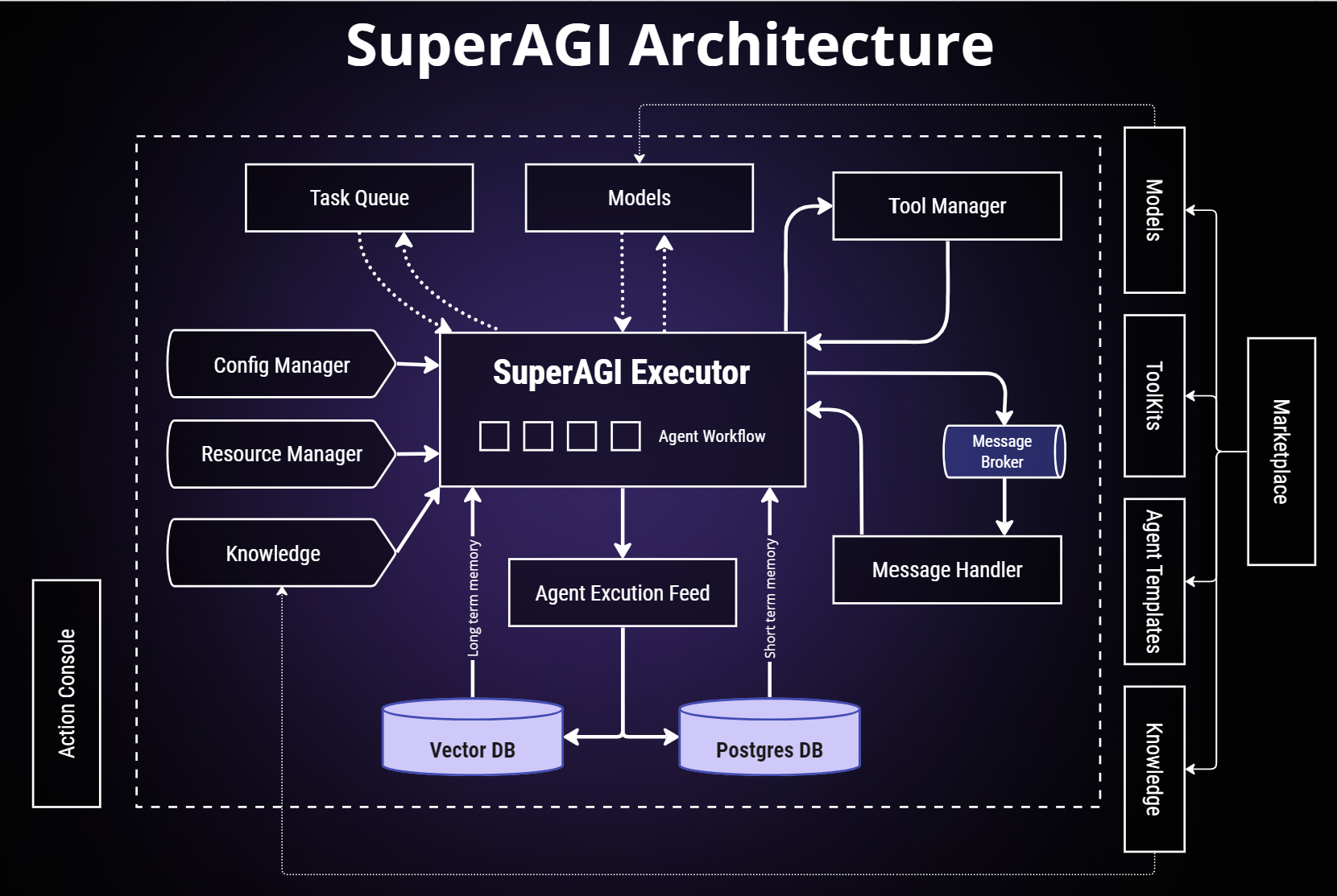
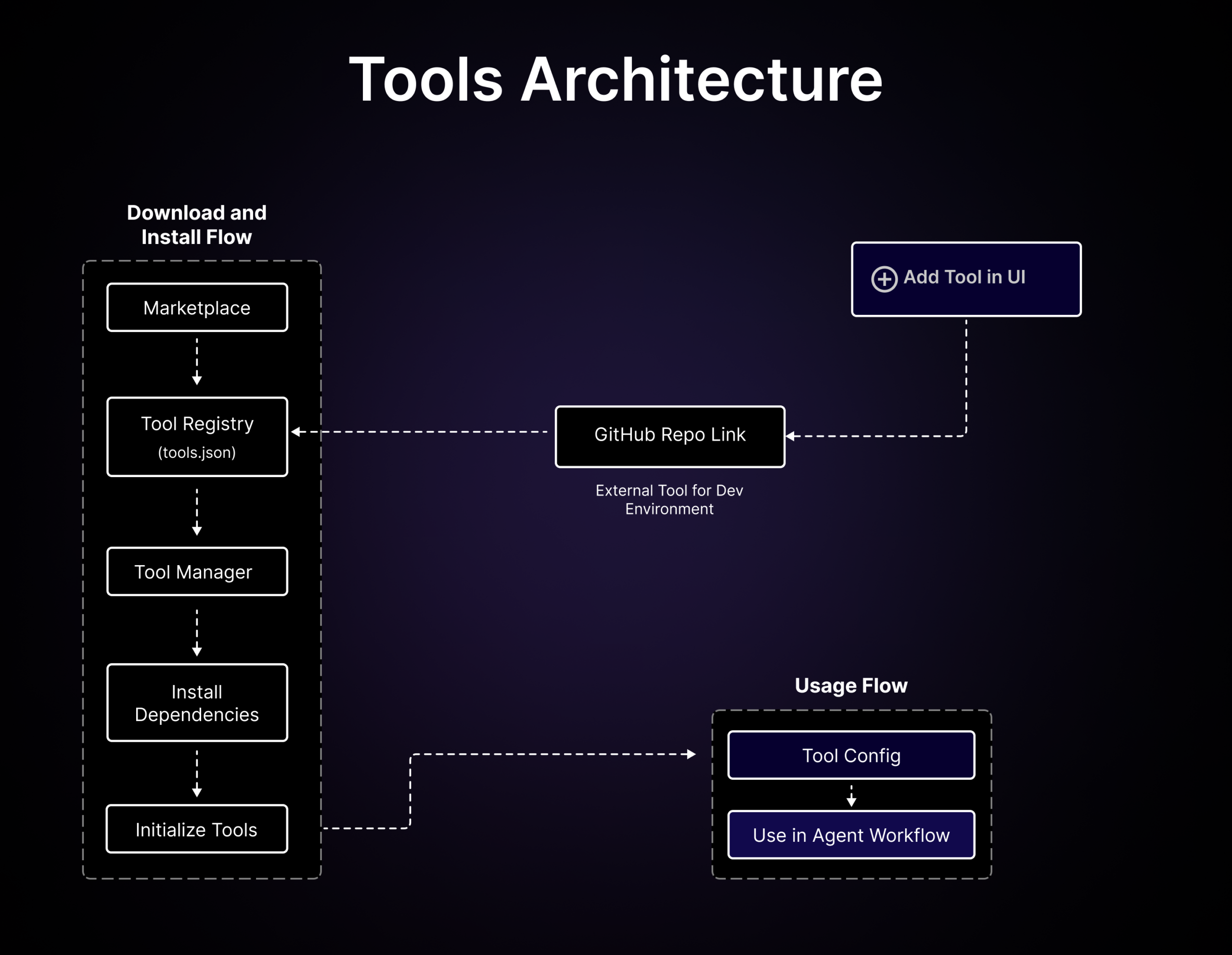
Docker must be installed for the local setup, and you need an LLM API key added in the Model Providers settings. The hosted SuperAGI Cloud option skips Docker entirely — just a GitHub login and your key.What are toolkits?Toolkits let SuperAGI agents interact with external systems and third-party plugins; you add them from the marketplace to your agent workflows.
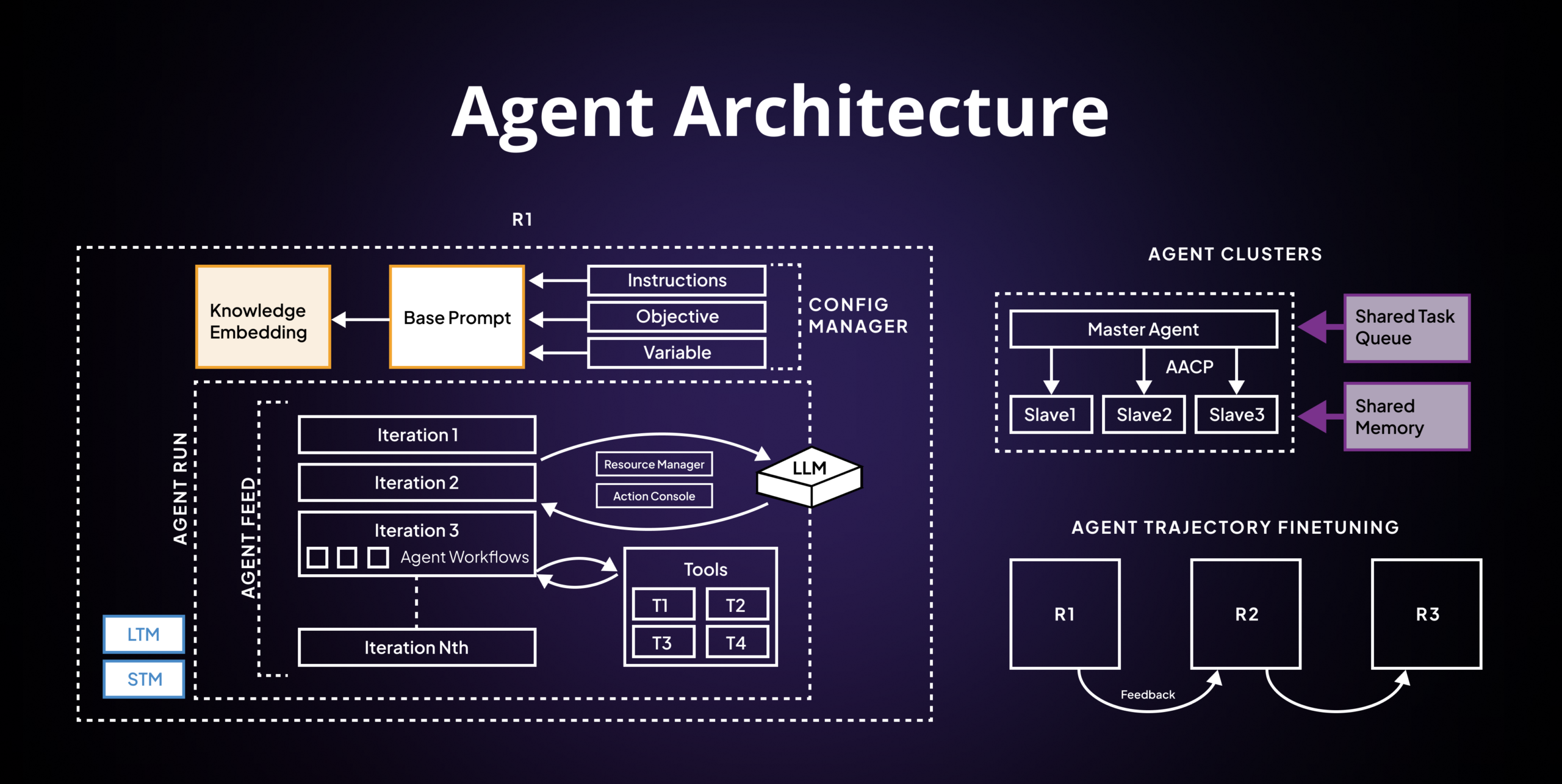
Toolkits let SuperAGI agents interact with external systems and third-party plugins; you add them from the marketplace to your agent workflows.Do agents remember previous runs?Yes — agent memory storage lets agents learn and adapt by storing their memory, and the project says agents continually improve their performance with each subsequent run.
Yes — agent memory storage lets agents learn and adapt by storing their memory, and the project says agents continually improve their performance with each subsequent run.How do I keep API costs under control?There is optimized token usage — you control token usage to manage costs effectively — plus performance telemetry that shows how your agents are doing so you can optimize.
There is optimized token usage — you control token usage to manage costs effectively — plus performance telemetry that shows how your agents are doing so you can optimize.Can I run several agents at once?Yes — you can provision, spawn and deploy autonomous agents and run concurrent agents seamlessly, with production-ready and scalable agents as the stated goal.
Yes — you can provision, spawn and deploy autonomous agents and run concurrent agents seamlessly, with production-ready and scalable agents as the stated goal.What are similar projects?ruflo, Raven, hive, brigade, DB-GPT, AgentGPT, bareloop, awesome-ai-agents
ruflo, Raven, hive, brigade, DB-GPT, AgentGPT, bareloop, awesome-ai-agentsWhich topics is it in?pinecone, agi, gpt-4, llmops, vector-database, autonomous-agents, agent-memory, memory, nextjs, artificial-intelligence, multi-agent, agents
pinecone, agi, gpt-4, llmops, vector-database, autonomous-agents, agent-memory, memory, nextjs, artificial-intelligence, multi-agent, agents