





OpenAlice README

The project's README from github.com/TraderAlice/OpenAlice. As one markdown file: README.md.

OpenAlice

OpenAlice

The AI orchestrator for trading.
Your one-person Wall Street — bring your AI agents, market tools, research, and trading accounts into one local workspace.

Website · Docs · X (Twitter) · Discord · QQ

Install OpenAlice · Features · Quick Start

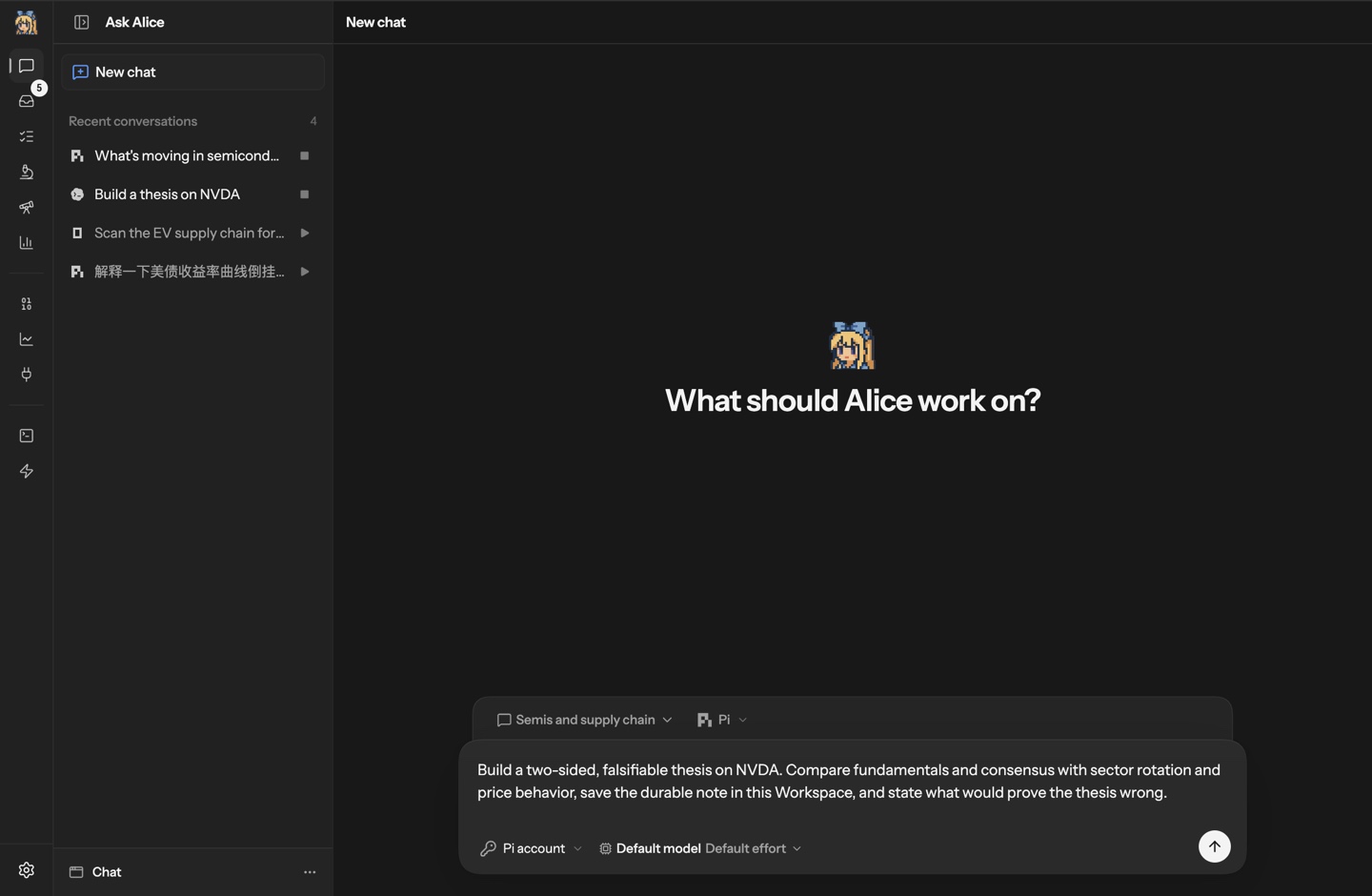
Ask Alice: choose a Workspace and agent, then start a market research task

Research a company, test an idea, keep a thesis under review, or prepare a trade. OpenAlice connects the agents you already use to market data, dedicated research workspaces, scheduled tasks, and trading accounts. Work with one agent or several; your files, research history, and follow-ups stay in place between sessions.

Get Started

Download the desktop app for macOS or Windows. The desktop app includes Pi; connect a model credential or supported login to start researching. You do not need a broker account.

Prefer a terminal or server? See the CLI installer, remote quickstart, or Docker setup. For platform details, see the installation guide.

Try a first task in Ask Alice:

Build a thesis on NVDA. Compare fundamentals with sector trends and price behavior, save the research in this Workspace, and explain what would prove the thesis wrong.

Continue with a follow-up, turn it into a recurring Issue, or take the idea into AutoQuant for quantitative research. Walk through your first research workflow →

Features

Put your agents to work with market tools

Use Claude Code, Codex, OpenCode, Pi, Oh My Pi, and other supported native agents with Alice's market data, fundamentals, news, and quantitative tools. Inspect the same markets yourself in the UI, then ask an agent to investigate further. Available data depends on your configured providers.

Give each line of research a place to grow

Keep conversations, files, and Git history together in reusable Workspaces. Use Chat for general research, AutoQuant for quantitative projects and experiments, and Auto Prediction for prediction-market research. The specialist workspaces have their own Studio interfaces and can be developed by the agent working inside them.

Keep following the ideas that matter

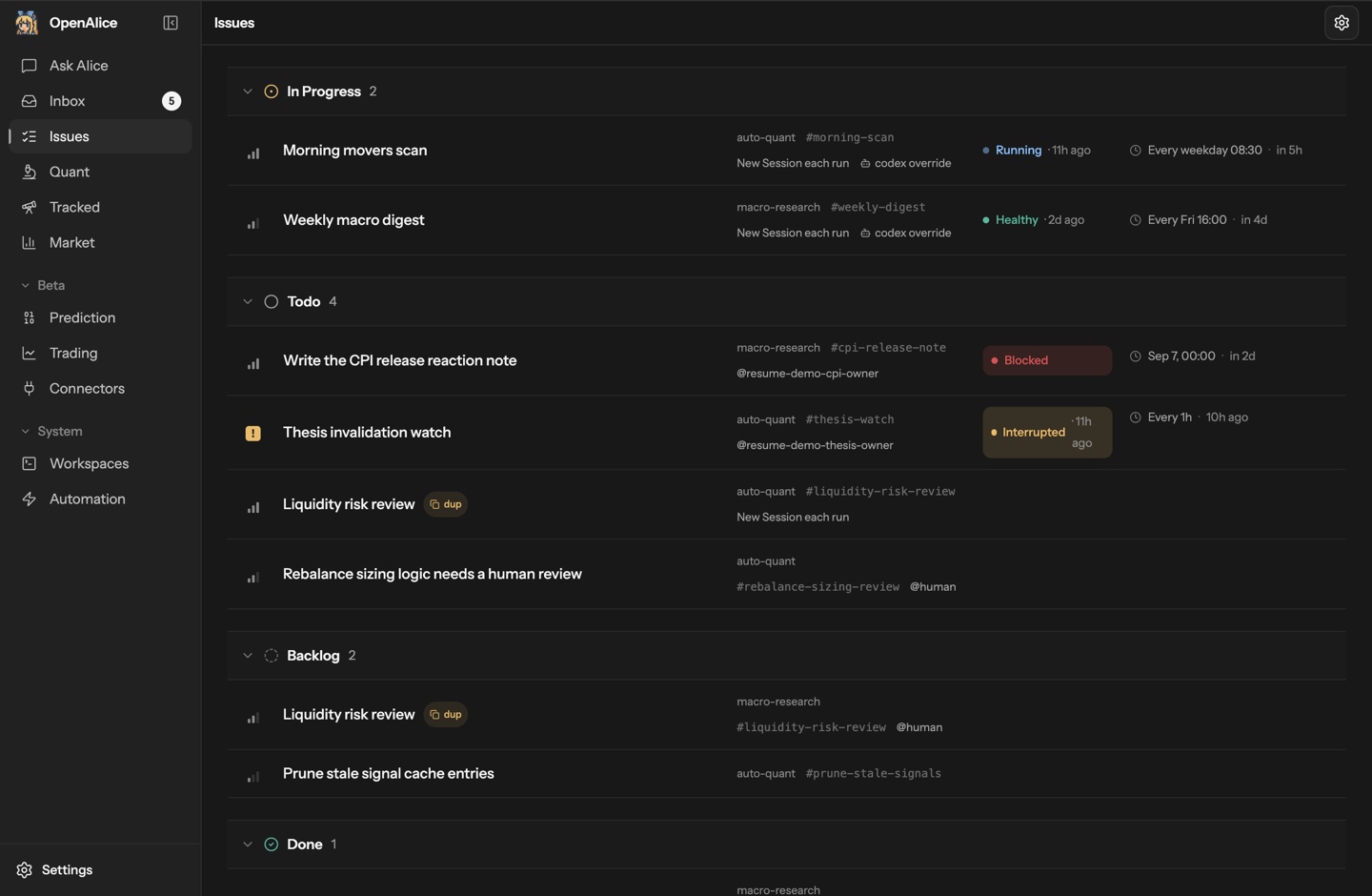
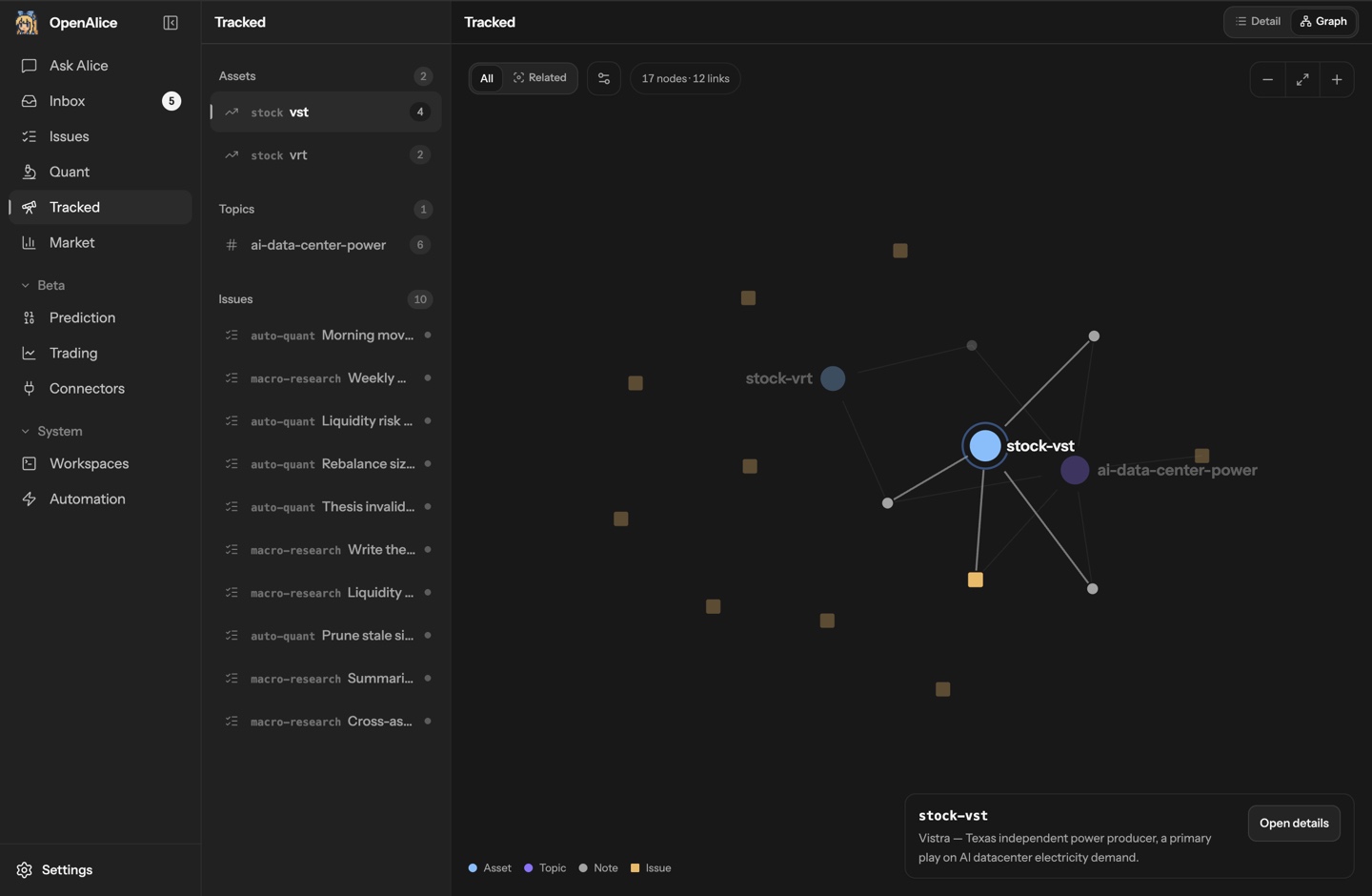
Link research to assets and topics in Tracked. Turn follow-up work into Issues with instructions and a schedule: a morning scan, a weekly macro review, or a recurring check on a thesis. Scheduled runs use the Workspace's agent and context.

Get results you can follow up on

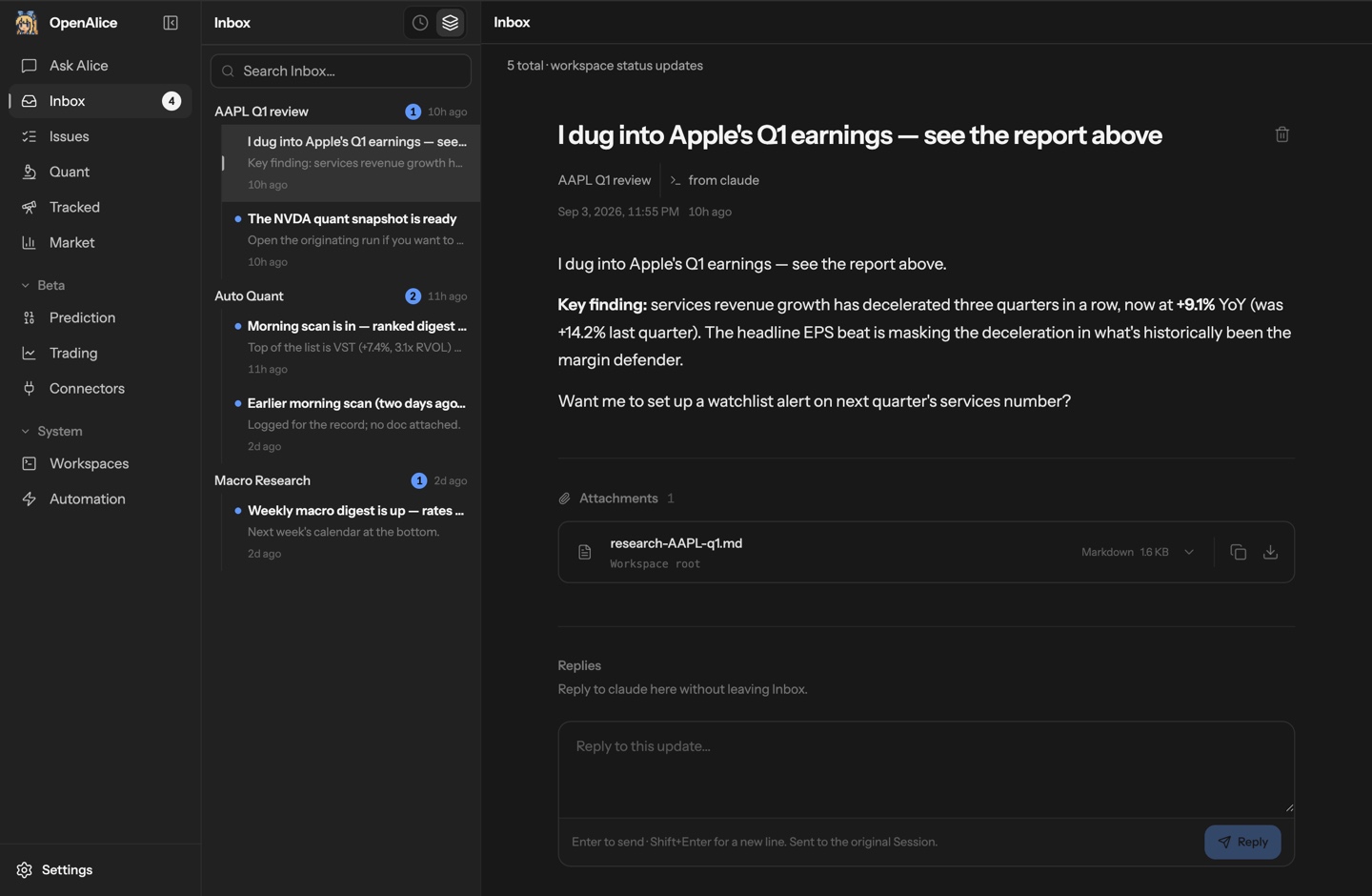
Inbox brings together reports, questions, and updates from your Workspaces. Open the research file or reply to the Session that produced it. Use Workspace Manager to inspect who owns what, review scheduled work, and coordinate across Workspaces when you need a wider view.

Issues with scheduled research, run status, and work awaiting human review Tracked graph connecting assets, research topics, notes, and Issues
Keep research moving
Issues, schedules, and work that needs attention.
Connect your research
Assets, topics, and the work behind your ideas.
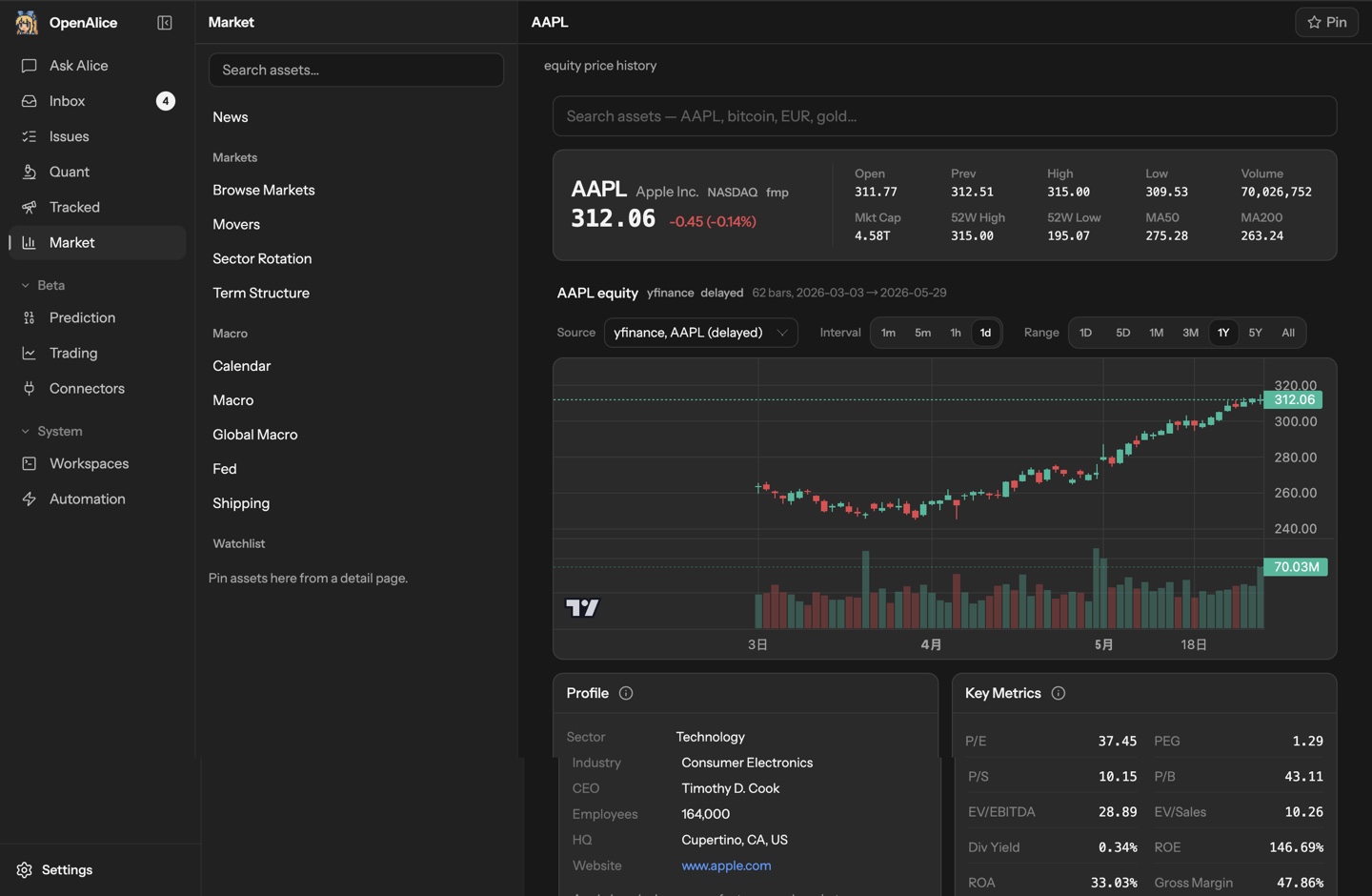
Inbox report with a research attachment and a reply to the originating Session Market view with price history, company profile, and fundamental metrics
Read, then follow up
Reports and a direct path back to their author.
Explore the market
Prices, fundamentals, and context for your next question.

Bring research to a trading decision

Connect supported brokers through Unified Trading Account to inspect holdings, orders, and account state. With AI trading enabled, agents can stage proposed operations and commit their rationale. You review and approve execution through Trading as Git.

[!CAUTION] Trading execution is beta. Start with simulator, paper, demo, or testnet accounts. OpenAlice is experimental software; interfaces may change, and it provides no guarantees of correctness, reliability, profitability, or loss prevention. Use real funds only if you understand and accept the risks.

Unified Trading Account · Trading as Git

Local and Yours

OpenAlice runs on your machine by default. Workspaces are directories and Git repositories you can inspect, edit, and back up. Alice stores its own state under ~/.openalice and seals broker credentials at rest. Your chosen agents and data providers still use their configured services.

Native agents keep their own model loops and tool behavior. Workspace files, skills, and dedicated research projects give them the context to do trading work.

Data, credentials, and backups →

Documentation and Help

Development

git clone https://github.com/TraderAlice/OpenAlice.git
cd OpenAlice
pnpm install
pnpm dev

Open the UI URL printed by the terminal. Source installs need at least one host agent CLI and its model credentials or login. See Source & Dev for setup and CONTRIBUTING.md before opening a PR.

Star History

OpenAlice GitHub star history

Current GitHub stars

Contributors

OpenAlice is sharper for the people who dig into it with us: the bugs they catch, the ideas they push, the UX edges they notice, the designs and reviews they bring. High-signal issues and PR proposals count here. If a report, suggestion, or implementation proposal changes the product, it gets credited.

@bakabird @2233admin @lvysssss @walkonbothsides @bakabaka0613 @JasonWang1124 @rudyll @jalilsedna @dbydd @enderzcx @eutialia

See the full list and what each person shaped: CONTRIBUTORS.md

License

AGPL-3.0

OpenAlice (TraderAlice/OpenAlice)

Searching Database…

这是什么?一个面向单人交易台的 AI 交易编排工具:它把你已经在用的编程代理连接到行情数据、研究工作区、定时任务和交易账户,覆盖从研究和构建交易逻辑,到建仓、持仓管理和平仓的完整流程。
它是桌面应用、服务器程序,还是命令行工具?三者都是:有内置 Pi 代理的 macOS 和 Windows 桌面应用,另外还提供 CLI 安装器、远程快速部署和 Docker 配置,适合喜欢用终端或服务器的人。
我怎么把它跑起来?下载桌面应用,连接模型凭据或支持的登录方式,然后在 Ask Alice 里试一个第一个任务——开始研究不需要先有券商账户。
我可以接入哪些 AI 代理?你已有的原生代理:Claude Code、Codex、OpenCode、Pi、Oh My Pi 等,每个代理使用自己的模型凭据或登录。可用的行情数据取决于你配置了哪些数据提供商。
现在能让它用真金白银交易吗?交易执行功能还处于测试阶段:建议先从模拟账户、仿真账户、演示账户或测试网账户开始。OpenAlice 是实验性软件,不保证正确性、稳定性或盈利能力——只有在你愿意承担风险的情况下才使用真实资金。
我的数据和账户权限存在哪里?默认在本地运行:工作区是可以随时查看和备份的 Git 仓库,状态数据存放在 ~/.openalice 下,券商凭据在存储时是加密封存的——不过你选择的代理和数据提供商仍会调用它们各自配置的云端服务。
它的许可证有什么特别之处吗?AGPL-3.0,一个强 copyleft 许可证:你分发或在网络上以服务形式运行的修改版本,必须以相同条款发布。
我在里面的第一个任务会是什么样的?让 Alice 针对 NVDA 建立一份交易逻辑:把基本面与板块走势和价格表现进行对比,把研究内容保存到工作区,并明确写出哪些情况会证明这个逻辑不成立。之后你可以继续这个话题、把它变成一个定期执行的 Issue,或者带入 AutoQuant。
Chat、AutoQuant 和 Auto Prediction 是什么?针对不同工作类型的可复用工作区:Chat 用于日常研究,AutoQuant 用于量化项目和实验,Auto Prediction 用于预测市场研究。每个工作区都会在会话之间保留对话、文件和 Git 历史,并拥有自己的 Studio 界面。
代理实际上是怎么下单交易的?券商通过 Unified Trading Account 接入,你可以在里面查看持仓、订单和账户状态。开启 AI 交易后,代理会先提交拟执行的操作并记录其理由,你再通过 Trading as Git 审核并批准执行。
它怎么保证长期跟进的想法不走偏?Tracked 功能把研究关联到资产和主题,后续跟进会变成定时执行的 Issue——比如每早扫描、每周宏观回顾、定期检查交易逻辑——并使用对应工作区的代理和上下文来运行。结果会送到收件箱里,并附带指向产生它的会话的入口。
Size
68.7 MB
Stars
7.3K
Age
7mo
Commits · 90 Days