That installs both binaries — thurbox (the TUI) and thurbox-cli (the headless one) — with checksum verification and platform auto-detection.
thurbox (Thurbeen/thurbox)
Searching Database…
The project's README from github.com/Thurbeen/thurbox. As one markdown file: README.md.





Linux / macOS:
curl -fsSL https://raw.githubusercontent.com/Thurbeen/thurbox/main/scripts/install.sh | sh
Windows (PowerShell):
irm https://raw.githubusercontent.com/Thurbeen/thurbox/main/scripts/install.ps1 | iex
That installs both binaries — thurbox (the TUI) and thurbox-cli (the
headless one) — with checksum verification and platform auto-detection.
You also need tmux ≥ 3.2 (or psmux ≥ 3.3.7
on native Windows), git, and at least one coding-agent CLI.
RMUX ≥ 0.10.0 is an opt-in alternative,
tested with thurbox on Linux. Install it separately, then select RMUX
after tmux in the new-session picker (Ctrl+N); it appears locally when
rmux is on PATH. See multiplexer requirements and setup
for verified versions, config defaults, host support, and limits.
Nix / NixOS:
nix run github:Thurbeen/thurbox                # try it
nix profile install github:Thurbeen/thurbox    # install it
On NixOS, add github:Thurbeen/thurbox as a flake input and import
thurbox.nixosModules.default with programs.thurbox.enable = true;. The
Installation page
has the full snippet, the overlay and the Home Manager module.
Homebrew, the AUR, winget, Chocolatey, building from source, pinning a version and changing the install directory are all on the Installation page.
Uninstall: removing the binaries is not enough — sessions keep running in the selected multiplexer, and thurbox wires hooks and a skill into your coding agents' own directories. Follow the uninstall steps.
thurbox
First launch seeds ~/.config/thurbox/ — the agents thurbox knows, the themes,
and the interface itself — then draws a session list on the left and an agent
terminal on the right.
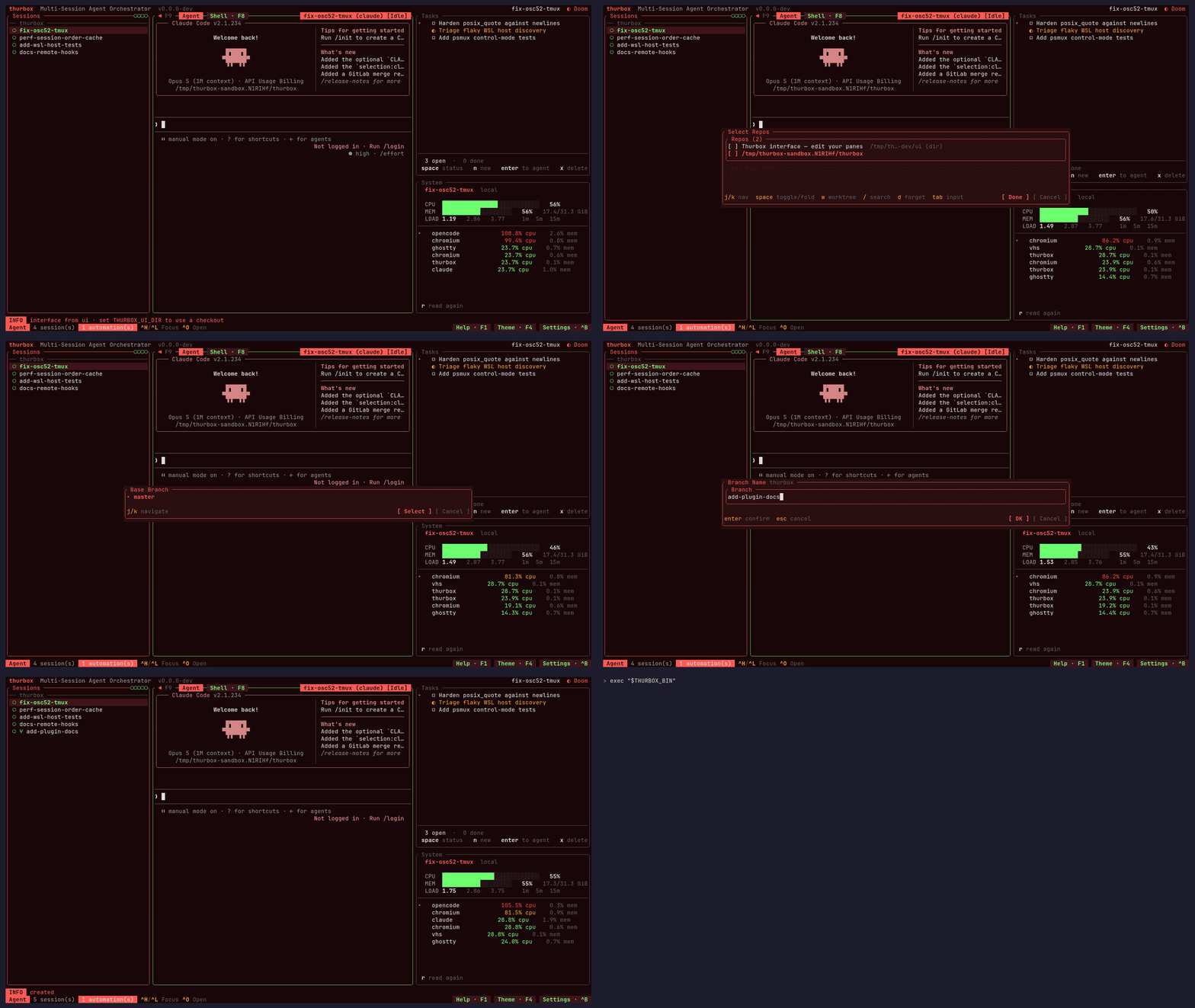
Ctrl+N opens the repo picker. Space toggles a repo, w puts it in
worktree mode (you are asked for a base branch and a new branch name),
Enter confirms. Name the session, then pick an agent.Ctrl+N again for a second agent on a second branch. Ctrl+J / Ctrl+K
move between sessions — the one you are not looking at keeps working.Ctrl+Q leaves the TUI without killing anything. Run thurbox again and
both agents are still mid-task, or attach raw with tmux -L thurbox attach.That is the whole product in four steps: parallel work that keeps going when you stop watching it.
F1 lists every key and is rendered from the live registry, so it cannot drift
from what is running; Ctrl+P is a command palette over the same actions.
For the same walkthrough with screenshots, see the
tutorial.
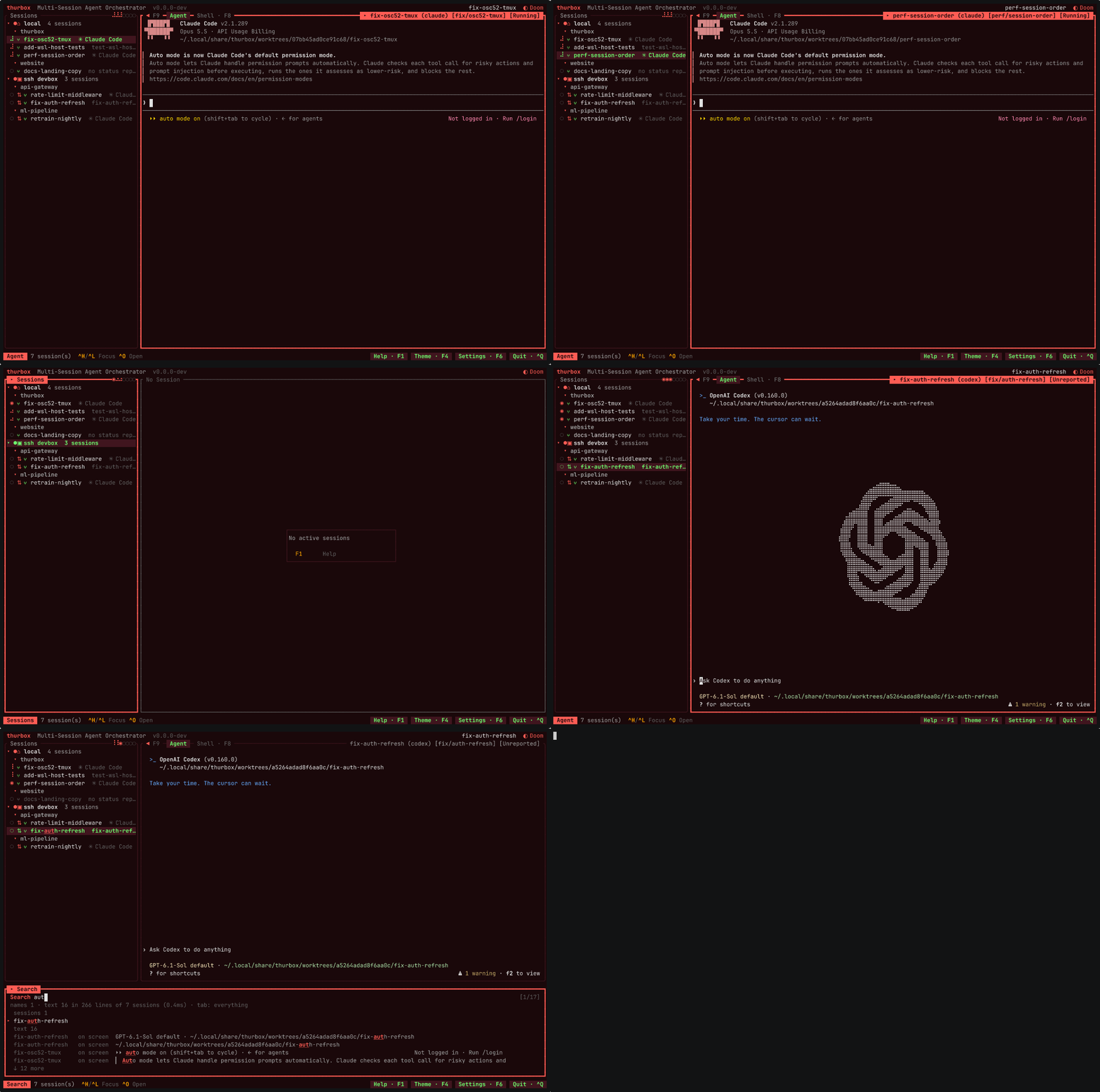
Ctrl+/) — find a session by name, agent, branch or repo, and by the text
on its screen, which is the half that finds it by the error in it.Ctrl+F) — branch a conversation; children nest under their lead.Ctrl+S syncs them with their base.hosts.toml and sessions run there while the TUI stays
local.thurbox-cli creates, drives, captures and tears down sessions from a
script, over the same database the TUI is reading.Ctrl+Y) and full mouse support.Wiring a fleet of agents at once — operators, developers, reviewers, from one script — is the monorepo recipe.
The binary boots a kernel, reads a directory, and draws whatever Lua it finds
there. Panes live in ui/plugins/*.lua, the arrangement in ui/layout.lua, and
F10 reloads both from disk. Agents, hosts, hooks, themes, chords and settings
are each a file under ~/.config/thurbox/.
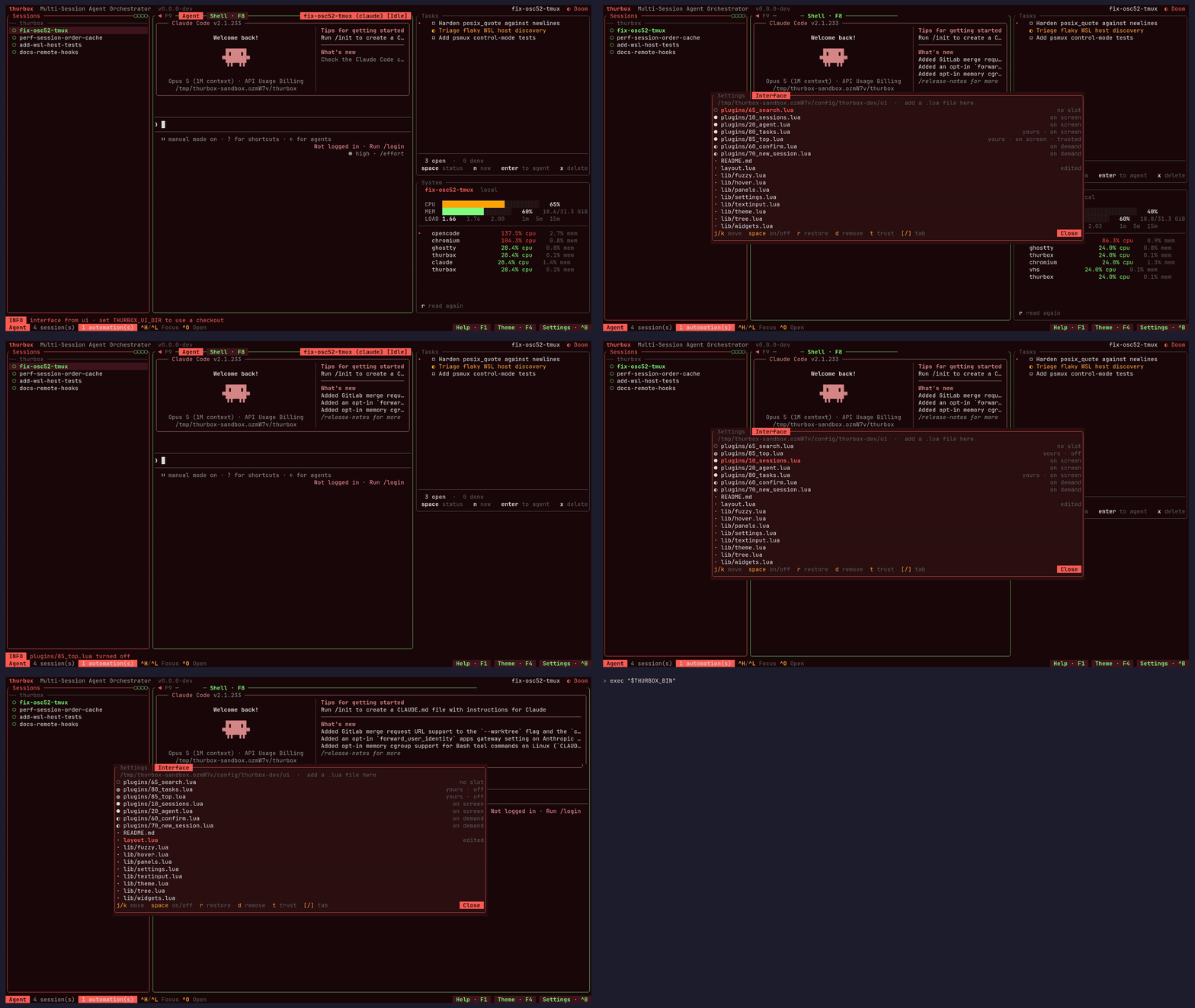
You do not have to learn Lua for any of it. Thurbox ships a built-in ui-skill
extension that teaches whichever CLI you run how the interface is put together,
so from inside any session you can just ask:
Add a pane on the left with CPU and RAM usage. Move the search strip to the bottom and make the session column 30% wide.
Press F10 and the change is on your screen. If a pane breaks, Ctrl+, then
] is chrome rather than a pane, so it cannot be edited away — r restores a
shipped file, space turns yours off.
The Interface → · Writing a pane → · Configuration →
Plugins → — official and community panes, extensions and other add-ons, with install commands and submission details.
thurbox.thurbeen.eu/docs is the manual: installation, tutorial, features, keybindings, configuration, agents, the interface, orchestration, architecture, a comparison with similar tools and an FAQ.
The rationale behind the decisions is in this repository, under
docs/: CONSTITUTION (non-negotiable
principles), ARCHITECTURE, FEATURES,
CONFIG, KERNEL,
PLUGINS, ORCHESTRATION,
DEVELOPMENT and RELEASING.
CONTRIBUTING.md is the full guide — the Nix dev shell, the
just tasks, the test discipline, and the conventional-commit rules that decide
what gets released.
git clone https://github.com/Thurbeen/thurbox.git
cd thurbox
nix develop          # or ./scripts/install-dev-tools.sh
just build && just test && just lint
#help, one thread per problem.MIT — see LICENSE. Built on ratatui, tui-term, vt100 and tmux.
That installs both binaries — thurbox (the TUI) and thurbox-cli (the headless one) — with checksum verification and platform auto-detection.