

Что это такое?
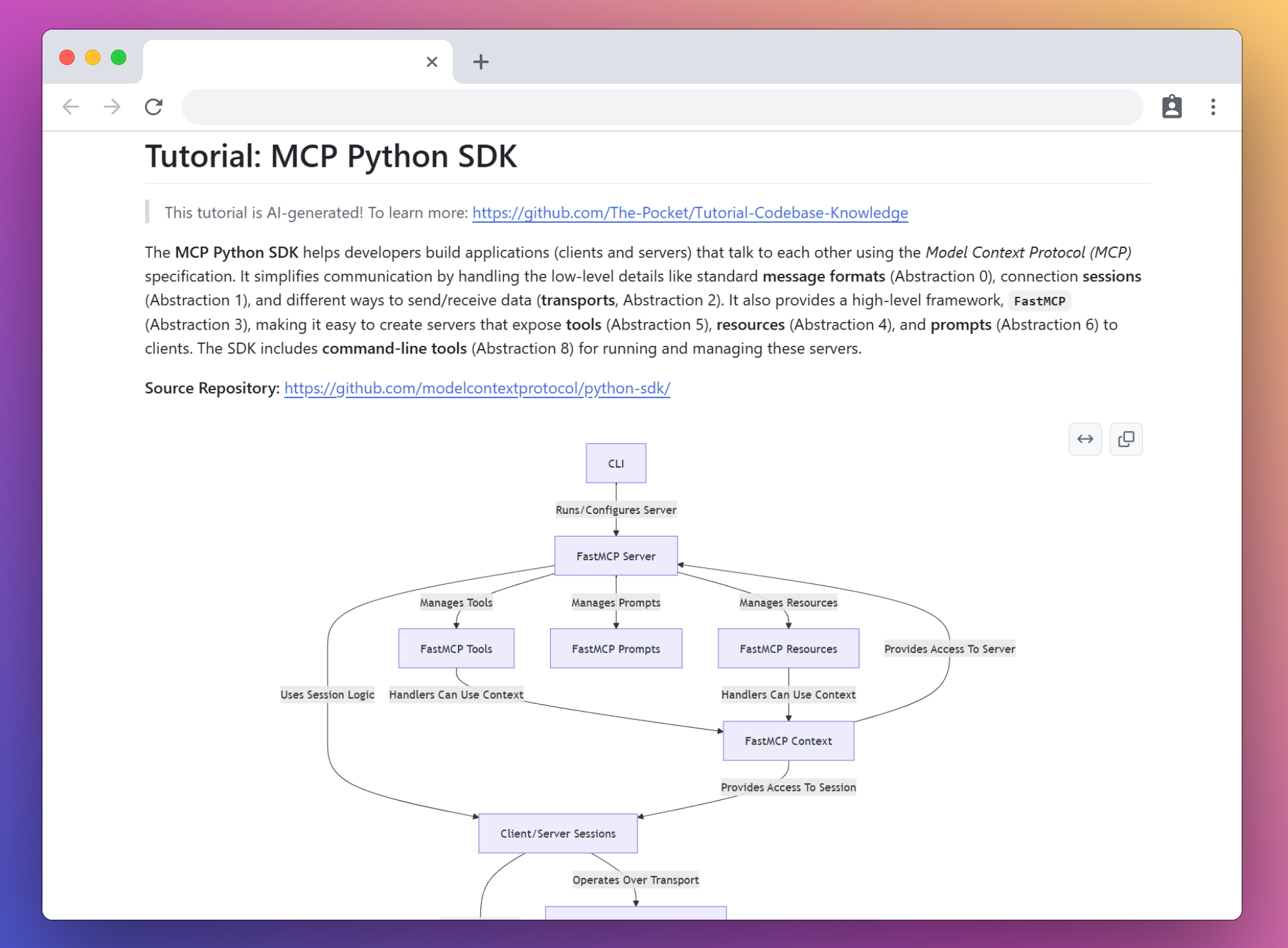
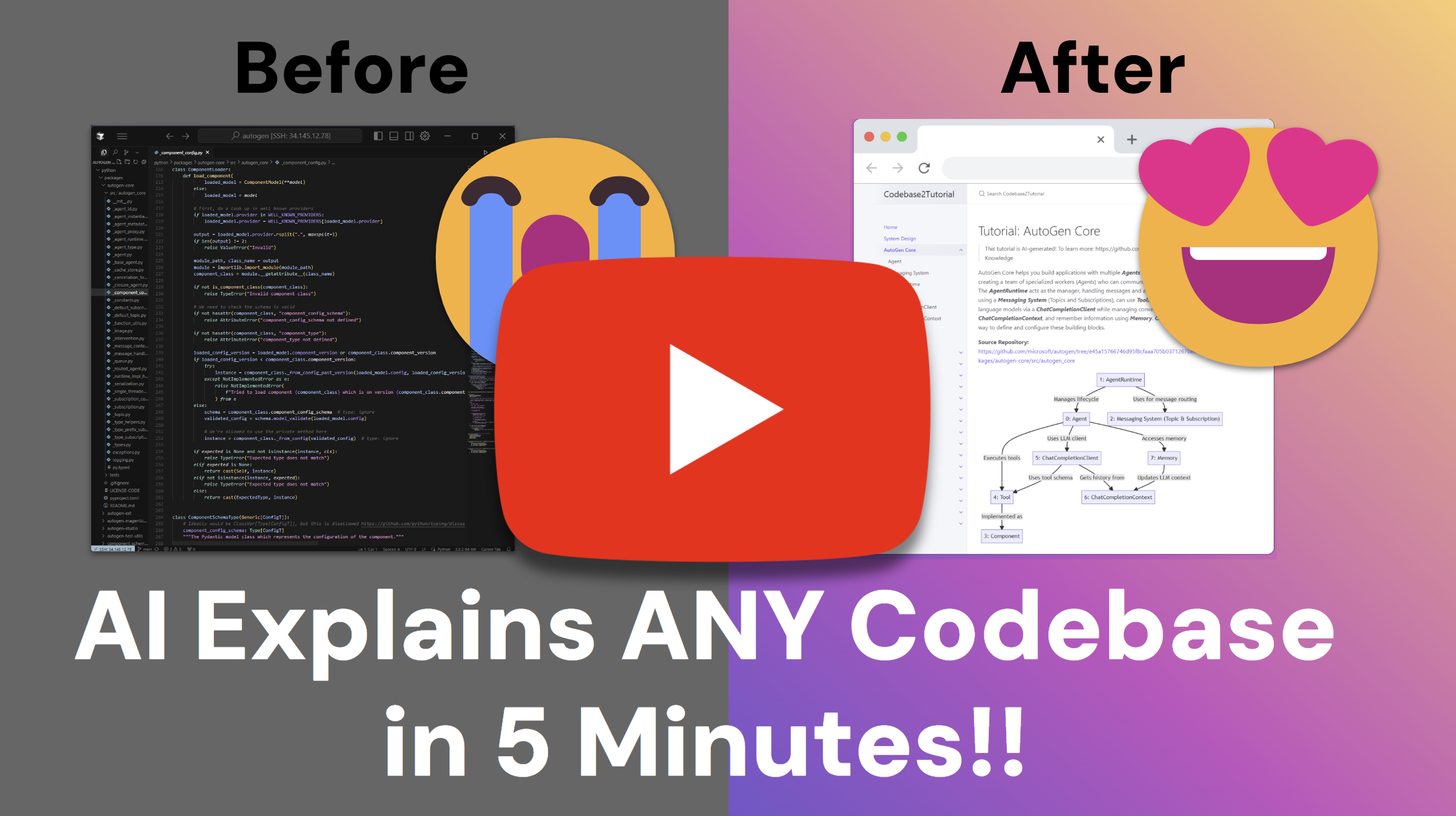
 Инструмент, который обходит репозиторий GitHub (или локальную папку), анализирует кодовую базу с помощью LLM, находит ключевые абстракции и то, как они взаимодействуют друг с другом, и превращает этот анализ в туториал для новичков с визуализациями.
Инструмент, который обходит репозиторий GitHub (или локальную папку), анализирует кодовую базу с помощью LLM, находит ключевые абстракции и то, как они взаимодействуют друг с другом, и превращает этот анализ в туториал для новичков с визуализациями.Это библиотека, которую я подключаю в проект, или скрипт, который я запускаю?Это скрипт командной строки (main.py), который вы запускаете напрямую. Он построен на Pocket Flow, собственном фреймворке автора на 100 строк для LLM, который объединяет шаги агентов в цепочку.
Это скрипт командной строки (main.py), который вы запускаете напрямую. Он построен на Pocket Flow, собственном фреймворке автора на 100 строк для LLM, который объединяет шаги агентов в цепочку.Как создать туториал для репозитория?Клонируйте репозиторий, установите зависимости, укажите учетные данные LLM в utils/call_llm.py (или в файле .env), затем запустите основной скрипт с параметром --repo или --dir. Результат по умолчанию сохраняется в ./output.
Клонируйте репозиторий, установите зависимости, укажите учетные данные LLM в utils/call_llm.py (или в файле .env), затем запустите основной скрипт с параметром --repo или --dir. Результат по умолчанию сохраняется в ./output.Нужен ли мне ключ API, прежде чем я смогу этим пользоваться?Да, нужен ключ API для LLM. По умолчанию используется GEMINI_API_KEY из Google AI Studio для Gemini Pro 2.5, но можно сменить провайдера (например, задать LLM_PROVIDER=XAI) или подключиться к локальному серверу Ollama без ключа API.
Да, нужен ключ API для LLM. По умолчанию используется GEMINI_API_KEY из Google AI Studio для Gemini Pro 2.5, но можно сменить провайдера (например, задать LLM_PROVIDER=XAI) или подключиться к локальному серверу Ollama без ключа API.Хорошо ли это работает с любой LLM?Нет. Авторы рекомендуют использовать самые новые модели с возможностью рассуждений (Claude 3.7 в режиме thinking, O1), так как более слабые модели плохо определяют ключевые абстракции в кодовой базе.
Нет. Авторы рекомендуют использовать самые новые модели с возможностью рассуждений (Claude 3.7 в режиме thinking, O1), так как более слабые модели плохо определяют ключевые абстракции в кодовой базе.Кому это полезно?Разработчикам, которым нужно быстро разобраться в незнакомой кодовой базе, вместо того чтобы читать её построчно с нуля.
Разработчикам, которым нужно быстро разобраться в незнакомой кодовой базе, вместо того чтобы читать её построчно с нуля.Можно ли анализировать мои приватные репозитории?Да, передайте токен GitHub через параметр --token или переменную окружения GITHUB_TOKEN, чтобы получить доступ к приватным репозиториям или обойти ограничения на количество запросов.
Да, передайте токен GitHub через параметр --token или переменную окружения GITHUB_TOKEN, чтобы получить доступ к приватным репозиториям или обойти ограничения на количество запросов.Можно ли запустить это в Docker вместо установки зависимостей Python на компьютер?Да, в проекте есть Dockerfile. Соберите образ, передайте GEMINI_API_KEY (и при необходимости GITHUB_TOKEN) как переменные окружения и подключите локальную папку к /app/output, чтобы получить готовый туториал.
Да, в проекте есть Dockerfile. Соберите образ, передайте GEMINI_API_KEY (и при необходимости GITHUB_TOKEN) как переменные окружения и подключите локальную папку к /app/output, чтобы получить готовый туториал.Можно ли создать туториал на языке, отличном от английского?Да, флаг --language позволяет выбрать язык создаваемого туториала. По умолчанию используется английский.
Да, флаг --language позволяет выбрать язык создаваемого туториала. По умолчанию используется английский.Что такое Pocket Flow?Это минималистичный LLM-фреймворк автора на 100 строк, на котором построен агент для создания туториалов. Он спроектирован так, чтобы агенты могли создавать других агентов.
Это минималистичный LLM-фреймворк автора на 100 строк, на котором построен агент для создания туториалов. Он спроектирован так, чтобы агенты могли создавать других агентов.Есть ли примеры туториалов, которые можно посмотреть в первую очередь?Да, в README приведены ссылки на туториалы, созданные ИИ для популярных репозиториев: FastAPI, Flask, Requests, CrewAI, LangGraph и NumPy Core. Все они получены с помощью этого инструмента при обходе этих репозиториев.
Да, в README приведены ссылки на туториалы, созданные ИИ для популярных репозиториев: FastAPI, Flask, Requests, CrewAI, LangGraph и NumPy Core. Все они получены с помощью этого инструмента при обходе этих репозиториев.What are similar projects?PocketFlow, Raven, ai-agent-book, DeepCode, ai-system-design, minimind, wikiskill, Prompt-Engineering-Guide
PocketFlow, Raven, ai-agent-book, DeepCode, ai-system-design, minimind, wikiskill, Prompt-Engineering-GuideWhich topics is it in?llm-framework, large-language-model, llm-agent, coding, llms, llm-agents, large-language-models, knowledge-base, documentation, tutorial, agent, education
llm-framework, large-language-model, llm-agent, coding, llms, llm-agents, large-language-models, knowledge-base, documentation, tutorial, agent, education