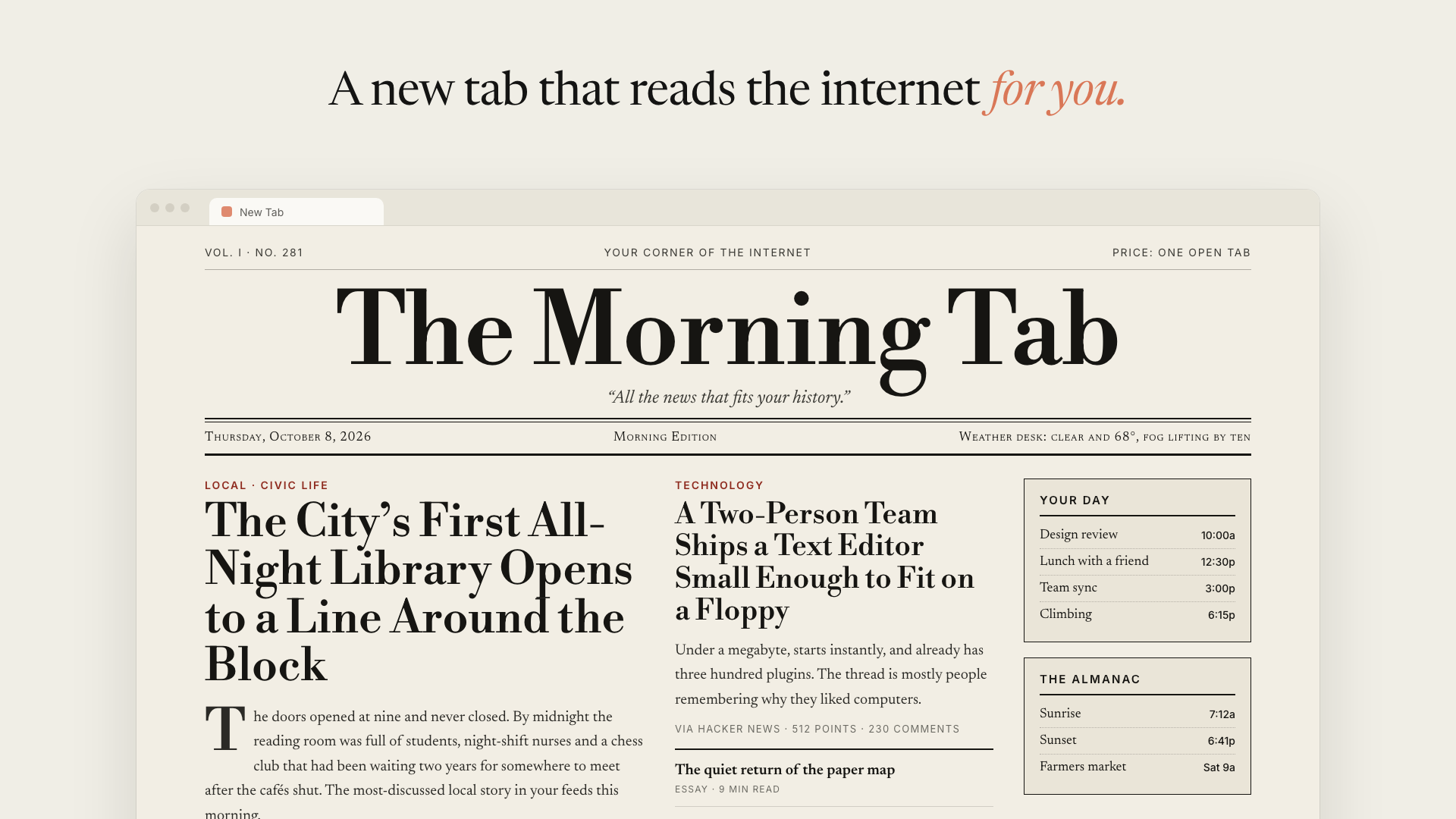
 Illustration. Your homepage is built from your own browsing, so its stories will be different.
What is this?
 AI Homepage is a Chrome extension that replaces your new-tab page with one a Claude agent writes for you, based on sites it finds in your own browsing history.
AI Homepage is a Chrome extension that replaces your new-tab page with one a Claude agent writes for you, based on sites it finds in your own browsing history.Is this a browser extension I install in Chrome, or something that runs on a server?It is a Chromium browser extension loaded locally; the agent session runs from the extension's background worker with no server in between.
It is a Chromium browser extension loaded locally; the agent session runs from the extension's background worker with no server in between.How do I install it and build my first homepage?Run pnpm install and pnpm build, then load apps/extension/.output/chrome-mv3 as an unpacked extension via chrome://extensions with Developer mode on. On your first new tab, paste your Anthropic API key and click 'Build today's homepage'.
Run pnpm install and pnpm build, then load apps/extension/.output/chrome-mv3 as an unpacked extension via chrome://extensions with Developer mode on. On your first new tab, paste your Anthropic API key and click 'Build today's homepage'.What do I need before I can use it?You need Chrome or another Chromium browser, Node.js 20+ (or pnpm directly), and your own Anthropic API key.
You need Chrome or another Chromium browser, Node.js 20+ (or pnpm directly), and your own Anthropic API key.Is this ready to publish to the Chrome Web Store?No, it's explicitly labeled early and experimental, meant to be run yourself; publishing it as-is would let anyone with browser profile access read your stored API key.
No, it's explicitly labeled early and experimental, meant to be run yourself; publishing it as-is would let anyone with browser profile access read your stored API key.Who is this built for?It's for individual users willing to run their own experimental extension with their own API key, not for distribution to others yet.
It's for individual users willing to run their own experimental extension with their own API key, not for distribution to others yet.Which Claude model builds my homepage?You can pick Claude Sonnet 5.5 (default, best balance), Claude Haiku 5.5 (fastest and cheapest), or Claude Opus 5.5 (most careful but most expensive). The choice applies from the next build.
You can pick Claude Sonnet 5.5 (default, best balance), Claude Haiku 5.5 (fastest and cheapest), or Claude Opus 5.5 (most careful but most expensive). The choice applies from the next build.Can I change what the homepage looks like?Yes, you write free-text instructions in Settings describing both content and look (e.g. 'a quiet one-column digest' or 'green-on-black terminal'), and they take priority over the agent's defaults on every rebuild.
Yes, you write free-text instructions in Settings describing both content and look (e.g. 'a quiet one-column digest' or 'green-on-black terminal'), and they take priority over the agent's defaults on every rebuild.Does the homepage update itself automatically?Yes, once it's older than an interval you set (6, 12, 24 or 48 hours) it rebuilds quietly in the background, but only after you've built once manually.
Yes, once it's older than an interval you set (6, 12, 24 or 48 hours) it rebuilds quietly in the background, but only after you've built once manually.How does the agent decide which pages to read?It ranks your most-visited domains, opens up to 8 pages signed in as you, and skips search engines, webmail, banking, and logged-out marketing pages; every link it produces comes from a page it actually read.
It ranks your most-visited domains, opens up to 8 pages signed in as you, and skips search engines, webmail, banking, and logged-out marketing pages; every link it produces comes from a page it actually read.What are similar projects?BrowserKitten, voyager, mortiflix-oss, Thinking-Claude, integrity_baozi-, Endoplexity, openwhispr, crm
BrowserKitten, voyager, mortiflix-oss, Thinking-Claude, integrity_baozi-, Endoplexity, openwhispr, crmWhich topics is it in?anthropic-api, agent-sandbox, byok, chrome-extension, browser-extension, customization, anthropic, claude, ai-agent, productivity, agent, react
anthropic-api, agent-sandbox, byok, chrome-extension, browser-extension, customization, anthropic, claude, ai-agent, productivity, agent, react