228 ·GitHub
Что это такое?
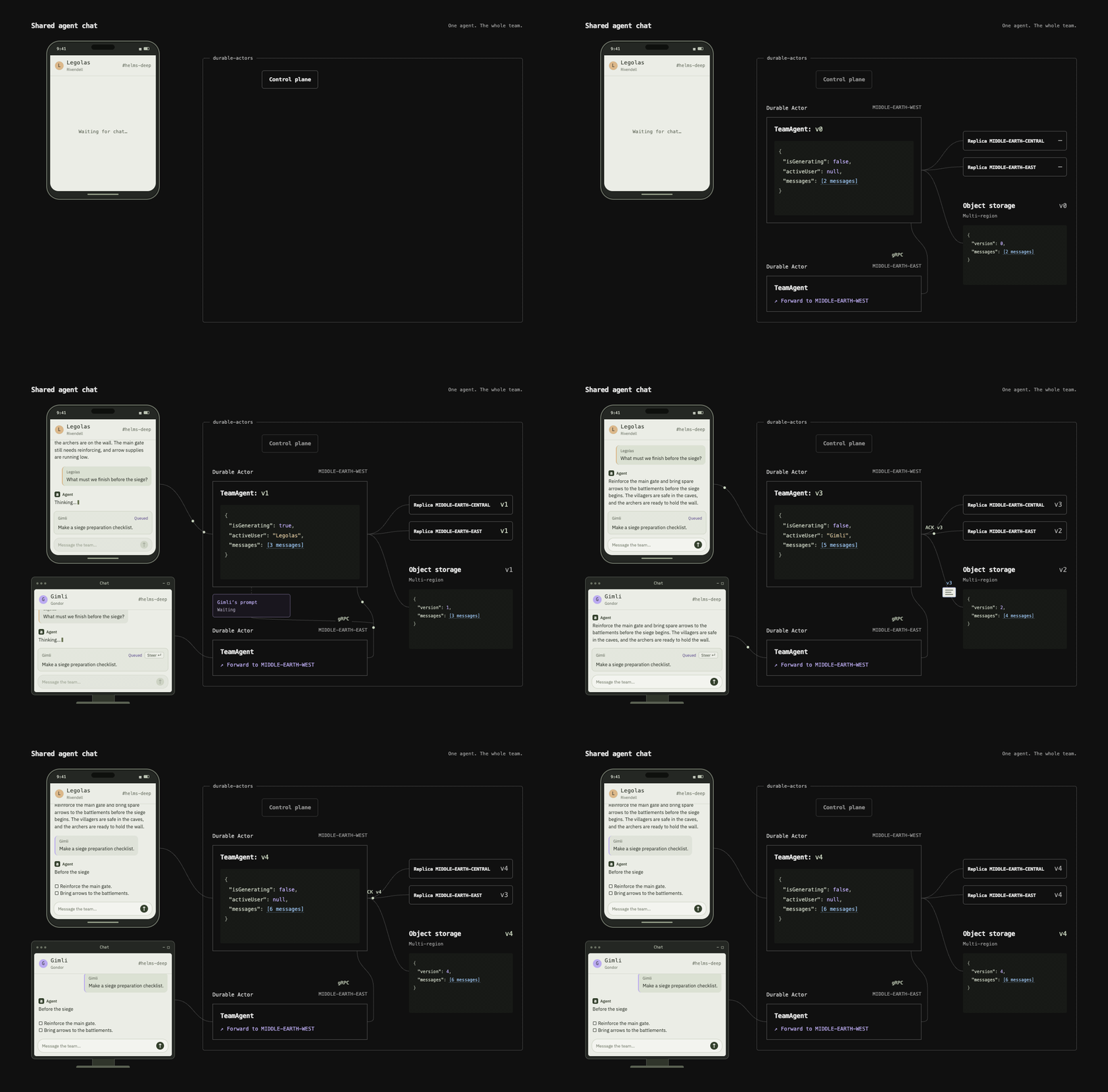
 Durable Actors — это open-source альтернатива Cloudflare Durable Objects для создания систем реального времени с координацией нескольких агентов: чатов, инструментов для совместной работы, роёв агентов. Обеспечивает сохраняемое состояние и поддержку WebSocket.
Durable Actors — это open-source альтернатива Cloudflare Durable Objects для создания систем реального времени с координацией нескольких агентов: чатов, инструментов для совместной работы, роёв агентов. Обеспечивает сохраняемое состояние и поддержку WebSocket.Это облачный сервис или что-то, что я запускаю сам?Это рантайм акторов, который можно развернуть самостоятельно (self-hosted), с типобезопасными SDK-клиентами, генерируемыми под ваш бэкенд. Разработка ведётся локально одной командой, а позже рантайм разворачивается на своём сервере — сейчас документирован вариант на GCP.
Это рантайм акторов, который можно развернуть самостоятельно (self-hosted), с типобезопасными SDK-клиентами, генерируемыми под ваш бэкенд. Разработка ведётся локально одной командой, а позже рантайм разворачивается на своём сервере — сейчас документирован вариант на GCP.С чего начать создание актора?Установите Bun 1.4.2+, определите акторов в файле 'src/actors.ts' вашего проекта (это входная точка, которую загружает команда 'durable-actors dev'), затем сгенерируйте типобезопасный клиент, чтобы соединить бэкенд и фронтенд через WebSocket.
Установите Bun 1.4.2+, определите акторов в файле 'src/actors.ts' вашего проекта (это входная точка, которую загружает команда 'durable-actors dev'), затем сгенерируйте типобезопасный клиент, чтобы соединить бэкенд и фронтенд через WebSocket.Нужно ли сначала установить Bun?Да, для создания и запуска проекта Durable Actors нужен Bun версии 1.4.2 или новее.
Да, для создания и запуска проекта Durable Actors нужен Bun версии 1.4.2 или новее.Могу ли я развернуть это на любом облаке или только на GCP?В README документировано только развёртывание рантайма на GCP; другие провайдеры не упоминаются.
В README документировано только развёртывание рантайма на GCP; другие провайдеры не упоминаются.На каких языках я могу писать клиенты?SDK сейчас поддерживает Python и TypeScript, с автоматической генерацией типобезопасных клиентов для обоих.
SDK сейчас поддерживает Python и TypeScript, с автоматической генерацией типобезопасных клиентов для обоих.Что здесь вообще понимается под 'актором'?Актор — это класс с сохраняемым состоянием, которое не теряется при сбоях и перезапусках, плюс с последовательным выполнением запросов, чтобы параллельные вызывающие стороны могли безопасно его обновлять. Например, актор истории чата или актор документа в духе Notion.
Актор — это класс с сохраняемым состоянием, которое не теряется при сбоях и перезапусках, плюс с последовательным выполнением запросов, чтобы параллельные вызывающие стороны могли безопасно его обновлять. Например, актор истории чата или актор документа в духе Notion.Для каких приложений это подходит?Для приложений реального времени, где нужно согласованное состояние нескольких агентов: чат в стиле ChatGPT, совместные документы как в Notion, рои агентов в духе Devin.
Для приложений реального времени, где нужно согласованное состояние нескольких агентов: чат в стиле ChatGPT, совместные документы как в Notion, рои агентов в духе Devin.Помогает ли это отлаживать акторов в продакшене?Да, в нём есть встроенные средства наблюдаемости (observability) для мониторинга и отладки акторов во время их работы.
Да, в нём есть встроенные средства наблюдаемости (observability) для мониторинга и отладки акторов во время их работы.Есть ли готовые примеры, на которых можно учиться?Да, в репозитории есть полноценные примеры приложений: AI Chat, Collaborative Documents и Chatroom.
Да, в репозитории есть полноценные примеры приложений: AI Chat, Collaborative Documents и Chatroom.What are similar projects?spring-ai-alibaba, ruflo, jarviscore-framework, harness-sdk, relay, overstory, hive, open-multi-agent
spring-ai-alibaba, ruflo, jarviscore-framework, harness-sdk, relay, overstory, hive, open-multi-agentWhich topics is it in?actor-model, sqlite3, gcp, multi-agent-systems, bun, collaboration, websocket, agent-orchestration, observability, real-time, distributed-systems, chatbot
actor-model, sqlite3, gcp, multi-agent-systems, bun, collaboration, websocket, agent-orchestration, observability, real-time, distributed-systems, chatbot