What is this?
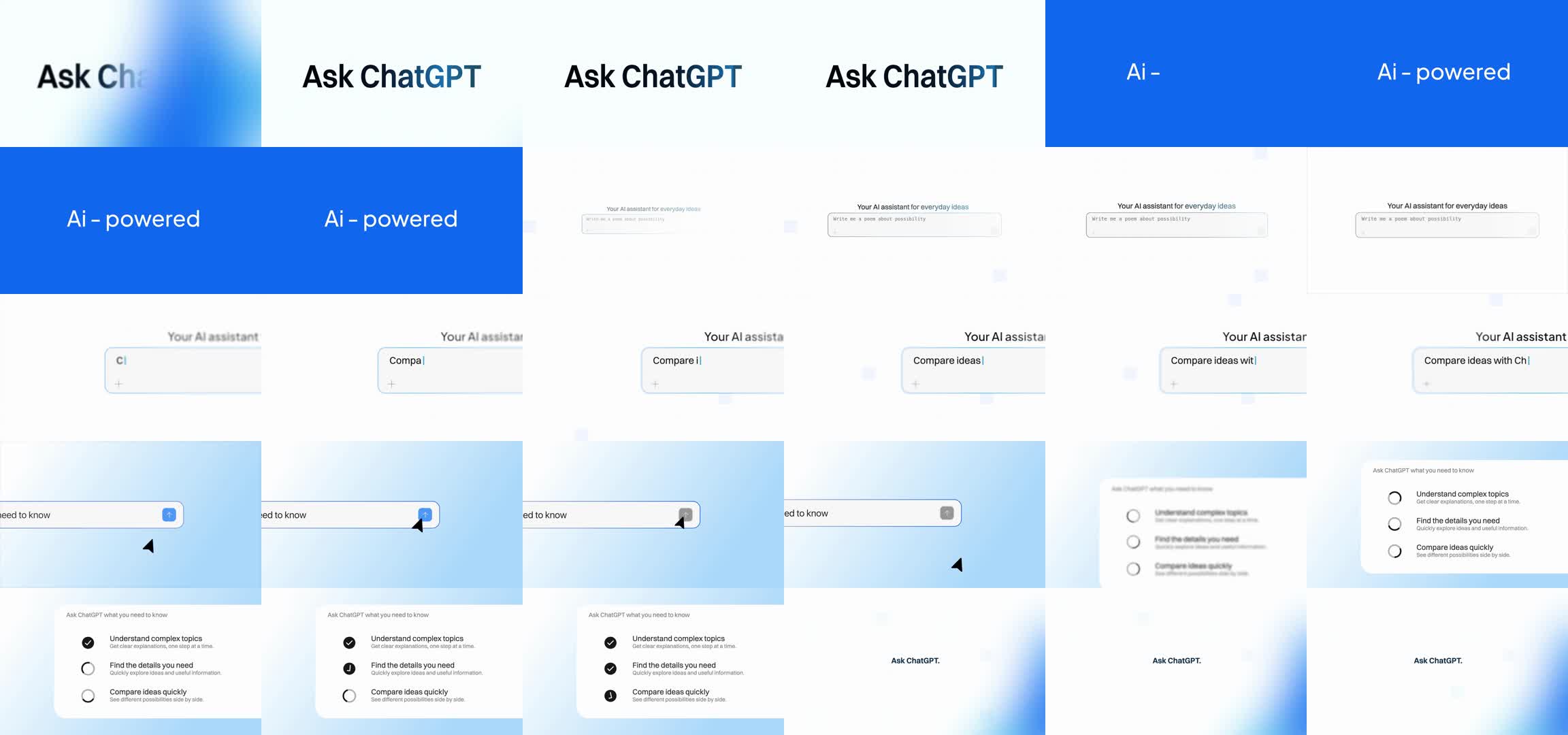
 This is the reproducible source for a ChatGPT-themed motion-design video, adapted from motion designer Rajmoni's (@Nexaabyraj) original reference and rendered with Hyperframes. It ships the raw assets, render scripts and a verification report so anyone can rebuild the exact MP4.
This is the reproducible source for a ChatGPT-themed motion-design video, adapted from motion designer Rajmoni's (@Nexaabyraj) original reference and rendered with Hyperframes. It ships the raw assets, render scripts and a verification report so anyone can rebuild the exact MP4.Is this a reusable tool or a one-off project?It's a self-contained reproducibility case study for a single video, not a general-purpose library: the repo bundles one specific Hyperframes composition (index.html, film.js, per-frame assets) built to recreate one reference animation.
It's a self-contained reproducibility case study for a single video, not a general-purpose library: the repo bundles one specific Hyperframes composition (index.html, film.js, per-frame assets) built to recreate one reference animation.How do I render the video myself?Install the dependencies, then run `npm run render`, which drives the Hyperframes composition through Chrome to produce 360 lossless PNG frames and encodes them with FFmpeg into output/chatgpt-blue.mp4. Use `npm run compare` to check the result against the included delivered video.
Install the dependencies, then run `npm run render`, which drives the Hyperframes composition through Chrome to produce 360 lossless PNG frames and encodes them with FFmpeg into output/chatgpt-blue.mp4. Use `npm run compare` to check the result against the included delivered video.What do I need installed before rendering?Node.js 22+ (tested with 25.5.0), FFmpeg/FFprobe with libx264, Chrome, and at least 1 GB free disk space. If Chrome isn't installed, `npx hyperframes browser ensure` sets it up, and FFmpeg/FFprobe must be on PATH.
Node.js 22+ (tested with 25.5.0), FFmpeg/FFprobe with libx264, Chrome, and at least 1 GB free disk space. If Chrome isn't installed, `npx hyperframes browser ensure` sets it up, and FFmpeg/FFprobe must be on PATH.Will my render be byte-for-byte identical to the original?Not guaranteed. Browser versions, OS font rasterization and FFmpeg builds can shift individual pixels or encoded bytes, so the project only promises a checkable comparison, not a universal byte-identical output.
Not guaranteed. Browser versions, OS font rasterization and FFmpeg builds can shift individual pixels or encoded bytes, so the project only promises a checkable comparison, not a universal byte-identical output.Which operating systems can run this?macOS, Linux and Windows can all run Hyperframes and render the project; the delivered reference render was done on macOS, and a GitHub Actions workflow runs the same render on Linux.
macOS, Linux and Windows can all run Hyperframes and render the project; the delivered reference render was done on macOS, and a GitHub Actions workflow runs the same render on Linux.Do I need an OpenAI API key or internet access to render it?No. Rendering runs entirely locally with no model API, API key, prompts or agent tooling involved.
No. Rendering runs entirely locally with no model API, API key, prompts or agent tooling involved.What is Hyperframes?Hyperframes is the JavaScript HTML/canvas rendering engine (version 0.8.29 here) used to compose the animation frame-by-frame before FFmpeg encodes them into video.
Hyperframes is the JavaScript HTML/canvas rendering engine (version 0.8.29 here) used to compose the animation frame-by-frame before FFmpeg encodes them into video.Can I render it without installing anything locally?Yes - fork the repo, open Actions -> Render video -> Run workflow, accept the linked Fontshare font license, and download the chatgpt-blue-render artifact from the finished run.
Yes - fork the repo, open Actions -> Render video -> Run workflow, accept the linked Fontshare font license, and download the chatgpt-blue-render artifact from the finished run.What does the final 15-second video actually contain?Two identical 7.5-second visual loops encoded at 1920x1080, 24fps H.264, with the original AAC audio track copied without re-encoding and continuing to 15.061 seconds.
Two identical 7.5-second visual loops encoded at 1920x1080, 24fps H.264, with the original AAC audio track copied without re-encoding and continuing to 15.061 seconds.Why isn't this called original motion design?The 180 source plates preserve Rajmoni's original backgrounds and control animations; only the ChatGPT typography is newly rendered in JavaScript, making it an adaptation rather than motion invented from scratch.
The 180 source plates preserve Rajmoni's original backgrounds and control animations; only the ChatGPT typography is newly rendered in JavaScript, making it an adaptation rather than motion invented from scratch.What are similar projects?procedural-film, PDoomVideo, onetake, lemo-opuscar, ClaudeAnimationBase, huashu-art-motion, motion-video-kit, world-execute-me-dsh-pv
procedural-film, PDoomVideo, onetake, lemo-opuscar, ClaudeAnimationBase, huashu-art-motion, motion-video-kit, world-execute-me-dsh-pvWhich topics is it in?headless-chrome, renderer, reproducible-research, motion-graphics, fonts, creative-coding, chrome, canvas, video-processing, ffmpeg, github-actions, chatgpt
headless-chrome, renderer, reproducible-research, motion-graphics, fonts, creative-coding, chrome, canvas, video-processing, ffmpeg, github-actions, chatgpt