
Tailtab
A Tailscale node for each browser profile. Different profiles can sit on completely different tailnets at the same time.






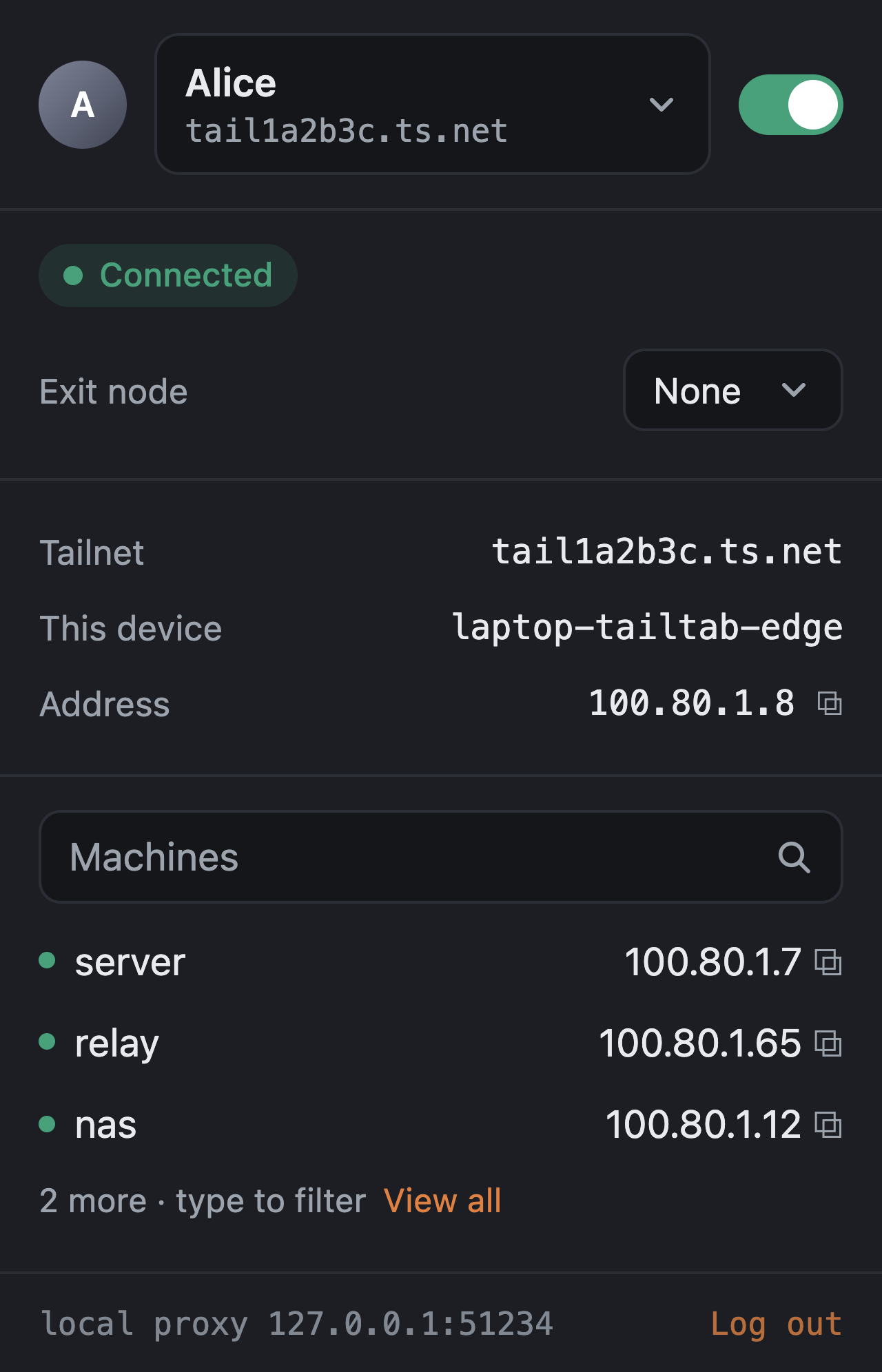
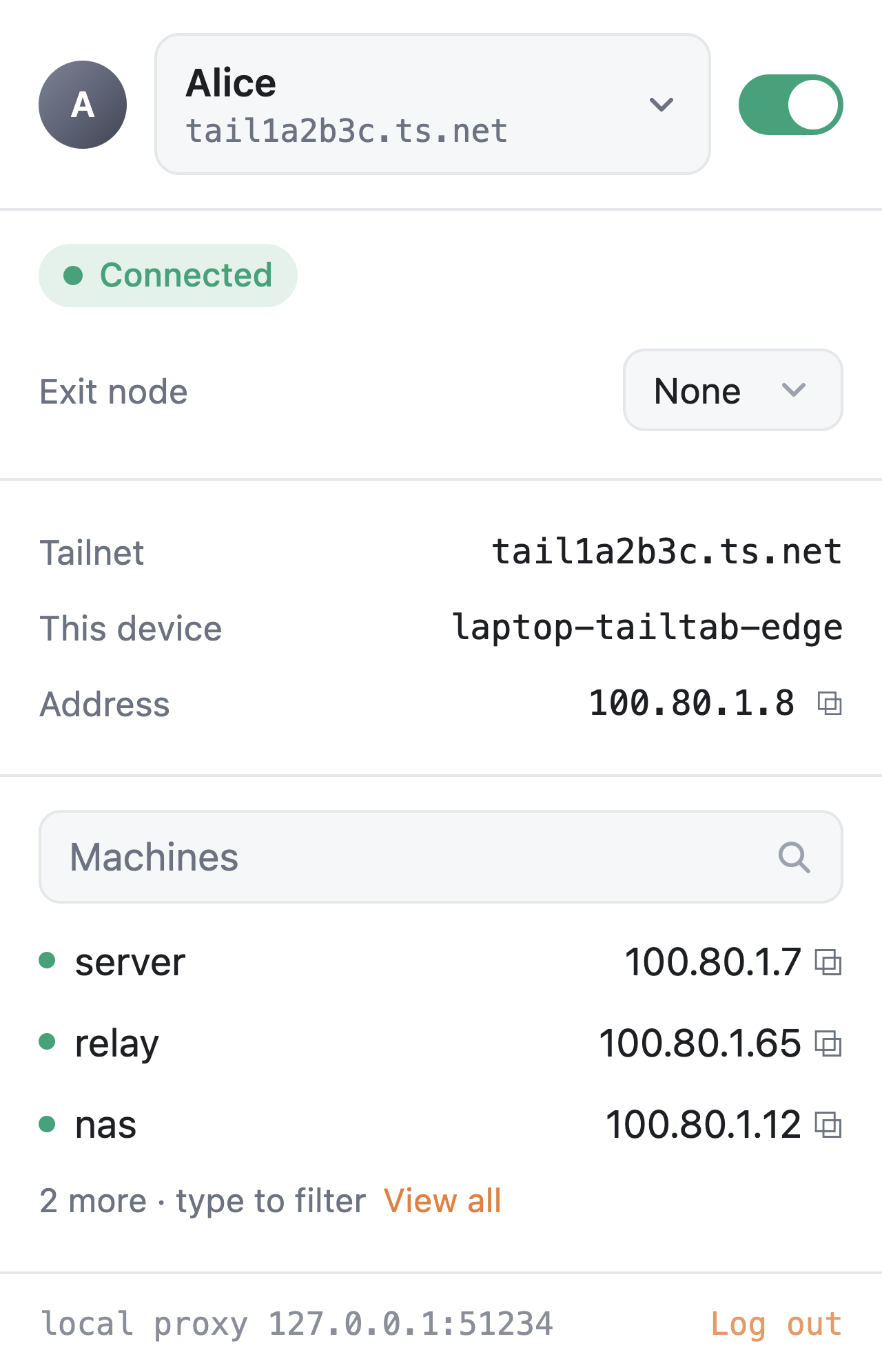
What it does
One node per browser profile. Every profile gets its own machine on the tailnet, named <host>-tailtab-<browser>, with its own key and state. Nothing else on the computer gets touched.
Split tunnel by default. Only tailnet traffic goes through Tailtab. That includes MagicDNS names, *.ts.net, your tailnet's own suffix, the 100.64.0.0/10 / fd7a:115c:a1e0::/48 ranges, and any subnet a peer routes for the tailnet. Everything else goes out normally, so regular browsing does not depend on Tailtab being connected.
Exit nodes per profile. You can pick an exit node for one browser profile and send that profile's web traffic through it while the rest of the machine carries on normally. If that exit node disappears, Tailtab blocks the traffic instead of silently letting it leak out directly.
Multiple Tailscale accounts without constantly logging back in. Add another account, switch tailnets from the header, and each one keeps its own node key and state.
Your own coordination server. Point the settings page at a Headscale (or any) control server and the next login uses it.
A proxy only that profile can use. The loopback proxy uses a per-process credential and rejects anything that should not be going through the tailnet. Other programs on the machine cannot just borrow the browser profile's Tailscale identity.
Status that actually tells you what is happening. The popup treats "the node is connected" and "the browser is actually routing through it" as two separate things, because they are. If they do not match, it tells you.
How it works
flowchart LR
  B[Browser profile] -->|proxy rules| E[Tailtab extension]
  E <-->|native messaging| H[tailtab host<br/>Go + tsnet]
  E -->|127.0.0.1:port<br/>with credential| P[Loopback proxy<br/>HTTP + SOCKS5]
  P --> H
  H -->|WireGuard| T((Tailnet))
The basic setup is pretty simple.
The extension talks to a small Go host through native messaging. That host embeds tsnet, which means the host itself becomes the Tailscale node. It then exposes an authenticated HTTP/SOCKS5 proxy over loopback for the browser to use.
Chromium gets pointed at the proxy through a PAC script. Firefox decides whether to proxy each request itself. Both browsers use the same routing rules, with a shared fixture there to make sure the implementations do not slowly drift apart.
More detail is in docs/architecture.md.
Install
One command installs the host under your home directory and registers it with the browsers on the machine. No root or admin.
macOS / Linux:
curl -fsSL https://raw.githubusercontent.com/Stocist/Tailtab/main/scripts/install.sh | sh
Windows (PowerShell):
irm https://raw.githubusercontent.com/Stocist/Tailtab/main/scripts/install.ps1 | iex
When upgrading on Windows, close all browsers that use Tailtab before rerunning the installer. It refuses to replace a running host rather than stopping your browser connections.
Both download the latest release, verify it against SHA256SUMS, and run tailtab install. Set TAILTAB_VERSION to pin a release. Then add the extension:
- Zen / Firefox: open
tailtab-<version>.xpi from the release page in the browser. It is signed by Mozilla, installs permanently, and updates itself from later releases.
- Edge / Chrome: unzip
tailtab-chromium-<version>.zip and load it unpacked from edge://extensions or chrome://extensions with developer mode on.
The host binary is not notarised or code-signed yet, so macOS may need a right-click Open the first time and Windows may show a SmartScreen warning. Linux and Windows hosts pass the same end-to-end smoke test in CI as macOS but have had less real use; reports welcome.
Chrome Flatpak on Linux needs both artifacts inside its sandbox. Use the opt-in Chrome Flatpak installation, not the native-browser one-liner above.
Build from source
You will need Go 1.27, Node 22, and either Microsoft Edge or Zen.
git clone https://github.com/Stocist/Tailtab.git && cd Tailtab
./scripts/build.sh
bin/tailtab install
build.sh builds the host binary and an unpacked extension for each browser.
install then writes the native-messaging manifests for Edge, Zen/Firefox and Chrome, pointing them at that binary.
If you move the repo afterwards, just run install again. bin/tailtab uninstall removes the files Tailtab added.
Load the extension in Edge
- Open
edge://extensions.
- Turn on Developer mode.
- Click Load unpacked and select
extension/dist/chromium/.
- Check that the extension ID is
kejfineblfbjfolkgjkancapnpknomod. This is fixed by the key in the manifest.
- After rebuilding Tailtab, reload the extension from this page.
Edge likes to keep the old background worker around even after the browser restarts, so the popup shows a warning if the extension and host are out of sync.
Load the extension in Zen / Firefox
- Download
tailtab-<version>.xpi from the latest release. It is signed by Mozilla for self-distribution, so it installs permanently.
- Open it in the browser (drag it onto a window, or
File > Open File…) and accept the install prompt.
- If you want Tailtab in private windows, enable Run in Private Windows from
about:addons.
For development, load extension/dist/firefox/manifest.json from about:debugging#/runtime/this-firefox with Load Temporary Add-on… instead. Firefox removes temporary extensions when the browser closes, so that one has to be loaded again after a restart.
Once that is done, open the popup and hit Connect.
Tailtab opens the normal Tailscale login page in a tab. Approve the node and the popup should switch to Connected, showing the tailnet, device name and assigned address.
From there:
http://wiki/ can reach a machine called wiki on your tailnet.
https://github.com still goes straight to the internet.
That is basically the idea.
A closer look
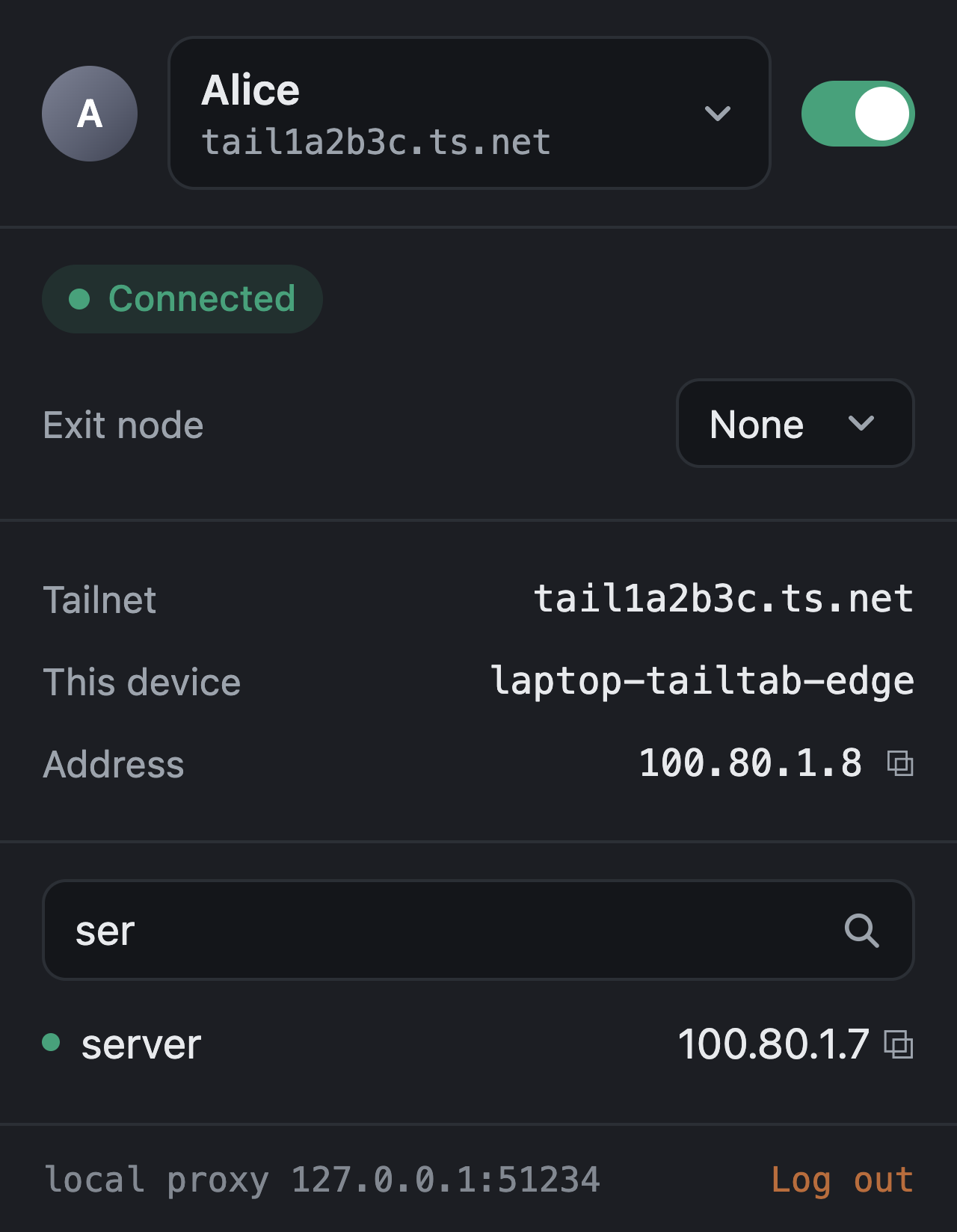
Accounts (docs/accounts.md)
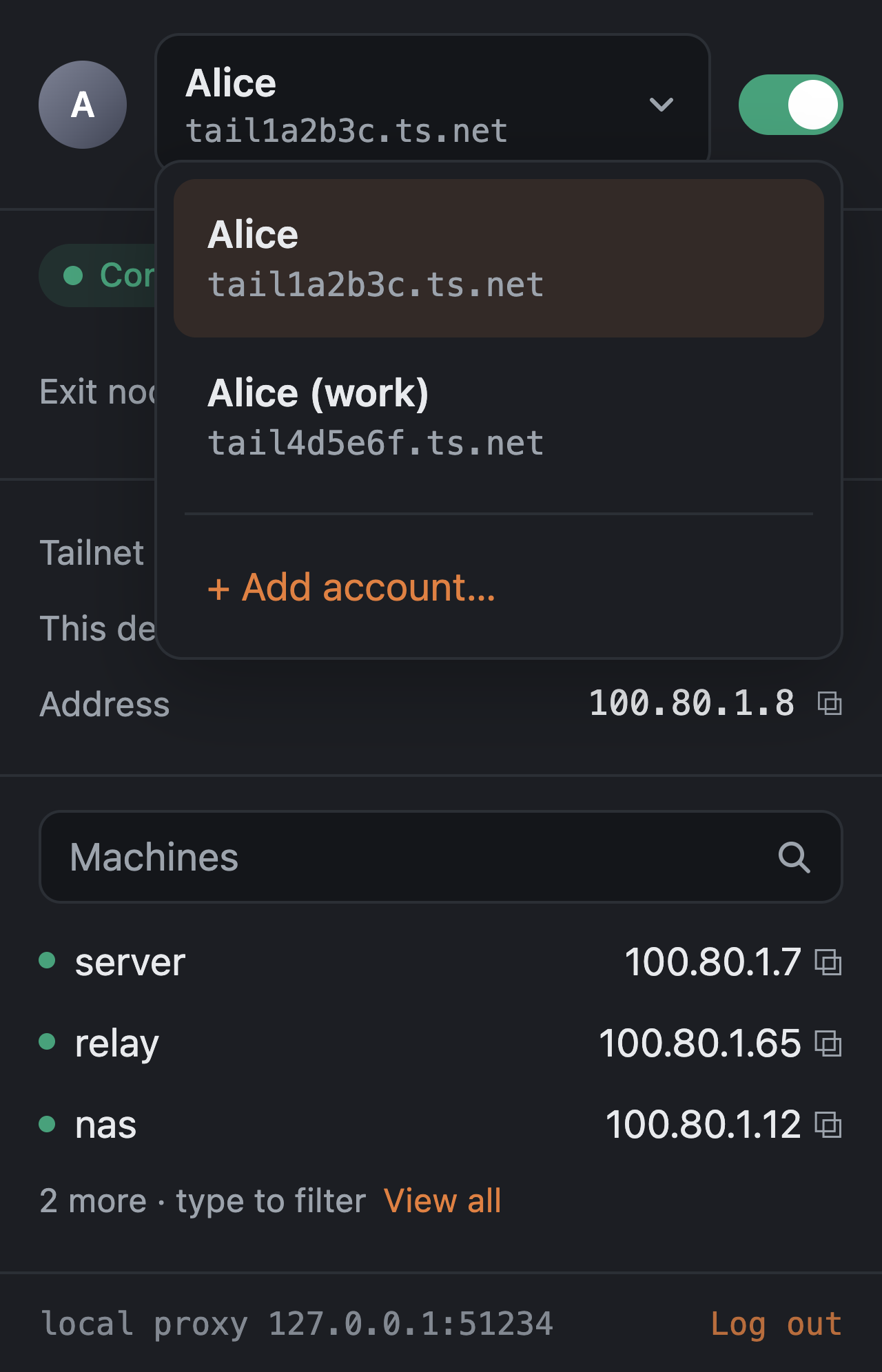
The header doubles as the account switcher. Add account… starts a login for another Tailscale account without replacing the current one. Each account keeps its own node key, state and tailnet.
Exit nodes (docs/exit-nodes.md)
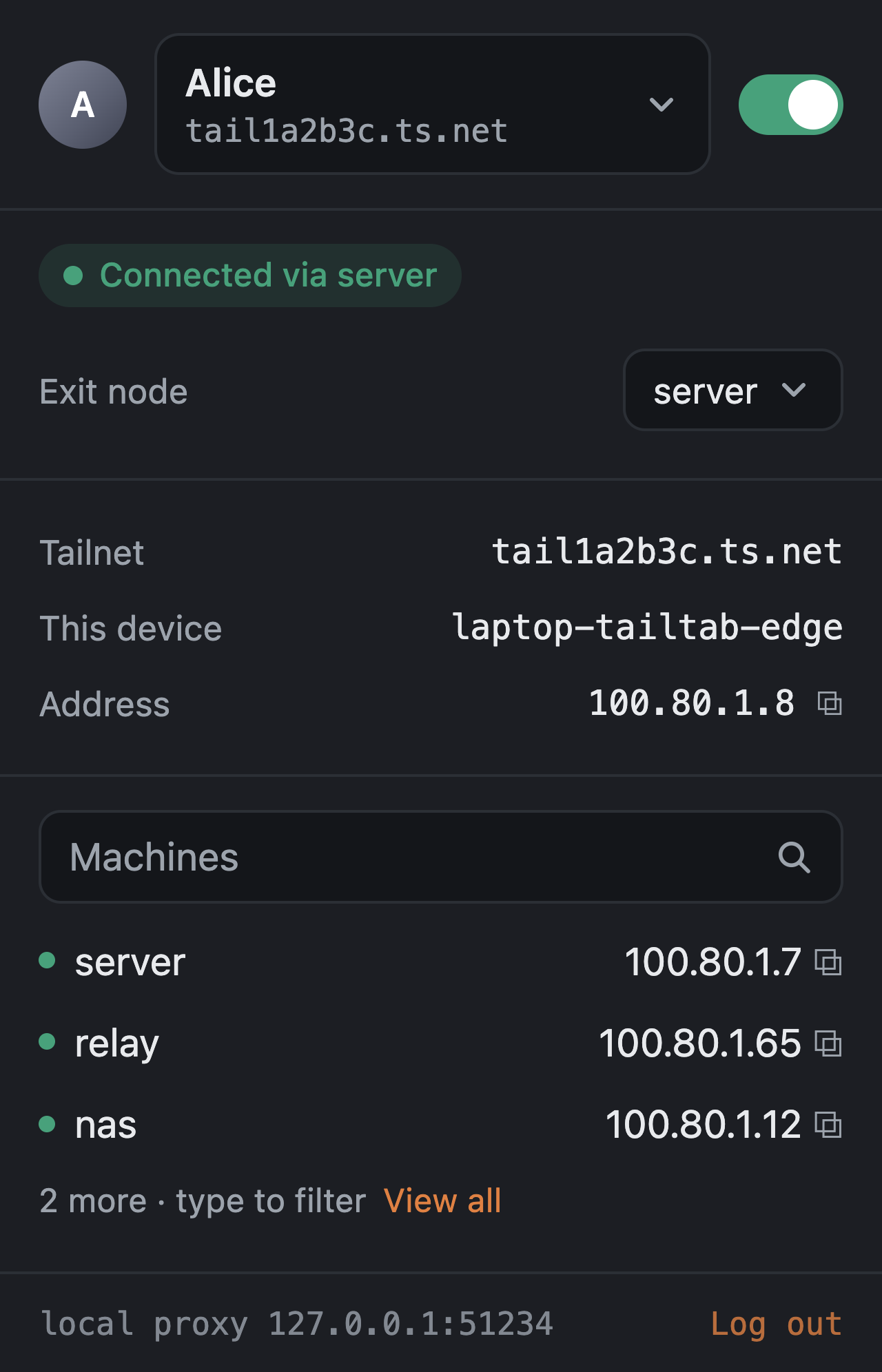
The picker shows the exit nodes available on the current tailnet. Once one is selected, public traffic from that browser profile goes through it while loopback and private ranges stay local.
Machines
Tailtab shows the first few machines on the tailnet and lets you search by name or address. Click a machine name to open it, or click its address to copy it.
Security
There is a more complete write-up in docs/security.md, but the important bits are:
The proxy requires tailtab:<token>. The token is 32 random bytes generated by the host every time it starts and is only kept in the extension's memory. Anything else trying to use the proxy gets 407.
The host rejects destinations the tailnet cannot serve. If an exit node is active, private address space is still kept local. The idea is for this to stay a Tailscale-specific proxy rather than becoming a generic forward proxy sitting on localhost.
Edge needs webRequest, webRequestAuthProvider and <all_urls> so it can answer the proxy authentication challenge. The handler only answers Tailtab's own loopback proxy and does not read the contents of requests. Zen does not need these permissions.
tsnet uploads its own logs to Tailscale and there is currently no supported switch for disabling that. Tailtab does not try to hack around it.
Status
Tailtab is still experimental, but it is at the point where I can actually daily drive it on macOS with Edge and Zen.
It is not in an extension store yet, so setup is still manual.
- Per-profile node
- Split tunnelling
- Authenticated local proxy
- Exit nodes
- Account switching
- Machine search
- Signed Zen build through AMO
- Release builds with prebuilt binaries
- Icons
- Linux host (smoke-tested end to end in CI)
- Windows host (smoke-tested end to end in CI)
- One-step install scripts
- Proper Chrome testing
- Proper Firefox testing
Chrome and Firefox should work with the existing implementations, but I have not properly tested them yet.
Chrome Flatpak on Bazzite has a contributor-tested setup; this is not comprehensive browser coverage.
Known limitations and security gaps are tracked in docs/security.md#known-gaps.
Development
./scripts/test.sh        # gofmt-clean Go, vet, tests, and the extension suite
./scripts/build.sh       # bin/tailtab + extension/dist/{chromium,firefox}
The extension tests load background.js and popup.js as-is into a stubbed browser environment with fake timers.
That lets the test suite cover things like proxy setup and teardown, reconnect backoff, split-tunnel routing and popup behaviour without needing to launch a real browser every time.
The host can also be driven manually. Native messaging is just 4-byte little-endian length-prefixed JSON over stdin/stdout.
Acknowledgements
The original idea and native-messaging structure are based on Tailscale's own ts-browser-ext experiment. Two files adapt code from it under the same BSD-3-Clause licence.
tailchrome takes a similar approach and was also useful to look through while building this.
Thanks to @Hajfi for reporting the Chrome Flatpak installation gap and documenting a working sandbox-compatible layout in #2.
License
BSD-3-Clause.

 Tailtab 让每个浏览器配置文件拥有自己的 Tailscale 节点,这样不同的配置文件(甚至是不同的 Tailscale/Headscale 账号)可以同时位于完全隔离的 tailnet 上,而机器的其他部分不受影响。