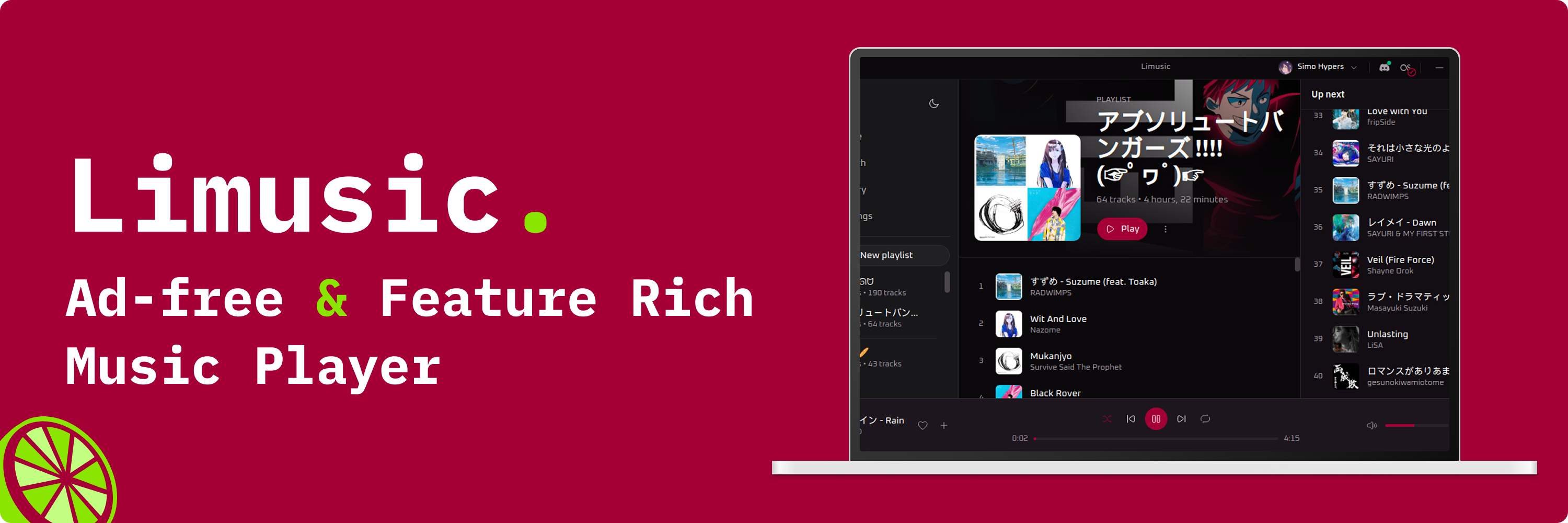
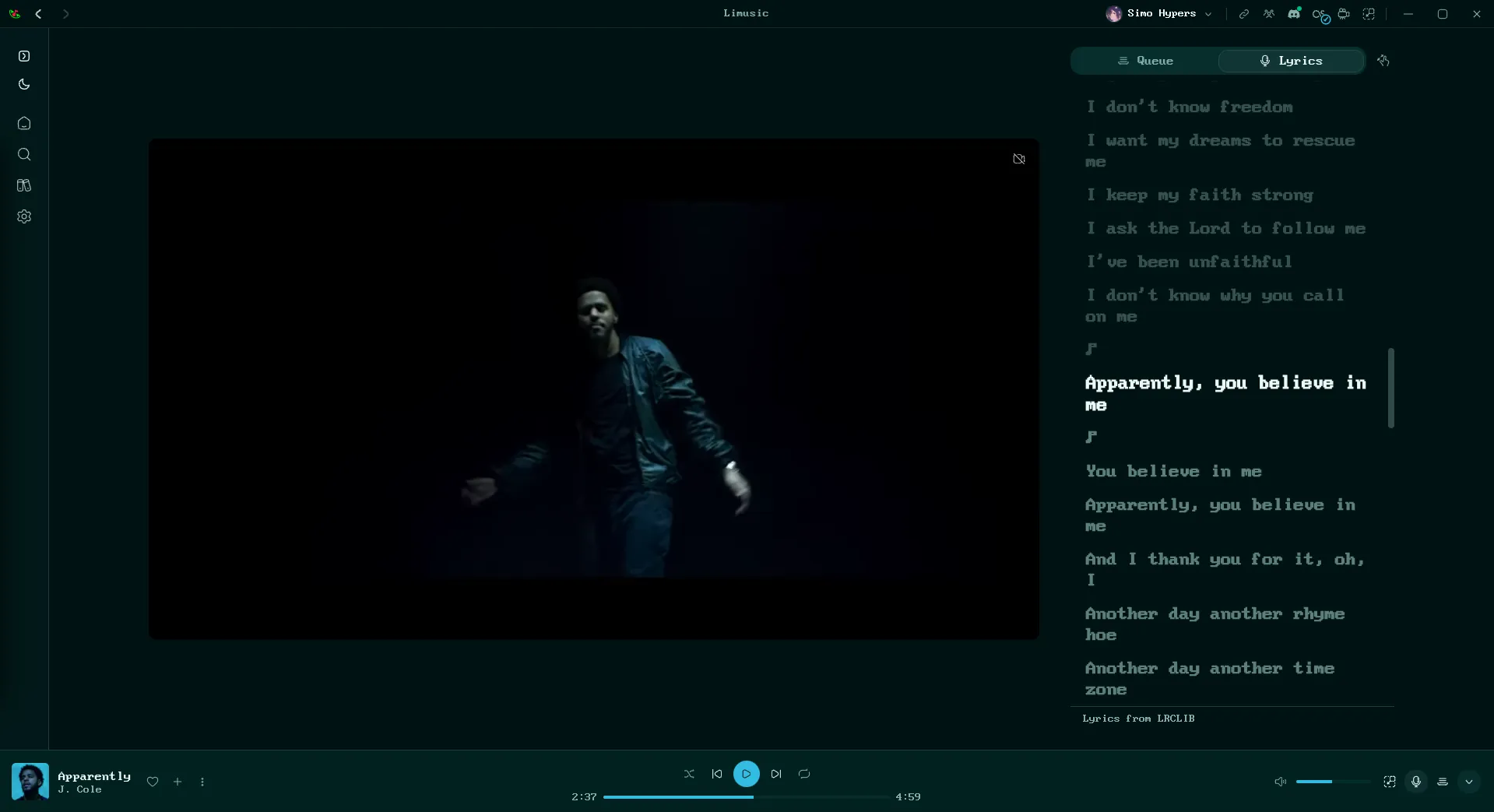
A native desktop YouTube Music client. Rust + Tauri, ad-free, no Electron.
Limusic talks directly to YouTube's internal API and plays audio through libmpv: no bundled
browser runtime, no backend server, no ads in the audio. It started as a desktop rebuild of the
playback engine behind Metrolist, an Android
YouTube Music client, and grew from there.
sudo zypper ar -p 100 https://download.opensuse.org/repositories/home:/itachi_re/openSUSE_Tumbleweed/home:itachi_re.repo then sudo zypper install limusic. Maintained by @itachi-re, updates through zypper. The repo carries the maintainer's other packages too, so -p 100 keeps it below the distro repos
Scrobbling & Discord
Last.fm lives in the title bar, next to the window controls, and ListenBrainz connects from
Settings ▸ Scrobbling. Both get the same cleaned-up track (the tab's preview shows what each
play counts as).
Last.fm: click the Last.fm mark, approve Limusic in the browser tab that
opens, and you're connected for good. Tracks scrobble at the halfway point (or
four minutes, whichever comes first), which is Last.fm's own rule. Click again
to see the account or disconnect.
ListenBrainz: open the Scrobbling settings, paste the user token from
listenbrainz.org/settings and connect.
Plays submit as playing_now on start and one single listen at the same
halfway-or-four-minutes point. A new MetaBrainz account has to verify its email first, or
ListenBrainz turns every listen away (the Scrobbling tab says so).
Discord: click the Discord mark to toggle Rich Presence. Green dot means
it's live. The card shows the track, artist, album art, and a progress bar, and
it disappears when you pause.
Building from source? Last.fm needs your own API credentials, and they are not in
the repo. Get a key at last.fm/api/account/create
and put it in src-tauri/lastfm.keys:
Without that file everything else still builds and runs; the Last.fm button just
reports that it isn't configured.
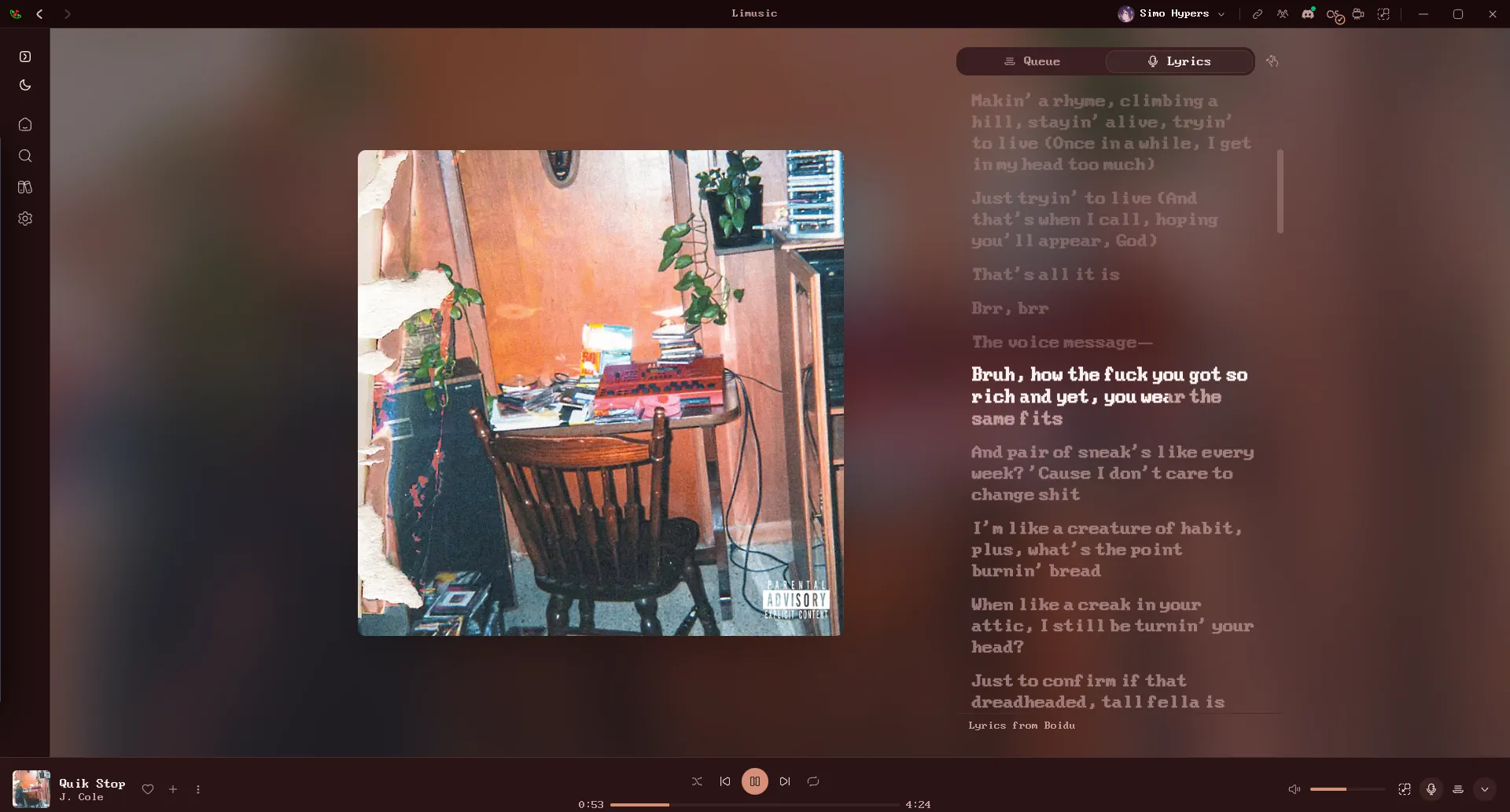
Lyrics
Open the panel with the microphone button in the player bar, next to the queue
button. It takes the same side of the window as the queue, so opening one closes
the other.
Nine sources are asked in order: Limusic Lyrics, Boidu,
Unison, LyricsPlus, LRCLIB, YouTube Music's own lyrics,
then Netease, QQ Music and Kugou. Synced lyrics from any of them beat plain
text from one higher up, and plain text is the fallback when nobody has a
synced version. Matching is keyed on the track's exact length, because popular
songs exist as several cuts and the wrong one drifts a few seconds out. Results
are cached locally, so replaying a track is instant.
The first four have per-word timings, which is what lets a line highlight word
by word as it's sung. Reorder the sources or switch any of them off in
Settings ▸ Playback ▸ Lyrics sources, and turn on Prefer word-by-word
lyrics there to have word timings win over line timings from a source above.
To pick another source for one song, click the source name under the lyrics.
Netease additionally supplies translations, shown under each line where it has
them.
Note that YouTube Music's lyrics are licensed per region and are missing
entirely in some countries. Where that's the case, the other sources do all the
work.
Limusic Lyrics and the lyric editor
Limusic Lyrics is the project's own lyrics service, filed by video, so a lyric
is timed to the exact upload you're playing. It is filled by the people who use
the app.
To add a song, click the source name under its lyrics and pick Sync these
lyrics, or use Settings ▸ Contributing ▸ Open the lyric editor. Start from
the lyrics another source already found, paste the text (pasted LRC or TTML
keeps its timings), or open a TTML or LRC file. Then the song plays one line at
a time, on a loop and slowed down if you like, and you tap a key as each word
starts. Duets get a singer per line and background vocals can be marked word by
word. A preview shows the result at full speed before you send it.
No account is needed: your first lyric makes an anonymous one. Link Discord or
GitHub in Settings ▸ Contributing to put your name on your lyrics. Depending
on the account, a lyric goes live at once or after a reviewer approves it.
Everyone can vote on a lyric or report it from the source picker, and the
lyrics credit their authors under the last line. Contributors earn points on
the leaderboard.
Karaoke
Karaoke takes the vocals out of a song right on your computer, using AI models
from Ultimate Vocal Remover.
Nothing is uploaded. It is still marked experimental while it's being tuned.
Turn it on with the switch under the lyrics. The first time, Limusic asks
before downloading a model (Light, Balanced or Best, swappable later in
Settings ▸ Playback ▸ Karaoke) and the runtime that runs it. After that the
playing song and the next two are prepared in the background, and the vocals
drop out the moment a song is ready, right where you are in it. Prepared songs
are kept on disk up to a size you choose, so they play straight away next time.
Light and Balanced keep up with playback on a processor; Best is meant for a
graphics card. The Processor setting picks one: on Windows Auto uses the
graphics card through DirectML, on Linux it's an opt-in through Vulkan (Intel,
AMD and NVIDIA), and on Apple Silicon an opt-in through CoreML. Songs over 15
minutes keep their vocals, and karaoke is off while a proxy is set.
Listen Together
Synced listening with friends. Everyone streams their own audio from YouTube;
the room only relays play/pause, seeks, track changes and the queue. Rooms have
join codes and the host approves every join and every track suggestion.
Rooms run on the project's server by default. To host your own relay:
cargo run -p sync-server # plain WebSocket on 0.0.0.0:8080
Front it with something that terminates TLS (Tailscale Funnel, Cloudflare
Tunnel), then paste the wss:// URL into the Listen Together panel in the app.
Translations
Limusic is translated on Weblate,
who host it free for libre projects.
Nineteen languages ship in the app today, and the badge above shows everything
else in flight.
Translate on Weblate, not in a pull request. Weblate keeps its own copy of
the catalogs, so a hand-edited fr.json merged here puts the two out of sync
and the next batch of real translations arrives as a merge conflict. Weblate
also shows you the English original beside each string, flags translations that
went stale when the English changed, checks that placeholders like {count}
survived, and opens the pull request for you. Anything untranslated falls back
to English in the app, so partial work is safe to submit.
en.json is the exception: it changes by hand, in whichever pull request
changes the UI. Switching a finished language on in the picker takes a small
code change too, see CONTRIBUTING.md.
Building from Source
Fedora:
sudo dnf install mpv-libs mpv-libs-devel webkit2gtk4.1-devel \
  gcc gcc-c++ make openssl-devel librsvg2-devel
cd ui && pnpm install && cd ..
cargo tauri build
A pure Rust crate speaks YouTube's InnerTube API, impersonating several
official client identities and falling back between them when one fails.
YouTube's stream URLs are protected by obfuscated JavaScript (the signature
cipher and the n parameter) and by BotGuard attestation. Limusic runs that
JavaScript where it expects to run, in a real webview, hidden, and never lets
any of it touch the UI process.
Audio goes through libmpv: gapless transitions, an on-disk cache, and
loudness normalization from YouTube's own metadata.
The UI is a SvelteKit SPA that only ever talks to the Rust core. It never
contacts YouTube itself.
Star History
Support
Limusic is free and stays free. If it earned a coffee,
ko-fi.com/simohypers is where to leave one.
Disclaimer
This project is not affiliated with, funded, authorized, endorsed by, or in
any way associated with YouTube, Google LLC, or any of their affiliates and
subsidiaries.
All trademarks, service marks, and intellectual property rights referenced in
this project belong to their respective owners.
Karaoke uses the UVR-MDX-NET-Inst_HQ_3, UVR-MDX-NET-Inst_Main and UVR_MDXNET_3_9662 models from
Ultimate Vocal Remover by Anjok07 and aufr33 (MIT) and, on
Windows, ONNX Runtime and DirectML from Microsoft. See THIRD-PARTY-NOTICES.md.
limusic (SimoHypers/limusic)
Выберите тег — он появится здесь. Пока теги не выбраны, показаны все проекты каталога.
Ищем в базе…
Выберите тег — он появится здесь. Пока теги не выбраны, показаны все проекты каталога.
Что это такое?Нативный настольный клиент для YouTube Music, написанный на Rust и Tauri. Он воспроизводит музыку без рекламы, без Electron и без собственного серверного бэкенда.
Песни скачиваются или только воспроизводятся потоком?Аудио передаётся потоком напрямую из внутреннего API YouTube, функции загрузки нет. Воспроизведение идёт через libmpv, который хранит дисковый кэш.
Как это запустить?Скачайте установщик для своей системы из releases: setup.exe для Windows, AppImage для Linux или .dmg для Mac на Apple Silicon. Пользователи Arch, Fedora и openSUSE также могут установить пакеты, которые поддерживает сообщество.
Нужен ли аккаунт YouTube или собственные API-ключи?Вход с аккаунтом YouTube Music даёт доступ к вашей медиатеке, истории и действиям, которые что-то меняют, например к отметкам «нравится». Для сборки поддержки Last.fm из исходников нужен собственный API-ключ Last.fm.
Есть ли подводные камни, о которых стоит знать до установки?AppImage требует glibc 2.39 или новее. Пакеты .deb и .rpm не обновляются автоматически, поэтому каждый релиз нужно скачивать заново.
Есть ли синхронизированные тексты с подсветкой по словам?Да, там, где источник содержит тайминги: Boidu даёт тайминги по словам и проверяется первым, затем идут LRCLIB, YouTube Music, Netease, QQ Music и Kugou. Netease также добавляет переводы под каждой строкой.
Можно ли изменить скорость, высоту тона или добавить реверб?Да: темп и высоту тона можно регулировать, у реверба есть отдельные регуляторы сухого и влажного звука, а свои пресеты можно сохранять на устройстве.
Может ли он проигрывать мои локальные музыкальные файлы?Да, функция «Локальная музыка» воспроизводит ваши файлы с сохранёнными метаданными.
Зачем автор его создал?Проект начинался как настольная переработка движка воспроизведения Metrolist, Android-клиента YouTube Music, и с тех пор вырос в самостоятельный продукт.






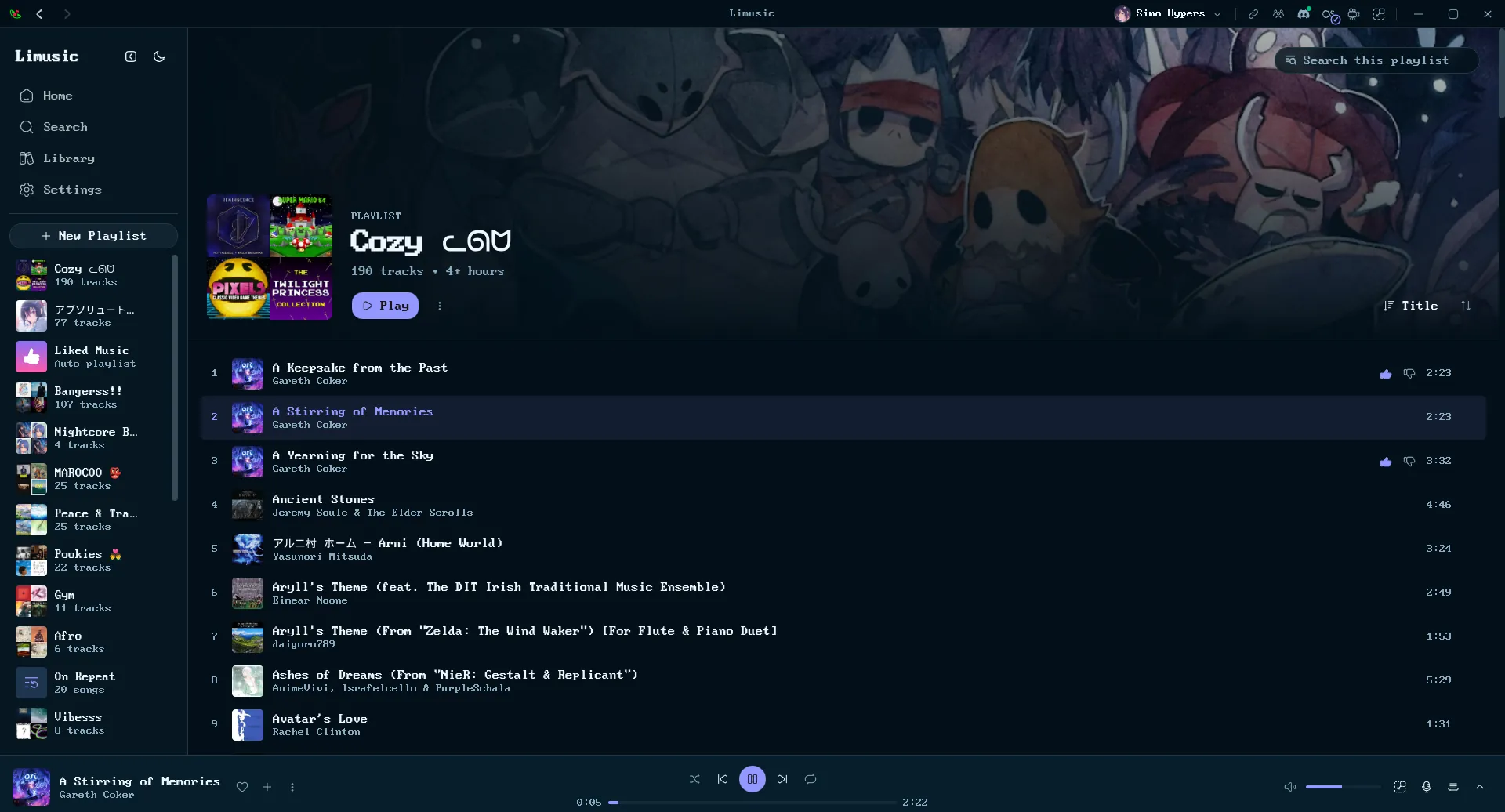
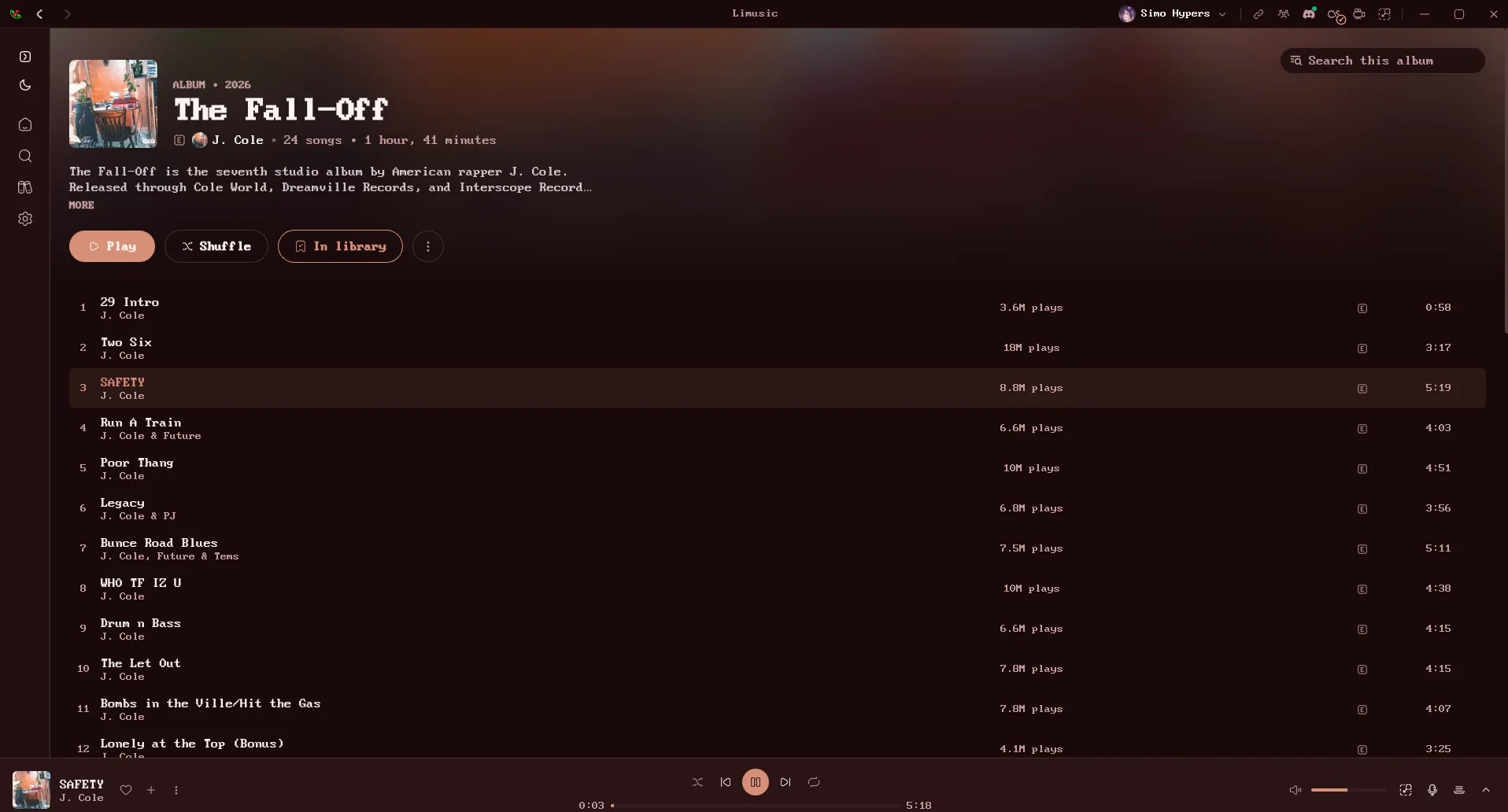


 Нативный настольный клиент для YouTube Music, написанный на Rust и Tauri. Он воспроизводит музыку без рекламы, без Electron и без собственного серверного бэкенда.