Blockly
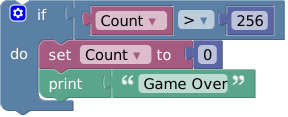
Blockly is a library that adds a visual code editor to web apps. The Blockly editor uses interlocking, graphical blocks to represent code concepts like variables, logical expressions, loops, and more. It allows users to apply programming principles without having to worry about syntax or the intimidation of a blinking cursor on the command line. All code is free and open source.
Getting Started with Blockly
Blockly has many resources for learning how to use the library. You can try a live demo or visit our developer site to read the documentation on how to get started, configure Blockly, and integrate it into your application. The developer site also contains links to:
Installing Blockly
If you're starting a new project using Blockly, you can bootstrap it
using our create-package tool:
npx @blockly/create-package app my-cool-blockly-app --typescript
Or, if you're adding Blockly to an existing project, just install it with npm:
npm install blockly
Getting Help
- Report a bug or file a feature request on GitHub
- Ask a question, or search others' questions, on our developer forum. You can also drop by to say hello and show us your prototypes; collectively we have a lot of experience and can offer hints which will save you time. We actively monitor the forums and typically respond to questions within 2 working days.
blockly-samples
We have a number of examples which demonstrate various techniques to include and extend the Blockly library. These examples can be found in another repository called blockly-samples.
Plugins
A plugin is a self-contained piece of code that adds functionality to Blockly. Plugins can add fields, define themes, create renderers, and much more. For more information, see the Plugins documentation.
Contributing to Blockly
Want to make Blockly better? We welcome contributions to Blockly in the form of pull requests, bug reports, documentation, answers on the forum, and more! Check out our Contributing Guidelines for more information. You might also want to look for issues tagged "Help Wanted" which are issues we think would be great for external contributors to help with.
Releases
We release new versions on npm and GitHub releases, and then update our docs and demo pages. If there are breaking regressions, such as a crash when performing a standard action or a rendering issue that makes Blockly unusable, we will cherry-pick fixes into patch releases. The releases page has a list of all releases.
We use semantic versioning. Releases that have breaking changes or are otherwise not backwards compatible will have a new major version. Patch versions are reserved for bug-fix patches between scheduled releases.
We now have a beta release on npm. If you'd like to test the upcoming release, or try out a not-yet-released new API, you can use the beta channel with:
npm install blockly@beta
As it is a beta channel, it may be less stable, and the APIs there are subject to change.
Branches
Most development happens in the main branch. Pull requests should typically be made against main. This branch should be stable; features that aren't ready yet should be merged to a feature branch instead. Once something is in main we expect it to be part of the next release. However, features and APIs here are subject to change until they are released. If you're working on a production application using Blockly, you should use the release from npm or the GitHub release page, not the main branch.
Larger changes may have their own branches until they are good enough for people to try out. These will be developed separately until we think they are almost ready for release. They will be merged into main when ready.
New APIs
Once a new API is released, it is considered beta until the following release. We generally try to avoid changing an API after it has been released, but sometimes we need to make changes after seeing how an API is used. If an API has been around for at least two releases we'll do our best to avoid breaking it.
Unreleased APIs may change radically. Anything that is in main but not released is subject to change without warning.
Issues and Milestones
We typically triage all bugs within 1 week, which includes adding any appropriate labels and assigning it to a milestone. Please keep in mind, we are a small team so even feature requests that everyone agrees on may not be prioritized.
Accessibility
Although Blockly is built around drag-and-drop, it is fully usable with the
keyboard alone. Blockly is also accessible to screenreader users by default. We
provide Accessibility Conformance Reports
in the VPAT format that outline Blockly's conformance to WCAG 2.2 Level AA.

 Blockly 是一个库,可以为网页应用添加拖放式的可视化代码编辑器。它用相互咬合的图形积木来表示变量、逻辑表达式、循环等编程概念,而不是直接书写代码语法。