Superlocal
Desktop-focused email, backed by a provider-agnostic Inbox SDK. Bring your mailboxes into one unified inbox while keeping their identities, credentials, and provider capabilities separate.
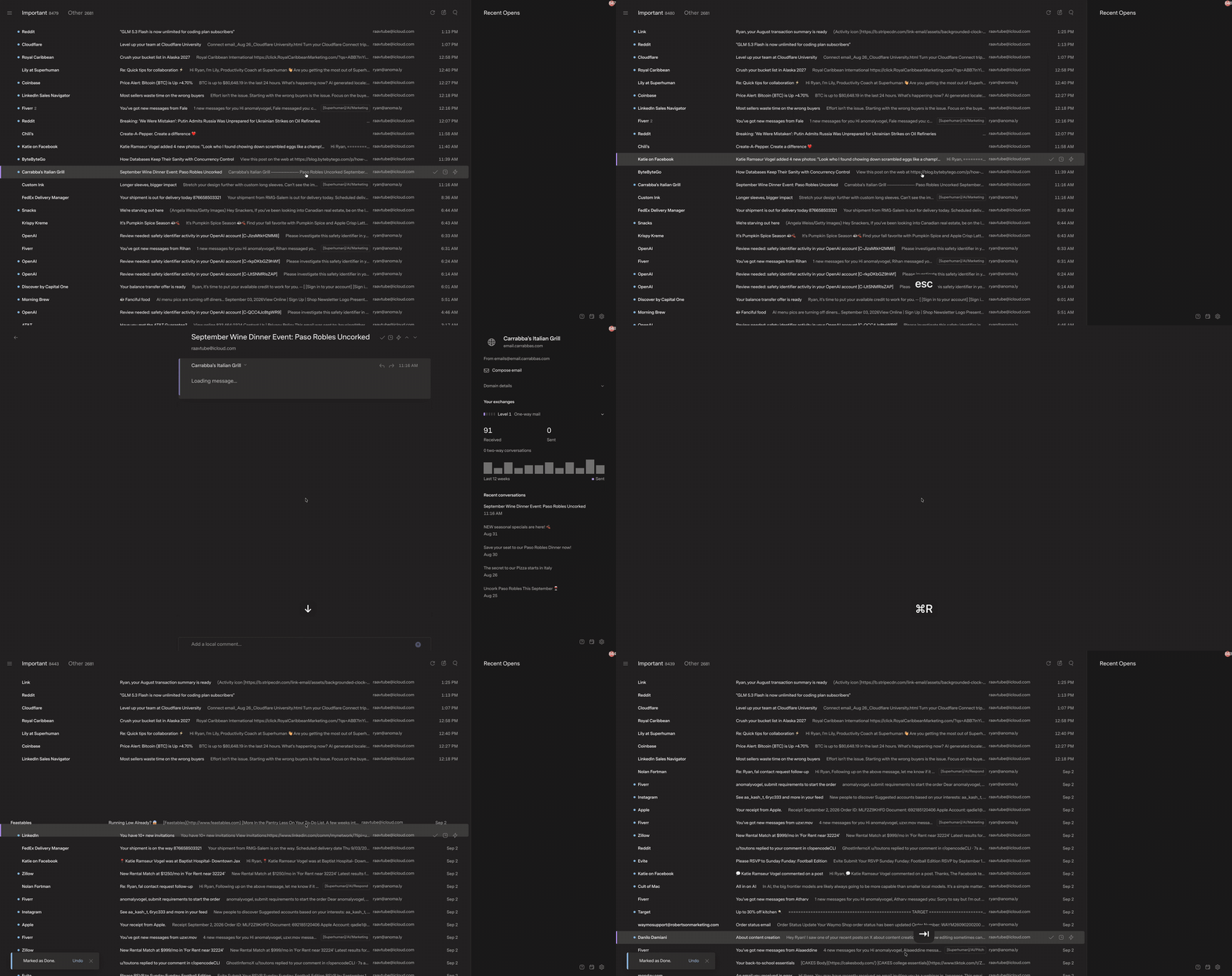
Run locally
Requires Bun 1.4+.
- Install dependencies:
bun --no-env-file install
- Start the app:
bun --no-env-file run start
- Open http://localhost:5178.
The first run starts two fictional mailboxes through the real Inbox SDK. No provider credentials, OAuth setup, OpenCan, or machine-specific services are needed. Ctrl-C stops both the client and local host.
start builds and serves the optimized client locally. Use bun --no-env-file run dev for hot-reloading development; development-mode React diagnostics add overhead on large mailboxes. Both commands keep the same local-only host, sessions, and provider configuration.
Docker with persistent storage
Run docker compose up -d --build --wait, then open http://localhost:5178.
The image contains the built app, not your configuration or mail. On first run,
the app creates a fictional installation in the named volume superlocal-state:
/persist/superlocal.local.json
/persist/data/mock/             # Fictional mail, databases and generated keys
/persist/data/real/             # Created when real mode is selected
Each mode keeps host.sqlite, its mail database(s), runtime-secrets.json and
SQLite journals together. Configure real providers in the retained config as
described below; never replace its instance ID or keys during an update.
Google OAuth client secrets can be supplied through the same explicit environment
variables used locally. They are runtime inputs, not image build arguments.
After updating the checkout, run docker compose up -d --build --wait again.
Compose replaces the app container and reattaches the same volume. A hosting
platform's Git-triggered redeploy must likewise retain this volume at /persist;
the GitHub workflow below publishes images but does not restart a remote host.
docker compose down retains the volume; do not use down -v or delete the
volume when updating. Back up config, databases and keys together with the app
stopped. Existing Mac installations are not imported automatically.
Set SUPERLOCAL_DOCKER_PORT to use another local port and SUPERLOCAL_VOLUME_NAME
only for a deliberately separate installation. Do not run two app instances on
the same volume. Named volumes are initialized for the image's non-root bun
user; a bind-mount replacement must be owned by that user's UID/GID (1000:1000),
with private directories and 0600 config/key files.
Only the web port is published, on host loopback. The backend stays inside the
container. Browser-local settings
and recovery copies remain in the browser; this volume preserves server state.
Published images
Pushes to main build and publish Linux AMD64 and ARM64 images at
ghcr.io/r44vc0rp/superlocal:latest. The workflow can also be run manually on
main. It uses GitHub's built-in GITHUB_TOKEN with package-write permission;
no Docker Hub account or registry password is needed. Images also receive a
sha-<full-commit-sha> tag, and the workflow records the digest for pinned deploys.
To run or update the published image without building it locally:
SUPERLOCAL_IMAGE=ghcr.io/r44vc0rp/superlocal:latest \
  docker compose up -d --no-build --pull always --wait
The same superlocal-state volume is retained. Set SUPERLOCAL_IMAGE to a
commit-specific tag or digest to select a particular version; database migrations
may still limit downgrades. Other container hosts can use the same image and mount
/persist without Compose. Server restarts/webhooks remain host-specific.
GHCR packages initially default to private, even for a public repository. The
package owner must set its visibility to public once for anonymous pulls. A
private package instead requires a GitHub token with read:packages on the
deployment host. This workflow never includes runtime mail, keys or config in
the image.
Restricted Google access
Google is the application login provider for restricted installations. It reuses
the same Google OAuth client ID and secret configured for Gmail, even when the
Gmail mailbox provider is disabled. Existing local/demo installations retain
their explicit loopback mode; adding Google credentials alone does not change
their access policy.
To enable the gate, set these runtime values (or set auth.method,
auth.allowedEmails and web.origin in the retained configuration):
SUPERLOCAL_AUTH_METHOD=google
[email protected],[email protected]
SUPERLOCAL_WEB_ORIGIN=https://mail.example.com
SUPERLOCAL_GOOGLE_CLIENT_ID=your-google-web-client-id
SUPERLOCAL_GOOGLE_CLIENT_SECRET=your-google-web-client-secret
For a real remote mailbox setup, also select mode: "real" and enable the desired
providers in the retained config, as described under Connect real providers.
Mock mode remains an offline demo, not a connection to real mail services.
Register both redirect URIs on that Google OAuth web client:
https://mail.example.com/api/auth/callback/google      # Application login
https://mail.example.com/v1/oauth/google/callback     # Optional Gmail connection
Application login requests only identity/profile scopes and checks Google's
verified email against the exact allowlist. An empty list denies everyone;
wildcards and whole-domain entries are not supported. Case and surrounding
whitespace normalize, but plus tags and Gmail dots are not rewritten. Restart
after changing the list: removed users' existing sessions then fail the access
check. Sign out is available in the sidebar footer.
Each approved person has a private account on the installation. Their first
Google sign-in starts with no connected mailboxes. They can connect multiple
mailboxes across the enabled providers; connections, mail, drafts and settings
are scoped to that person. There are no shared-mailbox or team roles. Google
login does not connect Gmail or grant mailbox scopes. Login provider tokens are
not retained after identity verification, and mailbox credentials stay in the SDK.
Browser-held preferences, draft recovery and issue reports are also user-scoped.
Switching the signed-in person loads a fresh application context; stale tabs and
requests cannot operate under the next person's session. Existing unscoped local
browser data and legacy loopback mail are not imported or exposed to Google
users. Configure a fresh remote installation and reconnect the desired providers;
this feature does not migrate an existing local installation.
Better Auth stores login identities, durable private-owner bindings and sessions
in auth.sqlite beside the mode's other databases. Its secret is derived from the
retained runtime session key, so /persist also preserves login state and user
ownership across redeploys. Missing Google
credentials fail closed in Google mode; it never falls back to local access.
Only the login shell/assets, auth flow and health check are public. Mail,
settings, attachments, authenticated images and event streams require an
approved session. Use HTTPS for a public origin; loopback mode still rejects
public origins and production startup. TLS/reverse-proxy setup remains external.
Login starts share a conservative installation-wide limit of 20 per minute;
forwarded client-IP headers are not trusted. For public exposure, apply per-client
limits at the trusted reverse proxy so one caller cannot exhaust that shared
budget. Removing an email denies its existing sessions while it is off the list;
re-adding it can restore those sessions until their absolute expiry or sign-out.
One inbox, separate mailboxes
- Unified by default. Every added mailbox joins the unified view. Choose a smaller selection in Settings → Mailboxes when you want one.
- Keyboard-first navigation. Ctrl+0 opens Unified inbox; Ctrl+1–9 open your ordered pinned mailboxes.
- Many mailboxes, one view. Search and bulk-select provider mailboxes instead of creating hundreds of permanent tabs. Adding views triggers one initial sync per source, not one per domain.
- Source-aware actions. Overlapping views share one canonical message. Replies retain the correct sender; Done and snooze remain local mailbox workflows rather than upstream labels.
- Isolated email rendering. Received HTML stays in a script-disabled iframe. The SDK sanitizes content and serves eligible remote media through authenticated routes; image settings and known-tracker blocking remain authoritative.
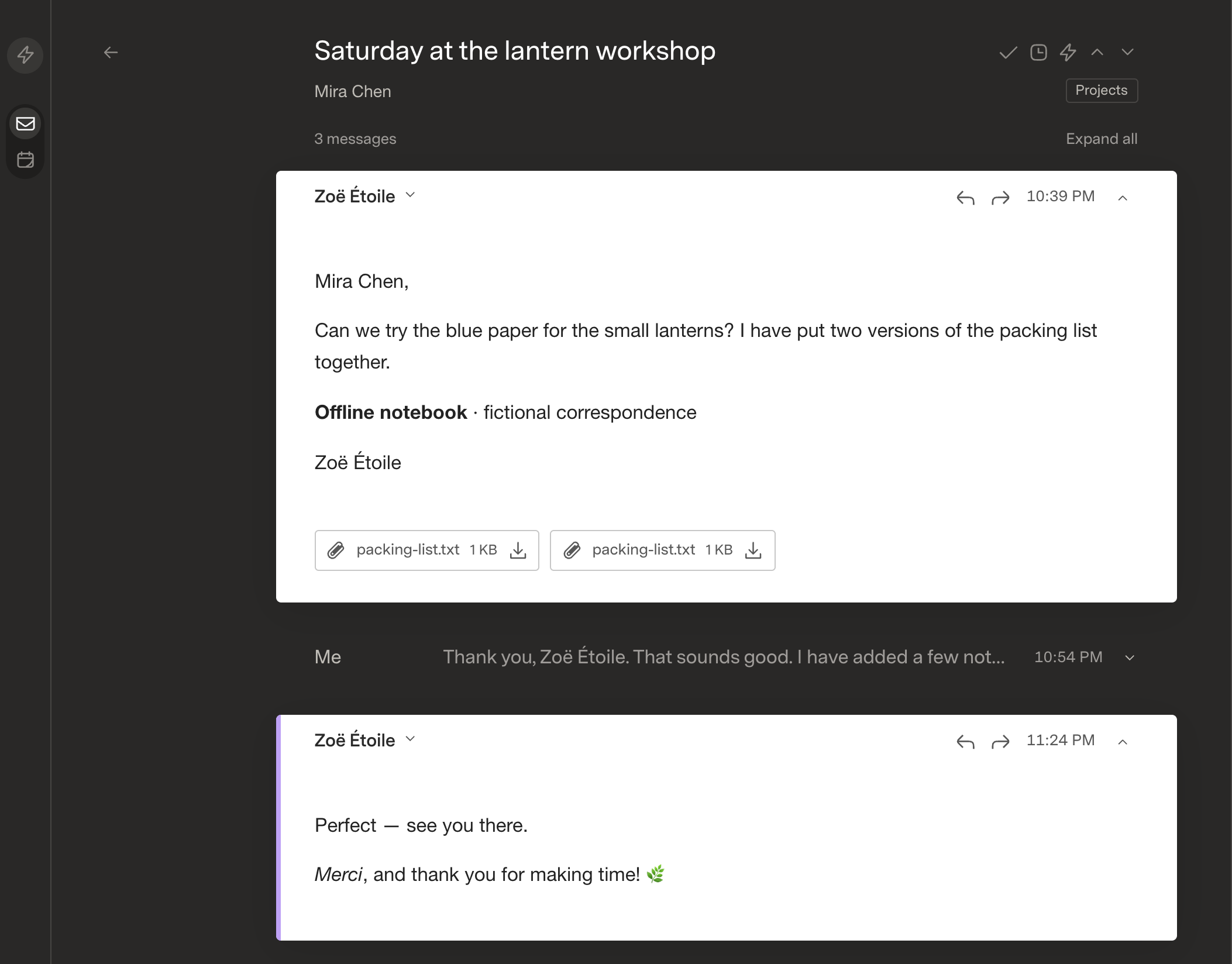
See the reader and mailbox settings
Reading a conversation
Choosing mailboxes and shortcuts
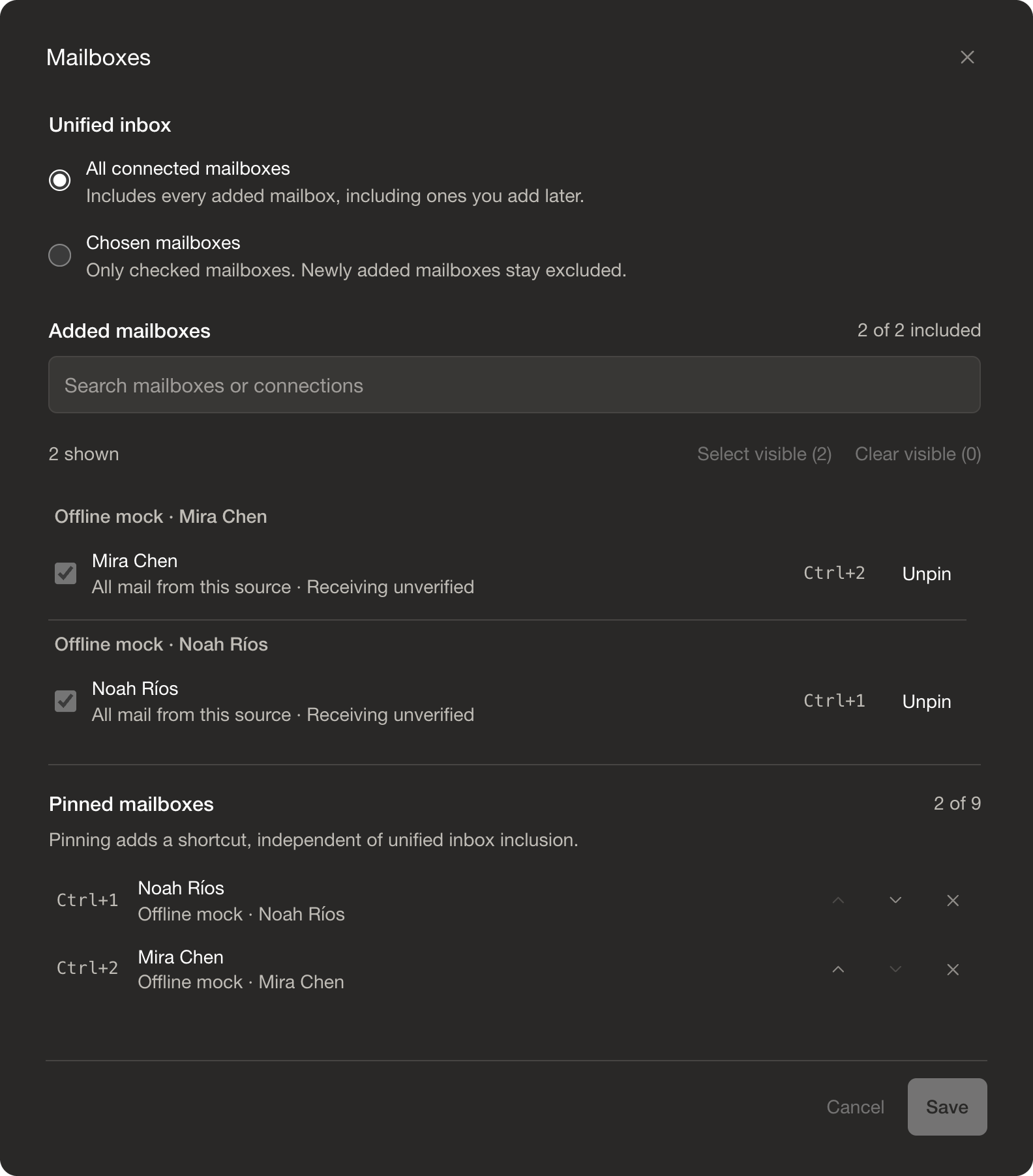
The screenshots use only the included fictional mock data, at a slightly enlarged viewing scale.
Providers and roadmap
The goal is ready-to-connect providers out of the box: choose a service, complete its authorization, and select mailboxes in the same UI. You will still need the provider account, required permissions, and any domain/DNS setup that service requires.
| Provider |
Current state |
Direction |
| Mock mailboxes |
Included and offline |
Keep the full app usable immediately, without personal credentials. |
| Gmail |
Implemented; host OAuth client configuration required |
Make authorization, reconnects, and multi-account setup simpler. |
| Inbound.new |
Implemented; API-key onboarding and domain/address views |
Improve large-domain onboarding, import progress, and recovery within the provider's sync limits. |
| iCloud / IMAP |
In progress |
Email + app-specific-password setup for iCloud, secure IMAP/SMTP presets, and end-to-end provider qualification. |
| Resend |
Planned |
Add a sending/receiving adapter using received-email APIs, attachment retrieval, and verified webhook ingestion. |
| Cloudflare Email Service |
Planned |
Bridge Email Routing / Email Workers into durable SDK mail storage, and integrate supported sending APIs or SMTP. |
Resend and Cloudflare support email workflows, but that does not automatically give them traditional IMAP folders or native read flags. Their adapters should expose real capabilities while the SDK supplies reusable local workflows.
What we are working toward
- Less setup outside the app. Provider presets, guided authorization, connection checks, and useful reconnect errors instead of routine configuration-file editing.
- More interchangeable providers. Finish IMAP/iCloud support, then add Resend and Cloudflare without introducing separate frontend mail APIs.
- Better large-inbox progress. Keep cached mail usable while imports run, show meaningful progress and partial failures, and extend paging as mailbox collections grow.
- Personalized Important / Other. Add optional per-user learning from explicit corrections, with reversible feedback and conservative handling of uncertain mail.
For current unified-inbox decisions, import limits, and open product questions, see unified-inbox-decisions.md. Apple's separate OAuth opportunity is recorded in apple-provider.ind.
Architecture
Client → Inbox SDK APIs → provider adapters
| Package |
Responsibility |
apps/web |
React client: inbox views, reading, composing, and settings. |
apps/local-host |
Application sessions, provider onboarding, runtime paths, and connection policy. |
packages/inbox-sdk |
Normalized mail contracts, SQLite storage, encrypted credentials, queries, jobs, drafts, events, and provider translation. |
apps/mock-api |
A fictional upstream and real InboxProvider implementation, not a fake SDK HTTP layer. |
The SDK currently runs on Bun and SQLite. The host supports explicit local-only sessions or allowlisted Google sign-in with private per-user mailboxes and settings. Shared-mailbox and team roles are not implemented.
Connect real providers
The current Gmail and Inbound connectors use the local host configuration:
- Stop the app and open the generated, git-ignored
superlocal.local.json.
- Set
mode to real and enable providers.gmail.enabled and/or providers.inbound.enabled.
- For Gmail, configure the host's Google OAuth web client. Register
http://localhost:5178/v1/oauth/google/callback for the default local setup. Google does not accept .local redirect domains; use the configured localhost origin for local authorization.
- Restart the app and open Settings → Add Accounts. Inbound takes an API key, then offers discovered mailboxes. Gmail uses the host-managed OAuth flow.
- Use Settings → Mailboxes to choose unified inclusion and pinned shortcuts.
Provider credentials are submitted to the host, encrypted per connection by the SDK, and not returned by the mail APIs. Mock and real modes stay separate. The Gmail OAuth defaults reference SUPERLOCAL_GOOGLE_CLIENT_ID and SUPERLOCAL_GOOGLE_CLIENT_SECRET; export them explicitly, or configure the corresponding providers.gmail.oauth values as private strings or { "env": "YOUR_VARIABLE_NAME" } references. No SDK .env file or unrelated ambient credentials are imported.
Real connections default to normal mail access (allowProviderWrites.real: true). For an optional read-only host, set it to false; Gmail can use https://www.googleapis.com/auth/gmail.readonly with openid and email rather than modify/send scopes. Reauthorize old read-only grants before sending or modifying mail. Provider capabilities and OAuth permissions still determine which native actions are available.
Runtime storage and advanced local configuration
Keep the generated instanceId with its data. Runtime databases, encryption keys, and session keys live outside the checkout:
| Platform |
Default location |
| macOS |
~/Library/Application Support/superlocal/<instanceId>/ |
| Linux |
$XDG_DATA_HOME/superlocal/<instanceId>/, defaulting to ~/.local/share |
| Windows |
%LOCALAPPDATA%/superlocal/<instanceId>/ |
dataDir can point to another private directory. Back up the whole instance together: missing or mismatched keys fail closed and are never silently regenerated. Old pilot databases and .env.local credentials are not imported automatically.
The launcher serves the client on port 5178 and the SDK host on 8790. web.port, backend.port, web.origin, and web.allowedOrigins control the local addresses. A null web.origin uses http://localhost:<web.port>. An existing OpenCan setup can expose https://super.local; Superlocal does not install or manage OpenCan.
For an isolated run, set SUPERLOCAL_CONFIG to a new configuration path and SUPERLOCAL_DATA_DIR to a separate private directory. The configuration's parent directory must exist. SUPERLOCAL_WEB_PORT, SUPERLOCAL_API_PORT, and SUPERLOCAL_WEB_ORIGIN override addresses. bun --no-env-file run dev:host starts only the backend.
Development
From the repository root:
bun --no-env-file run test:web
INBOX_TEST_LIVE=false bun --no-env-file run test:api
bun --no-env-file run typecheck
bun --no-env-file run build
Live-provider qualification is separate from deterministic tests. Never commit credentials, private configuration, runtime databases, real mail, or private diagnostic captures.

 Superlocal 是一个面向桌面的邮件客户端,背后由一个与提供商无关的 Inbox SDK 支撑。它让你把来自不同提供商(Gmail、Inbound.new、模拟)的邮箱统一到一个收件箱,同时保持每个账号的身份、凭据和提供商能力相互独立。