306 ·GitHub
What is this?
 Shared Sessions lets you and a teammate join the same Claude Code session together: you see each other's prompts, streamed replies, tool results and previews live, while the host's machine does all the work.
Shared Sessions lets you and a teammate join the same Claude Code session together: you see each other's prompts, streamed replies, tool results and previews live, while the host's machine does all the work.Is it a Claude Code plugin or a separate app?It is a plugin that runs inside your existing Claude Code installation (Desktop or terminal) plus a small room server that relays the shared session; it is not a standalone application.
It is a plugin that runs inside your existing Claude Code installation (Desktop or terminal) plus a small room server that relays the shared session; it is not a standalone application.How do I install it and start a shared session?Install the plugin in a terminal running a supported Claude Code version, leaving the share-server setting empty to use the public server by default. Then press Share or type /share-session to get a link, and a teammate pastes that link into their own fresh Claude Code session.
Install the plugin in a terminal running a supported Claude Code version, leaving the share-server setting empty to use the public server by default. Then press Share or type /share-session to get a link, and a teammate pastes that link into their own fresh Claude Code session.What do I need besides Claude Code?Both people need a Claude Code install at 2.1.286+ and the plugin; if you only have the newer Claude Code bundled with Desktop and an older terminal CLI, the setup script needs Git and Node 20+ to locate it on macOS.
Both people need a Claude Code install at 2.1.286+ and the plugin; if you only have the newer Claude Code bundled with Desktop and an older terminal CLI, the setup script needs Git and Node 20+ to locate it on macOS.What can't guests see or do?Guests only see the first 40 lines of each tool result and subagents' inner steps are not mirrored at all; some viewer and session-list features are Desktop-only, and by default a guest's request to edit files, run commands or use the network must be approved by the host first.
Guests only see the first 40 lines of each tool result and subagents' inner steps are not mirrored at all; some viewer and session-list features are Desktop-only, and by default a guest's request to edit files, run commands or use the network must be approved by the host first.Can I run my own server instead of the public one?Yes, teams that want their own infrastructure can deploy the room server as a Cloudflare Worker or run the included Node server from a clone of the repo.
Yes, teams that want their own infrastructure can deploy the room server as a Cloudflare Worker or run the included Node server from a clone of the repo.Where does the shared session data go?Everything shared passes through a room server (the public one by default), including the transcript, tool results, side chat and files; traffic is encrypted in transit but not end-to-end, and rooms are deleted 24 hours after the host stops sharing.
Everything shared passes through a room server (the public one by default), including the transcript, tool results, side chat and files; traffic is encrypted in transit but not end-to-end, and rooms are deleted 24 hours after the host stops sharing.Does the host keep control over what a guest can do on their machine?Yes, by default a guest's request to edit files, run commands or access the network asks the host for approval first, and a watch-only mode is available for guests who should only observe.
Yes, by default a guest's request to edit files, run commands or access the network asks the host for approval first, and a watch-only mode is available for guests who should only observe.Is there a size limit on the public room server?The public service caps rooms at 20 people and 100 MB of shared files per room, and rooms are automatically deleted 24 hours after the host stops sharing or was last seen.
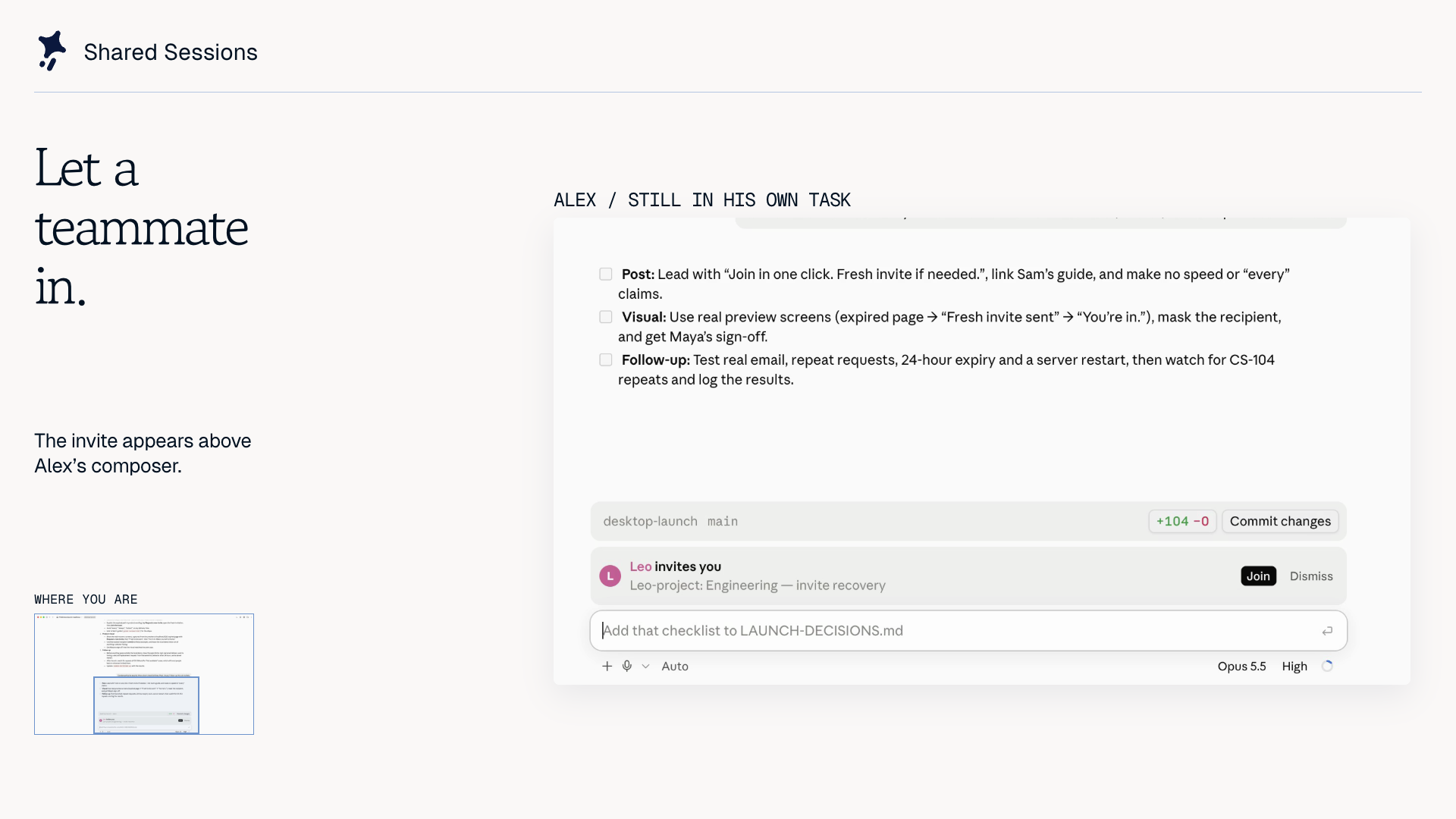
The public service caps rooms at 20 people and 100 MB of shared files per room, and rooms are automatically deleted 24 hours after the host stops sharing or was last seen.What do the optional teams add on top of basic link sharing?Optional teams add sign-in, a live list of ongoing sessions and invitations that show up directly inside Claude Code.
Optional teams add sign-in, a live list of ongoing sessions and invitations that show up directly inside Claude Code.Can a guest see a local dev server running on the host's machine?The host can run /share-preview to expose a local dev server and guests open it from the Room, though local TCP previews require Node 20+, POSIX sh and the host keeping their session and dev server open.
The host can run /share-preview to expose a local dev server and guests open it from the Room, though local TCP previews require Node 20+, POSIX sh and the host keeping their session and dev server open.What are similar projects?claudecodeui, doop, agentbox, pstack-claude, jevmem, fast-jev-compaction, scam-with-your-friends-web, explainer
claudecodeui, doop, agentbox, pstack-claude, jevmem, fast-jev-compaction, scam-with-your-friends-web, explainerWhich topics is it in?remote-development, multiplayer, cloudflare-workers, claude-code-plugin, collaboration, cloudflare, real-time, anthropic, plugin, claude, claude-code, desktop-app
remote-development, multiplayer, cloudflare-workers, claude-code-plugin, collaboration, cloudflare, real-time, anthropic, plugin, claude, claude-code, desktop-app