











Что это такое?
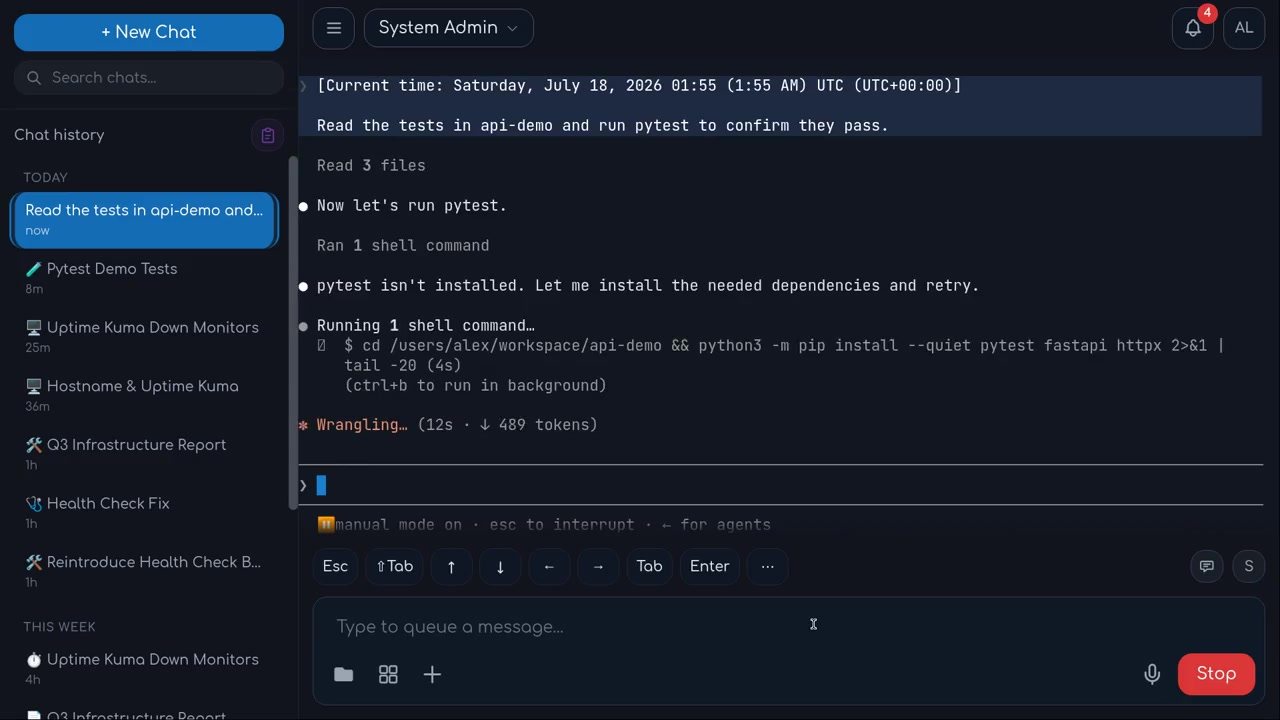
 OtoDock — это self-hosted платформа для AI-агентов компании: ваша команда создаёт их на Claude Code, Codex или локальных моделях, а работают они в чатах, по расписанию, по телефону и на ваших собственных машинах.
OtoDock — это self-hosted платформа для AI-агентов компании: ваша команда создаёт их на Claude Code, Codex или локальных моделях, а работают они в чатах, по расписанию, по телефону и на ваших собственных машинах.Это облачный сервис, или мне нужно разворачивать его самому?Вы запускаете его на своём сервере: агенты живут там в изолированных песочницах, и все работают с ними через веб-панель. Можно также привязать машины с Mac, Windows или Linux, чтобы агенты могли работать с ними напрямую.
Вы запускаете его на своём сервере: агенты живут там в изолированных песочницах, и все работают с ними через веб-панель. Можно также привязать машины с Mac, Windows или Linux, чтобы агенты могли работать с ними напрямую.Как его запустить?На Linux-сервере с Docker (x86-64 или arm64, минимум 4 ГБ оперативной памяти) создайте папку и запустите в ней скрипт установщика: он создаст .env, скачает docker-compose.yml с зафиксированной версией релиза и поднимет весь стек. Затем мастер настройки создаст ваш аккаунт владельца и установит первого Персонального ассистента.
На Linux-сервере с Docker (x86-64 или arm64, минимум 4 ГБ оперативной памяти) создайте папку и запустите в ней скрипт установщика: он создаст .env, скачает docker-compose.yml с зафиксированной версией релиза и поднимет весь стек. Затем мастер настройки создаст ваш аккаунт владельца и установит первого Персонального ассистента.Мне нужен API-ключ Anthropic?Нет. Claude Code работает на вашей подписке Anthropic, Codex — на подписке ChatGPT, и каждый пользователь подключает свою; подходят и локальные модели на вашем железе. Движок выбирается для каждого агента отдельно и меняется в любом чате.
Нет. Claude Code работает на вашей подписке Anthropic, Codex — на подписке ChatGPT, и каждый пользователь подключает свою; подходят и локальные модели на вашем железе. Движок выбирается для каждого агента отдельно и меняется в любом чате.Есть ли подводные камни при установке?Скрипт установки делает только чистую установку — при обнаружении существующей он остановится и ничего не тронет. Если пользователи заходят на сервер по имени или IP, задайте DASHBOARDPUBLICURL в созданном .env, а если сервер стоит за обратным прокси — ещё и TRUSTEDPROXY.
Скрипт установки делает только чистую установку — при обнаружении существующей он остановится и ничего не тронет. Если пользователи заходят на сервер по имени или IP, задайте DASHBOARDPUBLICURL в созданном .env, а если сервер стоит за обратным прокси — ещё и TRUSTEDPROXY.Как там устроена защита от того, чтобы агенты натворили бед?Каждый серверный агент работает в kernel-песочнице с постоянно включённой сетевой изоляцией: приватные диапазоны адресов, ваша локальная сеть и облачные метаданные недоступны. Учётные данные шифруются на диске и передаются на сессию, а SSO, 2FA и лимиты расходов на каждого пользователя встроены по умолчанию.
Каждый серверный агент работает в kernel-песочнице с постоянно включённой сетевой изоляцией: приватные диапазоны адресов, ваша локальная сеть и облачные метаданные недоступны. Учётные данные шифруются на диске и передаются на сессию, а SSO, 2FA и лимиты расходов на каждого пользователя встроены по умолчанию.Что fair-source лицензия значит для моей компании?Это Functional Source License v1.1 (FSL-1.1-Apache-2.0): можно использовать, менять и распространять её для чего угодно, кроме создания конкурента OtoDock, а через два года после выпуска каждая версия переходит под Apache 2.0. Self-hosting бесплатен для команд до 5 пользователей; командам побольше нужна лицензия по числу мест.
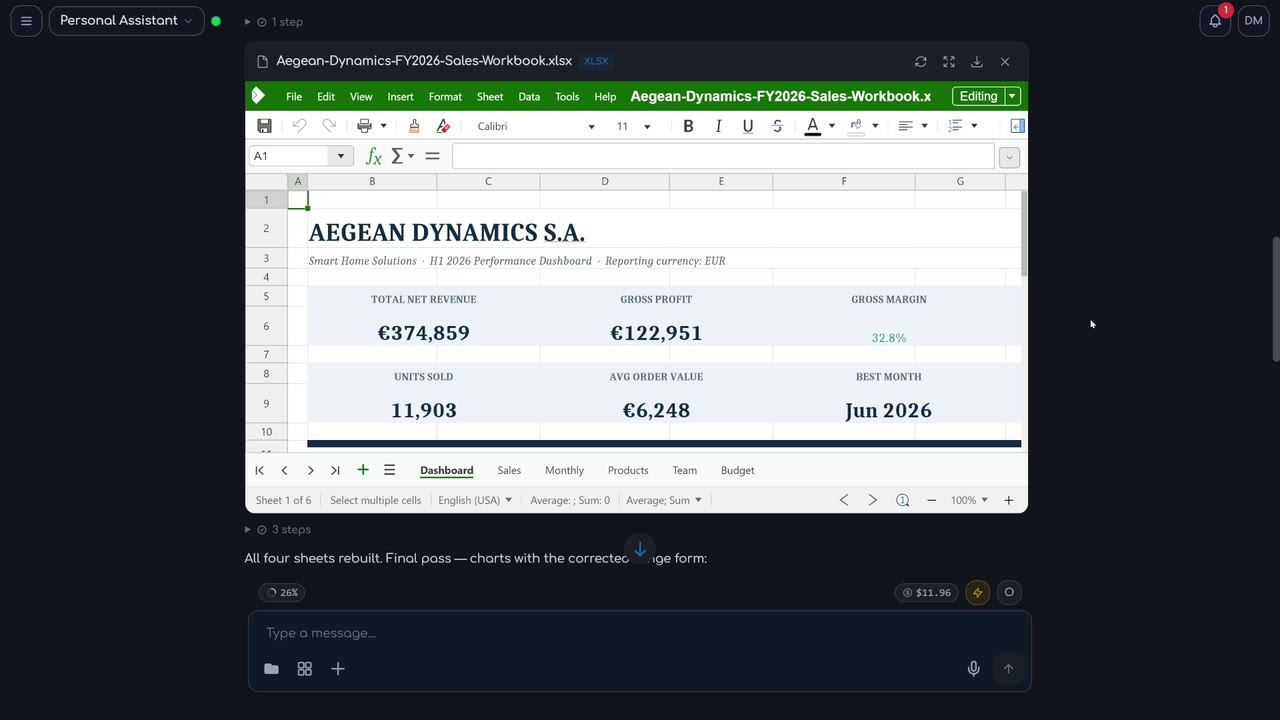
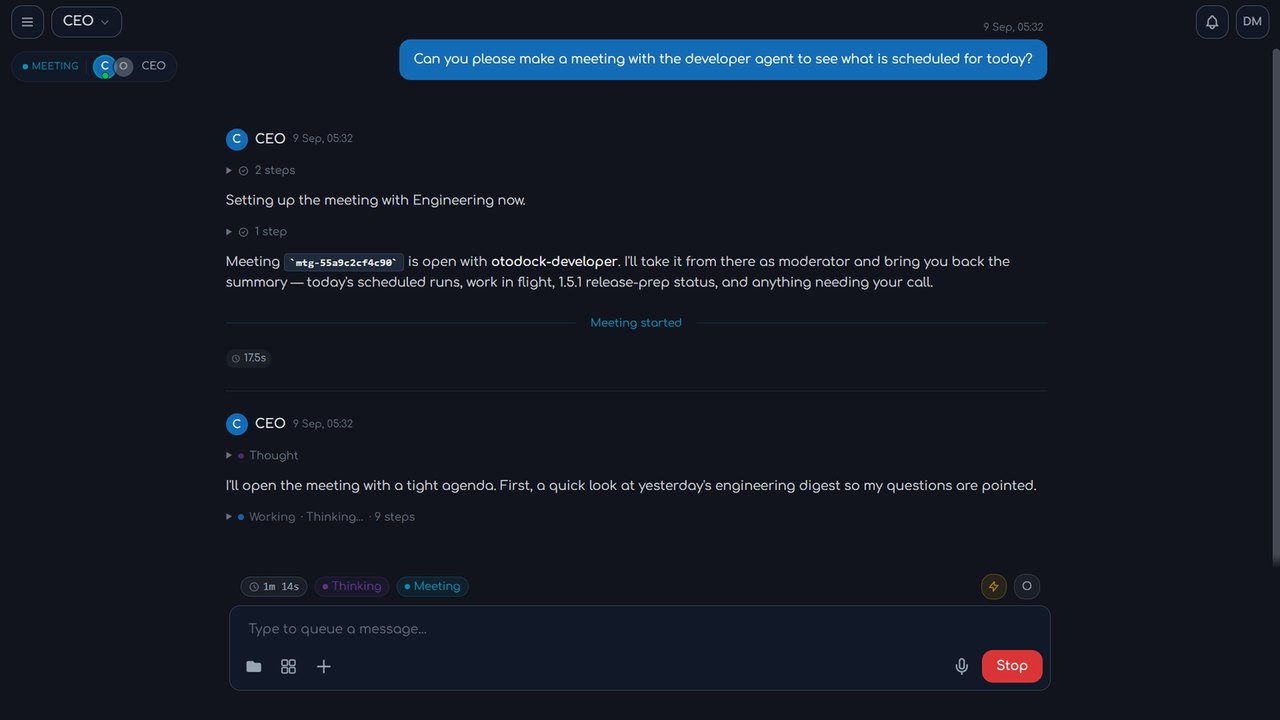
Это Functional Source License v1.1 (FSL-1.1-Apache-2.0): можно использовать, менять и распространять её для чего угодно, кроме создания конкурента OtoDock, а через два года после выпуска каждая версия переходит под Apache 2.0. Self-hosting бесплатен для команд до 5 пользователей; командам побольше нужна лицензия по числу мест.Что агенты умеют сразу после установки?В платформу уже встроено многое: агенты создают и редактируют файлы Word, Excel, PowerPoint и PDF прямо в чате, генерируют и правят изображения, монтируют видео с субтитрами и музыкой, расшифровывают аудио, ходят по живому интернету, проводят встречи, передают задачи друг другу и звонят по телефону. Каталог от сообщества добавляет готовых агентов, инструменты и навыки — GitHub, Notion, Home Assistant, Nextcloud, Prometheus, UniFi и Uptime Kuma среди них — в один клик.
В платформу уже встроено многое: агенты создают и редактируют файлы Word, Excel, PowerPoint и PDF прямо в чате, генерируют и правят изображения, монтируют видео с субтитрами и музыкой, расшифровывают аудио, ходят по живому интернету, проводят встречи, передают задачи друг другу и звонят по телефону. Каталог от сообщества добавляет готовых агентов, инструменты и навыки — GitHub, Notion, Home Assistant, Nextcloud, Prometheus, UniFi и Uptime Kuma среди них — в один клик.Из чего состоит агент?Из шести редактируемых частей: Персона (инструкции простым языком), Память, которая сохраняется между чатами, папка Рабочее пространство, куда попадает повседневная работа, Знания (справочные документы), Навыки, которым он научился, и Инструменты, которые ему разрешено использовать.
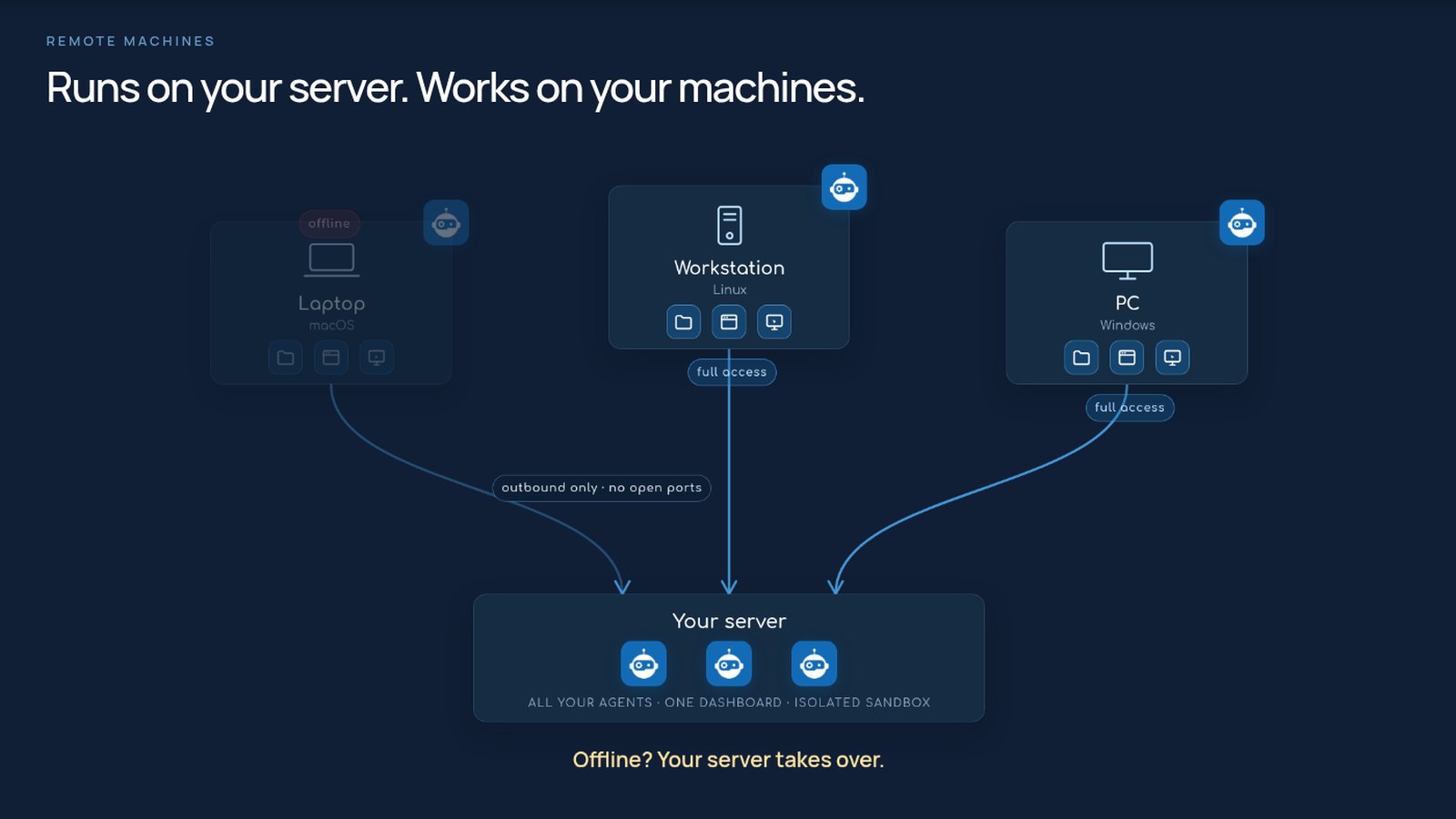
Из шести редактируемых частей: Персона (инструкции простым языком), Память, которая сохраняется между чатами, папка Рабочее пространство, куда попадает повседневная работа, Знания (справочные документы), Навыки, которым он научился, и Инструменты, которые ему разрешено использовать.Может ли агент работать прямо на моём ноутбуке или рабочей станции?Да. Привяжите машину с macOS, Linux или Windows одной командой: она держит единственное исходящее соединение с вашим сервером, поэтому открытые порты не нужны, её файлы остаются синхронизированными, и тот же агент со всеми инструментами работает там с полным доступом. Если машина уходит в оффлайн, сервер берёт работу на себя.
Да. Привяжите машину с macOS, Linux или Windows одной командой: она держит единственное исходящее соединение с вашим сервером, поэтому открытые порты не нужны, её файлы остаются синхронизированными, и тот же агент со всеми инструментами работает там с полным доступом. Если машина уходит в оффлайн, сервер берёт работу на себя.Зачем автор это создал?Всё началось с Claude Code: Димитрис Мурцис хотел использовать его за пределами терминала и подключить к своим сервисам, поэтому и построил платформу вокруг этой идеи. Значительная часть OtoDock была создана, протестирована и выпущена агентами, работавшими на самом OtoDock.
Всё началось с Claude Code: Димитрис Мурцис хотел использовать его за пределами терминала и подключить к своим сервисам, поэтому и построил платформу вокруг этой идеи. Значительная часть OtoDock была создана, протестирована и выпущена агентами, работавшими на самом OtoDock.What are similar projects?ruflo, open-multi-agent, AionUi, hermes-agent, suna, brigade, Observal, Raven
ruflo, open-multi-agent, AionUi, hermes-agent, suna, brigade, Observal, RavenWhich topics is it in?fair-source, voip, scheduling, agent-tools, vps, homelab, fastapi, collaboration, chat, memory, sandbox, local-llm
fair-source, voip, scheduling, agent-tools, vps, homelab, fastapi, collaboration, chat, memory, sandbox, local-llm