Unlock Telegram: Download Anything You Like.



Overview
This user script unlocks and enables download of images, GIFs, audios, and videos in Telegram webapps from chats, stories, and even private channels where downloading is disabled or restricted.
(Note: some features are only available for specific Telegram webapp version. e.g. Audio message download is only available for the K webapp version.)
What are user scripts?
User scripts put you in control of your browsing experience. Once installed, they automatically make the sites you visit better by adding features, making them easier to use, or taking out the annoying bits. The user scripts on Greasy Fork were written by other users and posted to share with the world. They're free to install and easy to use.
Installation
Greasy Fork
install a user script manager
To use user scripts you need to first install a user script manager. Which user script manager you can use depends on which browser you use.
(Note, If you are using Tampermonkey extension in a Chrome-based browser, following instructions to enable Developer Mode.)
Install this script by visiting Greasy Fork:
https://greasyfork.org/scripts/446342-telegram-media-downloader
Manual Installation
install a user script manager
To use user scripts you need to first install a user script manager. Which user script manager you can use depends on which browser you use.
(Note, If you are using Tampermonkey extension in a Chrome-based browser, following instructions to enable Developer Mode.)
Open Tampermonkey Dashboard, drag & drop src/tel_download.js into it and clicks the "install" button
How to Use
This script only works on Telegram Webapp.
For channels and chats that allow saving content, this script will have no effect. Please just use the official download button provided by the telegram webapp instead.
For channels and chats that disable downloading and restrict saving content, this script will add the download button back for images, GIFs and videos.
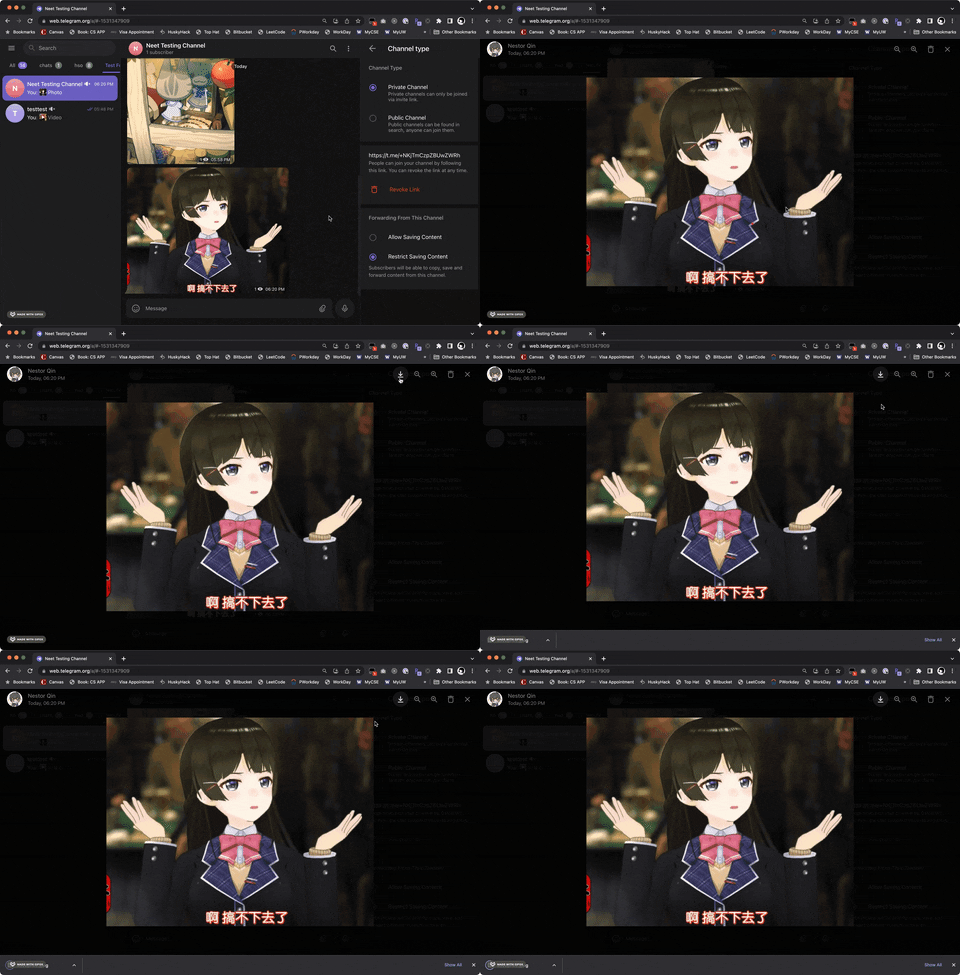
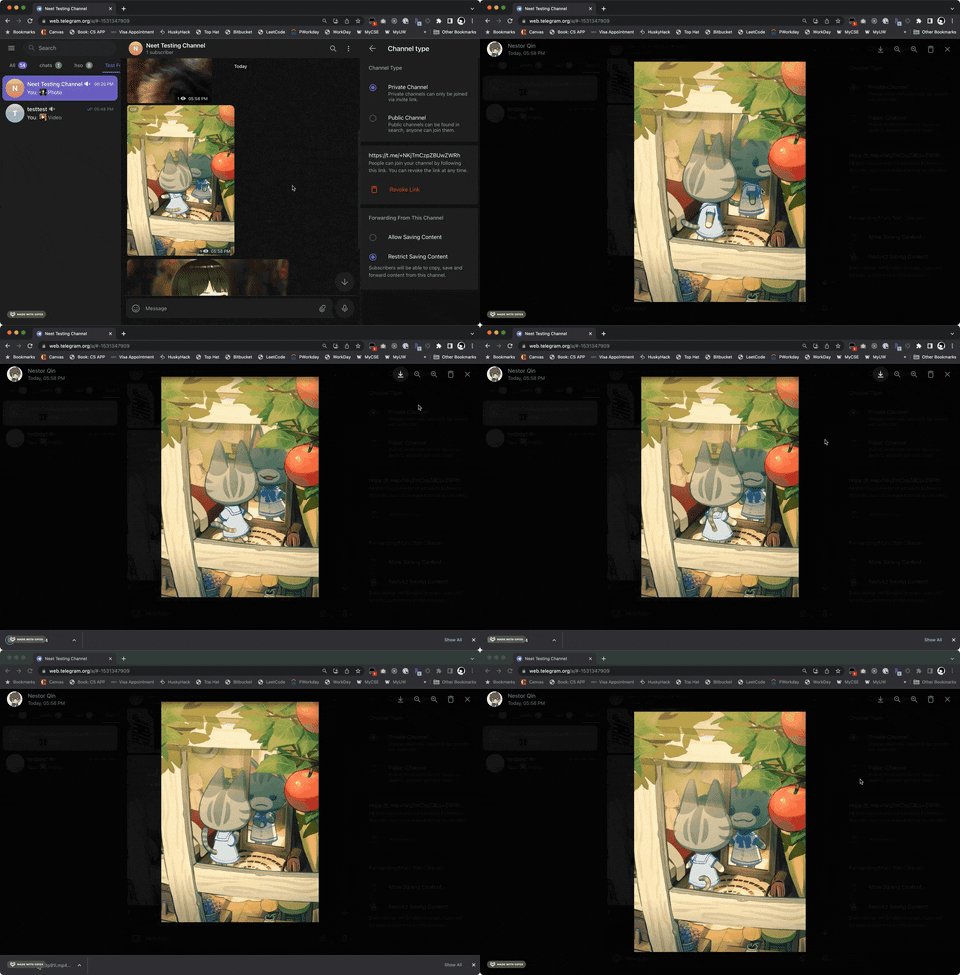
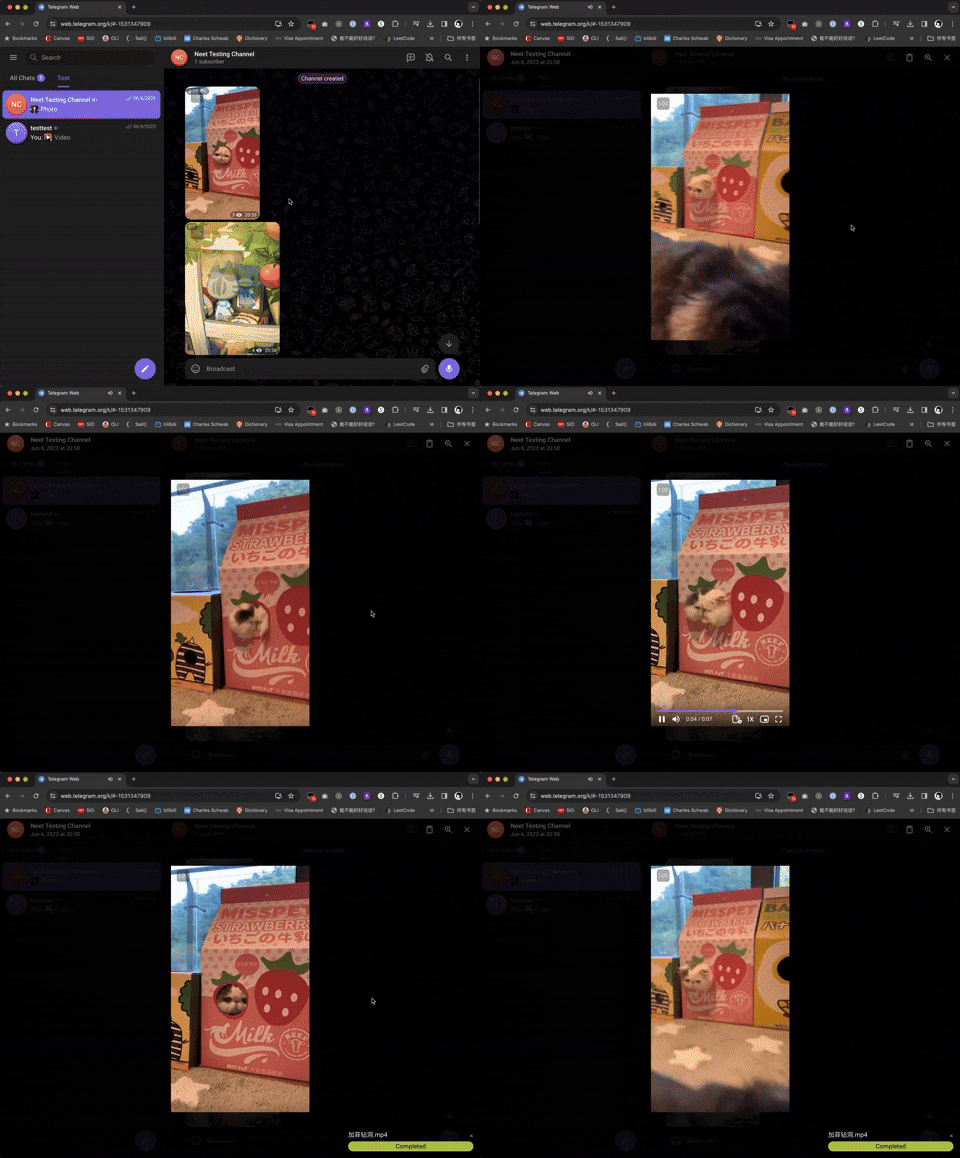
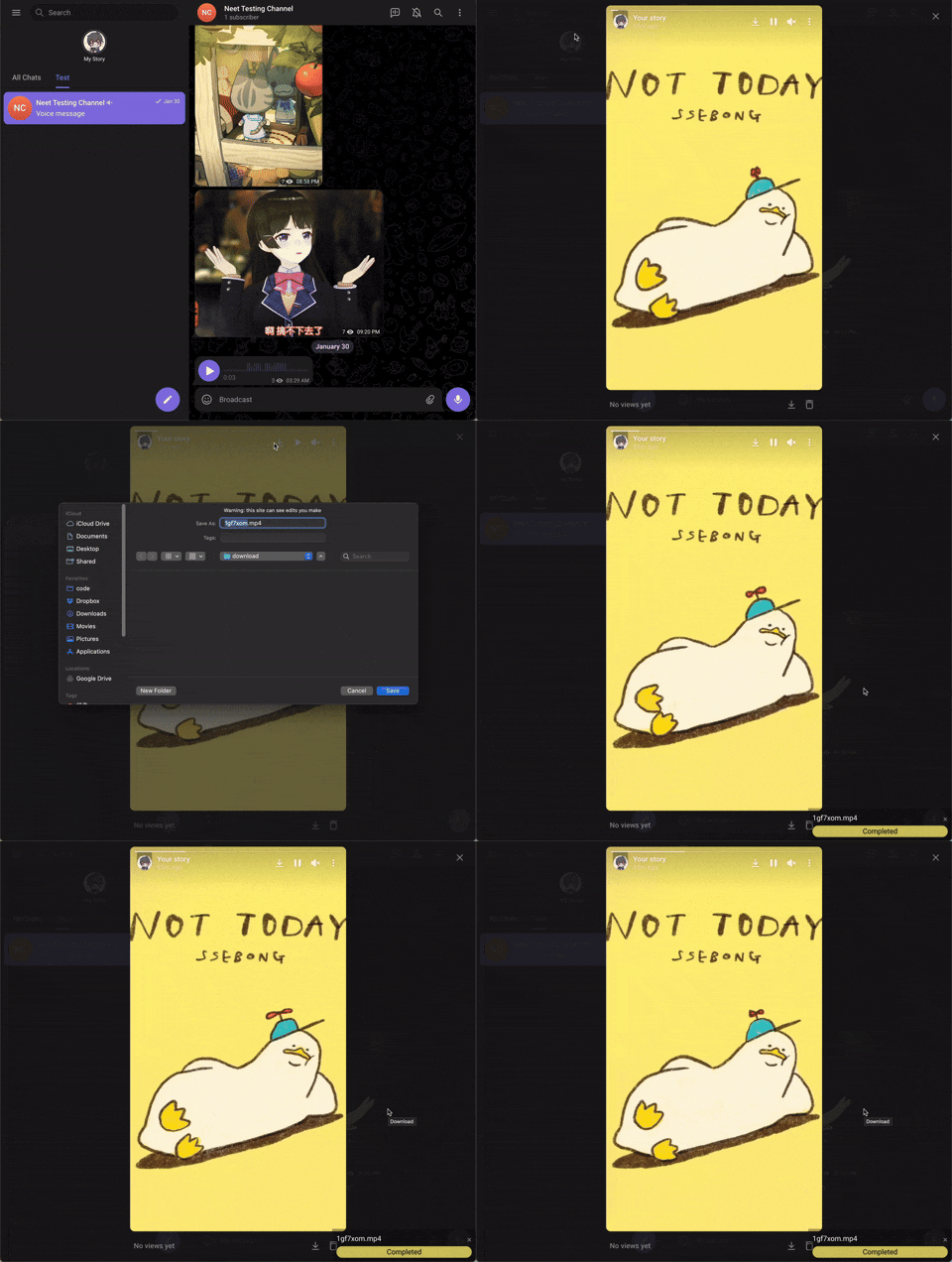
For videos, a progress bar will show on the bottom-right corder after you started downloading. For images and audios, there won't be a progress bar.
Supported Webapp Versions
There are 2 different versions of telegram webapps:
This script should work on both versions of webapp, but some features are only available in the /k/ version (such as voice message downloads). If certain features are not working, switching to the /k/ version is recommended.
Check Downloading Progress
A progress bar will show on the bottom-right of the screen for videos. You can also check DevTools console for logs.
Contributing
We welcome contributions from the community! If you’d like to contribute to Telegram Media Downloader, follow these steps:
Reporting Issues
If you find a bug, compatibility issue, or have a feature request, please:
- Check if the issue has already been reported in the Issues tab.
- If not, create a new issue with a clear title and description. Attach screenshots or logs if applicable.
Submitting Pull Requests
Fork the repository: Click on the "Fork" button in the top-right of the repo.
Clone your fork:
git clone https://github.com/YOUR-USERNAME/Telegram-Media-Downloader.git
cd Telegram-Media-Downloader
Create a new branch for your feature or bugfix:
git checkout -b feature-or-bugfix-name
Make your changes and ensure the script still works correctly on supported Telegram webapps.
Make your changes and ensure the script still works correctly on supported Telegram webapps.
Commit your changes with a descriptive message:
git commit -m "Add feature/fix issue: Brief description"
Push to your fork:
git push origin feature-or-bugfix-name
Submit a Pull Request (PR):
Development Guidelines
- Keep your code clean and well-documented.
- Follow the existing coding style.
- Test your changes on both Telegram WebK and WebZ versions.
- Ensure compatibility with major user script managers like Tampermonkey and Violentmonkey.
Help with Translations
We want Telegram Media Downloader to be accessible to users worldwide! If you’d like to help translate the script’s Greasy Fork page, follow these steps:
How to Contribute a Translation
Check for existing translations in the docs/greasyfork folder of the repository.
Add a new file in docs/.md, using the appropriate language code (e.g., docs/fr-FR.md for French, docs/de-DE.md for German).
Translate the content from docs/greasyfork/en-US.md into your language while keeping the formatting intact. Submit a Pull Request following the steps in the Submitting Pull Requests section above.
Language Codes
Use standard IETF Language Tag (e.g., es-ES for Spanish, ja-JP for Japanese). You can find a full list of codes here.
Support Author
If you like this script, you can support me via Venmo or buy me a coffee :)

 一个用户脚本,当聊天或频道禁用了内容保存时,它可以在 Telegram Web 上恢复图片、GIF、音频和视频的下载按钮。