Why
Some studios showed off gorgeous notch companions… and never let anyone use them.
Coucou is the open version. Every line of code, every animation, every sound — free to use, read, fork and remix.
Meet Mochi: a soft little squircle with big eyes that pops out of your notch, waves hello, follows your cursor with its eyes, gets annoyed when you poke it (and dizzy if you insist), and tells you the moment Claude Code needs you.
Features
- 🤖 Claude Code, live — see every session in your notch: what it reads, edits and runs, step by step. Finished? Mochi does a happy little jump.
- ✅ Approve from the notch — Claude Code permission requests show up with Allow / Deny. One click, back to work.
- 🧑💻 Jump to the right terminal — open the exact terminal window of a session (macOS).
- 💬 Ask Claude anything — built-in chat, straight from the notch.
- 📎 Drop a file on the notch — Mochi turns into a box and swallows it, then ask a question about it or send it by email (email: macOS, Mail.app).
- 🪟 Drag Mochi onto any window — attach that window as context for Claude (macOS).
- 🔌 Integrations — Stripe payments, n8n workflows, GitHub, Vercel deployments, Resend emails, Notion, Cal.com. Each one gets its own little colored Mochi.
- 🎭 A real character — idle breathing, blinks, eyes on a sphere that follow your mouse, emotes, 28 handcrafted sounds, a greeting on launch.
- 🫥 Invisible when idle — hides away when nothing is running, peeks out when you hover the notch (the top edge of the screen on Windows).
- 🔒 Private by design — no telemetry, no account. Keys live in your macOS Keychain or Windows Credential Manager. The app only talks to the services you plug in.
Install
Download for macOS
- Grab the latest
Coucou.zip from Releases.
- Unzip and move Coucou.app to
/Applications.
- Launch. This build isn't notarized by Apple yet, so the first time macOS says it can't verify the developer: open System Settings → Privacy & Security, scroll down and click Open Anyway (only once).
Windows
The Windows installer is temporarily unavailable. Microsoft Defender wrongly
flags the unsigned installer as malware; a false-positive report is under review
at Microsoft and the installer will come back once it is cleared and signed.
Until then you can build it from source.
There is no notch on a PC, so the island slides out of the top edge of the screen
instead of hiding inside one. See windows/README.md for the
rest of the differences.
Build from source
macOS — requirements: macOS 15+, Xcode 16+, XcodeGen.
brew install xcodegen
git clone https://github.com/Louis-CFM/coucou.git
cd coucou/NotchBuddy
xcodegen
open NotchBuddy.xcodeproj   # then ⌘R
Windows — requirements: Rust, Node 20+, MSVC build tools.
git clone https://github.com/Louis-CFM/coucou.git
cd coucou/windows
npm install
npm run pack                # installer lands in windows/release/
Setup
Click the Coucou icon in the menu bar (macOS) or in the system tray (Windows) → Settings…
| What |
Why |
Where the key goes |
| Claude Code hooks |
live sessions and approvals |
Install hooks — Coucou backs up ~/.claude/settings.json, merges its hooks and shows you the diff before writing anything |
| Anthropic API key |
chat and questions about files |
Keychain / Windows Credential Manager |
| Stripe, n8n, GitHub, Vercel, Resend, Notion, Cal.com |
the integration pills |
Keychain / Windows Credential Manager, all optional |
If Coucou isn't running, the hook exits immediately: Claude Code is never blocked.
Things to try
| Do this |
Mochi does that |
| Hover the notch (top edge on Windows) |
peeks out and says hi 👋 |
| Click it |
opens |
| Hover Mochi |
blinks, eyes grow |
| Click Mochi |
squish + annoyed |
| Click 3 times fast |
😵💫 dizzy for a few seconds |
| Drag a file onto the island |
turns into a box and swallows it |
| Drag Mochi onto a window (macOS) |
attaches it as context |
How it works
macOS
- Island: a borderless
NSPanel hugging the notch, driven by a small state machine (hidden → petit → home).
- Character: drawn in SwiftUI
Canvas + TimelineView at 60 fps — squircle body, eyes projected on a sphere, spring animations. No Rive, no Lottie, no images.
- Claude Code: a tiny
nb-hook script receives hook events and forwards them over a Unix socket to the app. For approvals it waits for your click, then answers the hook.
- Integrations: lightweight pollers, paused when nothing is watching.
- Sounds: 28 short WAVs played through preloaded
AVAudioPlayers.
The macOS app is native Swift 6 / SwiftUI / AppKit with zero third-party dependencies.
Windows
- A Tauri 2 app (Rust + TypeScript): the island is a transparent, always-on-top window that never steals focus, Mochi is drawn in Canvas 2D with the same shapes, timings and sounds as on the Mac.
- Claude Code hooks go through a tiny
coucou-hook.exe and a named pipe; keys live in Windows Credential Manager.
- Details and differences in
windows/README.md.
Contributing
Issues and PRs are very welcome — new integrations, new emotes, new sounds, bug fixes. See CONTRIBUTING.md.
Credits
Built by Louis Raillé with Claude Code.
Inspired by the notch-companion concepts shared by design studios — this project is independent and not affiliated with any of them.
License
- Code: MIT — use it, fork it, learn from it, just keep the copyright notice.
- Name, Mochi character, icon, sounds and media: © Louis Raillé, all rights reserved — see LICENSE-ASSETS.md. Shipping your own fork? Give it your own name and character.





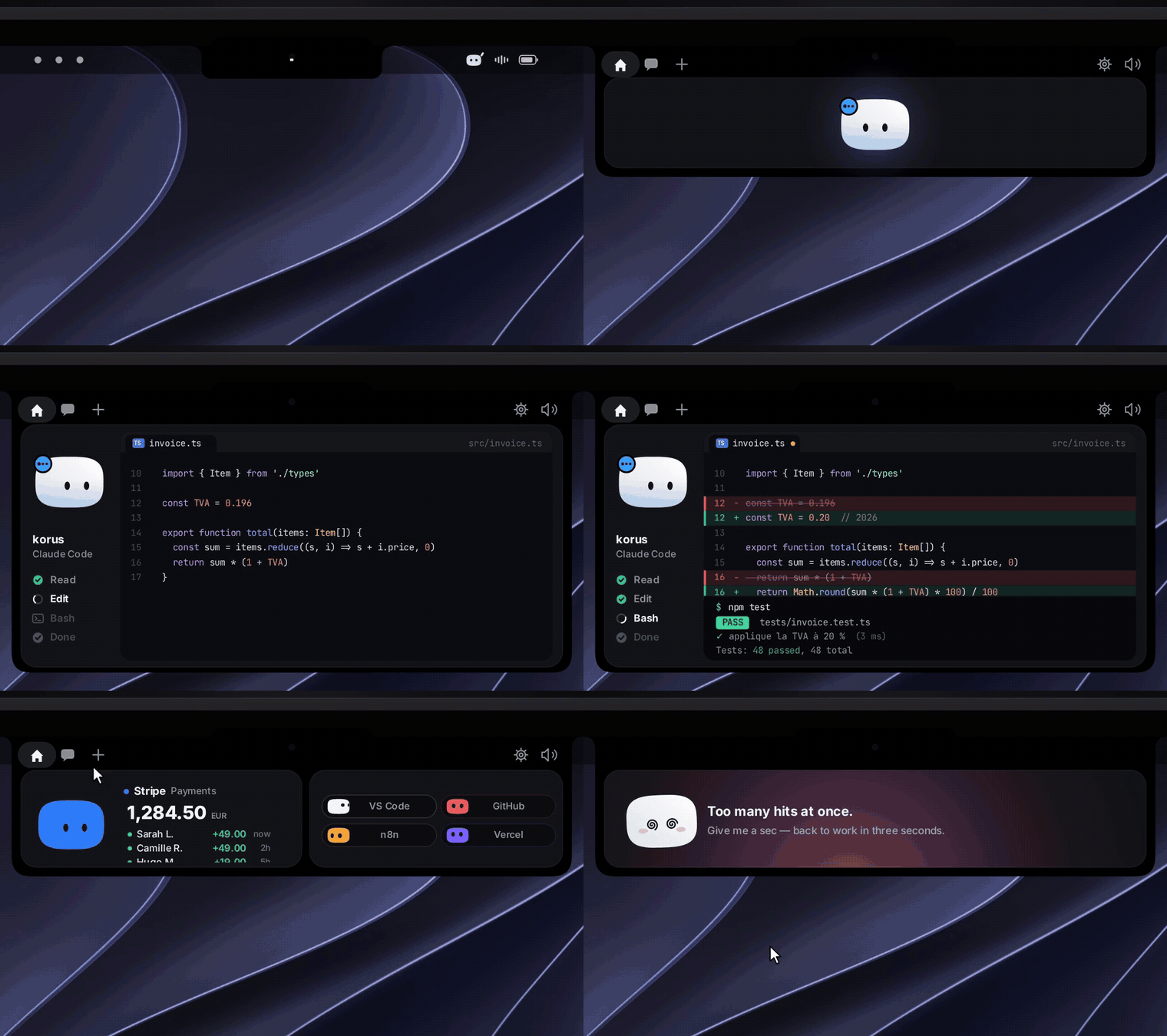
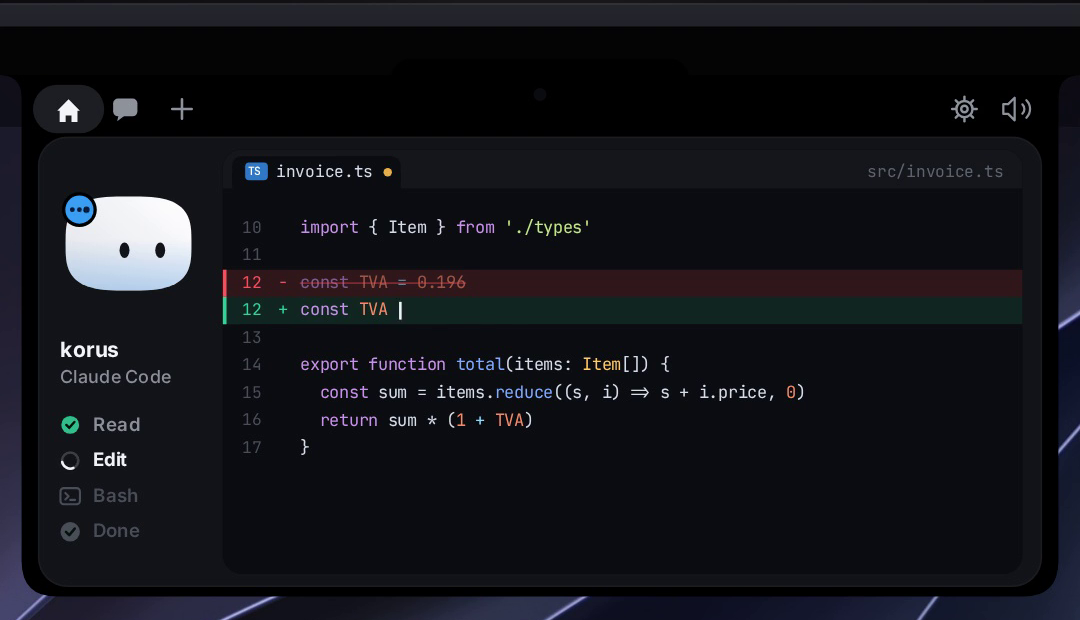
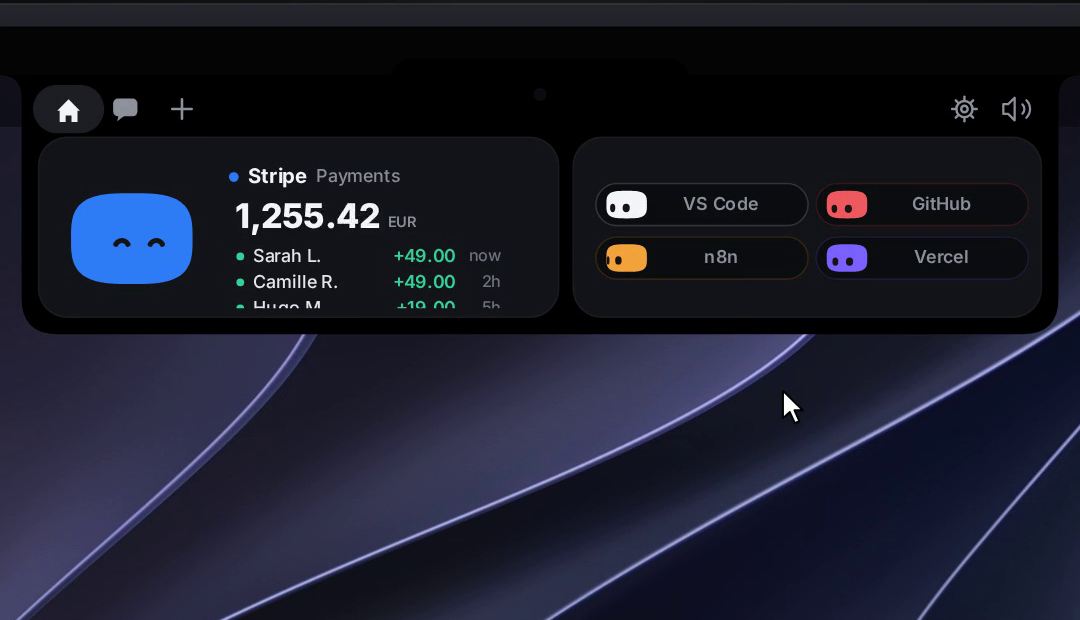
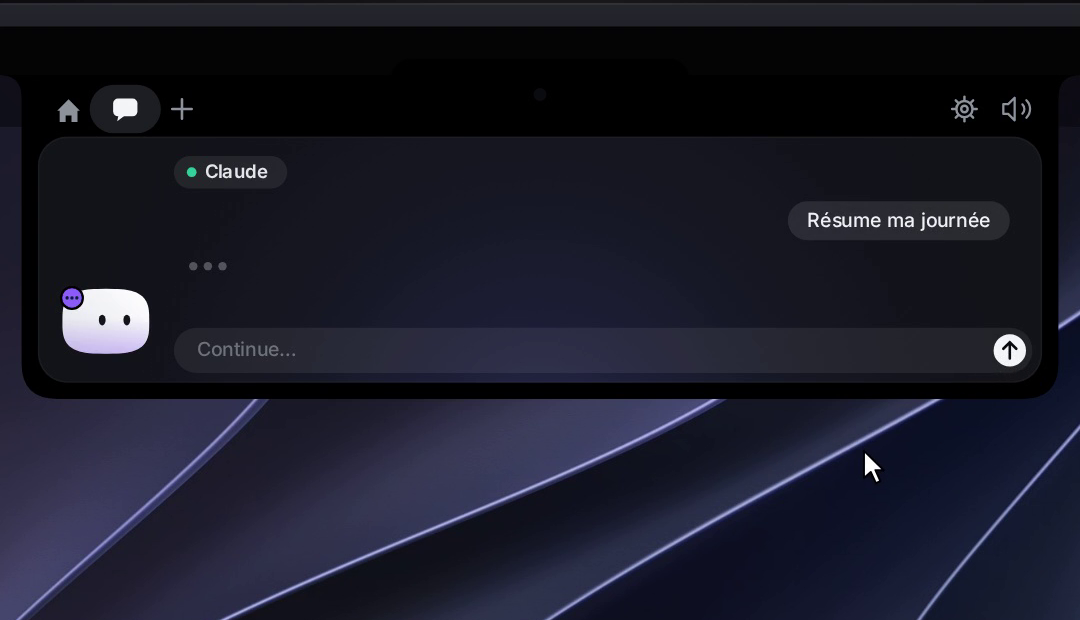
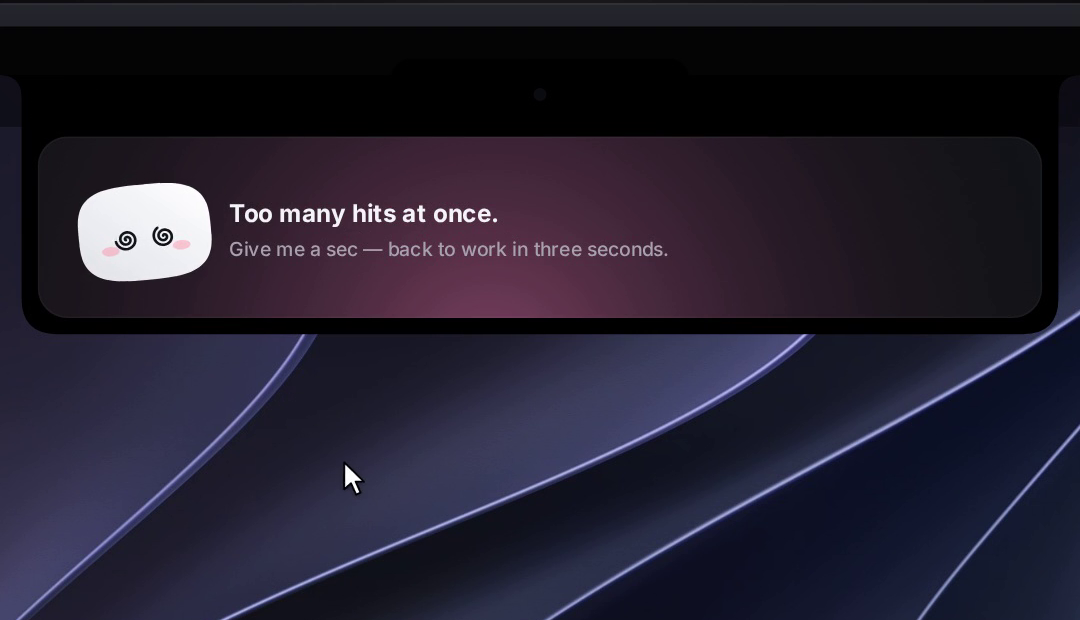

 Coucou 是一个名叫 Mochi 的小动画角色,住在 Mac 的刘海里(Windows 上则是屏幕顶边),关注你的 AI 编程智能体会话——Claude Code、Codex、Cursor、Gemini CLI 和 Antigravity——让你可以直接在那里批准权限请求并与 Claude 聊天。