🚀 Features*
| Task Management |
Project Planning |
Information/Knowledge Management |
Administration |
Task management via
kanban boards, gantt, table, list and calendar views |
Project Dashboards, reports & status updates |
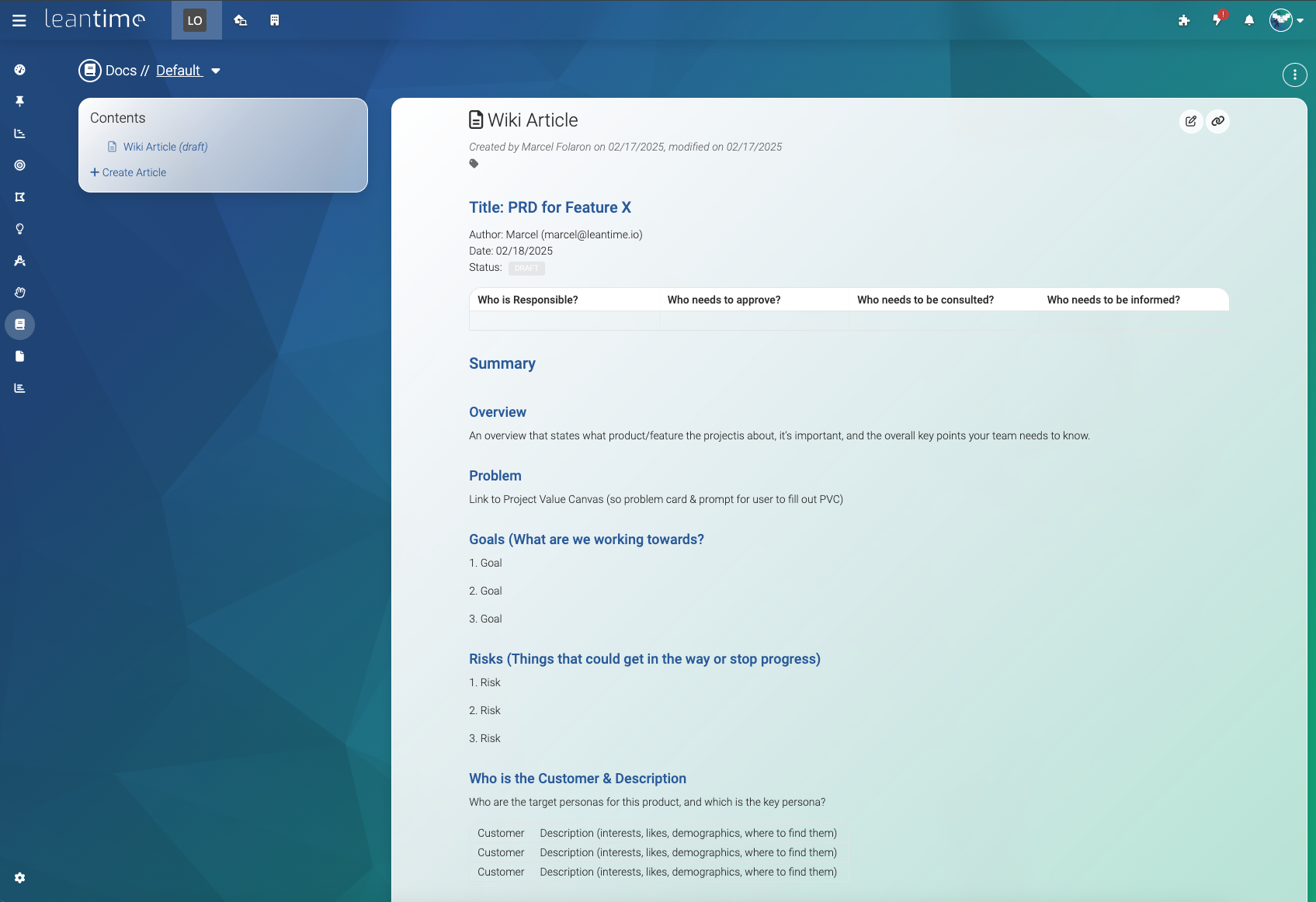
Wikis / Docs |
Easy installation |
| Unlimited subtasks and dependencies |
Goal & metrics tracking |
Idea Boards |
Multiple user roles and per project permissions |
| Milestone management |
Lean & Business Model Canvas |
Retrospectives |
Two factor authentication |
| Sprint Management |
SWOT Analysis canvas |
File Storage via S3 or local filesystem |
LDAP, OIDC integration |
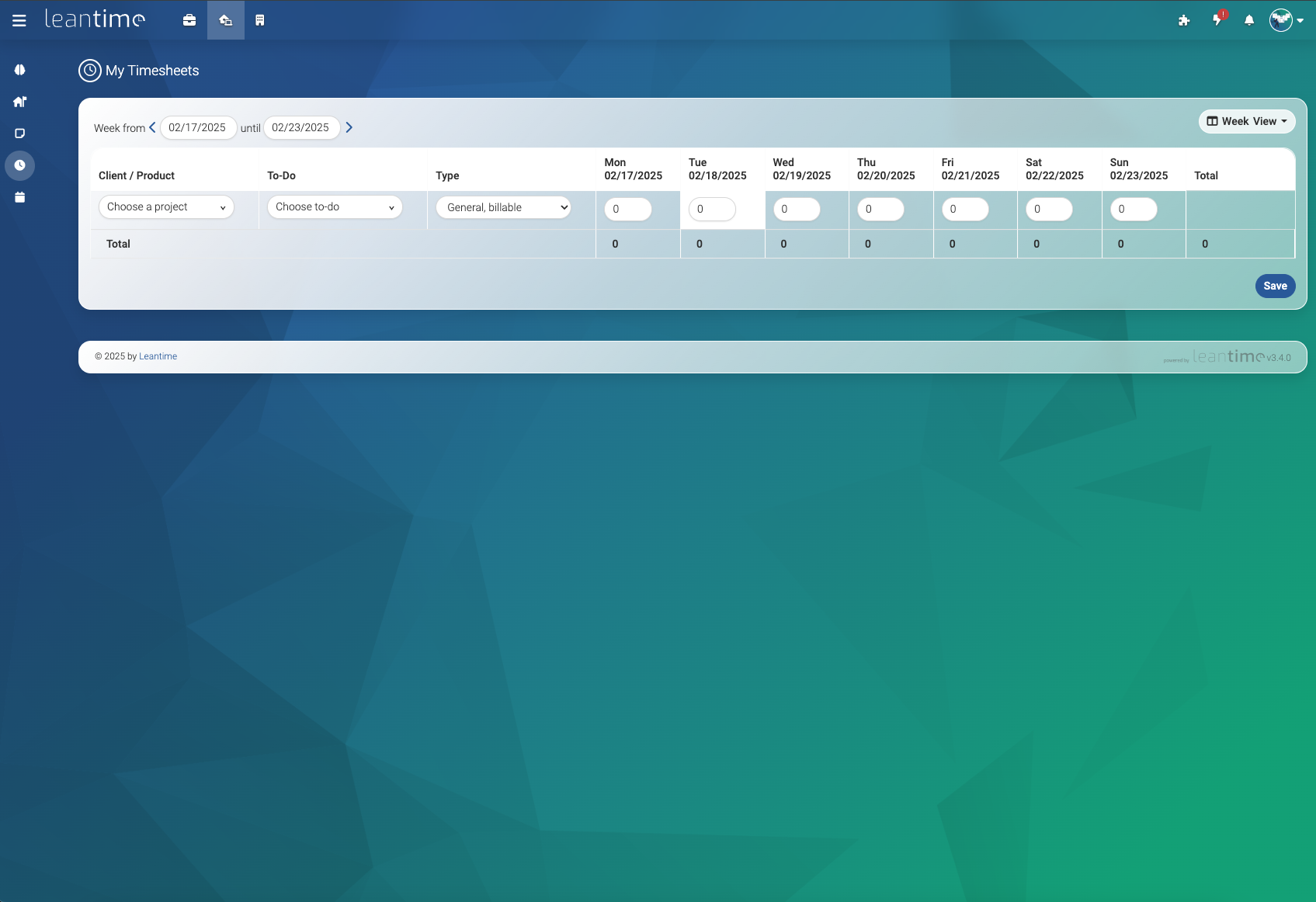
| Timetracking & timesheets |
Risk Analysis |
Screen & webcam recording |
Extendable via plugins and API |
|
... and more |
Comments/discussions on everything |
Integrates with Slack, Mattermost, Discord |
|
... and more |
|
Available in over 20 languages |
| *yes, all of these features are included in the OSS version |
|
|
|
|
|
|
|
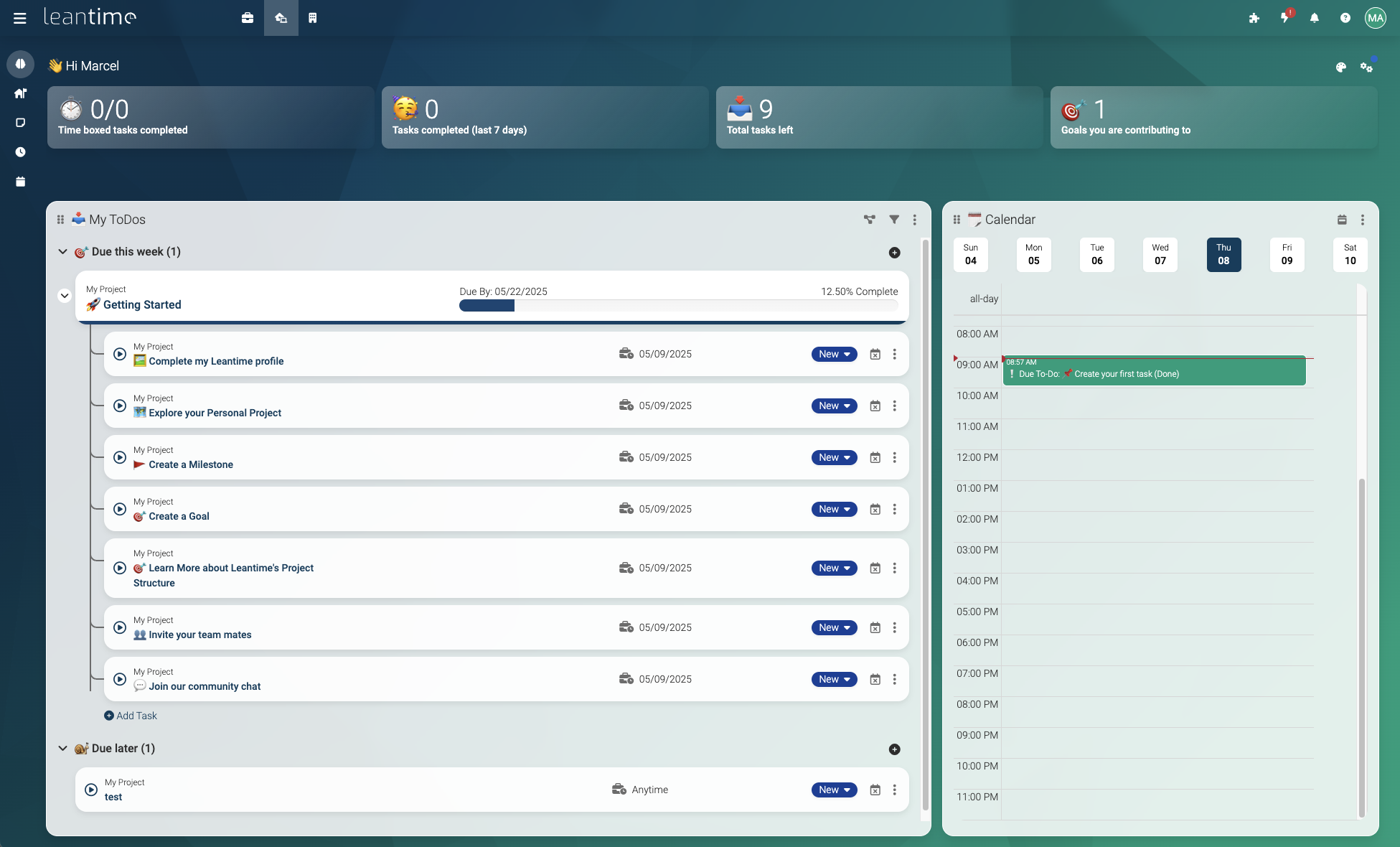
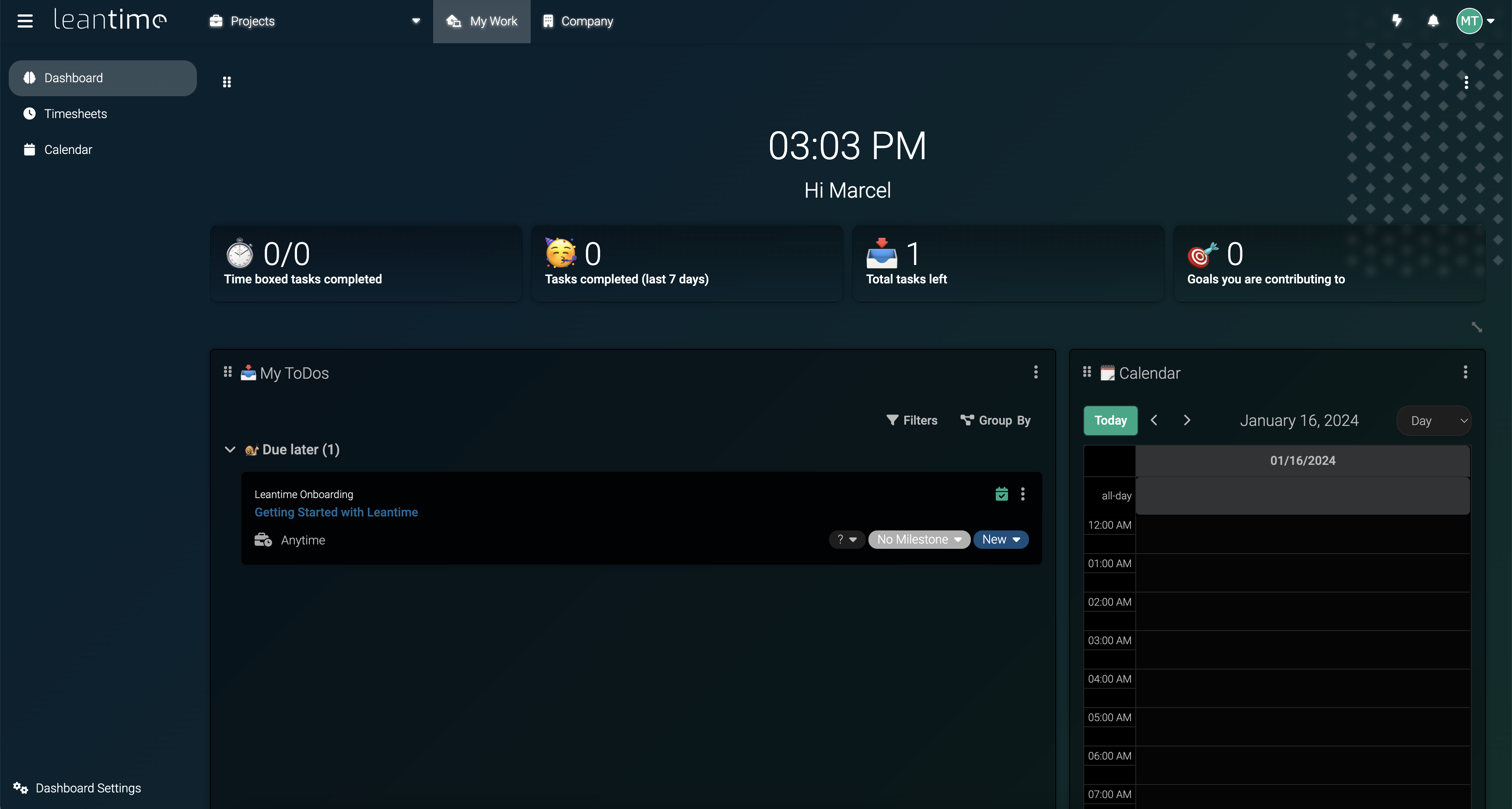
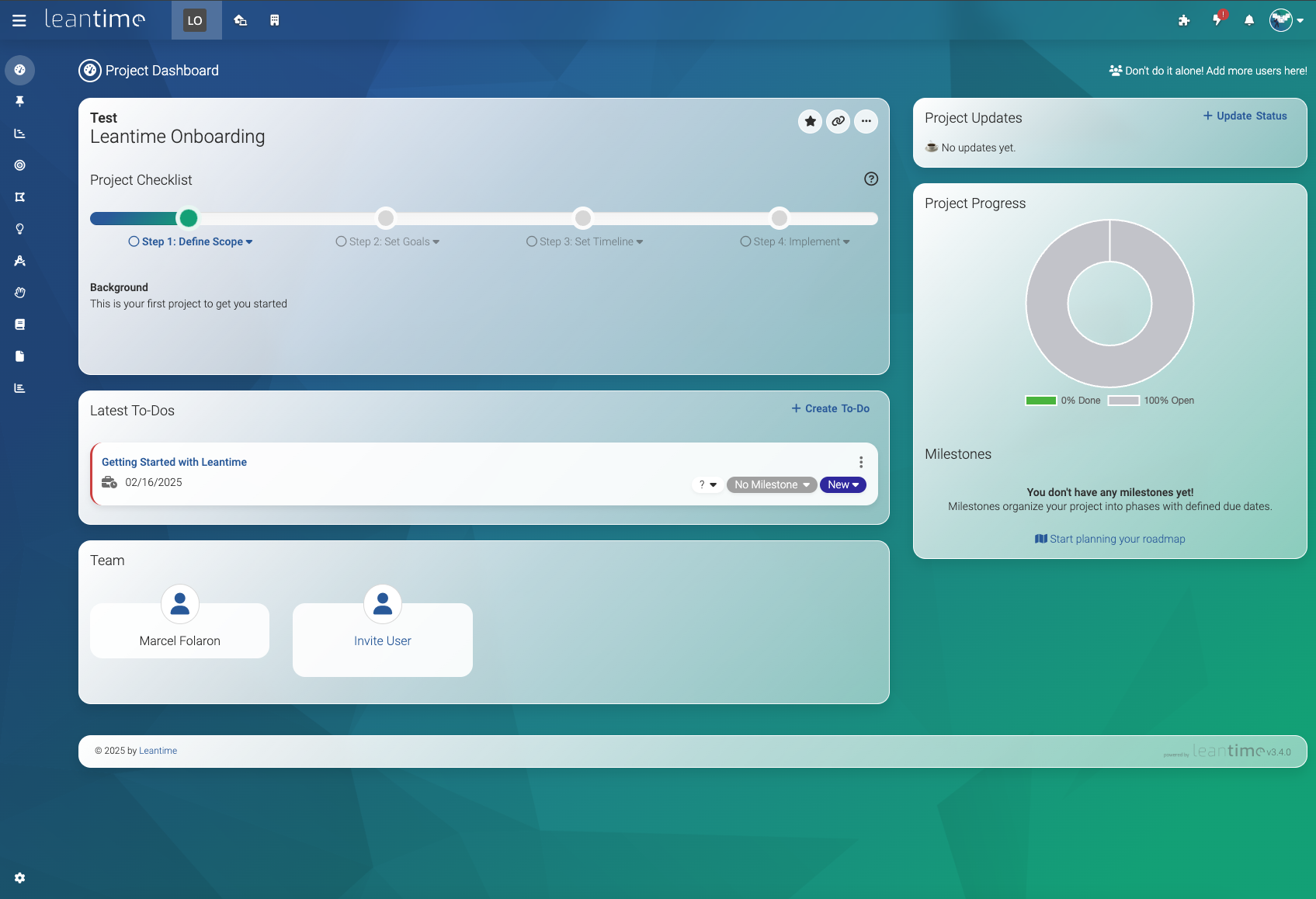
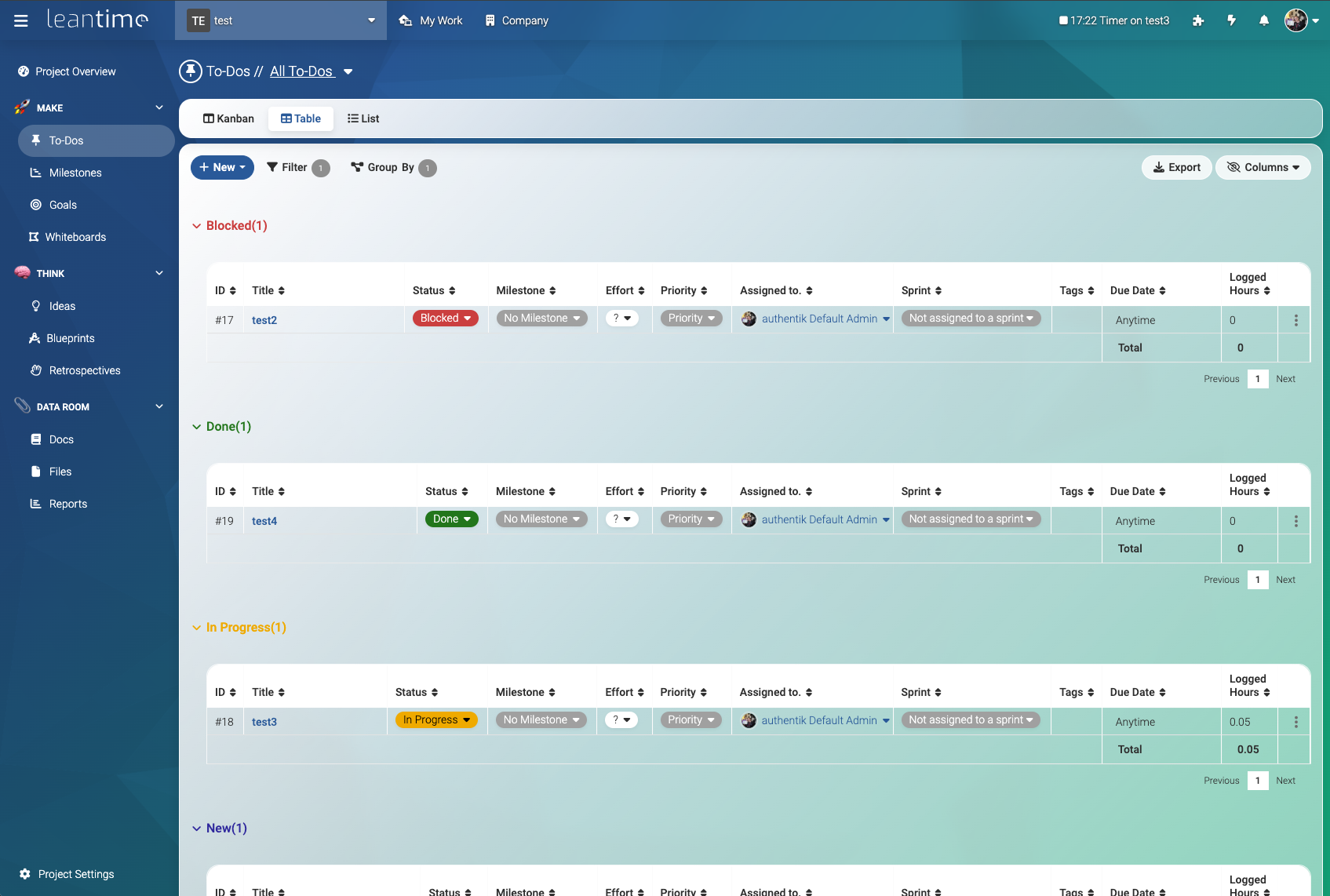
📸 Screenshots
❗System Requirements
- PHP 8.2+
- MySQL 8.0+ or MariaDB 10.6+
- Apache or Nginx (IIS works with some modifications)
- PHP Extensions:
- BC Math (bcmath)
- Ctype
- cURL
- DOM
- Exif
- Fileinfo
- Filter
- GD
- Hash
- LDAP
- Multibyte String (mbstring)
- MySQL
- OPcache
- OpenSSL
- PCNTL
- PCRE
- PDO
- Phar
- Session
- Tokenizer
- Zip
- SimpleXML
️⚡️ Installation (Production)
There are two main ways to install LeanTime for production. The first of which is to install all needed pieces of the system locally. The second is to use the officially supported Docker image.
Local Production Installation
- Download latest release package (file is called: Leantime-vx.x.x.zip) from the release page
- Create an empty MySQL database
- Upload the entire directory to your server
- Point your domain root to the
public/ directory
- Rename
config/sample.env to config/.env
- Fill in your database credentials (username, password, host, dbname) in
config/.env
- Navigate to
<yourdomain.com>/install
- Follow instructions to install database and set up first user account
IIS Installation Notes
Whilst the steps above are applicable to Internet Information Services (IIS), there is an additional configuration change that may be required in IIS to ensure full functionality - you need to allow the PATCH method:
- Open IIS
- Expand the server and sites on the left and select the LeanTime site
- Double click on
Handler Mappings
- Double click on the PHP handler mapping that is used by the site
- Click
Request Restrictions…
- Click the
Verbs tab
- In the
One of the following verbs text box, add PATCH - for example: GET,HEAD,POST,PATCH
- Click
OK
- In the
Executable (optional) text box, put a double quote character (“) at the start and at the end of the path to the php-cgi.exe file (this isn't needed if the path doesn't have a space in it)
- Click
OK
- A popup will appear asking if you want to create a FastCGI application - click
Yes
Note: You may need to repeat this when you upgrade PHP.
Production Installation via Docker
We maintain an official Docker image on dockerhub.
To run the image enter your MySQL credentials and execute. You can pass in all the configuration variables from .env
docker run -d --restart unless-stopped -p 8080:8080 --network leantime-net \
-e LEAN_DB_HOST=mysql_leantime \
-e LEAN_DB_USER=admin \
-e LEAN_DB_PASSWORD=321.qwerty \
-e LEAN_DB_DATABASE=leantime \
-e [email protected] \
--name leantime leantime/leantime:latest
Unless you have a database defined somewhere else you should use our docker-compose file.
Once started you can go to <yourdomain.com>/install and run the installation script.
Important: If you are planning to use plugins you need to mount the plugin folder plugins:/var/www/html/app/Plugins and ensure the www-data user has access to it. Otherwise installation may fail or plugins will be removed after a restart
Docker Installation Notes
If you intend to place Leantime behind a reverse proxy (nginx, etc.) to handle custom domain name resolution and SSL offloading, you will need to set the following environment variable in docker
-e LEAN_APP_URL=https://yourdomain.com \
- Update yourdomain.com to your custom domain name.
🤓 Installation (Development)
There are two ways to install a development setup of LeanTime. The first (but most technical) is to install all pieces of the system locally. The second (and preferred method) is to use a docker containerized development environment.
Local Development Installation
- Clone repository to your local server
- Create MySQL database
- Run webpack builder via
make build-dev
- Point your local domain to the
public/ directory
- Rename
config/sample.env to config/.env
- Fill in your database credentials (username, password, host, dbname) in
config/.env
- Navigate to
<localdomain>/install
- Follow instructions to install database and user account
Development Installation via Docker
For development, we use a dockerized development environment. You will need to have docker, docker compose, make, composer, git and npm installed.
- Notes for Windows Environments:
- Run all commands within the git bash terminal in order to utilize unix specific commands
- If installing php from a zip file, make sure to configure php.ini
It does not exist initially, so copy C:\php\php.ini-development to C:\php\php.ini. You will also need to edit php.ini in a text editor and enable all needed extensions for the build process. You can find these by running the make commands and looking for any extensions that error out as missing. You can enable them by searching php.ini for the extension that will look like:
;extension=gd and removing the semicolon.
In order to build the development docker image, in the root of this repository, run a primer with
make clean build
afterwards, run
make run-dev
this will start the development server on port 5080.
The dev environment provides a MySQL server, mail server, s3 server, and should be good to go for your needs out of the box. The basic configuration of the development environment is already defined in the composer file. You can create .env file inside of config/.env to augment the base configuration by setting some of the configs out of sample.env). Important: Don't update the database information as this will disconnect the app from the docker database. The applications you get are as follows
Additionally, Xdebug is enabled, but you will have to modify your
IDE key in the .dev/xdebug.ini file(or alternatively, on your IDE). You also need to have port 9003 temporarily open on your firewall so you can utilize it effectively. This is because connections from docker to the host will count as external inbound connections
Run Tests
Static Analysis make phpstan
Code Style make test-code-style (to fix code style automatically use make fix-code-style)
Unit Tests make unit-test
Acceptance Tests make acceptance-test
(requires docker)
You can test individual acceptance test groups directly using:
For api:
docker compose --file .dev/docker-compose.yaml --file .dev/docker-compose.tests.yaml exec leantime-dev php vendor/bin/codecept run -g api --steps
For timesheets:
docker compose --file .dev/docker-compose.yaml --file .dev/docker-compose.tests.yaml exec leantime-dev php vendor/bin/codecept run -g timesheet --steps
🏗 Update
Manual
- Make sure to take a backup of your database and files
- Replace all files in your directory with the updated version
- If there were any database changes, the system will redirect you to
<yourdomain.com>/update
CLI
- Run
php bin/leantime system:update
Docker
- Before updating, make sure your mysql container was started using a mounted volume, otherwise your content will be deleted
- Delete/Stop existing container
- Pull the latest docker image and rebuild using your compose file
Common Issues
Please refer to our documentation about common issues found when installing or updating Leantime
🔌 Extend Leantime
You can extend Leantime by:
🛟 Let us install it for you.
Hassle free installation service in your environments. We can do full installations, updates, configurations or plugin installations. See our Marketplace for details.
☁️ Not interested in hosting yourself? Let us do it for you
We offer managed hosting plans as well as a SaaS product so you can get all the benefits of Leantime without the hassle.
Head to leantime.io for more information.
🤙 Need technical support?
We can help you set up Leantime in your environment and customize it to your needs. Our support plans are outlined on our website.
Please note: We currently only support the official Leantime docker compose and standard installations.
We only offer support for the most recent version.
We do not offer support for Cloudron, Elestio, Turnkey, or other external distribution platforms sharing unofficial versions of Leantime.
🫴 Contributing
We're excited you are interested in contributing to Leantime. We want to make sure you have a great experience contributing to Leantime and that the new features you build will make it into core.
🪲 Bugs
Find an issue on Github (or create a new one) add your name to it or comment that you will be working on it. Once fixed, create a Pull Request.
New Features in Core
If you have an idea about new features please reach out to us on Discord. This is where we coordinate feature development and discuss whether core is the right place to add your new features (Plugins is the alternative).
🌏 Translations
Language files and translations are stored in app/Language/* . Once updates please create a Pull Request.
⚖️ LICENSE Exceptions
Leantime is licensed under AGPLv3.
This file forms part of the Leantime Software for which the following exception is added: Plugins within the /app/Plugins directory which may contain plugins licensed under other licenses including our enterprise license.








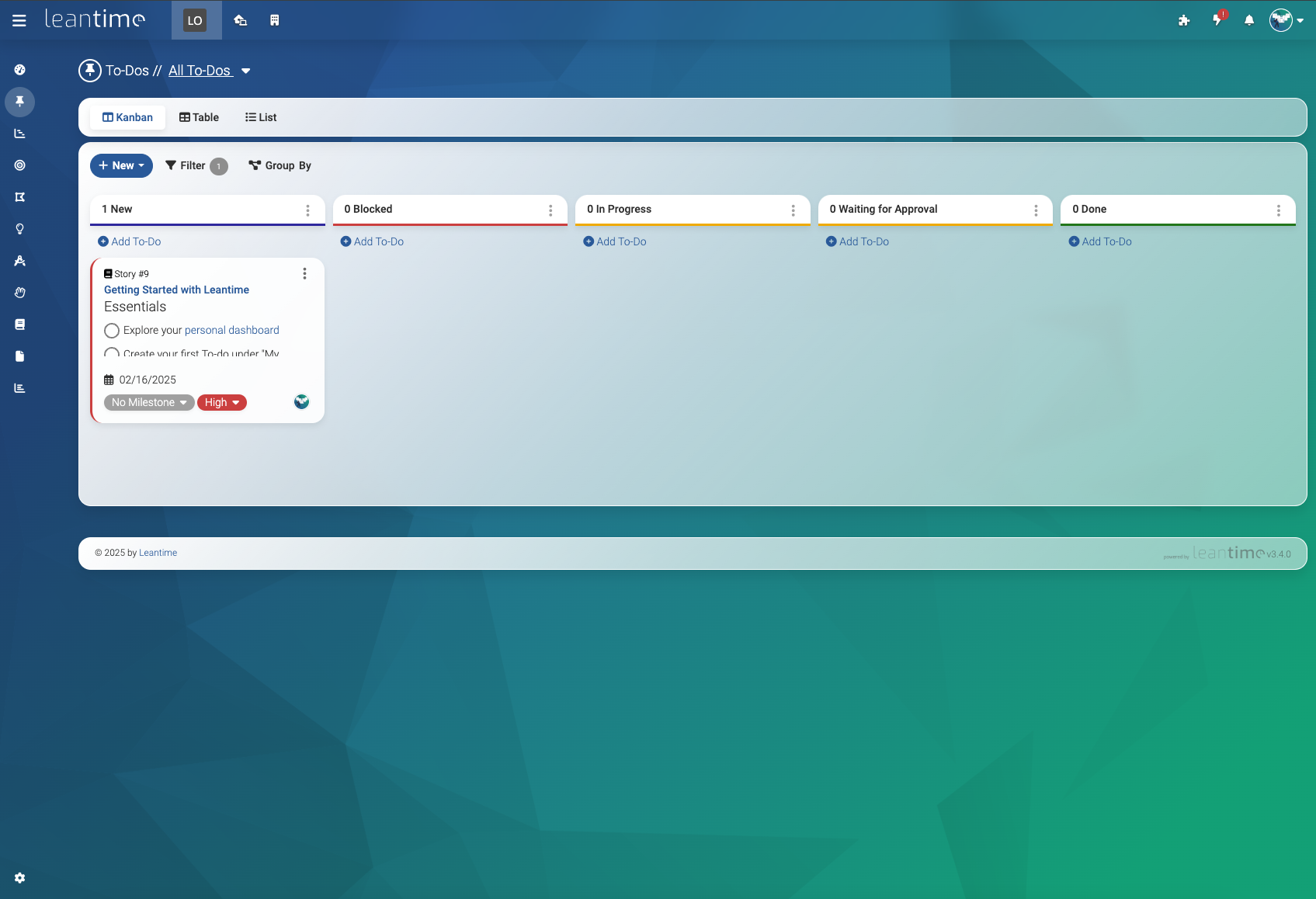
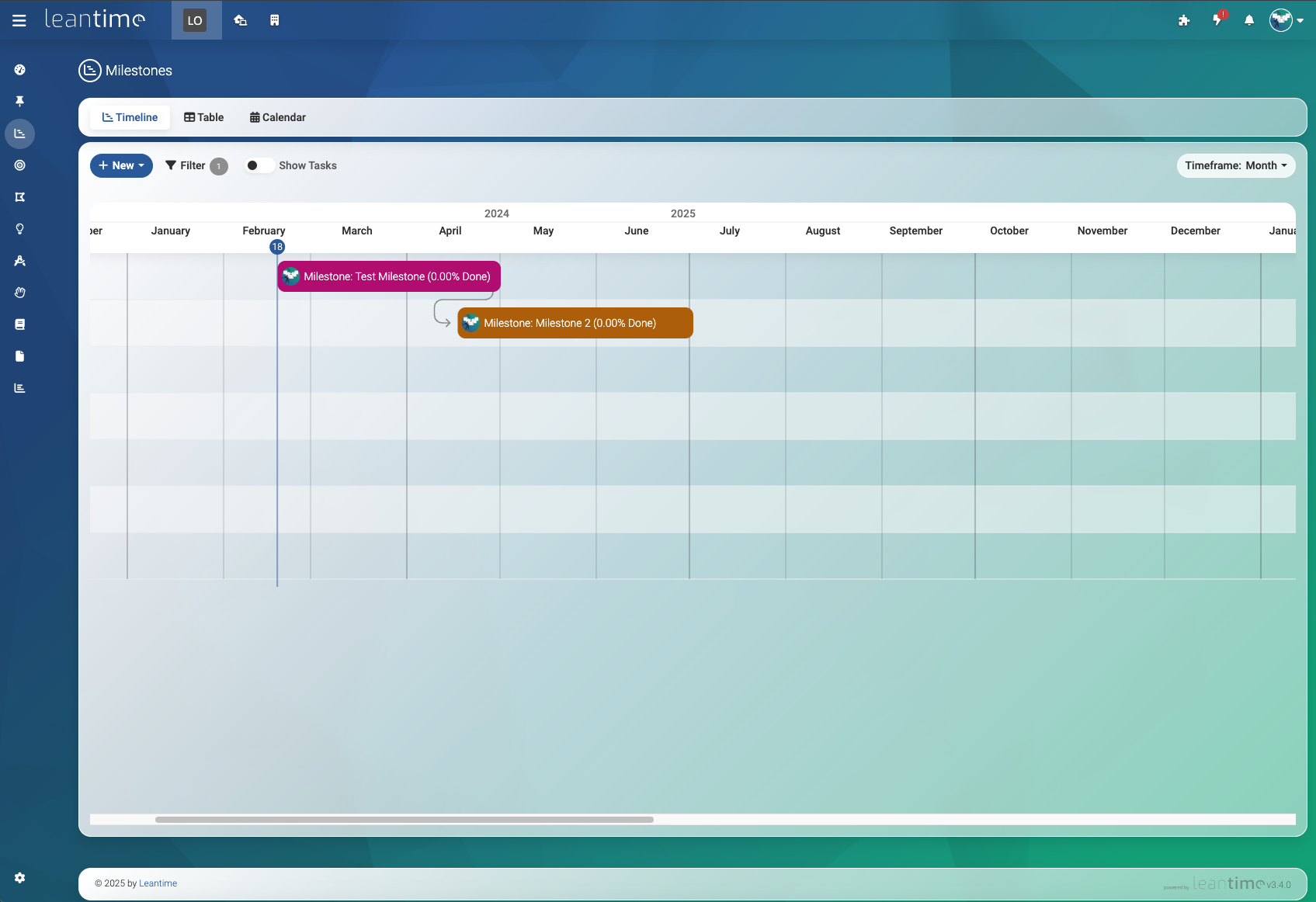
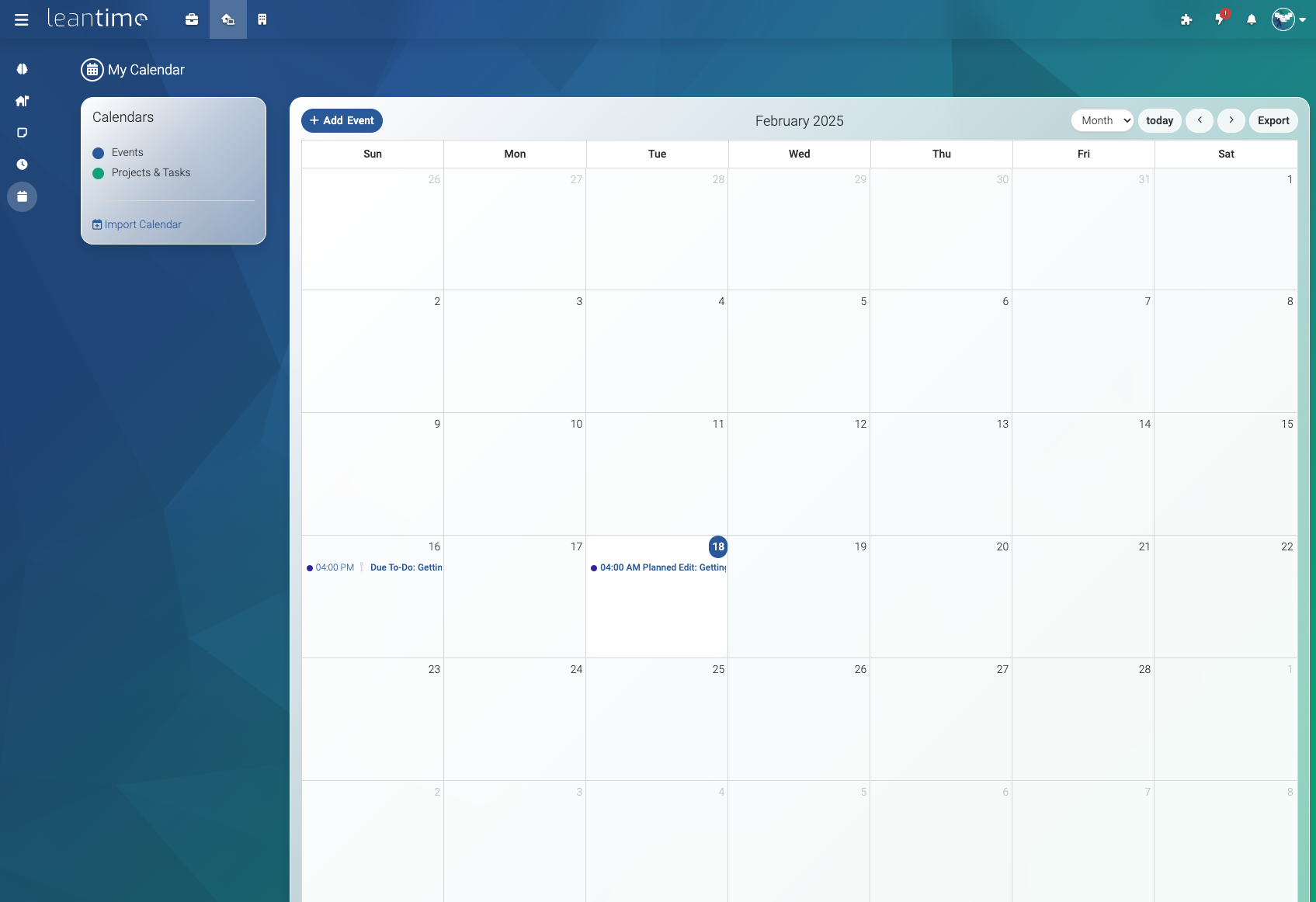
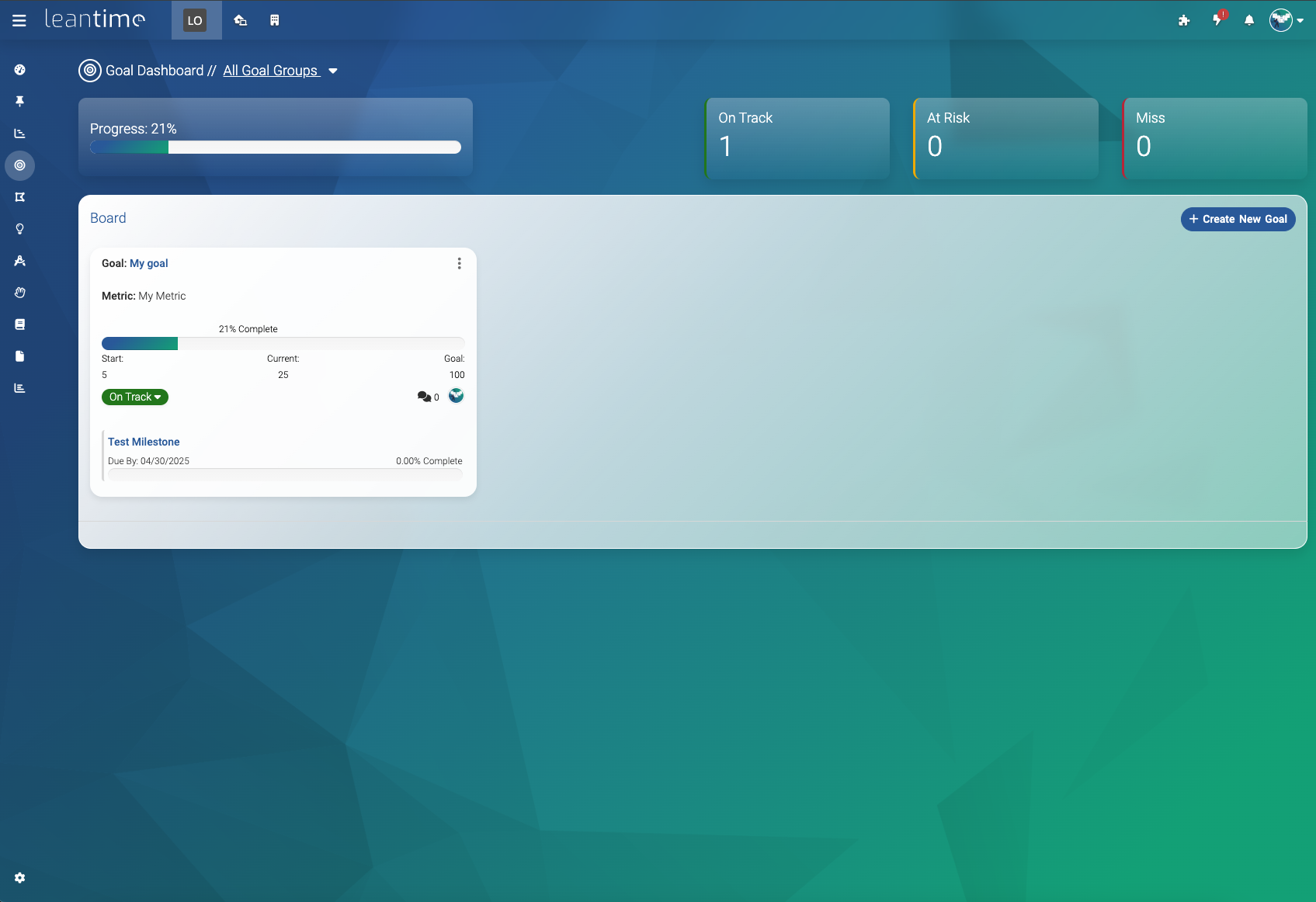

 Leantime 是一款面向非项目经理的开源项目管理系统,把任务管理、计划和知识工具整合在一处。它定位为和 Trello 一样简单、又和 Jira 一样功能丰富,并明确针对 ADHD、阅读障碍和自闭症人群进行了设计。