
A private, automatic work journal for Mac.
Dayflow understands the work you do on your Mac and turns it into a clear timeline of your day.
Built from the ground up for privacy, it’s open source, local-first, and can run entirely with local AI.


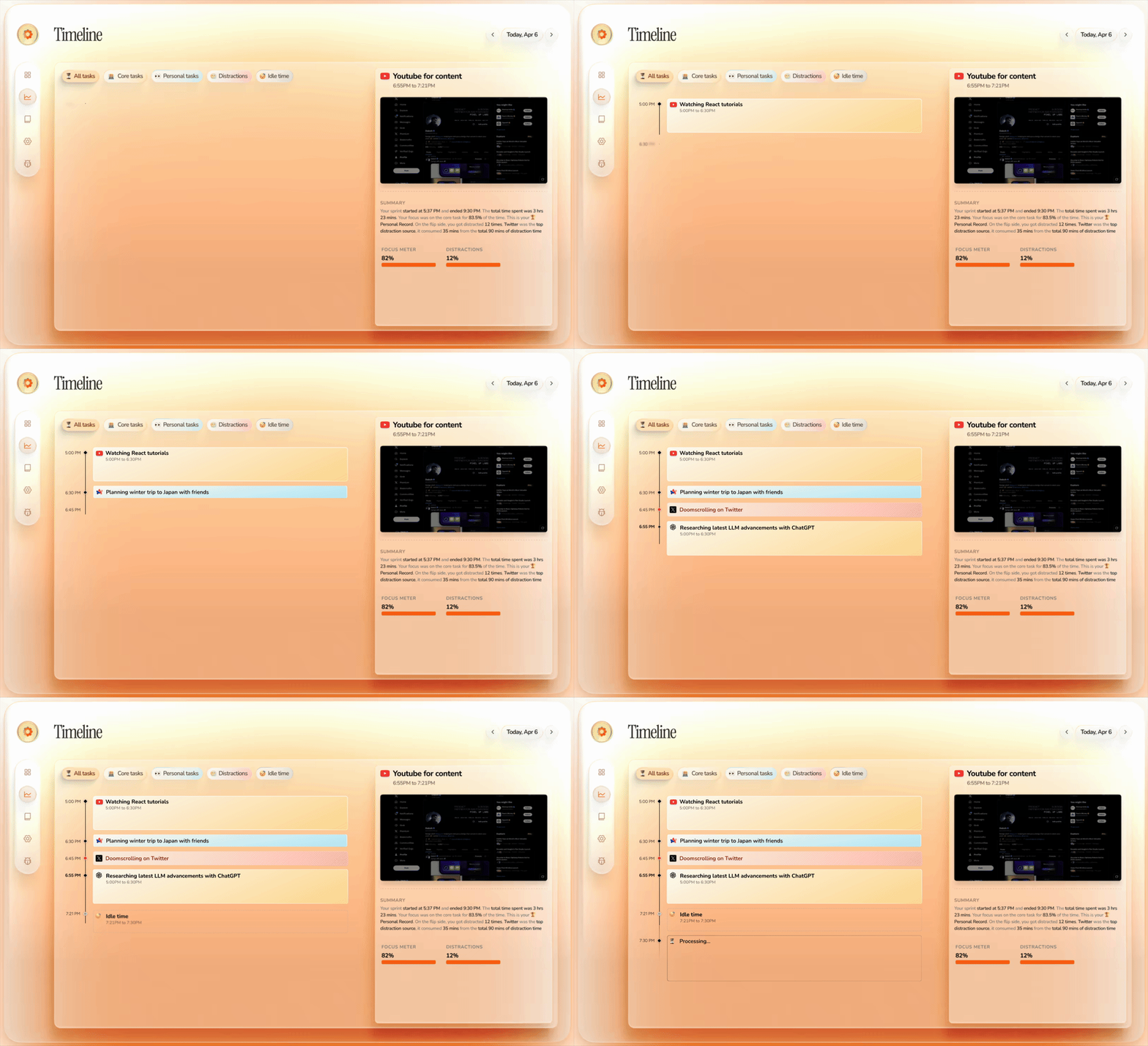
Automatic Timeline
Dayflow turns raw screen activity into a chronological timeline of what you actually did, so you can reconstruct the day without timers or manual notes.
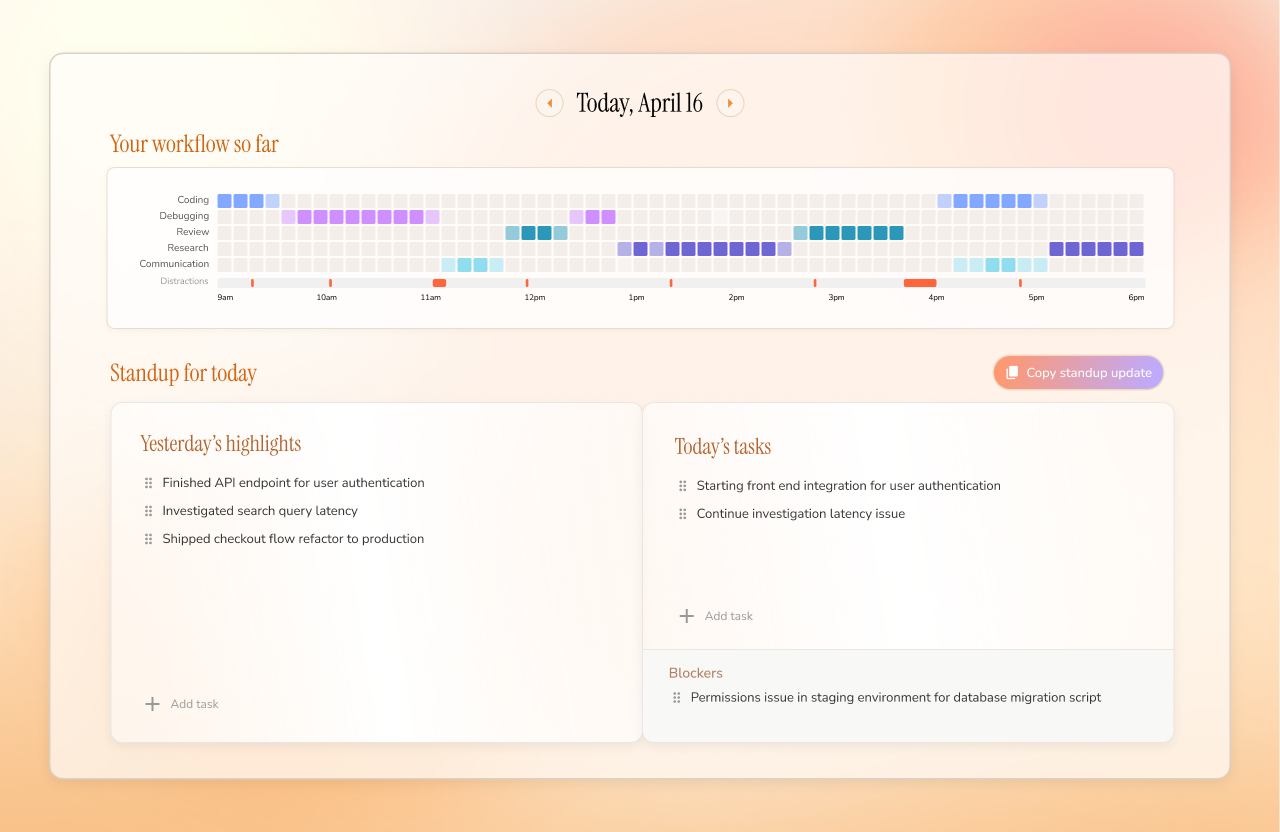
Daily Standup
See a GitHub-style activity grid of your day, plus yesterday's highlights, today's priorities, and blockers, so you can walk into standup with the update already written.
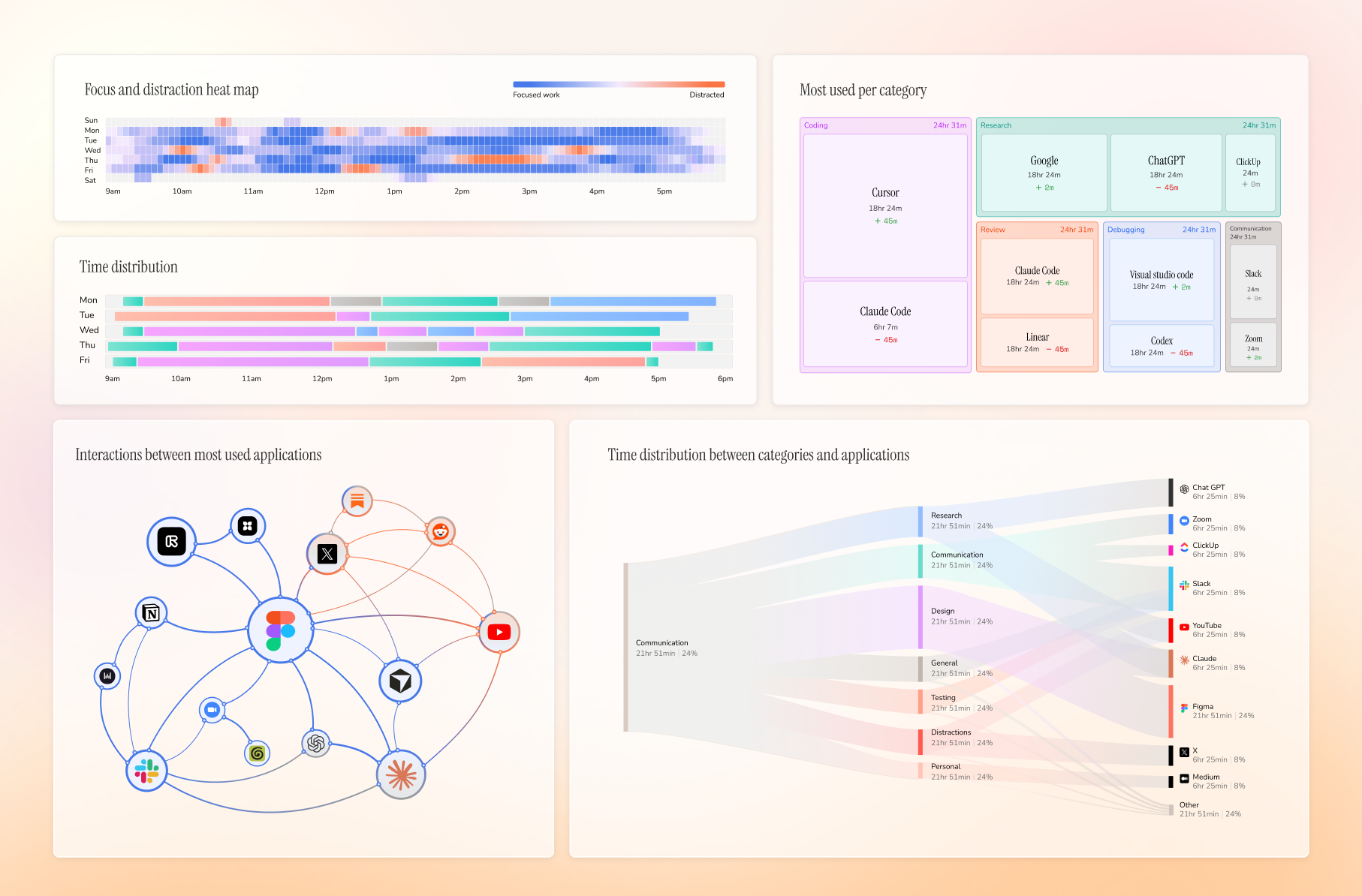
Weekly Review
See your week at a glance: when you were focused, where time went, which apps dominated, and what pulled you off track.
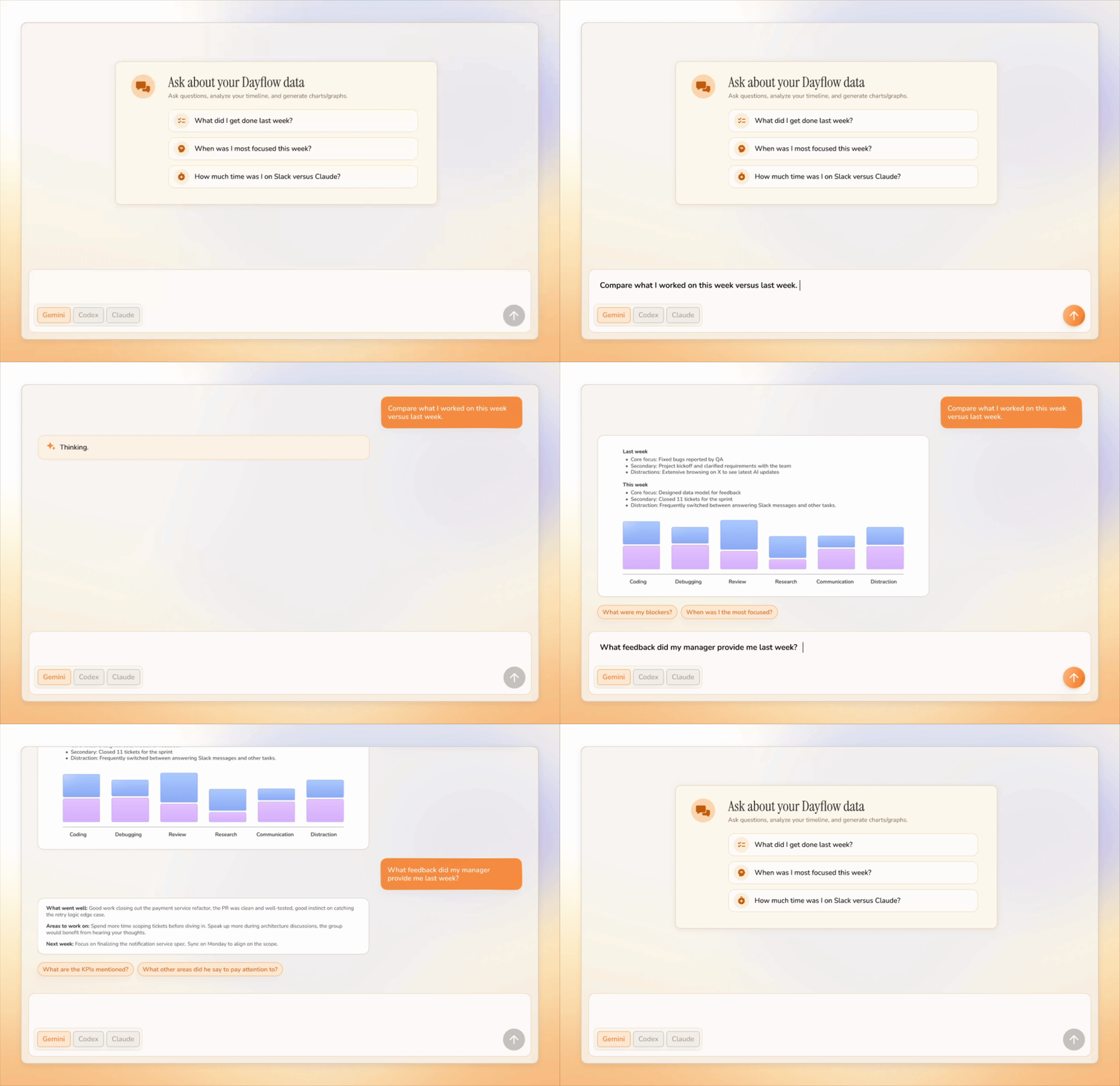
Chat With Your Work Journal
Ask questions about your day/week/year and get answers grounded in your timeline instead of digging through notes, screenshots, or memory.
What Dayflow Does
Dayflow runs quietly on your Mac and builds a useful record of your day from your screen activity.
| Feature |
How it works |
Why it's useful |
| Automatic timeline |
Dayflow captures lightweight screen chunks, analyzes them with your chosen AI provider, and turns the day into activity cards. |
You get an accurate work journal without starting timers or writing notes. |
| Context-aware summaries |
It looks at what you were actually doing on screen, not just which app was active. |
Cursor, Chrome, YouTube, or Slack become meaningful work context instead of vague app usage. |
| Daily standup |
Dayflow pulls yesterday's highlights, today's tasks, and blockers from your timeline. |
You can write updates in minutes and stop relying on memory. |
| Chat with your work journal |
Ask natural-language questions about your timeline and recent activity. |
You can recover details, explain where time went, and turn raw activity into useful answers. |
| Weekly review |
It aggregates your timeline into focus patterns, categories, app usage, and interaction graphs. |
You can see where the week actually went and spot the habits that helped or hurt. |
| Distraction tracking |
Dayflow identifies distracting sessions and shows them alongside focused work. |
You can catch drift early without manually labeling every break. |
| Timeline export |
Export your timeline as Markdown for any date range. |
Useful for status updates, client notes, personal reviews, or saving a searchable record. |
| Local-first storage |
Recordings, timeline data, and the app database stay on your Mac by default. |
You stay in control of sensitive screen history and can delete it whenever you want. |
| AI provider choice |
Use local models, Gemini, ChatGPT, or Claude depending on your privacy and quality needs. |
You can trade off privacy, cost, speed, and summary quality instead of being locked into one backend. |
| Automatic cleanup |
Configure storage limits and let Dayflow purge old recordings automatically. |
You get the value of a work journal without filling your disk forever. |
Why People Use It
Most time trackers tell you which app was open. Dayflow tries to understand what you were doing.
Cursor for two hours could mean shipping a feature, debugging auth, reviewing a PR, or getting lost in setup. Dayflow gives you the context, not just the window title.
Privacy
Dayflow is local-first and open source.
Your recordings, timeline, and database live on your Mac at:
~/Library/Application Support/Dayflow/
You choose how AI analysis runs:
- Local models through Ollama or LM Studio
- Gemini with your own API key
- ChatGPT or Claude through their local CLI tools
If you choose a cloud provider, activity data needed for analysis is sent to that provider. If you choose local models, analysis stays on your machine.
Install
Download
Download the latest Dayflow.dmg from GitHub Releases:
Open the DMG, drag Dayflow into Applications, then grant macOS Screen & System Audio Recording permission when prompted.
Homebrew
brew install --cask dayflow
Requirements
- macOS 14+
- Screen & System Audio Recording permission
- Optional: Gemini API key, Ollama, LM Studio, Codex CLI, or Claude Code depending on your preferred AI provider
Build From Source
git clone https://github.com/JerryZLiu/Dayflow.git
cd Dayflow
open Dayflow/Dayflow.xcodeproj
Select the Dayflow scheme in Xcode and run it.
Contributing
Issues and pull requests are welcome. If you are planning a larger change, open an issue first so the scope is clear.
License
Dayflow is licensed under the MIT License.
dayflow.so ·
Pricing ·
Privacy ·
Guides

 Dayflow 是一款 Mac 上的私密自动工作日志工具,它会监视你的屏幕活动,并将其转换成清晰的时间线,按时间顺序记录你一天中实际做过的事情,无需手动计时或记笔记。