

Что это?
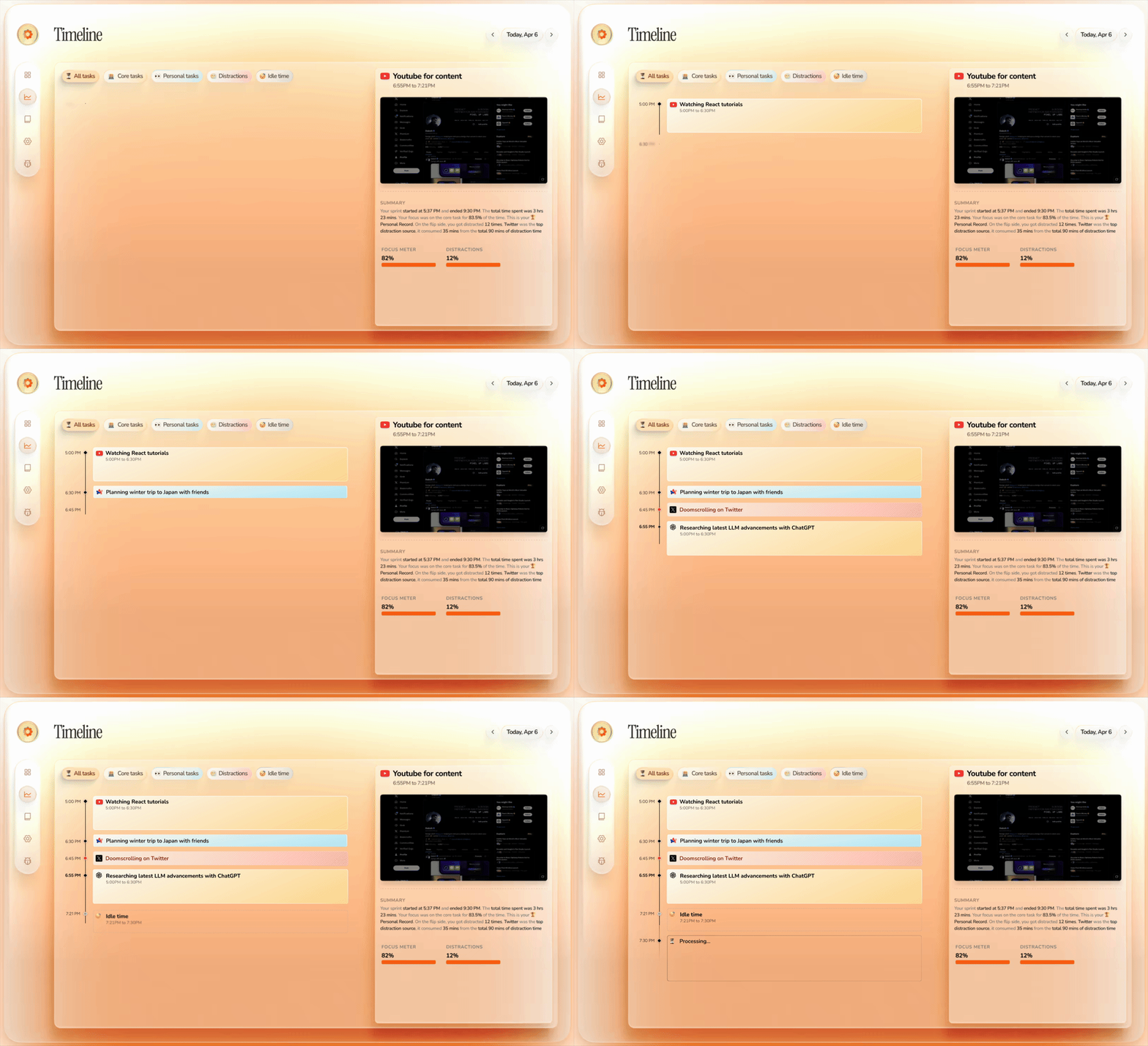
 Dayflow — это приватный автоматический рабочий дневник для Mac: он следит за активностью на экране и превращает её в понятную хронологическую ленту того, чем вы на самом деле занимались за день, — без ручных таймеров и заметок.
Dayflow — это приватный автоматический рабочий дневник для Mac: он следит за активностью на экране и превращает её в понятную хронологическую ленту того, чем вы на самом деле занимались за день, — без ручных таймеров и заметок.Оно записывает полное видео моего экрана или лишь периодически снимает активность?Dayflow с интервалами снимает лёгкие фрагменты экрана и отправляет их выбранному ИИ-провайдеру на анализ, который затем создаёт карточки активности, а не сырую видеозапись.
Dayflow с интервалами снимает лёгкие фрагменты экрана и отправляет их выбранному ИИ-провайдеру на анализ, который затем создаёт карточки активности, а не сырую видеозапись.Какие ИИ-провайдеры можно использовать, и нужен ли API-ключ?Можно запускать анализ полностью локально через Ollama или LM Studio, использовать Gemini со своим API-ключом или идти через ChatGPT/Claude с помощью их локальных CLI-инструментов; аккаунт не нужен, если вы остаётесь на локальных моделях.
Можно запускать анализ полностью локально через Ollama или LM Studio, использовать Gemini со своим API-ключом или идти через ChatGPT/Claude с помощью их локальных CLI-инструментов; аккаунт не нужен, если вы остаётесь на локальных моделях.В чём компромисс, если выбрать облачный ИИ-провайдер вместо локальных моделей?Облачный провайдер вроде Gemini, ChatGPT или Claude получает с вашего компьютера данные об активности, нужные для анализа, а локальные модели держат всё на устройстве ценой потенциально более низкого качества сводок.
Облачный провайдер вроде Gemini, ChatGPT или Claude получает с вашего компьютера данные об активности, нужные для анализа, а локальные модели держат всё на устройстве ценой потенциально более низкого качества сводок.Работает ли он ещё и на Windows или Linux?Нет, Dayflow только для Mac и требует macOS 14 или новее, а также разрешение на запись экрана и системного звука.
Нет, Dayflow только для Mac и требует macOS 14 или новее, а также разрешение на запись экрана и системного звука.Куда попадают данные о моей активности на экране?По умолчанию записи, лента и база данных остаются только на вашем Mac. Если же выбрать облачного ИИ-провайдера, данные об активности, нужные для анализа, отправляются ему.
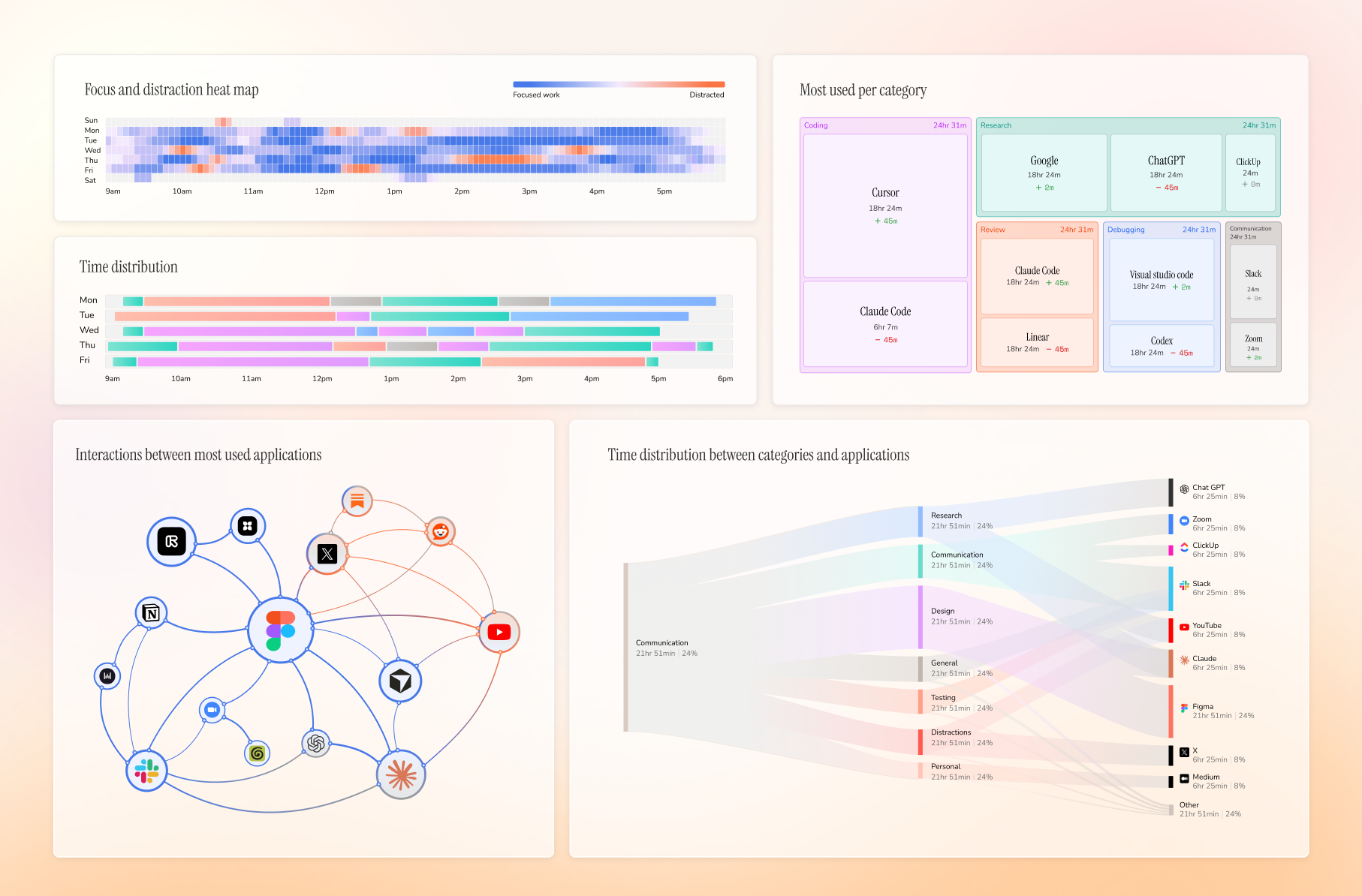
По умолчанию записи, лента и база данных остаются только на вашем Mac. Если же выбрать облачного ИИ-провайдера, данные об активности, нужные для анализа, отправляются ему.Чем Dayflow отличается от обычного трекера времени?Большинство трекеров времени лишь записывают, какое приложение было в фокусе, а Dayflow анализирует, что реально было на экране, поэтому два часа в Cursor распознаются как выпуск фичи или отладка, а не просто «Cursor: 2 ч».
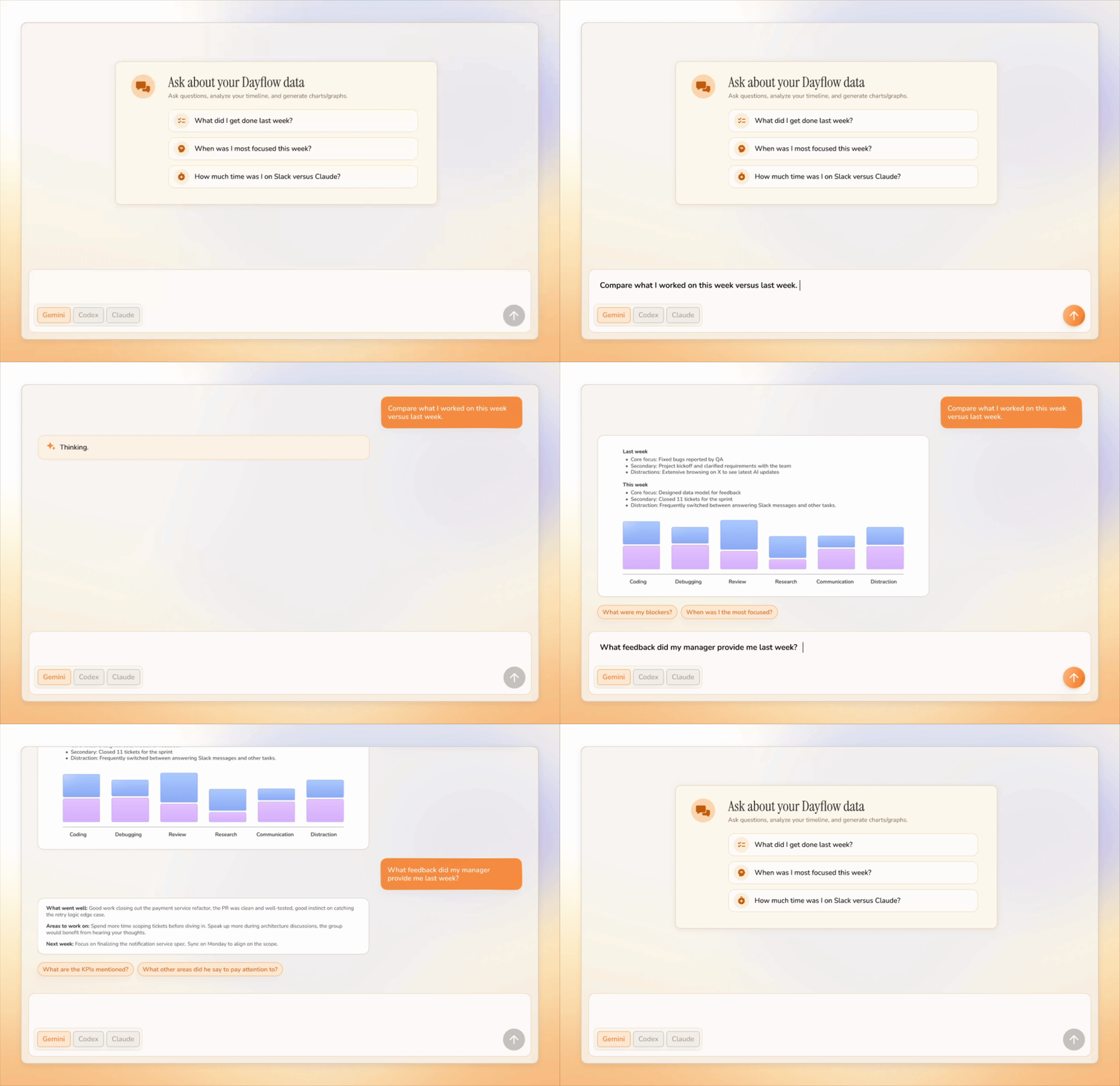
Большинство трекеров времени лишь записывают, какое приложение было в фокусе, а Dayflow анализирует, что реально было на экране, поэтому два часа в Cursor распознаются как выпуск фичи или отладка, а не просто «Cursor: 2 ч».Можно ли общаться со своей лентой?Да, можно задавать вопросы на естественном языке о своём дне, неделе или годе и получать ответы, опирающиеся на записанную активность, а не на память или скриншоты.
Да, можно задавать вопросы на естественном языке о своём дне, неделе или годе и получать ответы, опирающиеся на записанную активность, а не на память или скриншоты.Можно ли экспортировать ленту для статус-репортов?Да, Dayflow экспортирует ленту в Markdown за любой период — удобно для статус-отчётов, заметок для клиентов или личного архива.
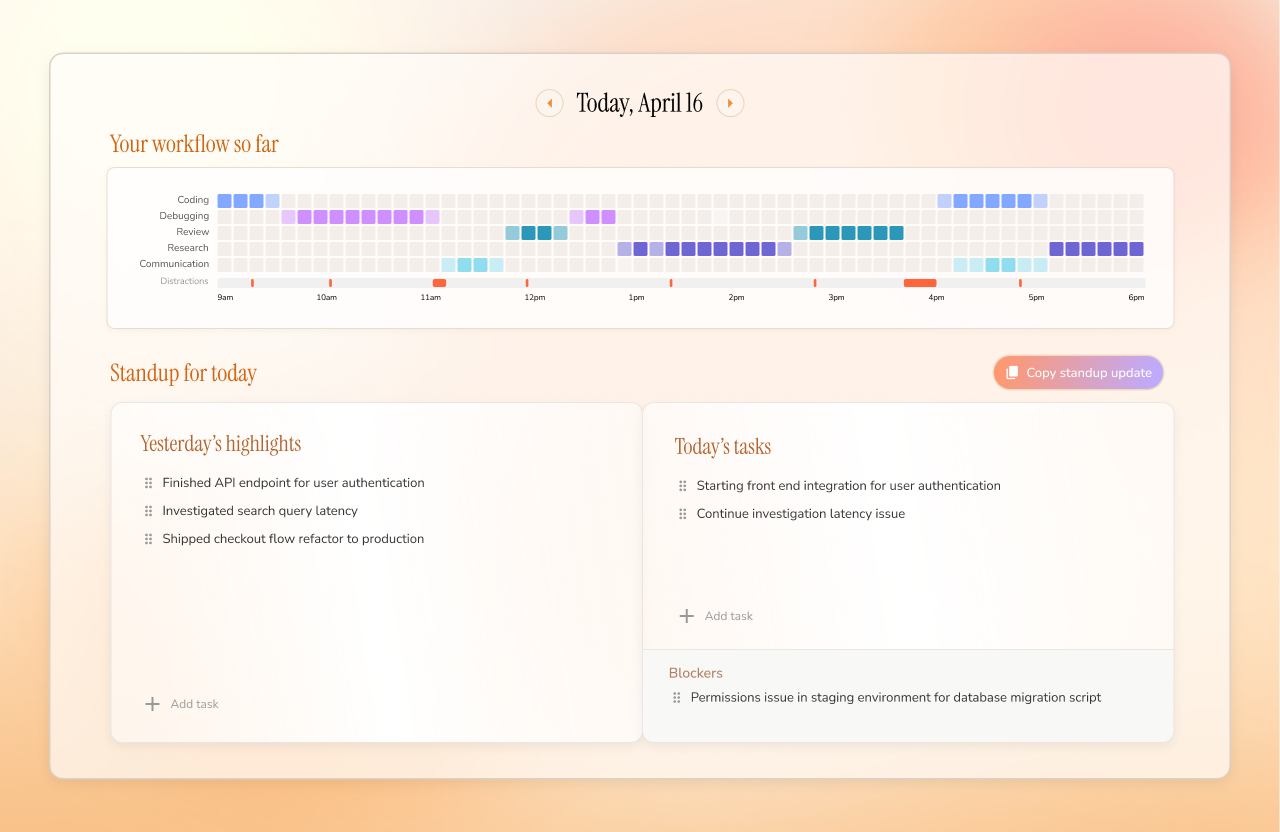
Да, Dayflow экспортирует ленту в Markdown за любой период — удобно для статус-отчётов, заметок для клиентов или личного архива.Помогает ли она готовиться к ежедневным стендапам?Да, она вытаскивает вчерашние главные события, приоритеты на сегодня и блокеры прямо из вашей ленты, чтобы написать статус для стендапа за считанные минуты.
Да, она вытаскивает вчерашние главные события, приоритеты на сегодня и блокеры прямо из вашей ленты, чтобы написать статус для стендапа за считанные минуты.What are similar projects?easyread, laya, super-productivity, chatbox, screenpipe, activitywatch, taskuary, qiaomu-clipper
easyread, laya, super-productivity, chatbox, screenpipe, activitywatch, taskuary, qiaomu-clipperWhich topics is it in?time, lmstudio, time-tracker, timeline, productivity-tools, screen-recording, chat, chatgpt, ollama, swift, gemini, local-first
time, lmstudio, time-tracker, timeline, productivity-tools, screen-recording, chat, chatgpt, ollama, swift, gemini, local-first