








CasaOS README

The project's README from github.com/IceWhaleTech/CasaOS. As one markdown file: README.md.

CasaOS - Your Personal Cloud

CasaOS
Connect with the community, establish autonomy, reduce the cost of SaaS, and MAXIMIZE the potential for a personalized copilot.

CasaOS Version CasaOS License CasaOS Pull Requests CasaOS Issues CasaOS Stargazers
IceWhale Discord CasaOS GitHub Discussions All Contributors YouTube Tutorial Views
twitter ZimaSpace facebook ZimaSpace
Website | Demo | GitHub

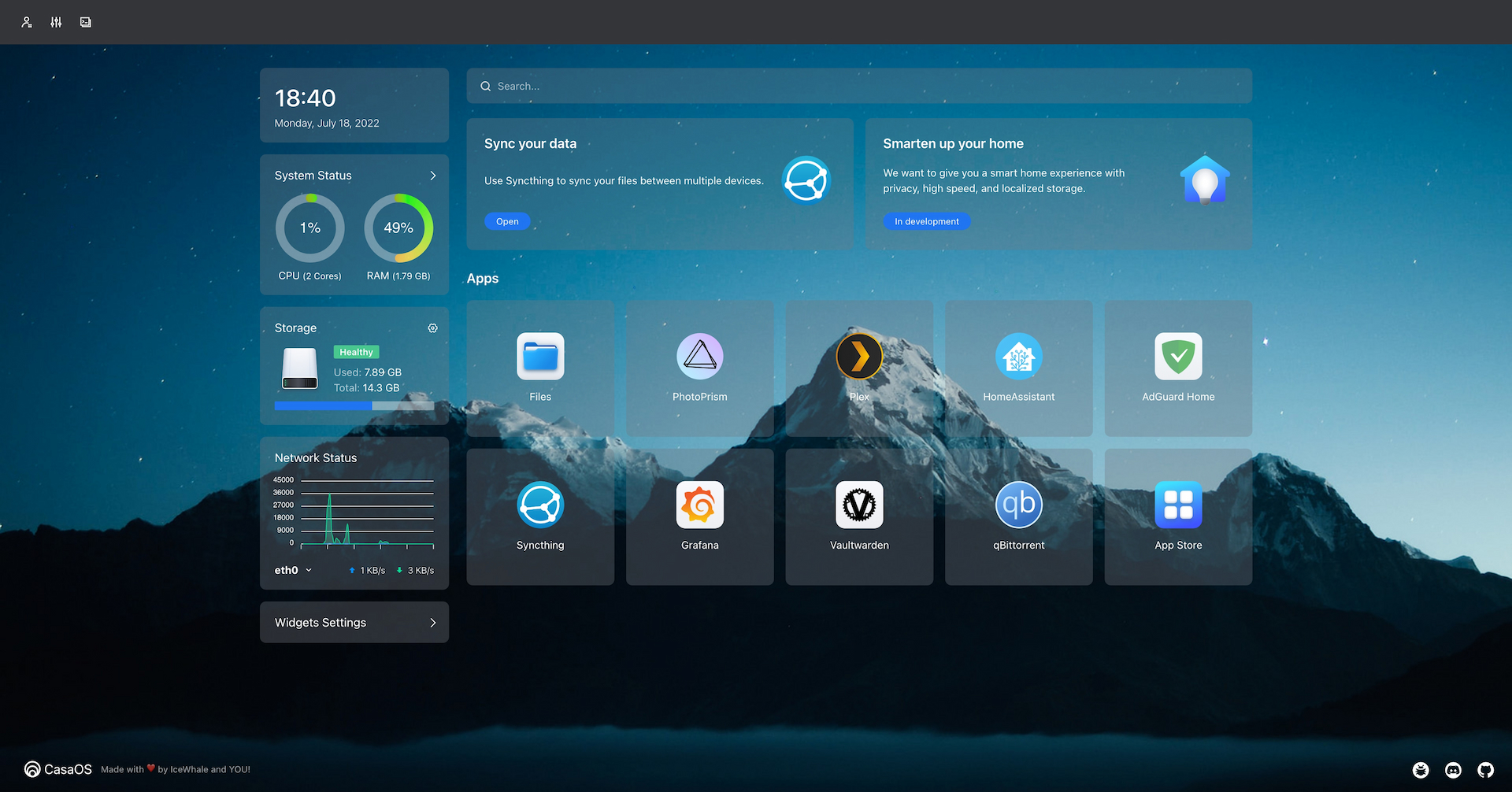
CasaOS Snapshot

Why do you need Personal Cloud?

In 2020, the team noticed three important trends:

Based on these trends, the team proposed a thought experiment internally: what if personal clouds were available under $100 in next five years? This personal cloud would provide a low-cost data collaboration solution as a personal data center, storing and managing data for creators and small organizations. A distributed collaborative computing network can be formed by personal servers located around the world. It could also control and connect all smart devices, providing cross-ecosystem local intelligent services.

Furthermore, the personal cloud could combine personal data to train personalized AI assistants. The idea is that this technology would be an effective way to solve the issue of consumer data asset ownership and , as well as provide a more affordable and efficient computing solution for individuals and small organizations.

If you think what we are doing is valuable. Please give us a star ⭐ and fork it 🤞!

Features

Getting Started

CasaOS fully supports ZimaBoard, Intel NUC, and Raspberry Pi. Also, more computers and development boards and fully compatible with Ubuntu, Debian, Raspberry Pi OS, and CentOS with one-liner installation.

Hardware Compatibility

System Compatibility

Official Support

Community Support

Quick Setup CasaOS

Freshly install a system from the list above and run this command:

wget -qO- https://get.casaos.io | sudo bash

or

curl -fsSL https://get.casaos.io | sudo bash

Update CasaOS

CasaOS can be updated from the User Interface (UI), via Settings ... Update.

Alternatively it can be updated from a terminal session. To update from a terminal session, it must be done either from a secure shell (ssh) session to the device or from a directly attached terminal and keyboard to the device running CasaOS, this cannot be done from the terminal via the CasaOS User Interface (UI). To update to the latest release of CasaOS from a terminal session run this command:

wget -qO- https://get.casaos.io/update | sudo bash

or

curl -fsSL https://get.casaos.io/update | sudo bash

To determine version of CasaOS from a terminal session run this command:

casaos -v

Uninstall CasaOS

v0.3.3 or newer

casaos-uninstall

Before v0.3.3

curl -fsSL https://get.icewhale.io/casaos-uninstall.sh | sudo bash

Community

The word Casa comes from the Spanish word for "home". Project CasaOS originated as a pre-installed system for the crowdfunded product ZimaBoard on Kickstarter.

After looking at many systems and software on the market, the team found no server system designed for home scenarios, sadly true.

So, we set out to build this open-source project to develop CasaOS with our own hands, everyone in the community, and you.

We believe that through community-driven collaborative innovation and open communication with global developers, we can reshape the digital home experience like never before.

A warm welcome for you to get help or share great ideas in the Discord!

Discord Card

Contributing

CasaOS is a community-driven open source project and the people involved are CasaOS users. That means CasaOS will always need contributions from community members just like you!

Credits

Many thanks to everyone who has helped CasaOS so far!

Everyone's contribution is greatly appreciated. (Emoji Key)


老竭力

💻 📖 🤔 🚇 🚧 📦 💬 👀

link

💻 📖 🤔 🚇 🚧 💬 👀

太戈

💻 📖 🤔 🚇 🚧 🧑‍🏫 🛡️ 💬 👀

Lauren

🤔 🔍 📆 💬 ⚠️

John Guan

📝 🖋 📖 🤔 📋 🧑‍🏫 💬 👀

David Tippett

📖 🤔 💬

Skaya

🧑‍🏫 💬 ✅ 🌍

AuthorShin

⚠️ 🐛 💬 🤔

baptiste313

🌍

DrMxrcy

⚠️ 🤔 💬

Joooost

🤔

Vitaly Potyarkin

🤔

Bjørn Friese

🤔

Protektor

🐛 🤔 💬

llwaini

📆 ⚠️ ✅

CorrectRoadH

💻 📖

zhanghengxin

💻 📖

This project follows the all-contributors specification. Contributions of any kind are welcome!

Changelog

Detailed changes for each release are documented in the release notes.


trackgit-views

CasaOS (IceWhaleTech/CasaOS)

Searching Database…

37.3K ·GitHub
这是什么?CasaOS 是一个开源的个人云操作系统,可以把一台小电脑(ZimaBoard、NUC、Raspberry Pi,或旧电脑)变成家庭服务器,并提供友好的网页界面,用来管理文件、应用和设备。
这是我要安装的应用,还是一整套操作系统?它安装在现有的 Linux 发行版(Debian、Ubuntu Server、Raspberry Pi OS 等)之上,通过一行脚本完成安装,把这台机器变成带网页控制面板的个人云服务器。它不是需要刷写的独立系统镜像。
我该怎么让它运行起来?先在你的硬件上全新安装一个受支持的 Linux 系统,然后在终端中运行官方的一行安装命令。之后,更新和部分设置可以直接在 CasaOS 网页界面中管理。
运行之前,我需要先安装 Docker 或其他软件吗?CasaOS 依赖 Docker 生态来运行应用。你可以从它精选的应用商店安装应用,也可以直接拉取超过 100,000 个 Docker 镜像中的任意一个。
它能在任何 Linux 系统上运行,还是只能在推荐的系统上运行?官方完整测试并提供支持的系统包括 Debian 12、Ubuntu Server 20.04 和 Raspberry Pi OS;Armbian、Alpine、OpenWrt、ArchLinux 等由社区支持的系统也存在,但其中一些被明确标注为尚未完整测试。
它实际能在什么硬件上运行?它面向家庭服务器硬件:ZimaBoard、Intel NUC、Raspberry Pi,以及改作他用的旧电脑,支持 amd64/x86-64、arm64 或 armv7 架构。
有哪些应用默认预装或容易添加?应用商店提供多款热门自托管应用的一键安装,例如 Nextcloud、Home Assistant、AdGuard、Jellyfin,以及各种 'arr' 媒体类应用,此外还可以安装你想要的任何 Docker 镜像。
为什么叫 CasaOS?‘Casa’ 是西班牙语,意为‘家’;这个项目最初是为 Kickstarter 众筹的 ZimaBoard 家庭服务器预装的软件。
我该如何更新或卸载它?可以在 CasaOS 自己的网页界面中更新(设置 > 更新),或通过终端命令获取最新版本;卸载步骤会因版本是在 v0.3.3 之前还是之后而略有不同。
管理文件和应用需要技术背景吗?不需要。它采用无代码、直观的界面设计,文件管理和应用安装都无需技术基础,遵循‘所见即所得’的理念。
Size
176.8 MB
Stars
37.3K
Age
5y
Commits · 90 Days