












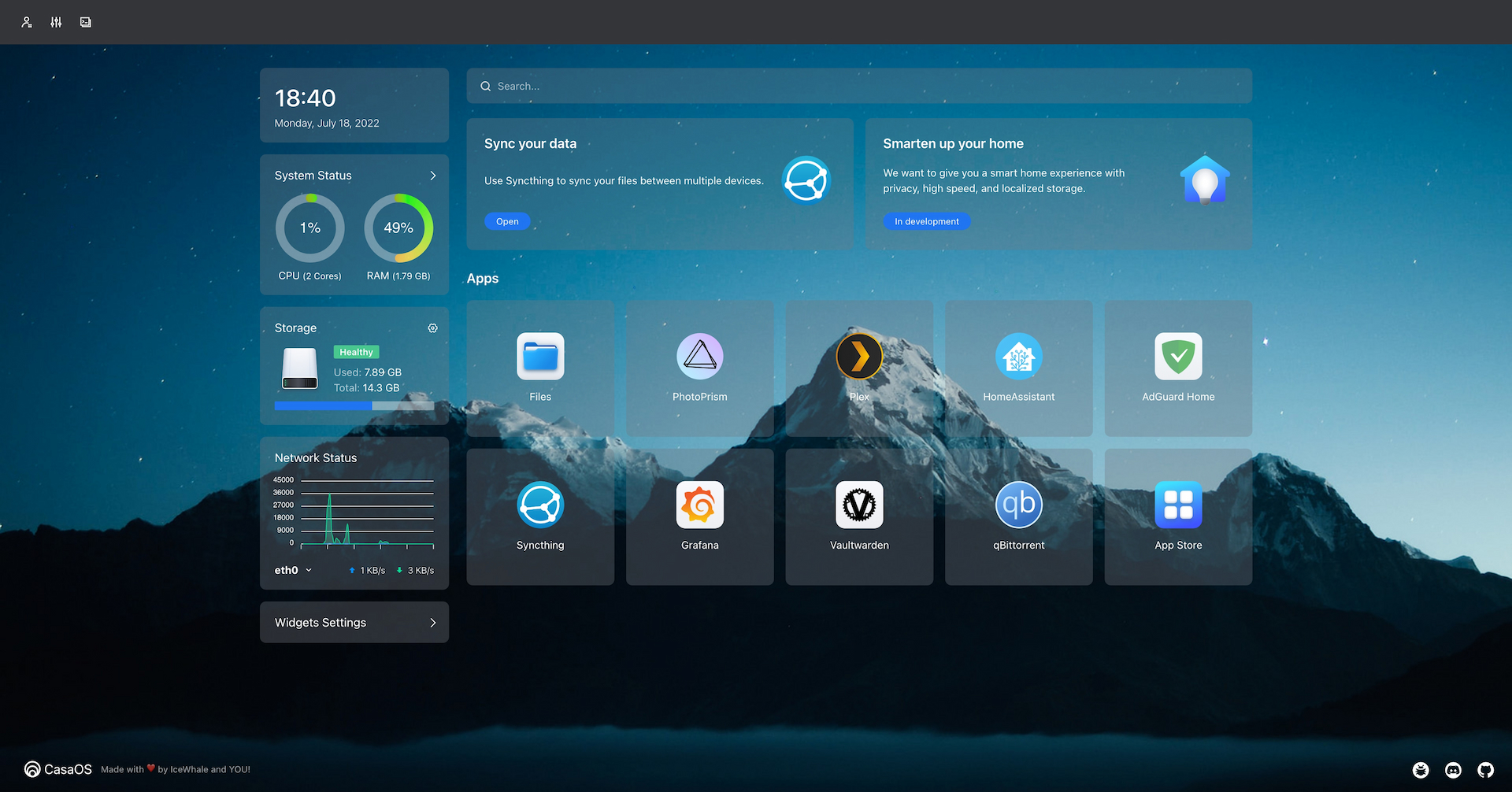


Что это такое?
 CasaOS — это операционная система персонального облака с открытым исходным кодом, которая превращает небольшой компьютер (ZimaBoard, NUC, Raspberry Pi или старый ПК) в домашний сервер с удобным веб-интерфейсом для файлов, приложений и устройств.
CasaOS — это операционная система персонального облака с открытым исходным кодом, которая превращает небольшой компьютер (ZimaBoard, NUC, Raspberry Pi или старый ПК) в домашний сервер с удобным веб-интерфейсом для файлов, приложений и устройств.Это приложение, которое я устанавливаю, или целая операционная система?CasaOS устанавливается поверх существующего дистрибутива Linux (Debian, Ubuntu Server, Raspberry Pi OS и др.) с помощью скрипта в одну строку и превращает эту машину в персональный облачный сервер с веб-панелью управления. Это не самостоятельный образ ОС, который записывается на носитель.
CasaOS устанавливается поверх существующего дистрибутива Linux (Debian, Ubuntu Server, Raspberry Pi OS и др.) с помощью скрипта в одну строку и превращает эту машину в персональный облачный сервер с веб-панелью управления. Это не самостоятельный образ ОС, который записывается на носитель.Как это запустить?Сначала установите на своё железо одну из поддерживаемых систем Linux, затем выполните официальную команду установки в одну строку из терминала. Обновления и некоторые настройки потом можно будет менять в самом веб-интерфейсе CasaOS.
Сначала установите на своё железо одну из поддерживаемых систем Linux, затем выполните официальную команду установки в одну строку из терминала. Обновления и некоторые настройки потом можно будет менять в самом веб-интерфейсе CasaOS.Нужно ли сначала установить Docker или что-то ещё?CasaOS опирается на экосистему Docker для запуска приложений: можно устанавливать приложения из её подобранного магазина приложений или напрямую загружать любой из более чем 100 000 образов Docker.
CasaOS опирается на экосистему Docker для запуска приложений: можно устанавливать приложения из её подобранного магазина приложений или напрямую загружать любой из более чем 100 000 образов Docker.Будет ли он работать на любой системе Linux или только на рекомендованных?Полное тестирование и официальную поддержку получают Debian 12, Ubuntu Server 20.04 и Raspberry Pi OS. Существуют системы с поддержкой сообщества, такие как Armbian, Alpine, OpenWrt и ArchLinux, но некоторые из них прямо помечены как ещё не полностью протестированные.
Полное тестирование и официальную поддержку получают Debian 12, Ubuntu Server 20.04 и Raspberry Pi OS. Существуют системы с поддержкой сообщества, такие как Armbian, Alpine, OpenWrt и ArchLinux, но некоторые из них прямо помечены как ещё не полностью протестированные.На каком железе он реально работает?Он рассчитан на домашнее серверное железо: ZimaBoard, Intel NUC, Raspberry Pi и приспособленные под сервер старые компьютеры, на архитектурах amd64/x86-64, arm64 или armv7.
Он рассчитан на домашнее серверное железо: ZimaBoard, Intel NUC, Raspberry Pi и приспособленные под сервер старые компьютеры, на архитектурах amd64/x86-64, arm64 или armv7.Какие приложения есть из коробки или их легко добавить?В магазине приложений есть установка в один клик для популярных приложений для собственного сервера, таких как Nextcloud, Home Assistant, AdGuard, Jellyfin и различные медиаприложения из семейства 'arr', а также любой нужный вам Docker-образ.
В магазине приложений есть установка в один клик для популярных приложений для собственного сервера, таких как Nextcloud, Home Assistant, AdGuard, Jellyfin и различные медиаприложения из семейства 'arr', а также любой нужный вам Docker-образ.Почему называется CasaOS?«Casa» по-испански означает «дом». Проект начинался как предустановленное ПО для домашнего сервера ZimaBoard, который финансировался через Kickstarter.
«Casa» по-испански означает «дом». Проект начинался как предустановленное ПО для домашнего сервера ZimaBoard, который финансировался через Kickstarter.Как обновить или удалить его?CasaOS можно обновить из его собственного веб-интерфейса (Настройки > Обновление) или командой в терминале для установки последней версии. Шаги удаления немного различаются в зависимости от того, какая у вас версия: до или после v0.3.3.
CasaOS можно обновить из его собственного веб-интерфейса (Настройки > Обновление) или командой в терминале для установки последней версии. Шаги удаления немного различаются в зависимости от того, какая у вас версия: до или после v0.3.3.Нужны ли технические навыки для управления файлами и приложениями?Нет. Интерфейс построен на принципе «что видишь, то и получаешь», он интуитивно понятен и не требует программирования, поэтому управление файлами и установка приложений не требуют технической подготовки.
Нет. Интерфейс построен на принципе «что видишь, то и получаешь», он интуитивно понятен и не требует программирования, поэтому управление файлами и установка приложений не требуют технической подготовки.What are similar projects?awesome-raspberry-pi, navidrome, labtether, core, umbrel, dockge, EchoMuse, MagicMirror
awesome-raspberry-pi, navidrome, labtether, core, umbrel, dockge, EchoMuse, MagicMirrorWhich topics is it in?home-automation, file-manager, vuejs, homelab, iot, raspberry-pi, golang, dashboard, go, productivity, gui, terminal
home-automation, file-manager, vuejs, homelab, iot, raspberry-pi, golang, dashboard, go, productivity, gui, terminal